'%20d='M0%208a8%208%200%200%201%208-8h24a8%208%200%200%201%208%208v24a8%208%200%200%201-8%208H8a8%208%200%200%201-8-8V8Z'/%3e%3cpath%20fill='%23fff'%20d='M32.576%206C12.293%206%208.776%2025.887%207.424%2034H9.1c.45-2.977%203.493-14.748%2010.899-20.287%200%200-5.633%206.976-6.572%2015.051%203.426-.652%2013.845-3.372%2016.056-12.927l-3.84-.61c1.352-1.351%204.909-5.17%206.931-9.226V6Z'/%3e%3cdefs%3e%3clinearGradient%20id='reapit-lettings__a'%20x1='20.702'%20x2='20.702'%20y1='.351'%20y2='31.228'%20gradientUnits='userSpaceOnUse'%3e%3cstop%20stop-color='%235573FD'/%3e%3cstop%20offset='.575'%20stop-color='%234E56EA'/%3e%3c/linearGradient%3e%3c/defs%3e%3c/svg%3e)
What is the Video Tour Link Phrase and How to Update it
This article will discuss what is the video tour link phrase and how to update it in Reapit Lettings
What is the Video Tour Link Phrase and How to Update it
This article will discuss what is the video tour link phrase and how to update it in Reapit Lettings.
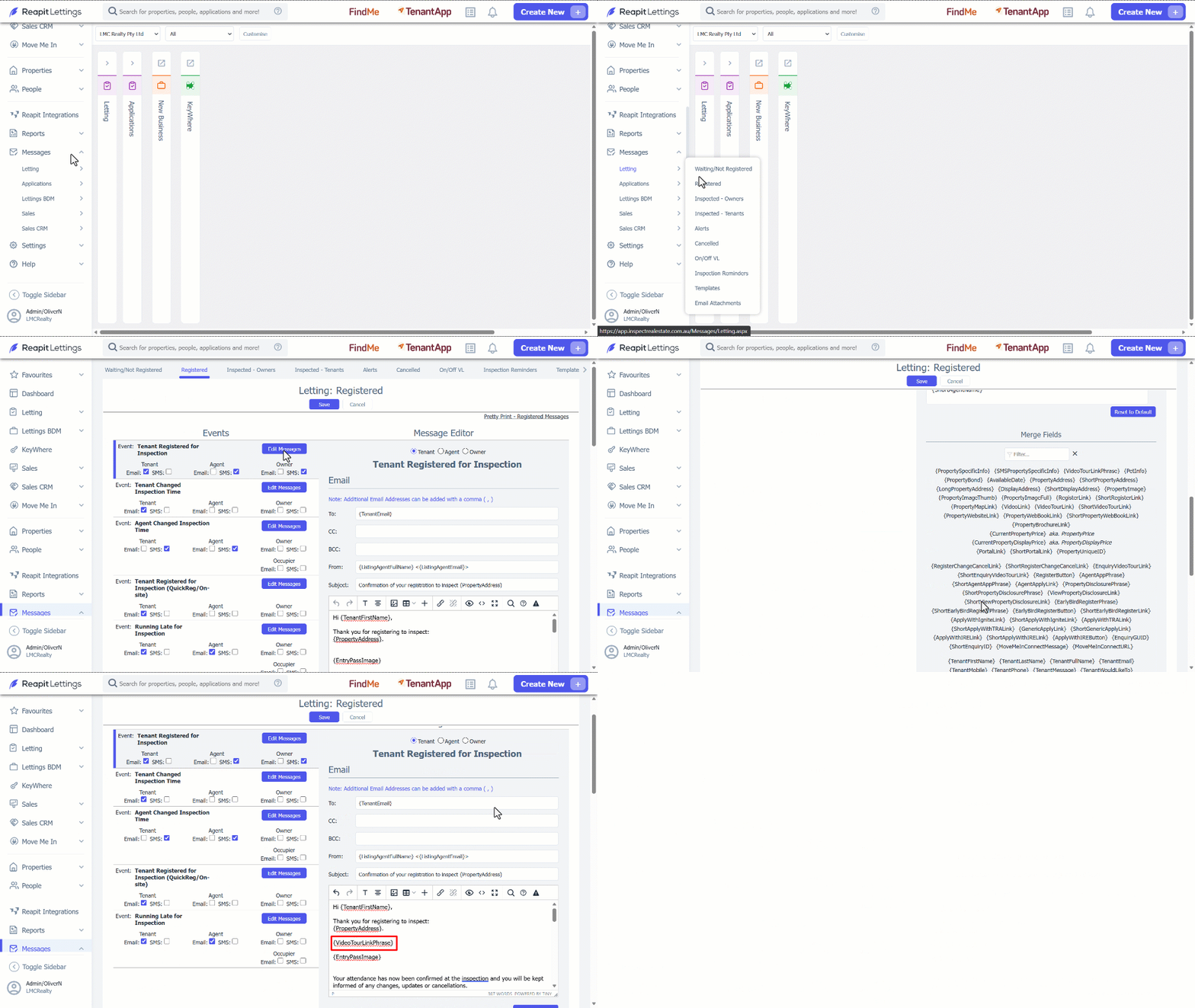
The merge field {VideoTourLinkPhrase} can be used to customise templates. The merge field is a shortened version of a unique phrase or sentence that you can create that also contains the video tour link. Using this merge field avoids having to manually add/edit a full line of text for desired templates. 1. Click on Messages. 2. Click on Letting. 3. From the options shown, select from which group you will make an update. 4. Select the appropriate event and click on Edit Messages. 5. Scroll down to the Merge Fields section and select {VideoTourLinkPhrase}. 6. Click on Save.
- To customise the sentence, navigate to Settings. 8. Click on Letting. 9. Select General. 10. Navigate to Display. 11. Scroll down to the Video Tour Link Phrase and customize the sentence. 12. Click on Save.
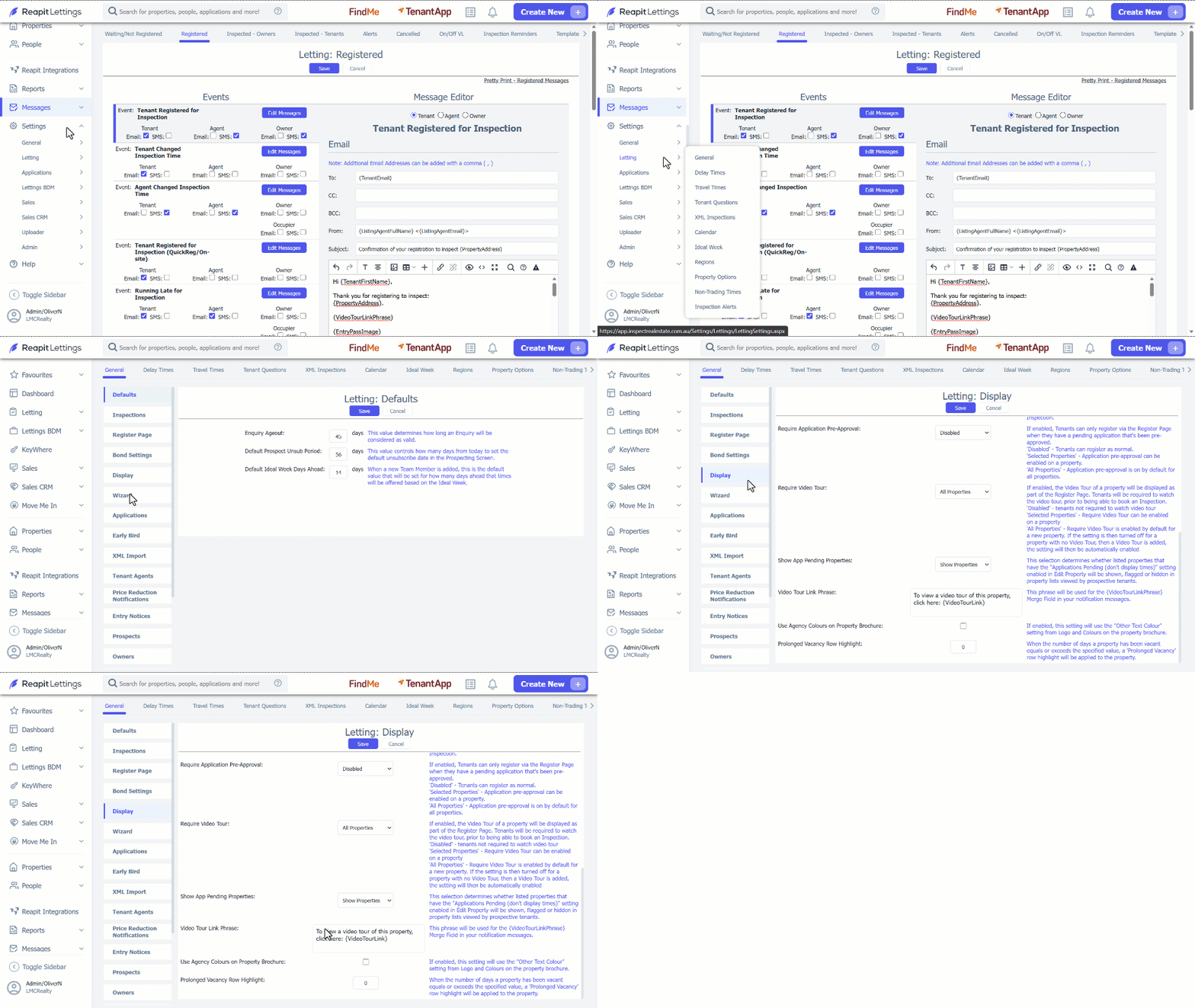
Note: This phrase will be used for the {VideoTourLinkPhrase} Merge Field in your notification messages.