'%20d='M0%208a8%208%200%200%201%208-8h24a8%208%200%200%201%208%208v24a8%208%200%200%201-8%208H8a8%208%200%200%201-8-8V8Z'/%3e%3cpath%20fill='%23fff'%20d='M32.576%206C12.293%206%208.776%2025.887%207.424%2034H9.1c.45-2.977%203.493-14.748%2010.899-20.287%200%200-5.633%206.976-6.572%2015.051%203.426-.652%2013.845-3.372%2016.056-12.927l-3.84-.61c1.352-1.351%204.909-5.17%206.931-9.226V6Z'/%3e%3cdefs%3e%3clinearGradient%20id='reapit-lettings__a'%20x1='20.702'%20x2='20.702'%20y1='.351'%20y2='31.228'%20gradientUnits='userSpaceOnUse'%3e%3cstop%20stop-color='%235573FD'/%3e%3cstop%20offset='.575'%20stop-color='%234E56EA'/%3e%3c/linearGradient%3e%3c/defs%3e%3c/svg%3e)
Rent Projector
This process demonstrates how to use Rent Projector and preview the report in Reapit Lettings.
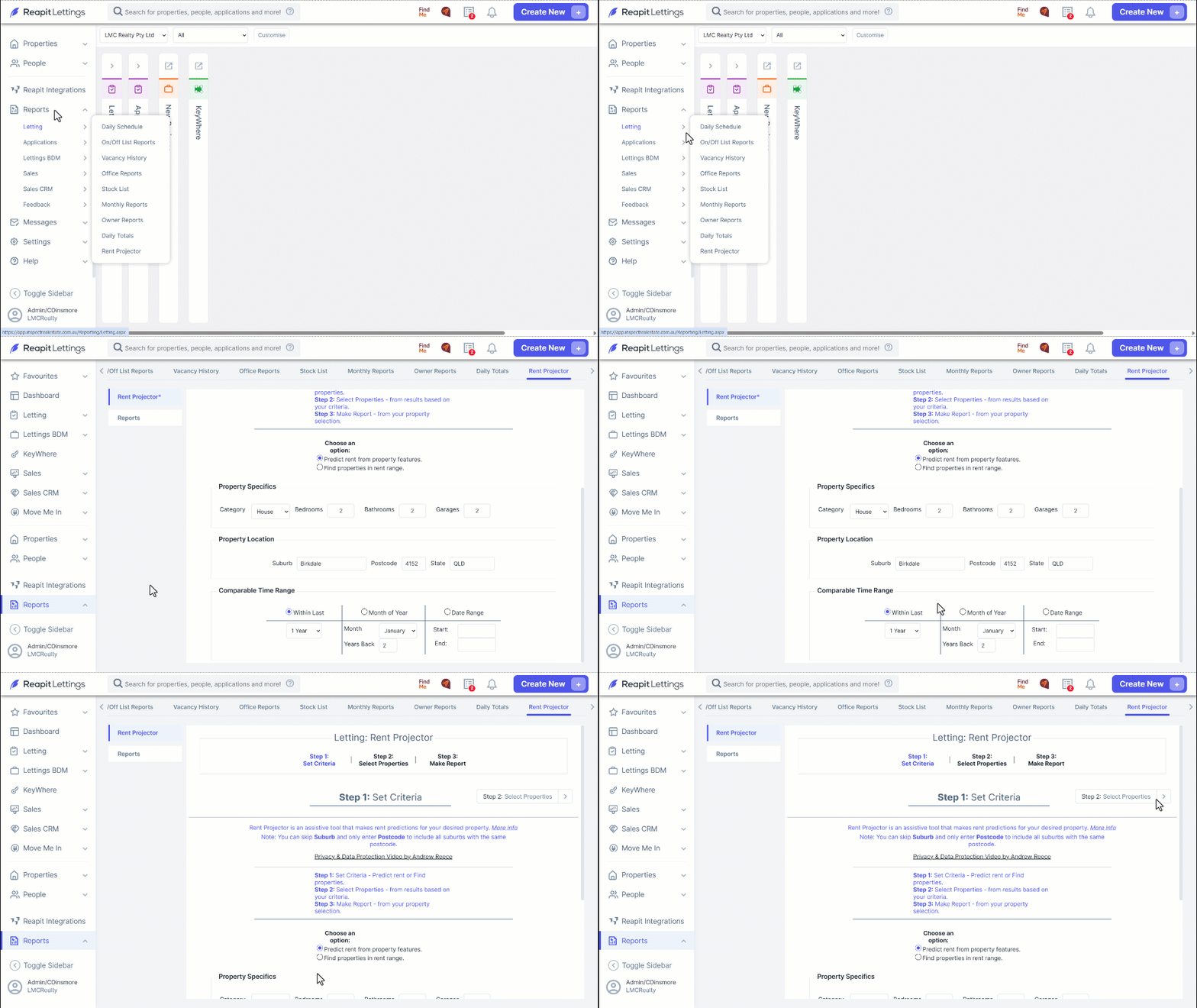
Click on Reports.
Click on Letting.
Click on Rent Projector.
Complete Property Specifics and Property Location.
Select you preferred Comparable Time Range.
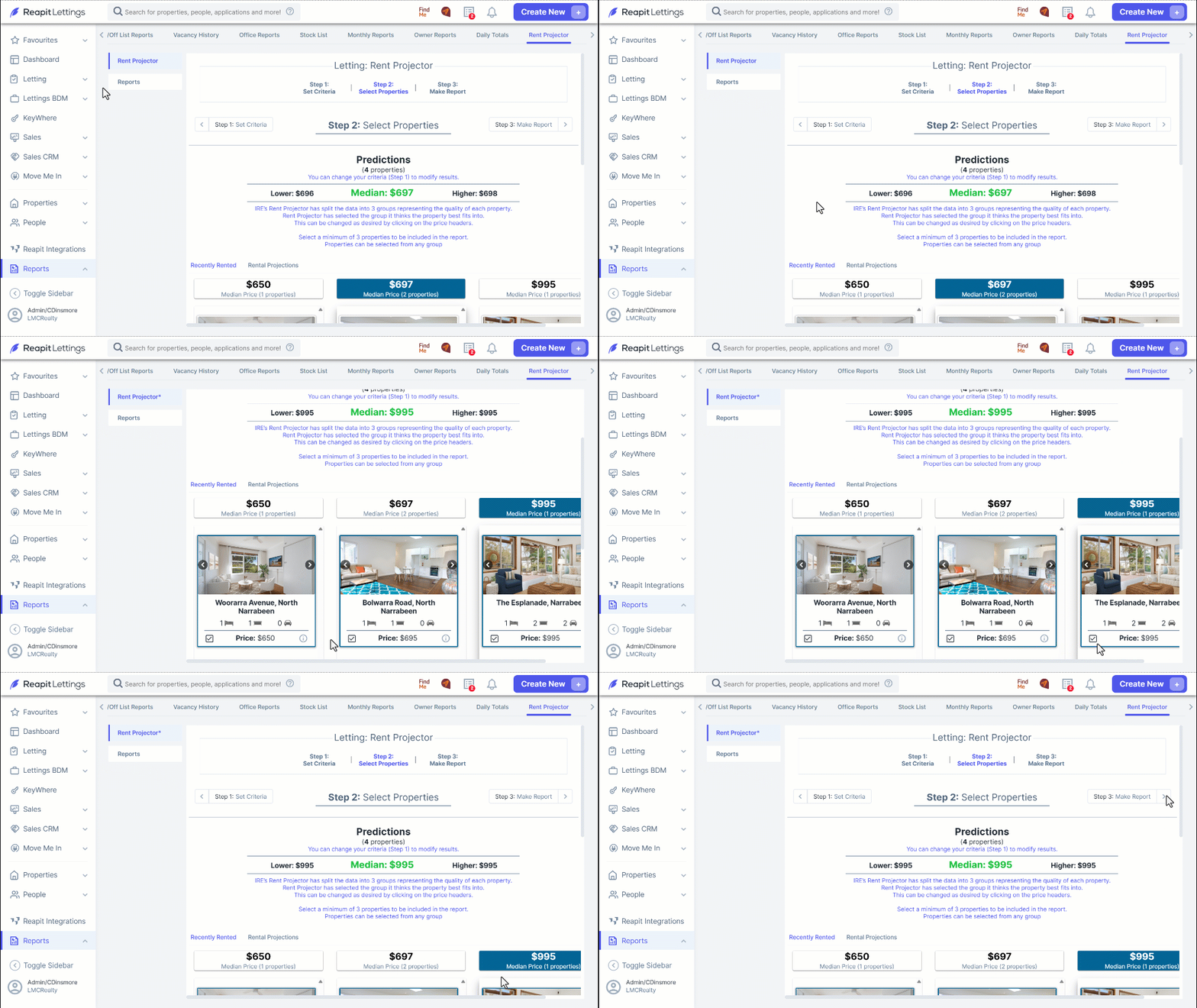
Click on Step 2: Select Properties.
Review the property selections and select a minimum of 3 comparable properties using the tick boxes.
Click on Step 3: Make Report.
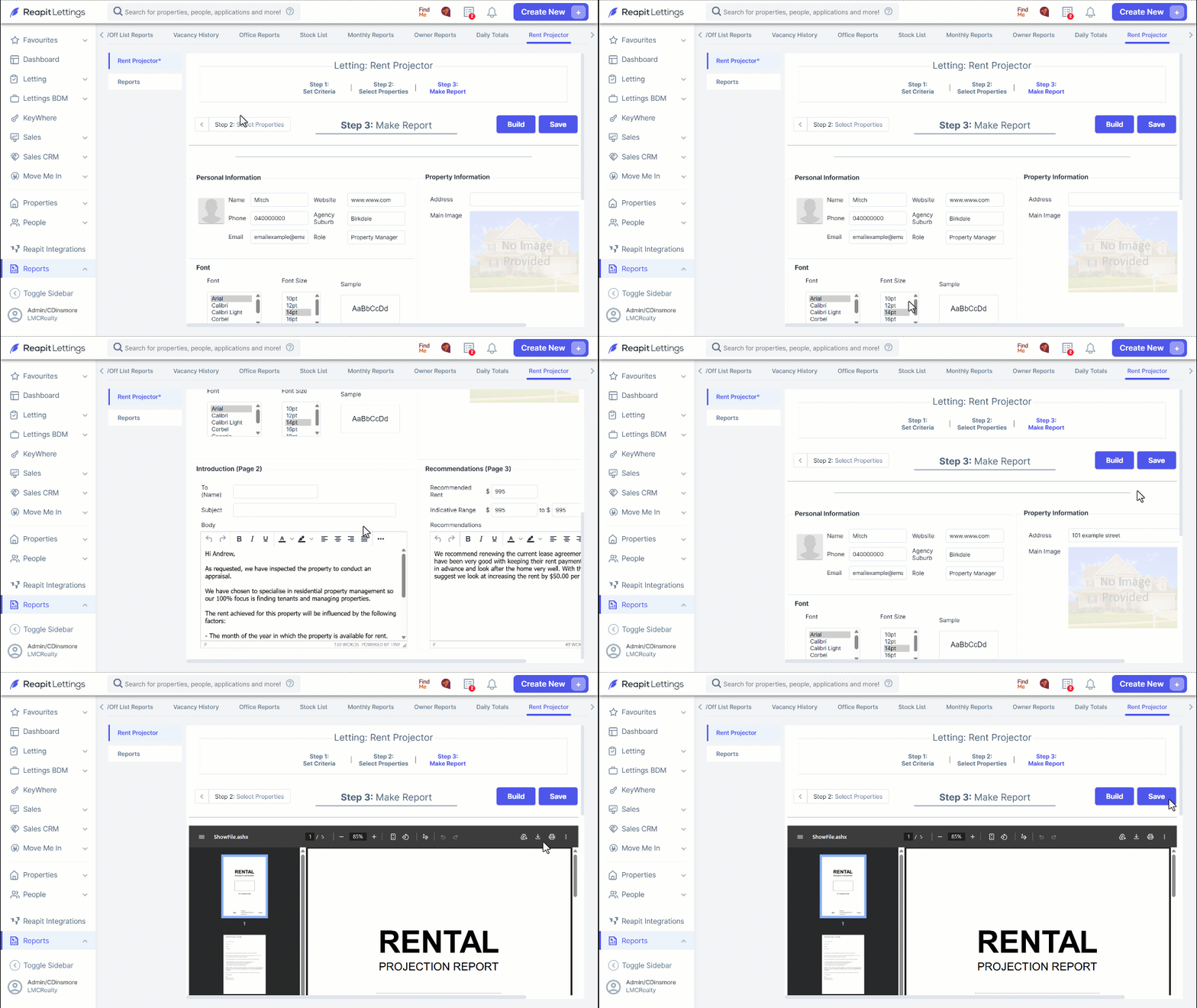
Personal Information will populate based on your information within the system (People>Team)
Set the font as required.
Under Introduction (Page 2) enter the Name of the recipient in the To field and a Subject.
Review the template message and adjust as required.
Review and complete the Recommendations (Page 3) section. Adjust the Recommended Rent and Indicative Range as required.
Add an image under Property Information.
Click on Build to preview the report.
Use the Download Icon to save to you device and send to the client.
Alternatively, click on Save to save the report.