'%20d='M0%208a8%208%200%200%201%208-8h24a8%208%200%200%201%208%208v24a8%208%200%200%201-8%208H8a8%208%200%200%201-8-8V8Z'/%3e%3cpath%20fill='%23fff'%20d='M32.576%206C12.293%206%208.776%2025.887%207.424%2034H9.1c.45-2.977%203.493-14.748%2010.899-20.287%200%200-5.633%206.976-6.572%2015.051%203.426-.652%2013.845-3.372%2016.056-12.927l-3.84-.61c1.352-1.351%204.909-5.17%206.931-9.226V6Z'/%3e%3cdefs%3e%3clinearGradient%20id='reapit-lettings__a'%20x1='20.702'%20x2='20.702'%20y1='.351'%20y2='31.228'%20gradientUnits='userSpaceOnUse'%3e%3cstop%20stop-color='%235573FD'/%3e%3cstop%20offset='.575'%20stop-color='%234E56EA'/%3e%3c/linearGradient%3e%3c/defs%3e%3c/svg%3e)
How to Add an Application
This article steps you through the process of how to manually add an application for a rental within Reapit Lettings.
How to Add an Application
This article steps you through the process of how to manually add an application for a rental within Reapit Lettings.
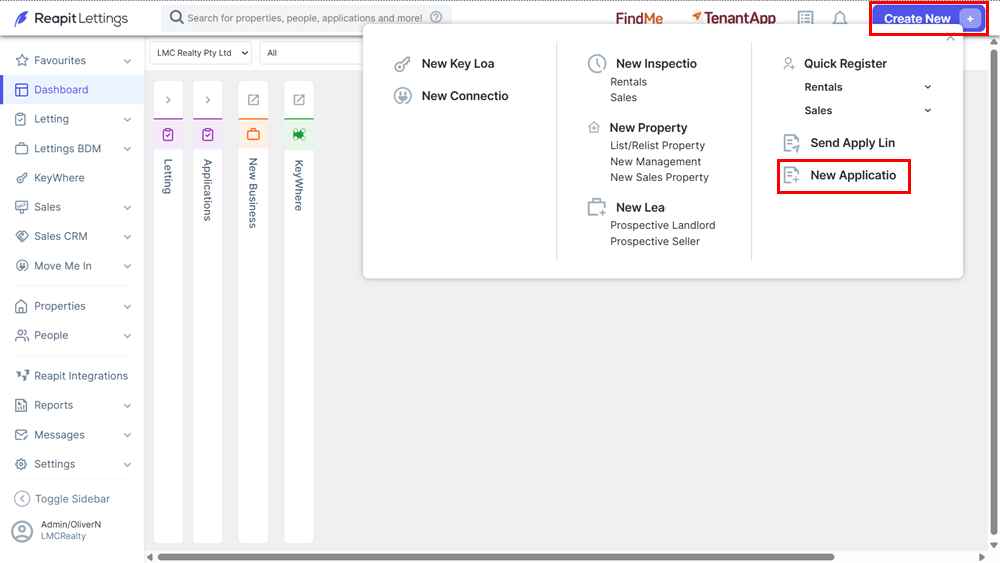
You can add an application against a property manually in the account in one of two ways.
- Option 1: Click Create New the New Application.
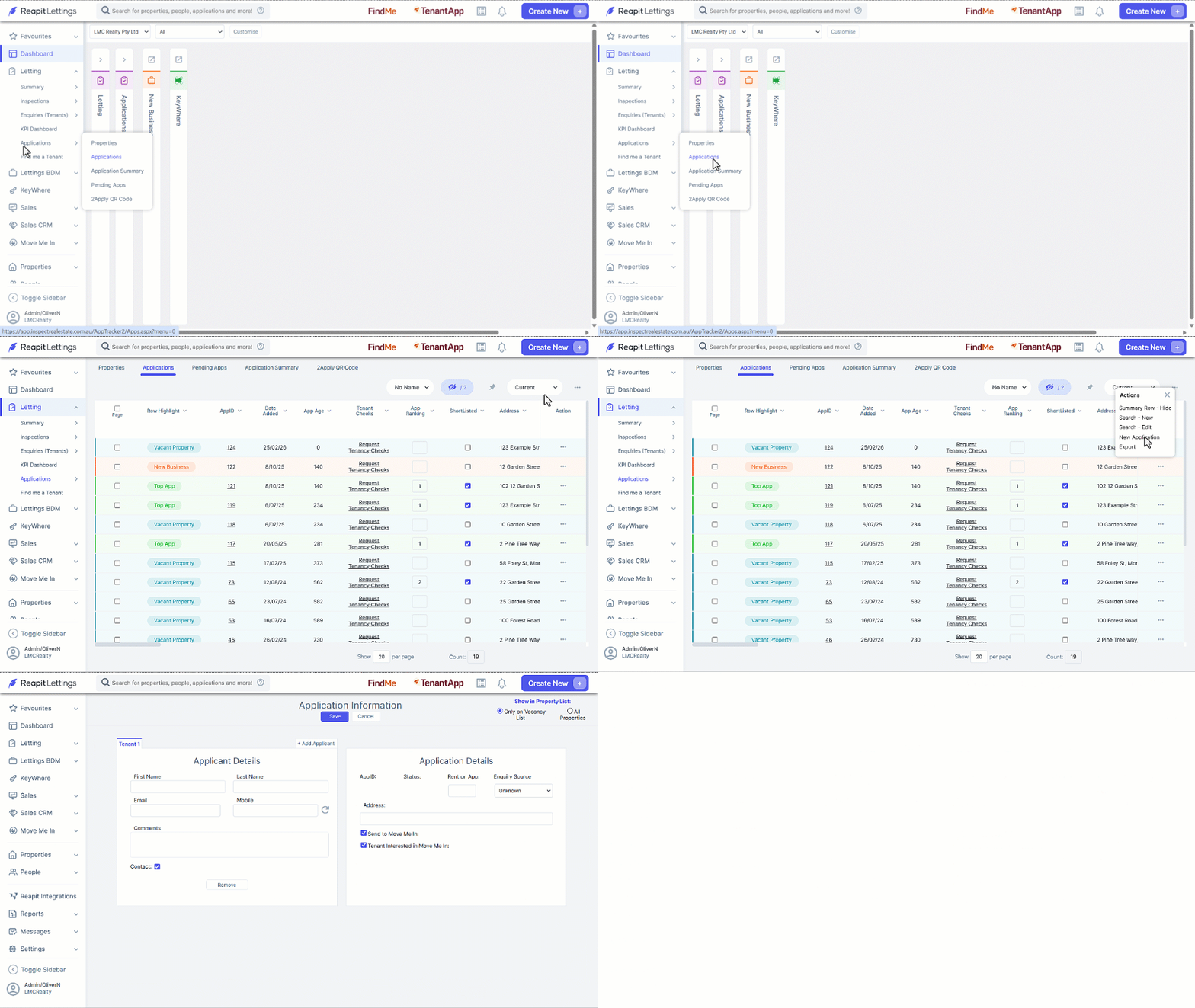
- Option 2: Click Letting.
- Click on Applications.
- Click on Applications.
- Navigate to the 3-dots and select New Application.
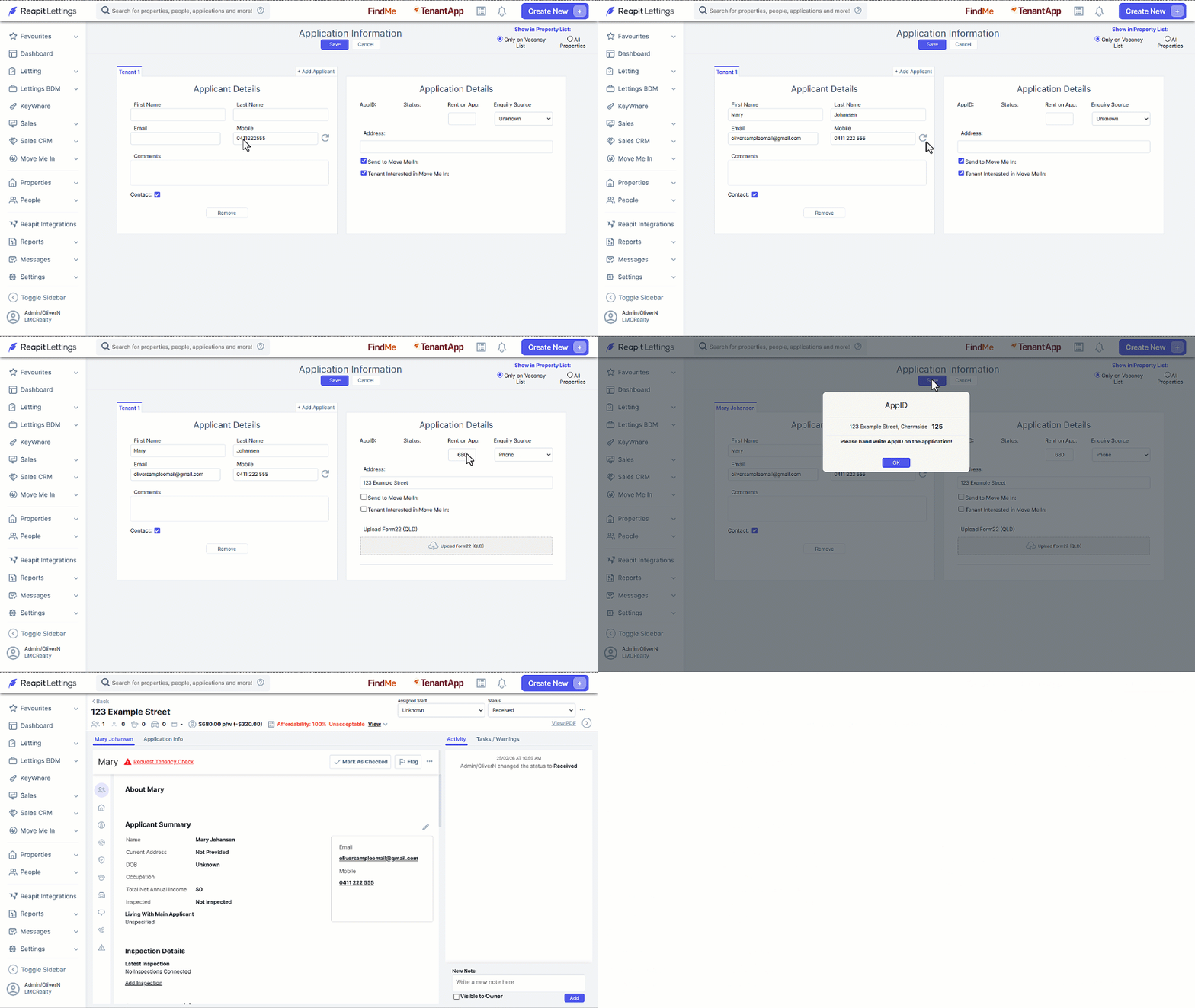
- In the Applicant Details section, search for an applicant by entering their Mobile number then the arrow icon. If no record is found, enter the applicant’s information.
- Enter the Application Details, Rent on App, Enquiry Source and Address. Send to Move Me In and Tenant Interested in Move Me In will only be visible as options if configured on your account.
- Click on Save, then OK.
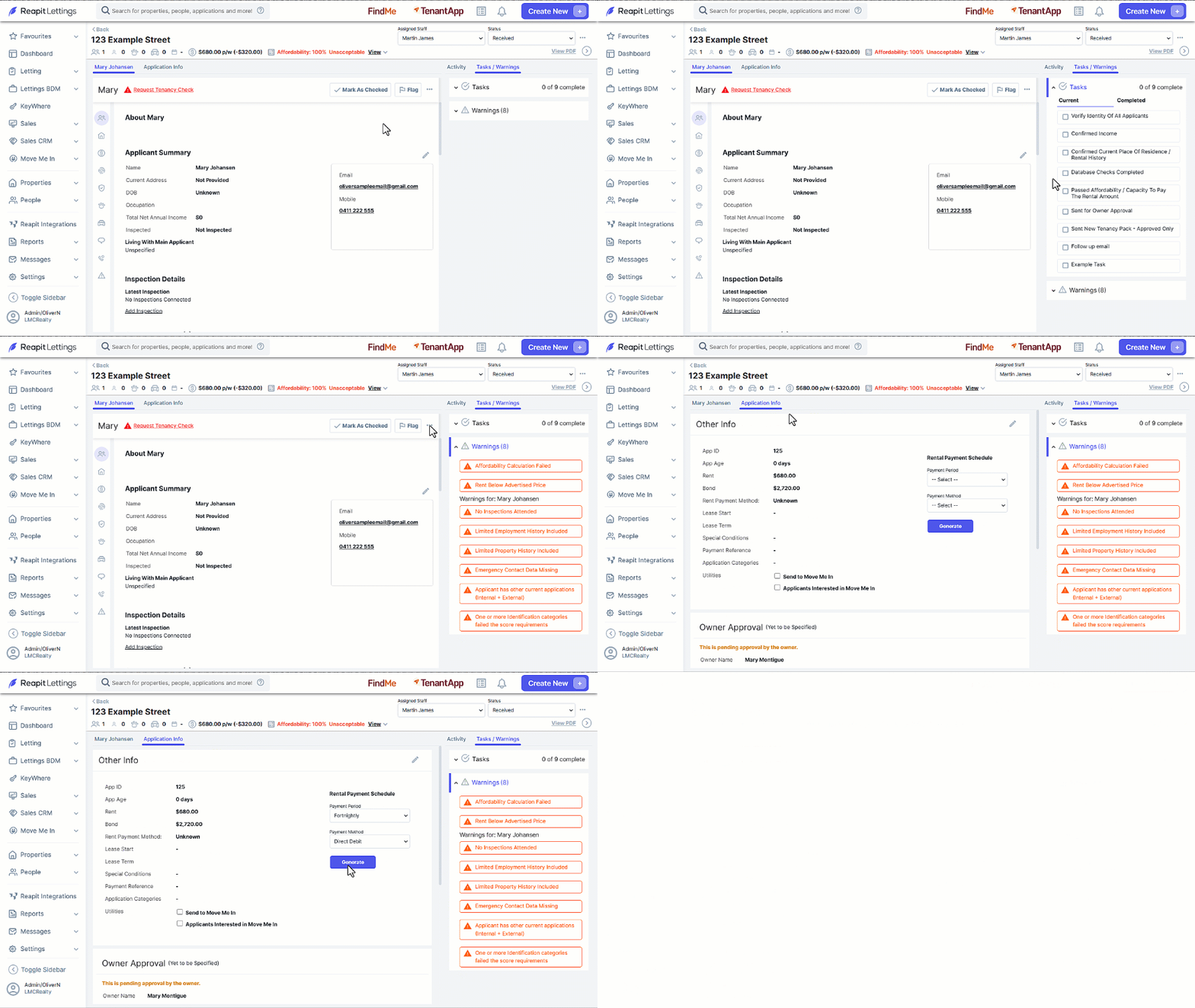
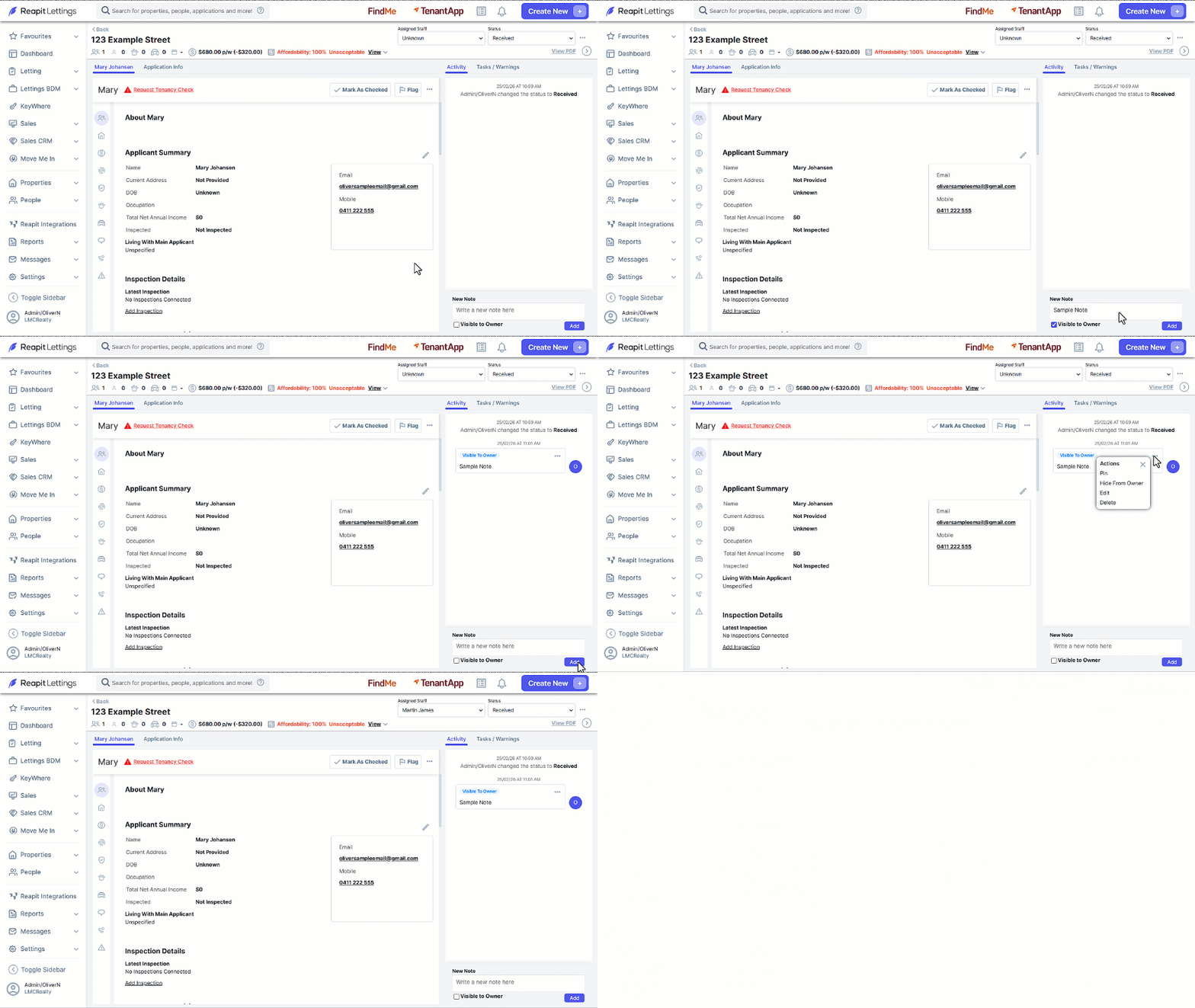
- Navigate to the Activity tab to view existing notes, click into New Note, add a new note and click Add (click the Visible to Owner checkbox if required)
- To edit, delete or pin notes, click on the 3-Dots to the right of the published note.
- Assign a staff member and status using the drop-down menus.
- Review outstanding Tasks / Warnings tab.
- Complete outstanding tasks, then select from the list to mark as completed.
- Select the highlighted warnings to navigate you to the applicable section within the application.
- Throughout the application you can click the 3-Dots to perform different tasks such as database checks, sending apply links etc.
- Select the Application Info tab to select a Payment Period and Payment Method.
- Click Generate.
- Submit the application for Owner Approve by clicking on Ask Owner Approval. Choose SMS or Email, review the templates before sending.