'%20d='M0%208a8%208%200%200%201%208-8h24a8%208%200%200%201%208%208v24a8%208%200%200%201-8%208H8a8%208%200%200%201-8-8V8Z'/%3e%3cpath%20fill='%23fff'%20d='M32.576%206C12.293%206%208.776%2025.887%207.424%2034H9.1c.45-2.977%203.493-14.748%2010.899-20.287%200%200-5.633%206.976-6.572%2015.051%203.426-.652%2013.845-3.372%2016.056-12.927l-3.84-.61c1.352-1.351%204.909-5.17%206.931-9.226V6Z'/%3e%3cdefs%3e%3clinearGradient%20id='reapit-lettings__a'%20x1='20.702'%20x2='20.702'%20y1='.351'%20y2='31.228'%20gradientUnits='userSpaceOnUse'%3e%3cstop%20stop-color='%235573FD'/%3e%3cstop%20offset='.575'%20stop-color='%234E56EA'/%3e%3c/linearGradient%3e%3c/defs%3e%3c/svg%3e)
How to add inspection information into Gmail (Calendar Sync)
This article will run through how to add inspection information into Gmail (Calendar Sync).
Your Internet Calendar will show you:
- Inspection times for your office, or just a particular team member (or team members)
- Available times for your office, or just a particular team member (or team members)
- Cancelled inspections for your office, or just a particular team member (or team members)
You will need to obtain your Internet Calendar Link – if you do not have a calendar link, contact Reapit Lettings support.
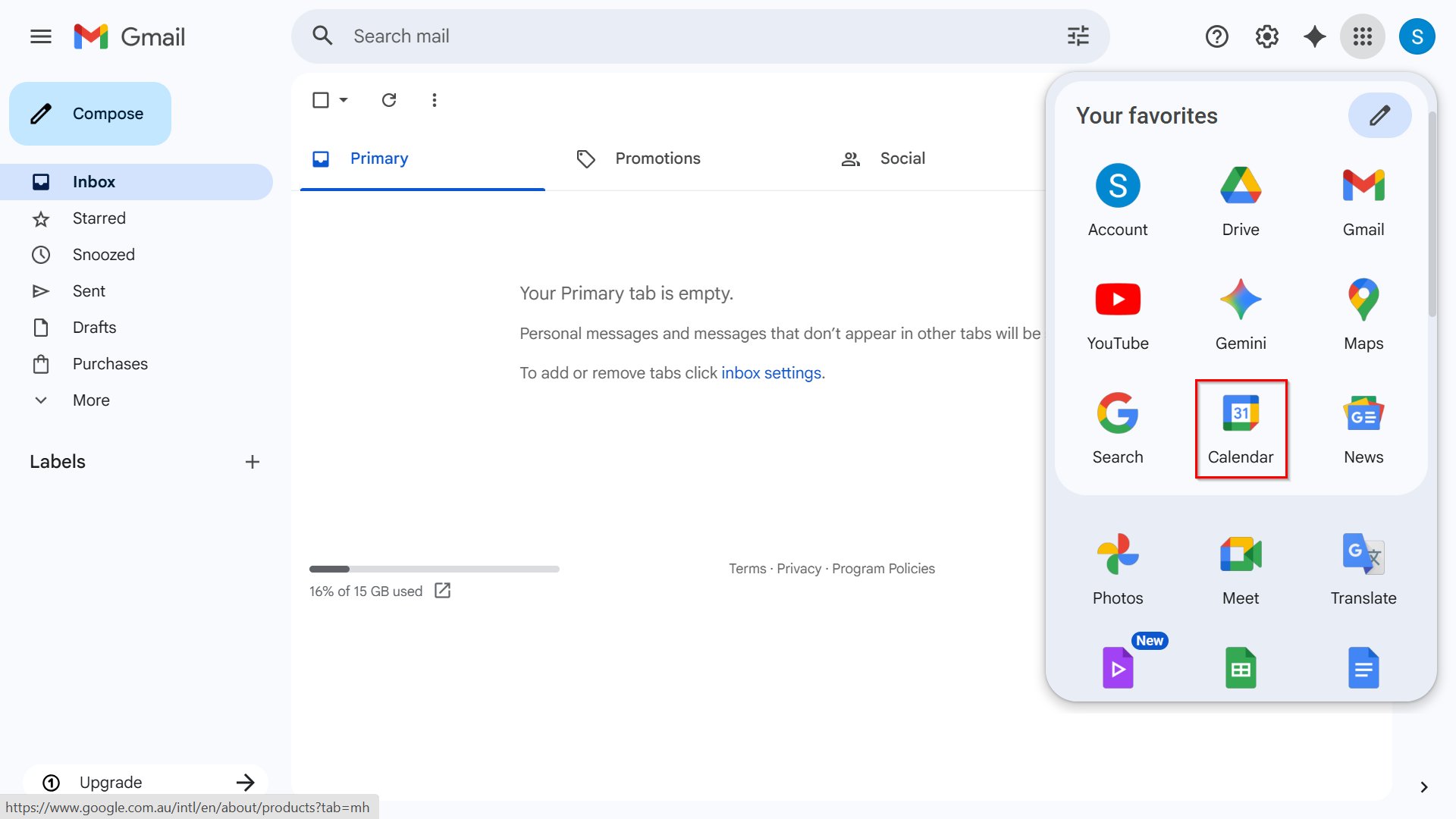
1. Login into your Gmail Account and select the Calendar menu button.
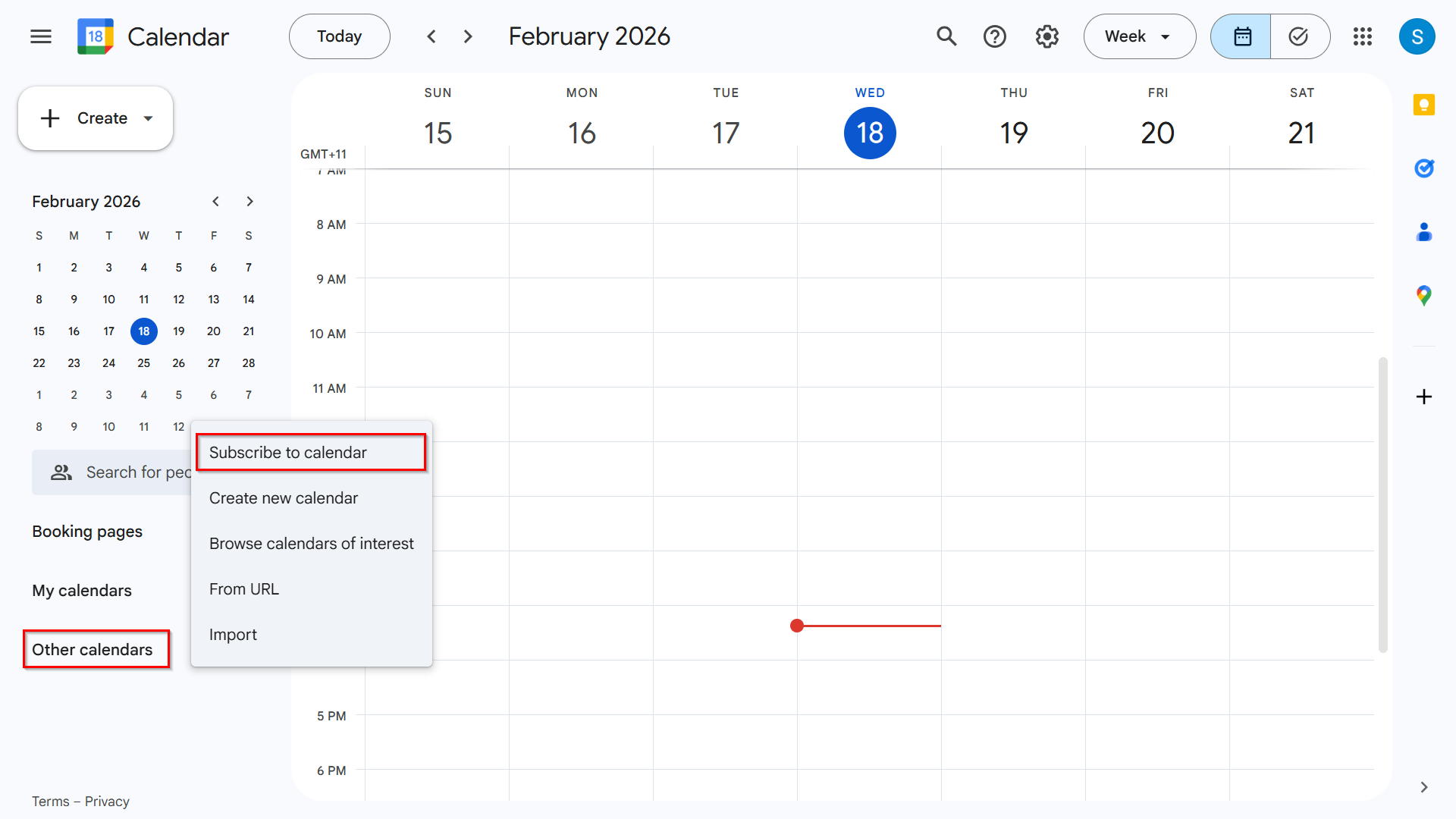
2. Click on the + icon and select Subscribe to Calendar.
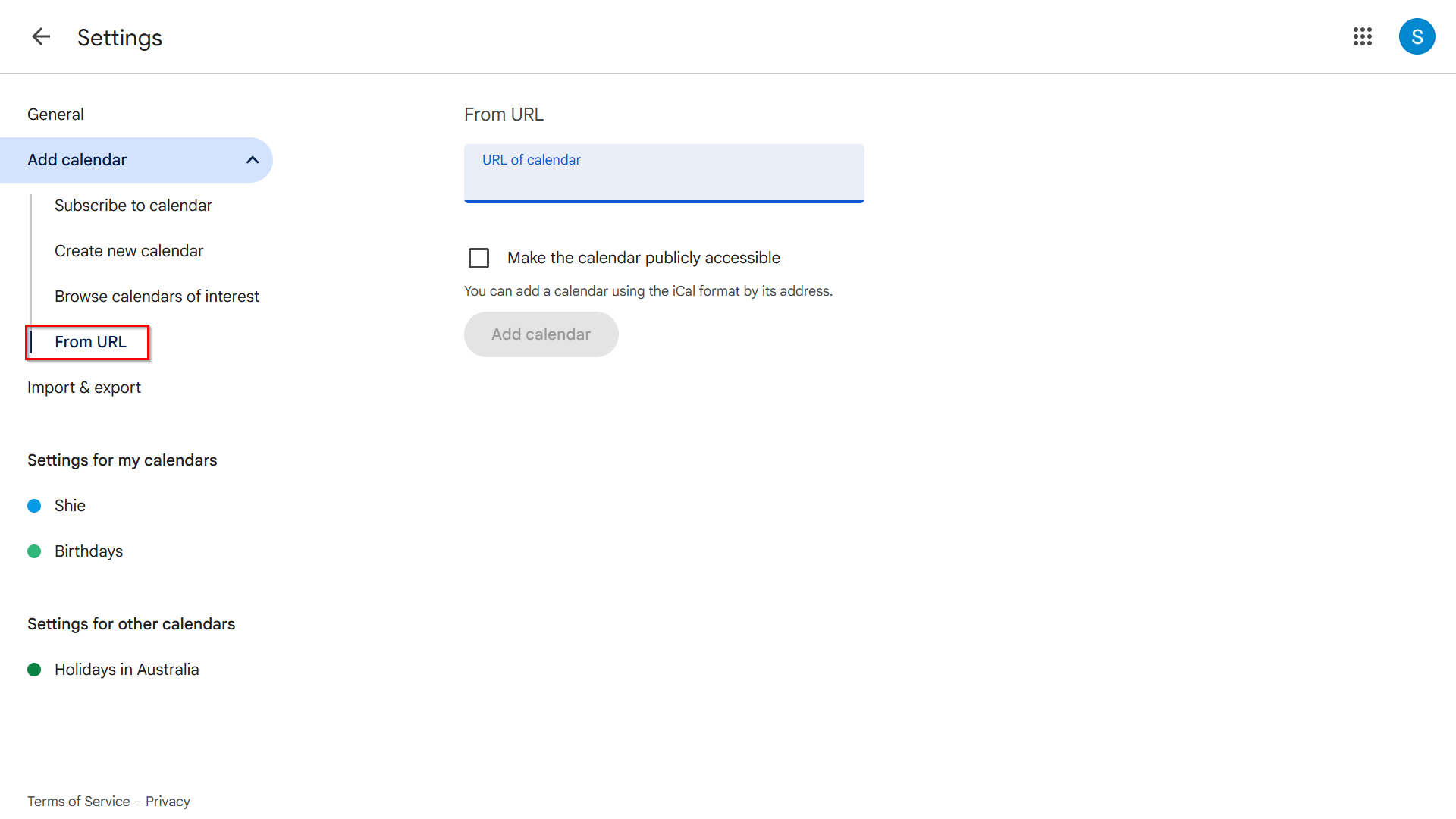
3. Then select From URL.
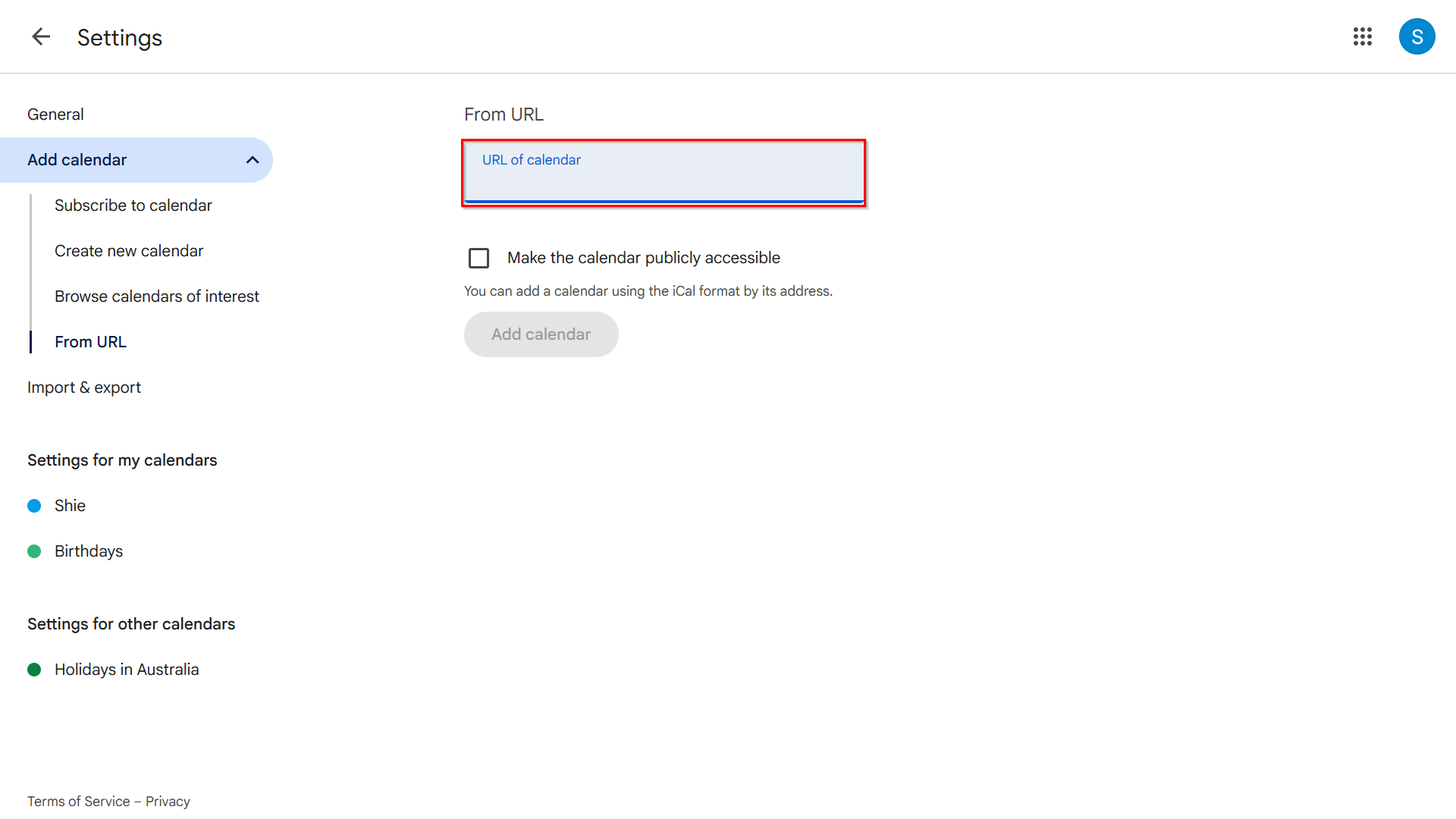
4. Paste in your Calendar Link into the URL box.
5. Press the Add Calendar button.
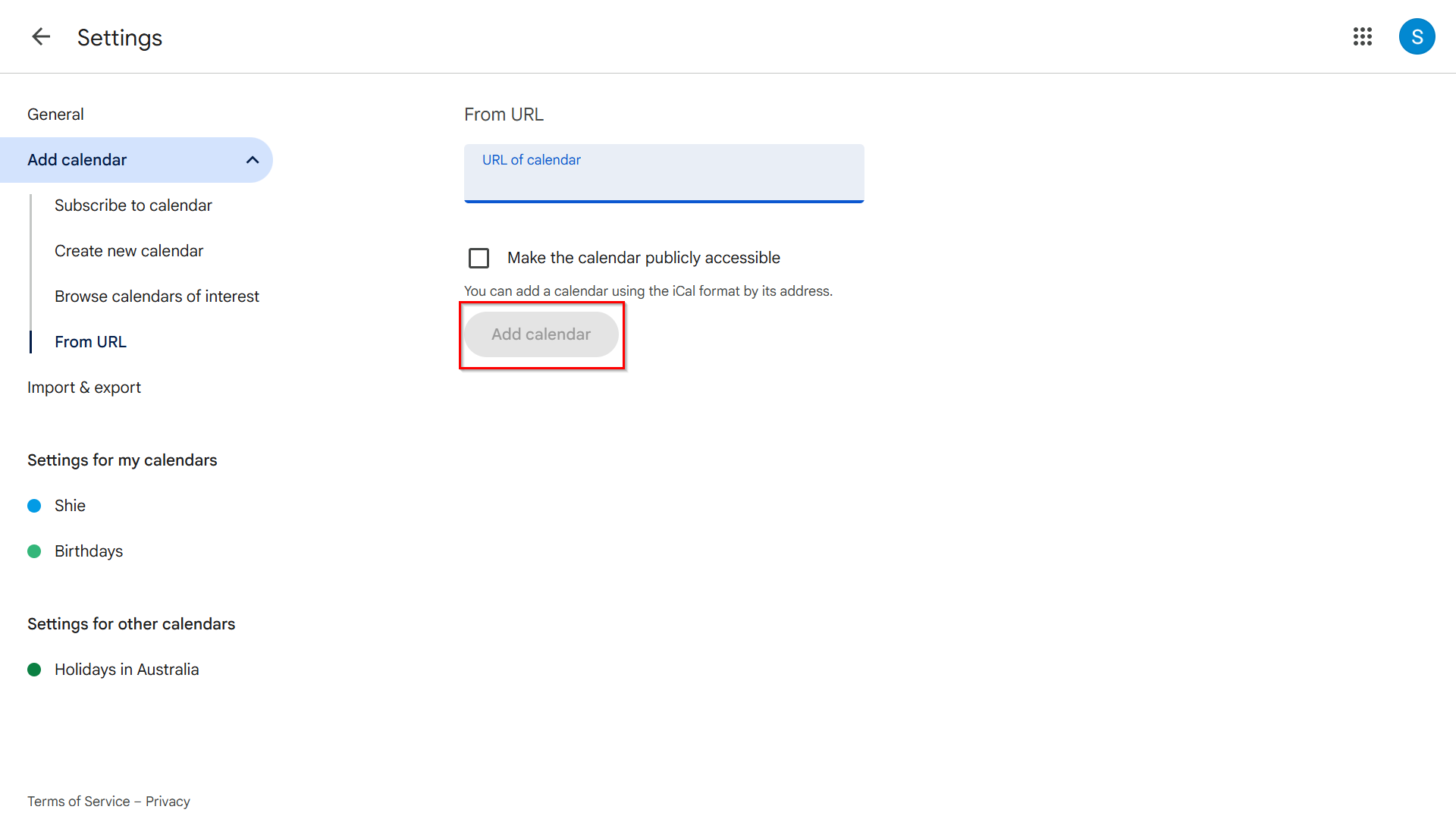
6. Inspection information will now automatically update from Reapit Lettings into Gmail.