'%20d='M0%208a8%208%200%200%201%208-8h24a8%208%200%200%201%208%208v24a8%208%200%200%201-8%208H8a8%208%200%200%201-8-8V8Z'/%3e%3cpath%20fill='%23fff'%20d='M32.576%206C12.293%206%208.776%2025.887%207.424%2034H9.1c.45-2.977%203.493-14.748%2010.899-20.287%200%200-5.633%206.976-6.572%2015.051%203.426-.652%2013.845-3.372%2016.056-12.927l-3.84-.61c1.352-1.351%204.909-5.17%206.931-9.226V6Z'/%3e%3cdefs%3e%3clinearGradient%20id='reapit-lettings__a'%20x1='20.702'%20x2='20.702'%20y1='.351'%20y2='31.228'%20gradientUnits='userSpaceOnUse'%3e%3cstop%20stop-color='%235573FD'/%3e%3cstop%20offset='.575'%20stop-color='%234E56EA'/%3e%3c/linearGradient%3e%3c/defs%3e%3c/svg%3e)
How to Create a New Rental Property
This article will run through how to create a new rental property within your account
How to Create a New Rental Property
This article will run through how to create a new rental property in Reapit Lettings.
- Navigate to Properties.
- Click Rentals.
- Click the three dots.
- Click New Property.
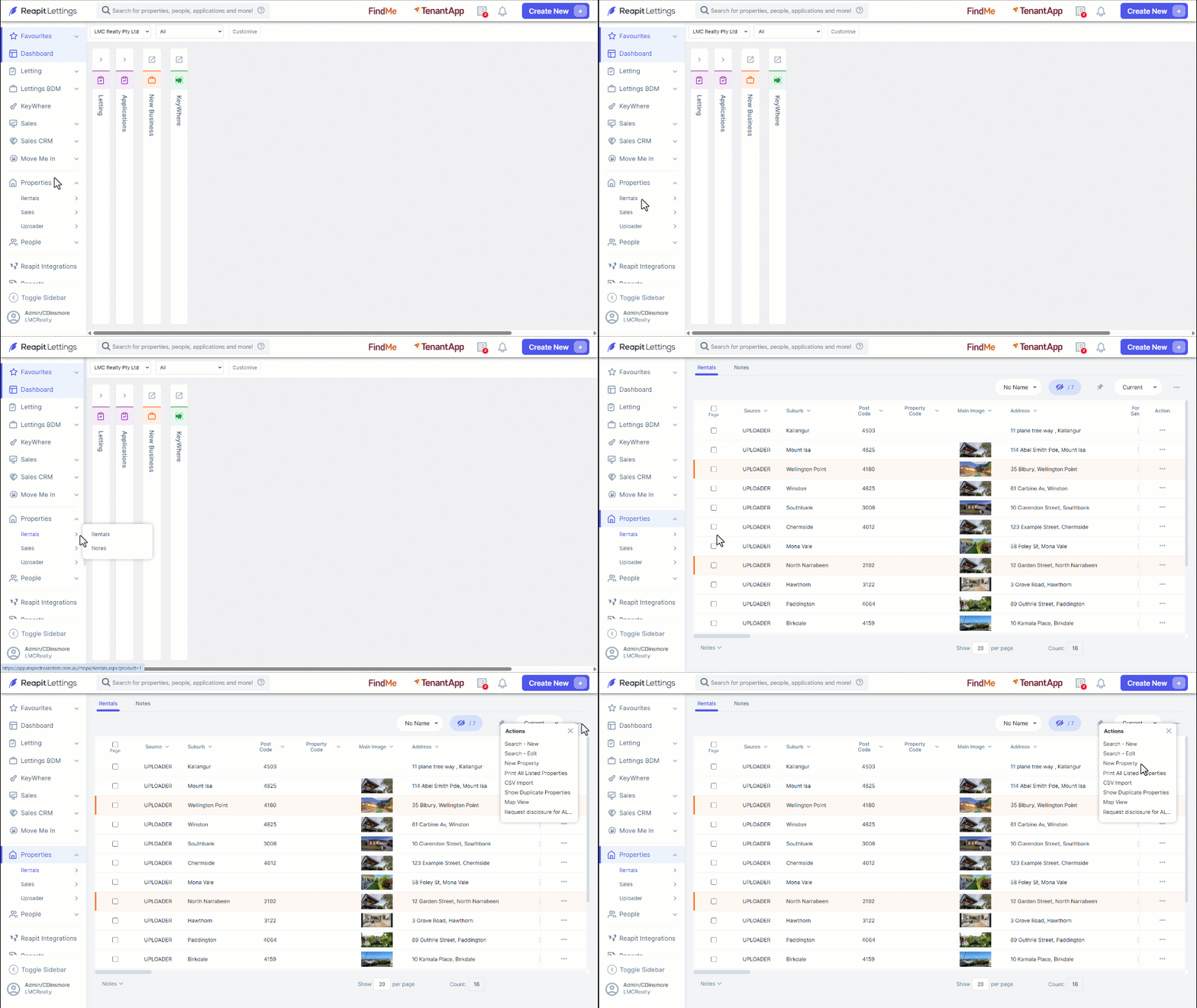
Note: You can also create a new property by navigating to Create New and selecting an option under New Property.
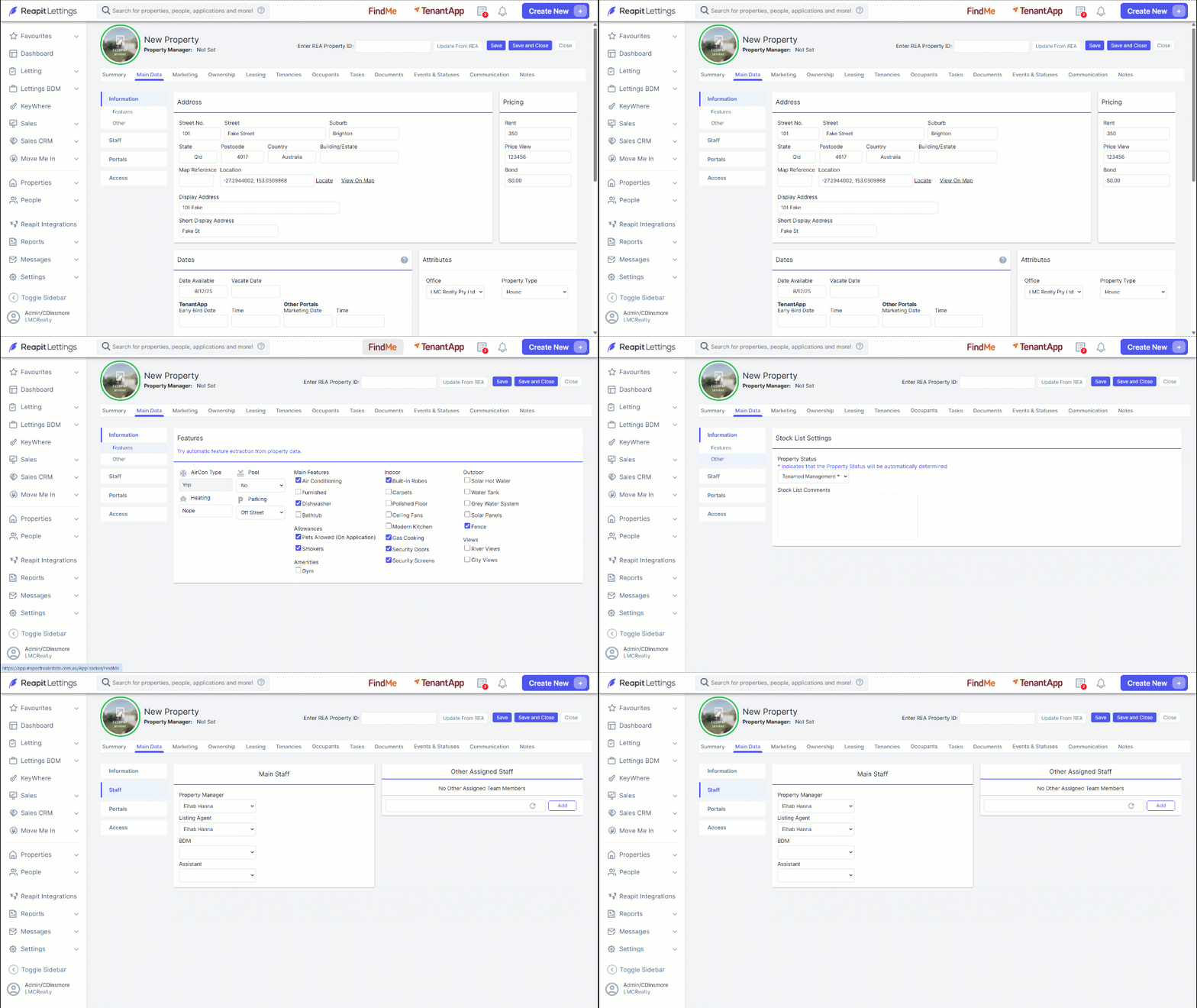
- Enter the Address, Dates, and Pricing details.
- Click the Features tab, select the checkboxes indicating what will be included in the property.
- Click the Other tab, click the Property Status dropdown selector and choose a property status, as well as inputting Stock List Comments.
- Click the Staff tab, select appropriate staff members by clicking through the dropdown selectors for Property Manager, Listing Agent, BDM and Assistant.
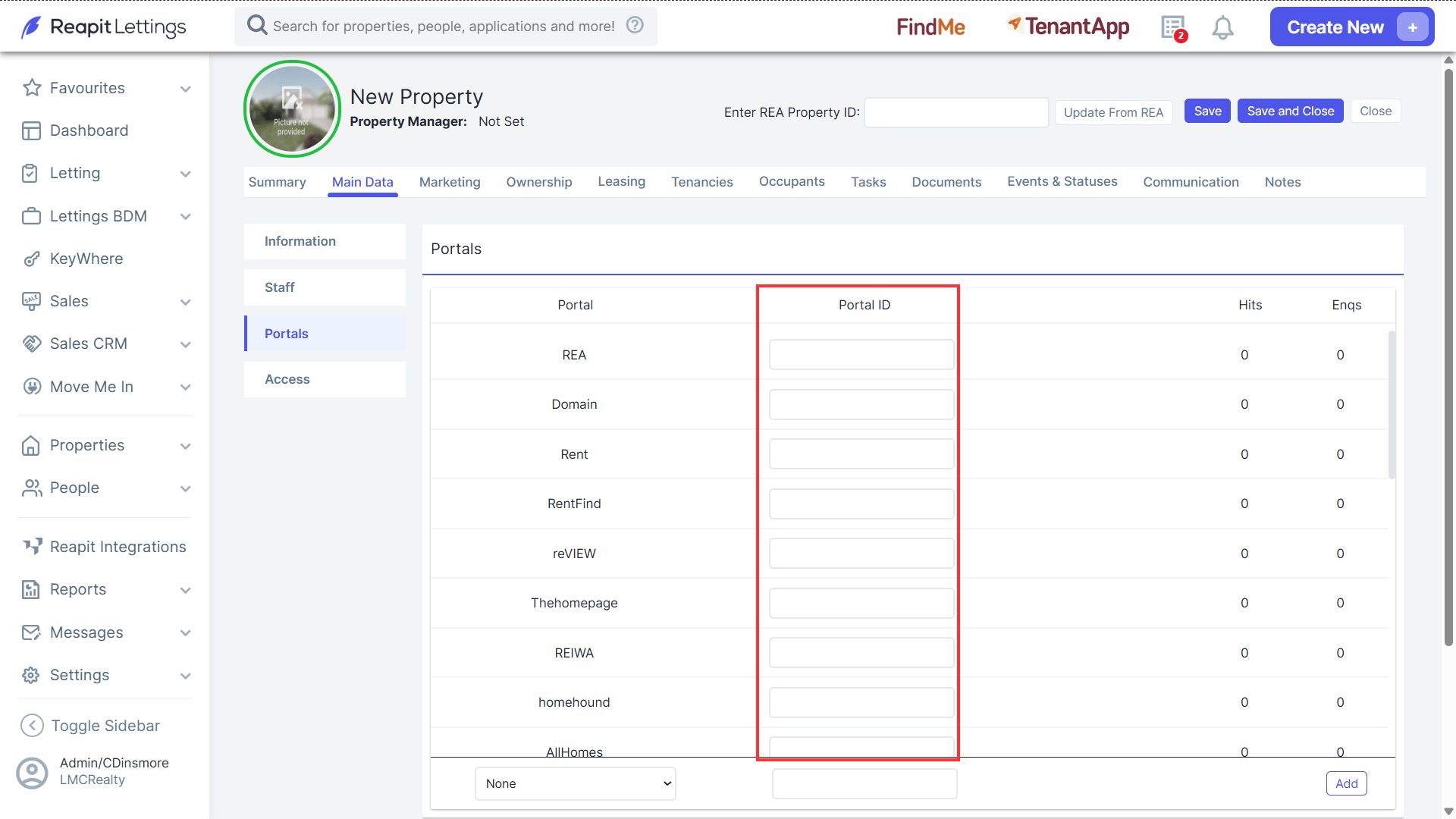
- When an inquiry originates from one of your portal listings and enters your account, you will now be able to access the corresponding listing ID within the Portals tab. This allows for convenient access to view the listing directly from the Portal section.
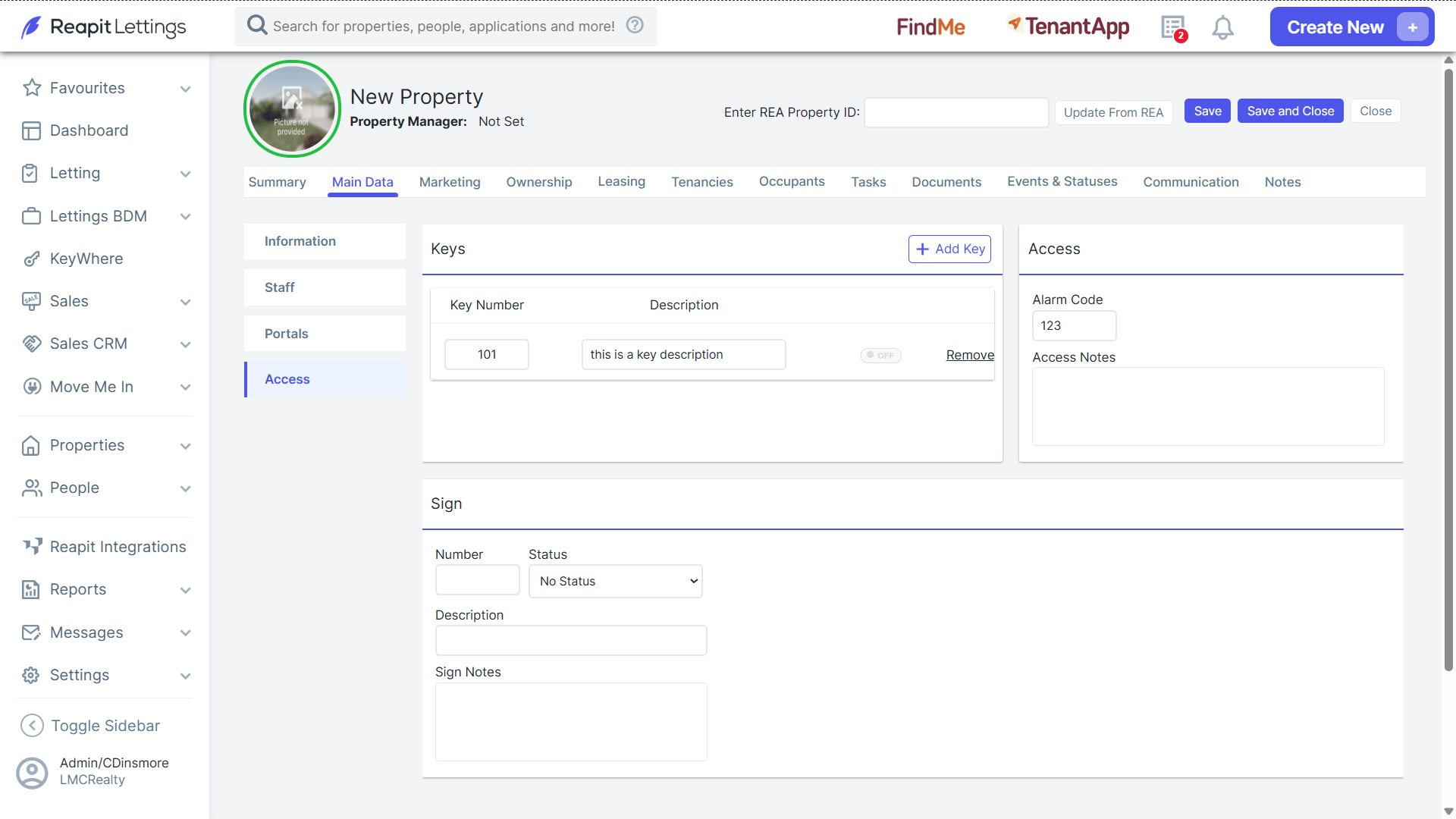
- Click the Access tab to assign a key number to the property. Select + Add Key, input the key number, and description (if required). Click Remove if the number assigned needs to be removed.
- Input an alarm code if relevant, access notes, click Save, or Save and Close for data captured within all four tabs to be stored.
Note: This property will be accessible to view and list against by navigating to Properties > Rentals.