'%20d='M0%208a8%208%200%200%201%208-8h24a8%208%200%200%201%208%208v24a8%208%200%200%201-8%208H8a8%208%200%200%201-8-8V8Z'/%3e%3cpath%20fill='%23fff'%20d='M32.576%206C12.293%206%208.776%2025.887%207.424%2034H9.1c.45-2.977%203.493-14.748%2010.899-20.287%200%200-5.633%206.976-6.572%2015.051%203.426-.652%2013.845-3.372%2016.056-12.927l-3.84-.61c1.352-1.351%204.909-5.17%206.931-9.226V6Z'/%3e%3cdefs%3e%3clinearGradient%20id='reapit-lettings__a'%20x1='20.702'%20x2='20.702'%20y1='.351'%20y2='31.228'%20gradientUnits='userSpaceOnUse'%3e%3cstop%20stop-color='%235573FD'/%3e%3cstop%20offset='.575'%20stop-color='%234E56EA'/%3e%3c/linearGradient%3e%3c/defs%3e%3c/svg%3e)
How to Complete the Offlist
This article will cover how to complete the offlist in Reapit Lettings.
1. The off-list will be sent to the nominated person, usually the listing agent or a nominated email address.
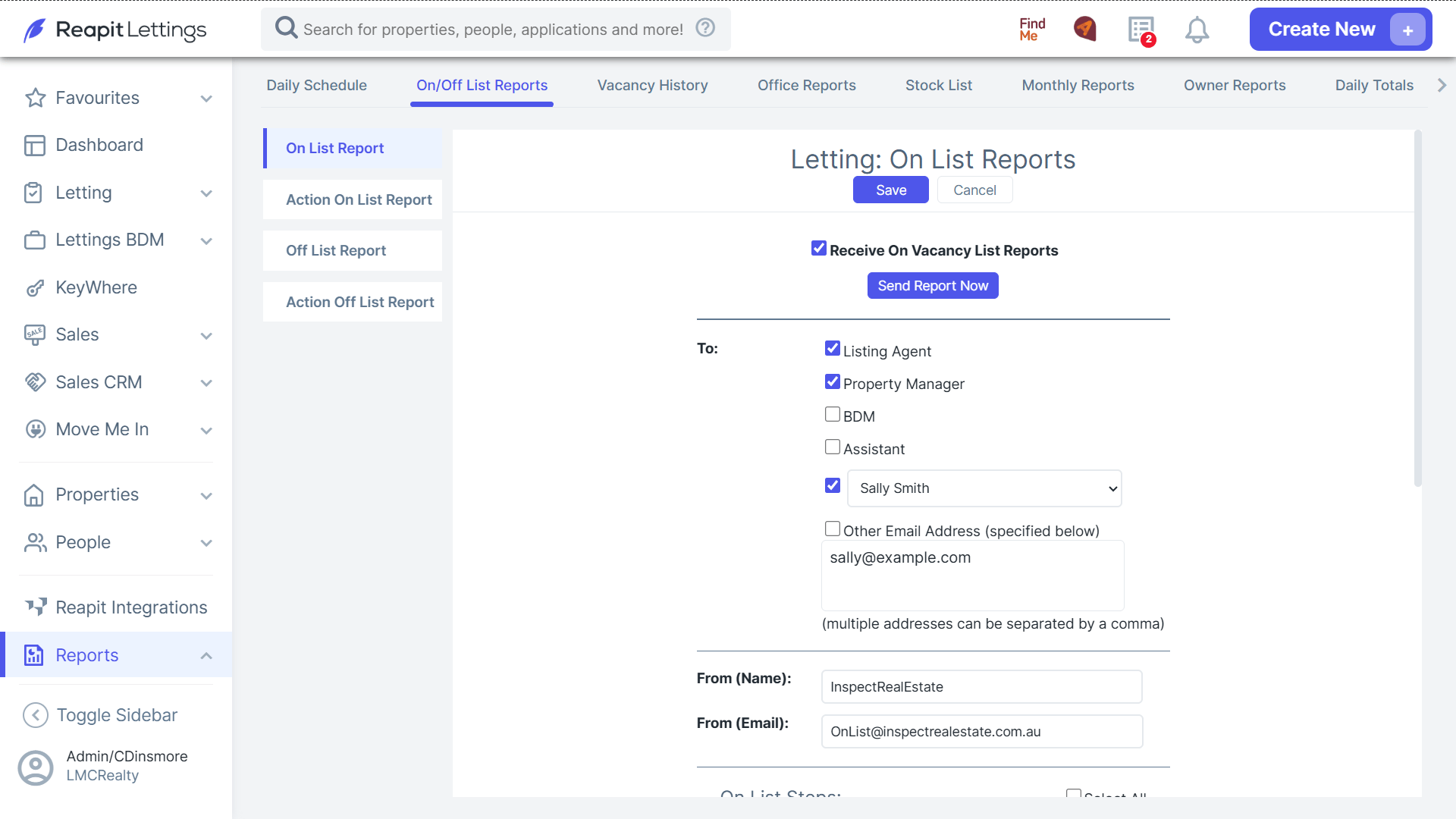
2. After a property has been leased, Reapit Lettings will receive the leased feed from the uploader, sending an email to the nominated address with a link.
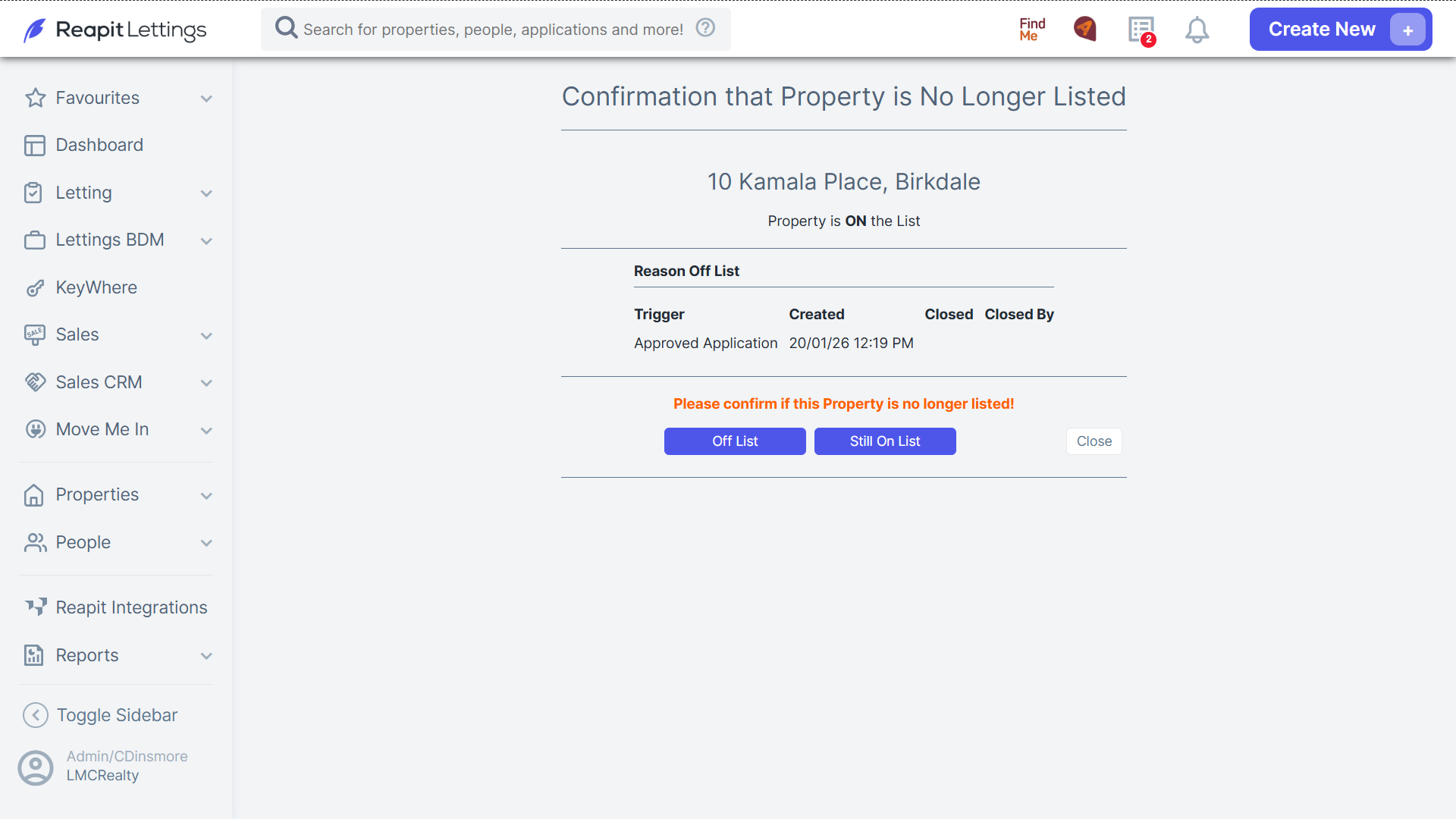
3. The link will redirect you to a new page where you will need to confirm if the property is off-market or still online.
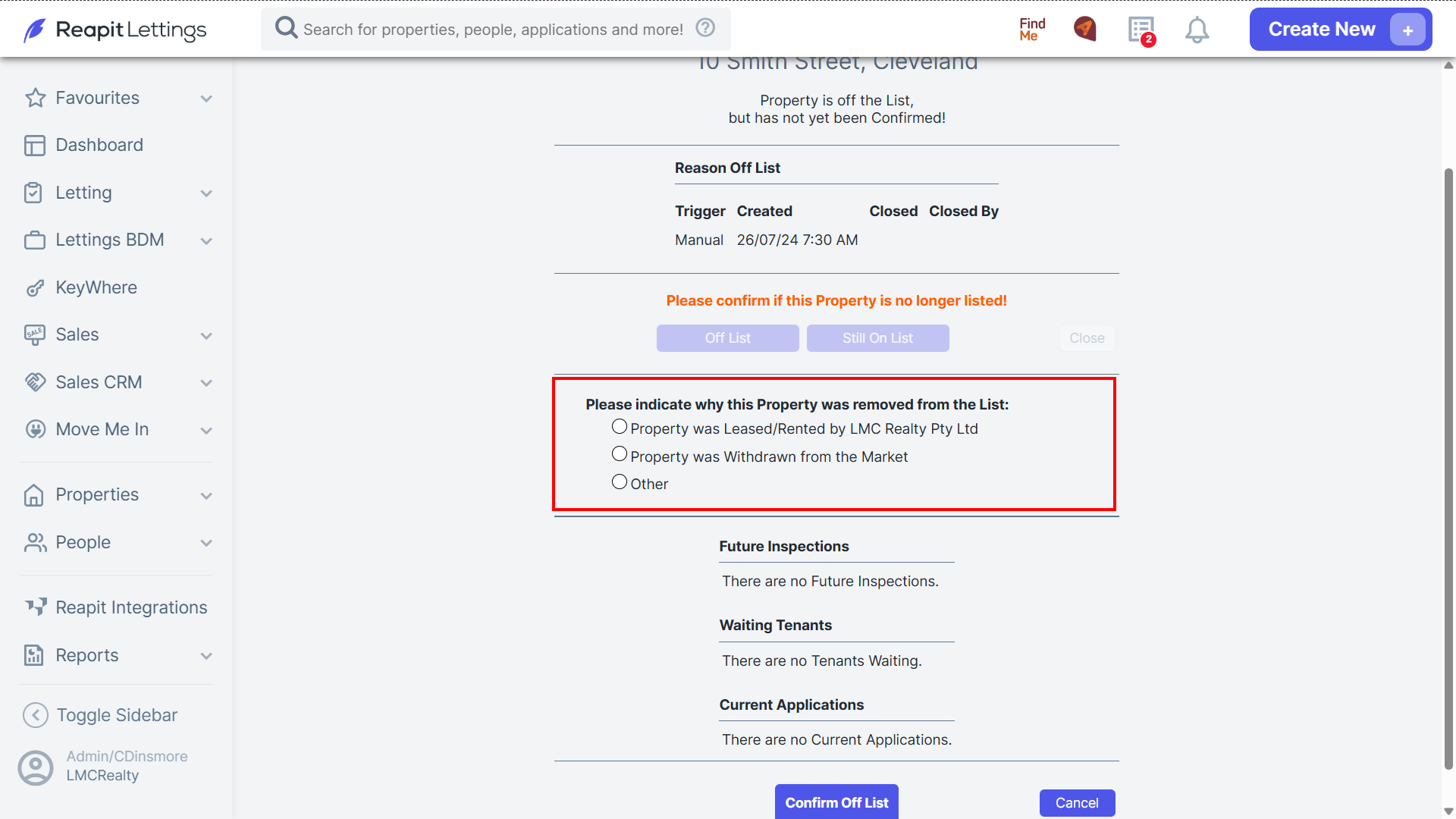
4. Select if the property was leased with the agency, withdrawn from the market, or other.
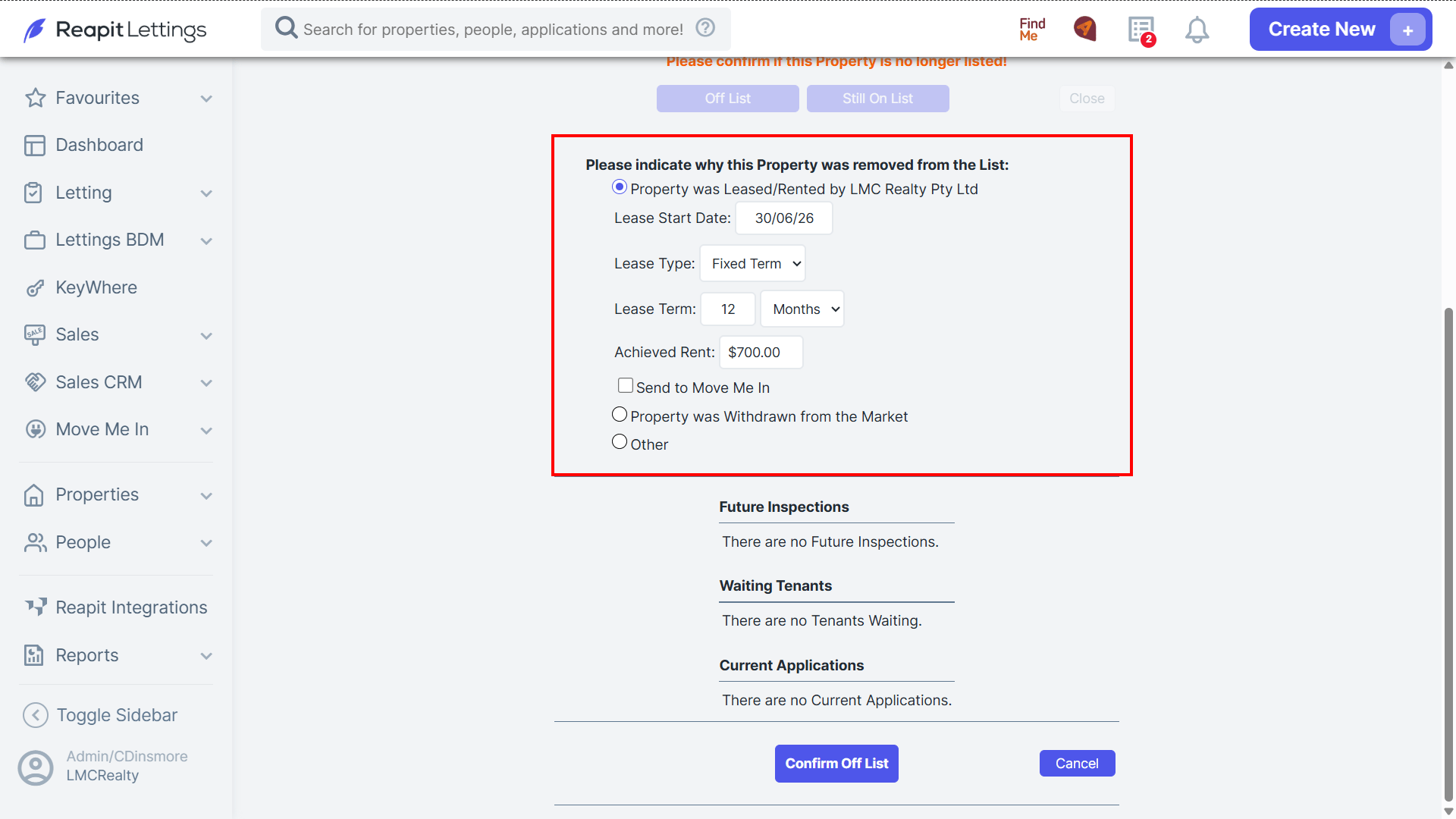
5. Enter the lease details.
6. If there are enquiries on the property or pending applications, you will have the ability to send a notification to advise that the property has been leased out.
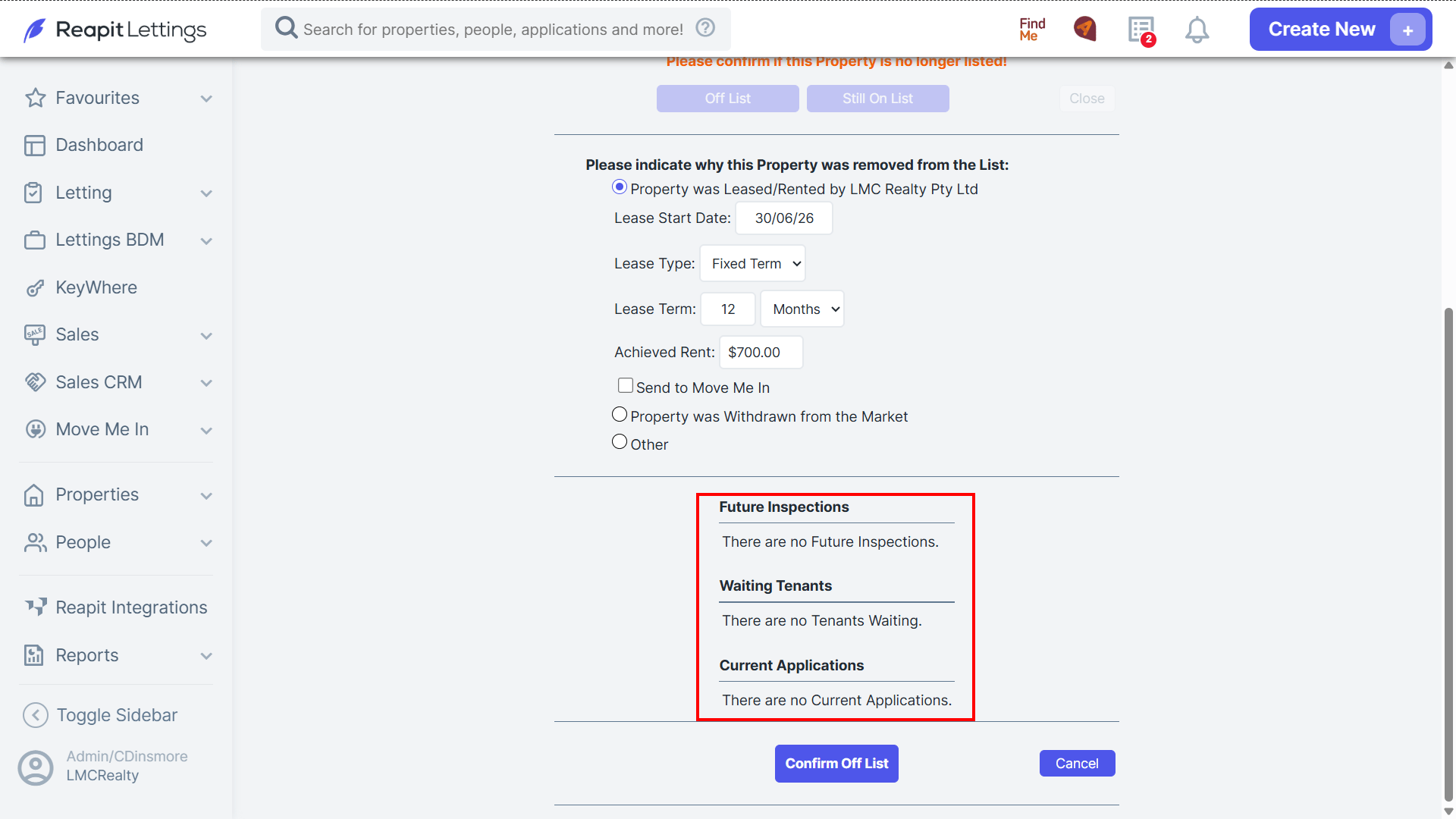
7. Click Confirm Off List to finalise.