'%20d='M0%208a8%208%200%200%201%208-8h24a8%208%200%200%201%208%208v24a8%208%200%200%201-8%208H8a8%208%200%200%201-8-8V8Z'/%3e%3cpath%20fill='%23fff'%20d='M32.576%206C12.293%206%208.776%2025.887%207.424%2034H9.1c.45-2.977%203.493-14.748%2010.899-20.287%200%200-5.633%206.976-6.572%2015.051%203.426-.652%2013.845-3.372%2016.056-12.927l-3.84-.61c1.352-1.351%204.909-5.17%206.931-9.226V6Z'/%3e%3cdefs%3e%3clinearGradient%20id='reapit-lettings__a'%20x1='20.702'%20x2='20.702'%20y1='.351'%20y2='31.228'%20gradientUnits='userSpaceOnUse'%3e%3cstop%20stop-color='%235573FD'/%3e%3cstop%20offset='.575'%20stop-color='%234E56EA'/%3e%3c/linearGradient%3e%3c/defs%3e%3c/svg%3e)
Enquiries (Tenants) Grid
This article provides an overview to the Enquiries Grid and what actions can be completed in Reapit Lettings. The Enquiries grid is used to view Tenants and their inspections and to Cancel tenants from inspections.
This article provides an overview to the Enquiries Grid and what actions can be completed in Reapit Lettings.
The Enquiries grid is used to view Tenants and their inspections and to Cancel tenants from inspections.
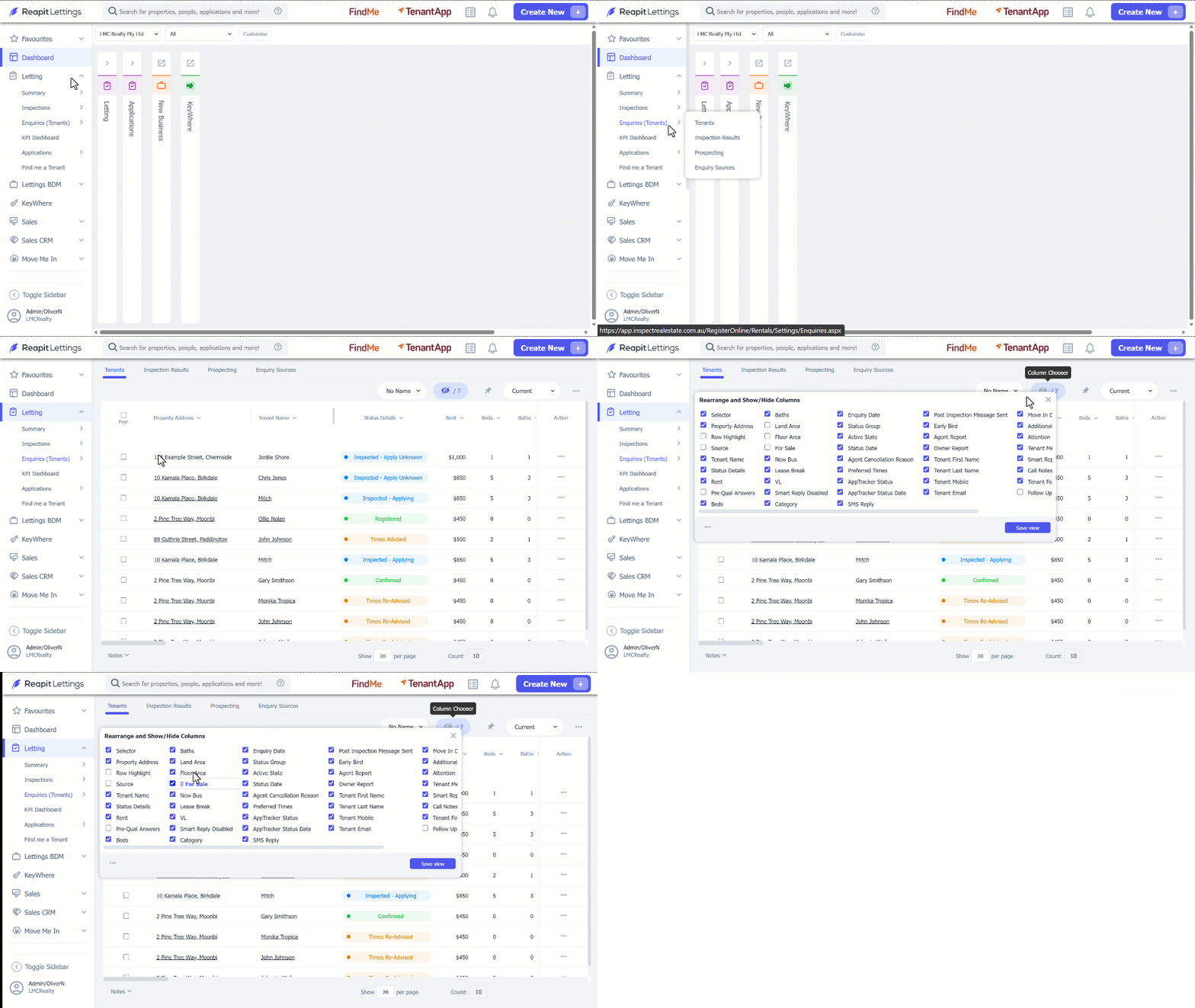
- Click on Letting.
- Click on Enquiries (Tenants).
- Click on Tenants.
- Customise the display by clicking on the Column Chooser icon. Select the checkbox to add or remove from the display. Click and drag each option to customise the order each column is displayed.
- Click on Save view.
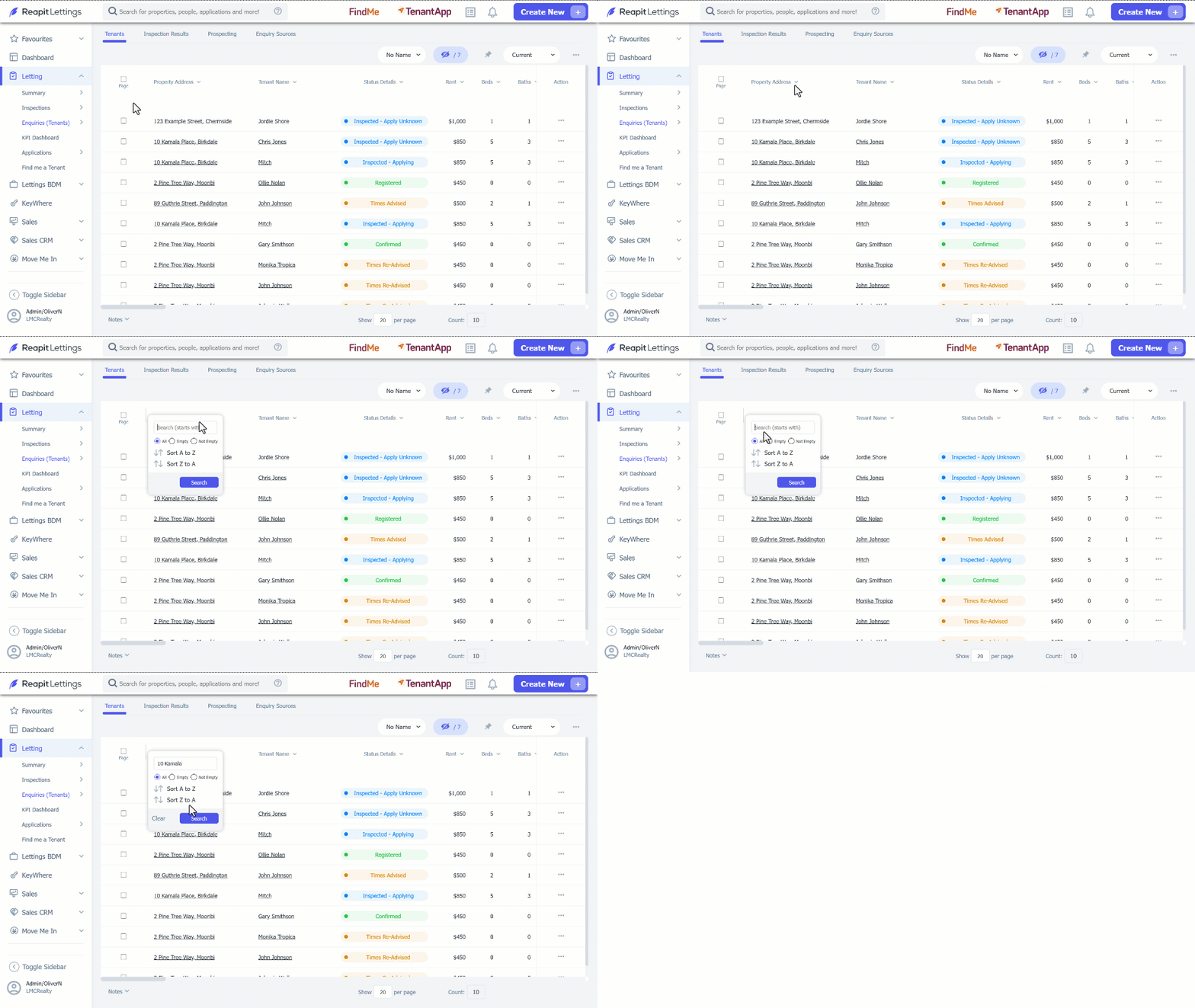
- Search or sort displayed results by clicking on the column header add the search parameters, click on Search.
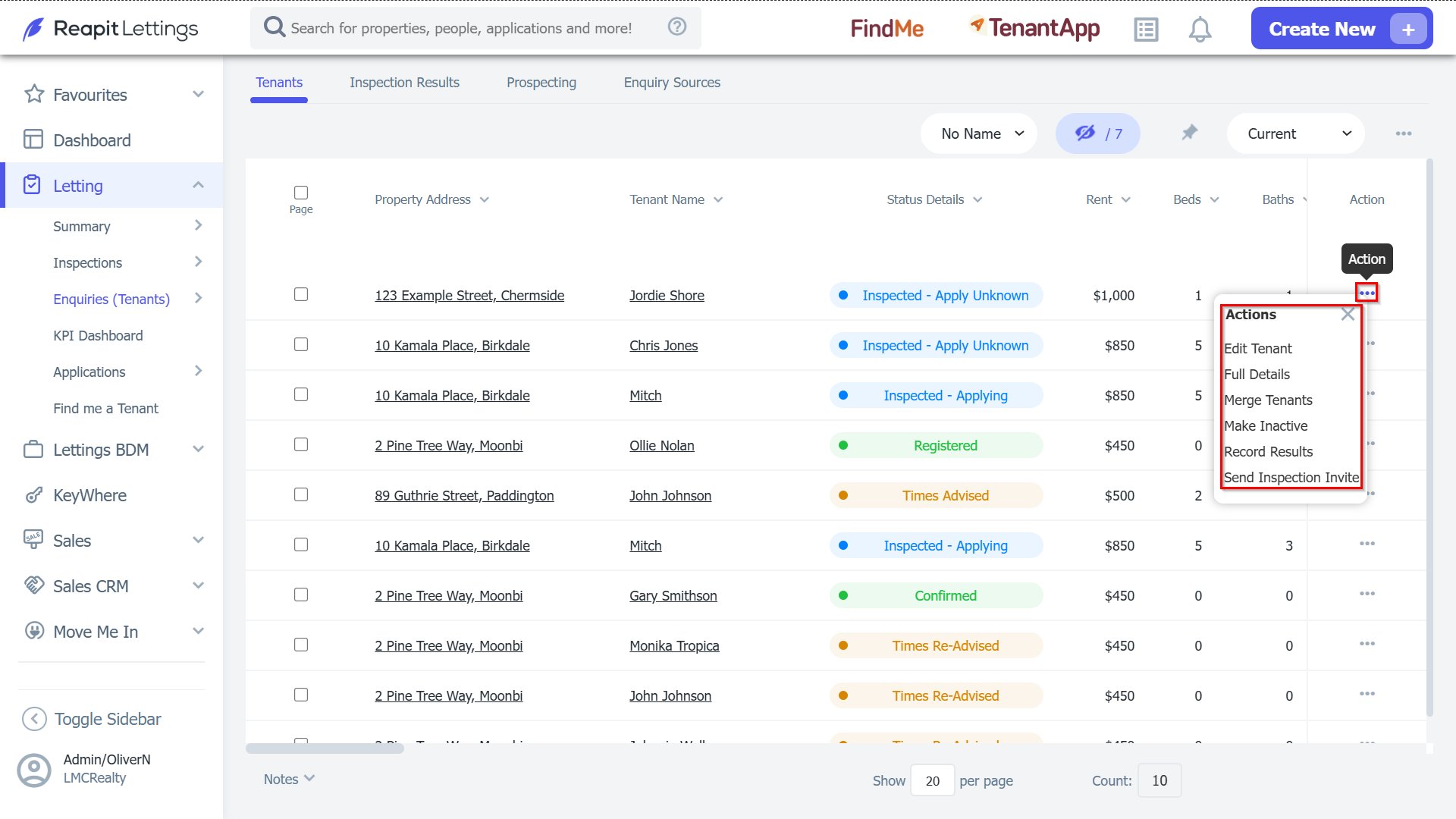
- Select the 3-dots for each line to perform actions to the entry.
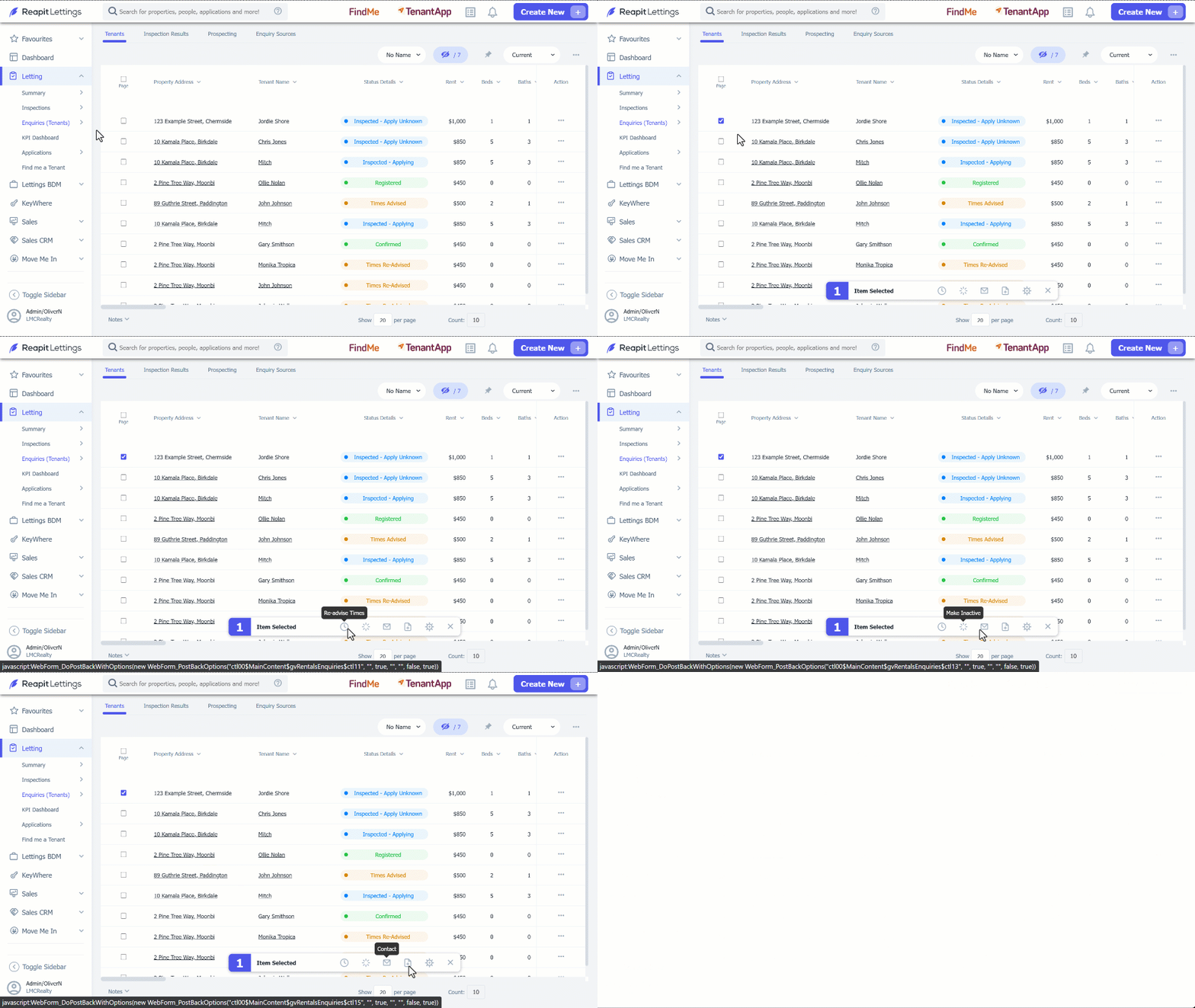
- Use the page selector to choose a single or multiple entries. Once selected, you can: Re-advise Times, Make Inactive, Contact, Add Call Notes.