'%20d='M0%208a8%208%200%200%201%208-8h24a8%208%200%200%201%208%208v24a8%208%200%200%201-8%208H8a8%208%200%200%201-8-8V8Z'/%3e%3cpath%20fill='%23fff'%20d='M32.576%206C12.293%206%208.776%2025.887%207.424%2034H9.1c.45-2.977%203.493-14.748%2010.899-20.287%200%200-5.633%206.976-6.572%2015.051%203.426-.652%2013.845-3.372%2016.056-12.927l-3.84-.61c1.352-1.351%204.909-5.17%206.931-9.226V6Z'/%3e%3cdefs%3e%3clinearGradient%20id='reapit-lettings__a'%20x1='20.702'%20x2='20.702'%20y1='.351'%20y2='31.228'%20gradientUnits='userSpaceOnUse'%3e%3cstop%20stop-color='%235573FD'/%3e%3cstop%20offset='.575'%20stop-color='%234E56EA'/%3e%3c/linearGradient%3e%3c/defs%3e%3c/svg%3e)
Setting up the Enquiry APIs for ROL Sales
This article will run through how to set up enquiry APIs within your account in Reapit Lettings.
Setting up enquiry APIs allows for faster and more accurate handling of enquiries from REA Group and Domain Group. It streamlines the process by directly pulling the data from these sources, reducing the chances of errors and delays associated with processing enquiries received via email.
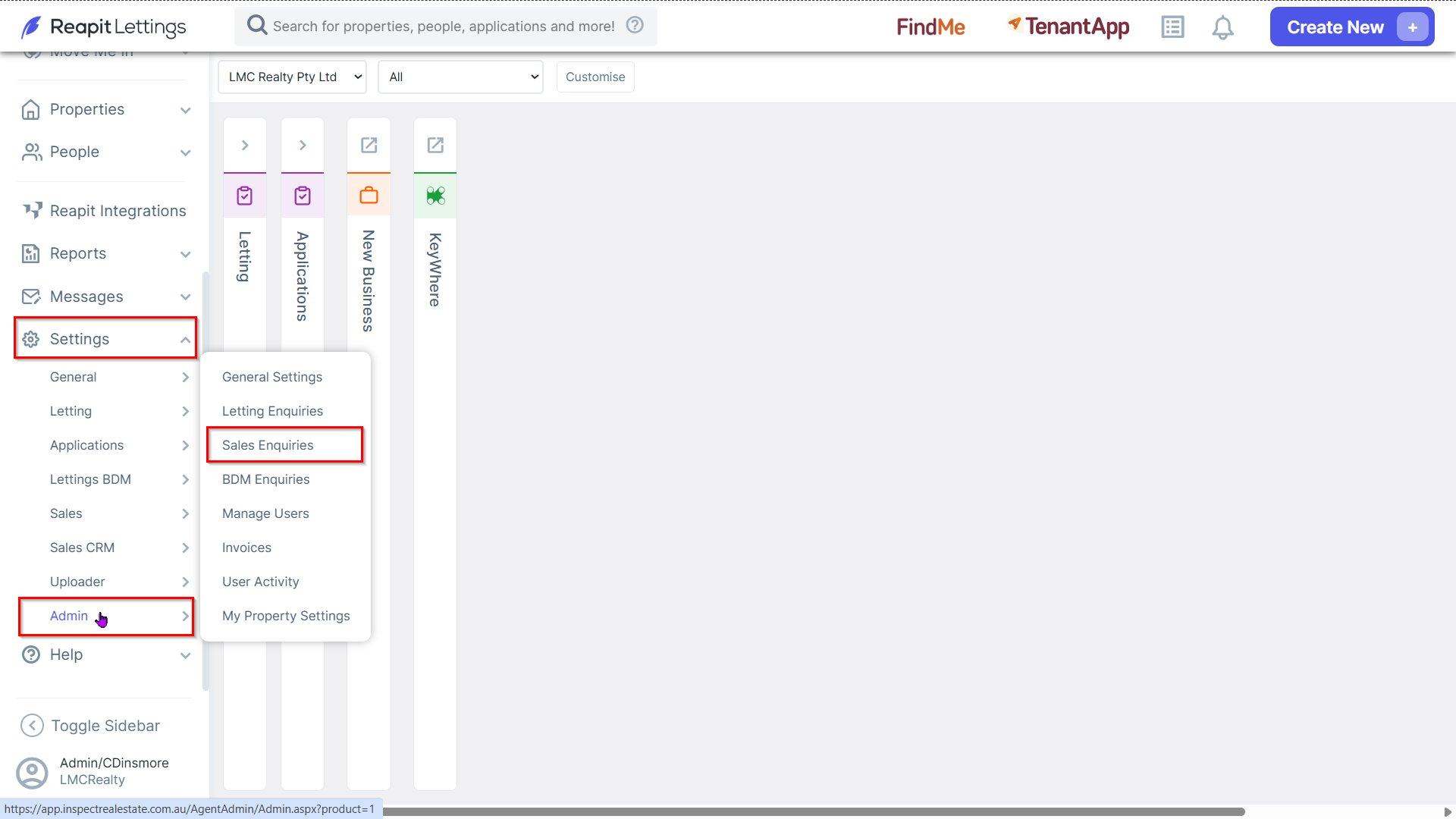
1. Navigate to Settings > Admin, select Sales Enquiries.
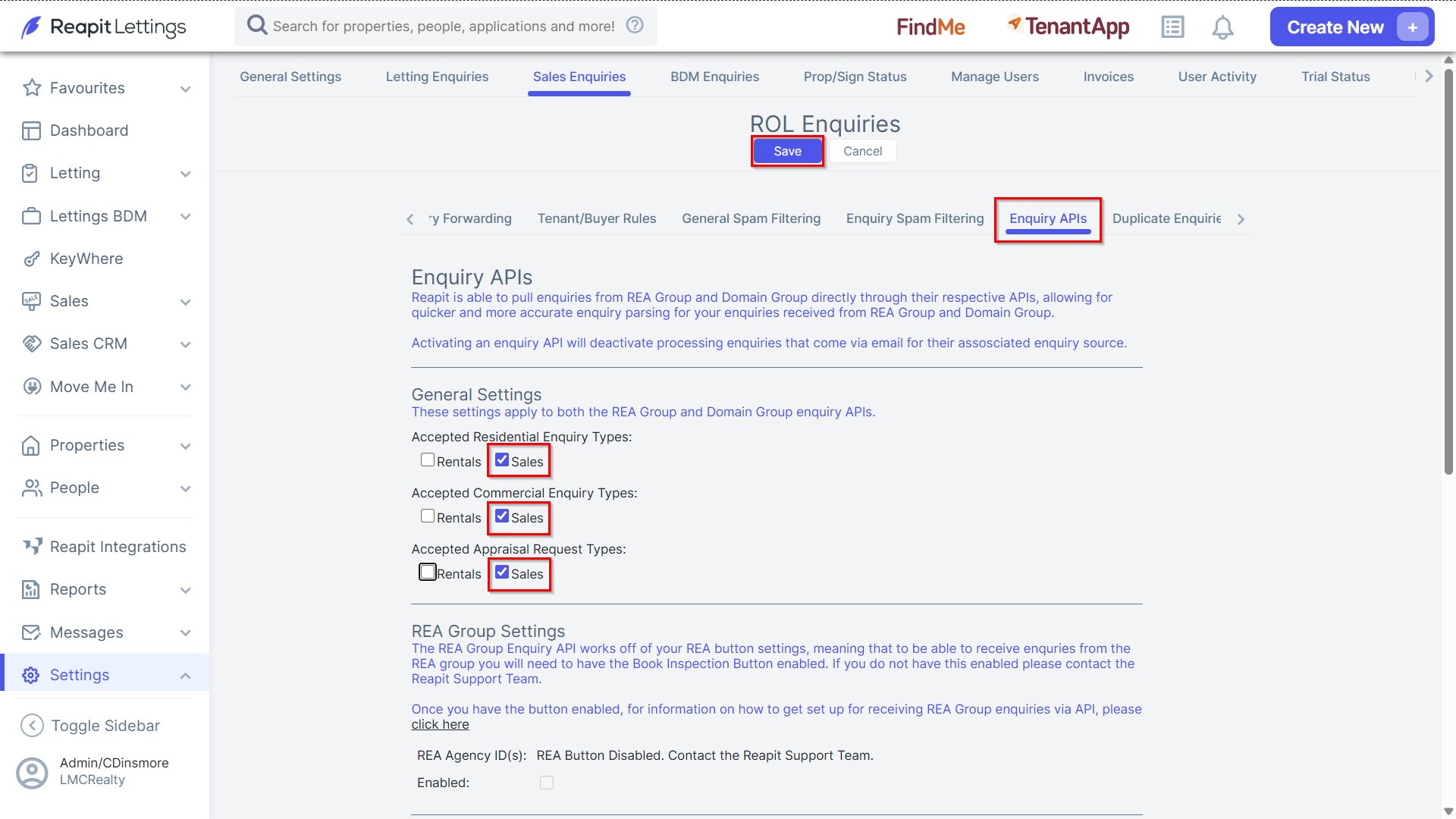
2. In the Enquiry APIs tab, select the checkboxes applicable within the General Settings section.
- Click Save once completed.