'%20d='M0%208a8%208%200%200%201%208-8h24a8%208%200%200%201%208%208v24a8%208%200%200%201-8%208H8a8%208%200%200%201-8-8V8Z'/%3e%3cpath%20fill='%23fff'%20d='M32.576%206C12.293%206%208.776%2025.887%207.424%2034H9.1c.45-2.977%203.493-14.748%2010.899-20.287%200%200-5.633%206.976-6.572%2015.051%203.426-.652%2013.845-3.372%2016.056-12.927l-3.84-.61c1.352-1.351%204.909-5.17%206.931-9.226V6Z'/%3e%3cdefs%3e%3clinearGradient%20id='reapit-lettings__a'%20x1='20.702'%20x2='20.702'%20y1='.351'%20y2='31.228'%20gradientUnits='userSpaceOnUse'%3e%3cstop%20stop-color='%235573FD'/%3e%3cstop%20offset='.575'%20stop-color='%234E56EA'/%3e%3c/linearGradient%3e%3c/defs%3e%3c/svg%3e)
Applications on Vacant Properties Highlighted
This article will run through how to flag applications on vacant properties within your account in Reapit Lettings.
Applications on Vacant Properties Highlighted
This article will run through how to flag applications on vacant properties within your account in Reapit Lettings.
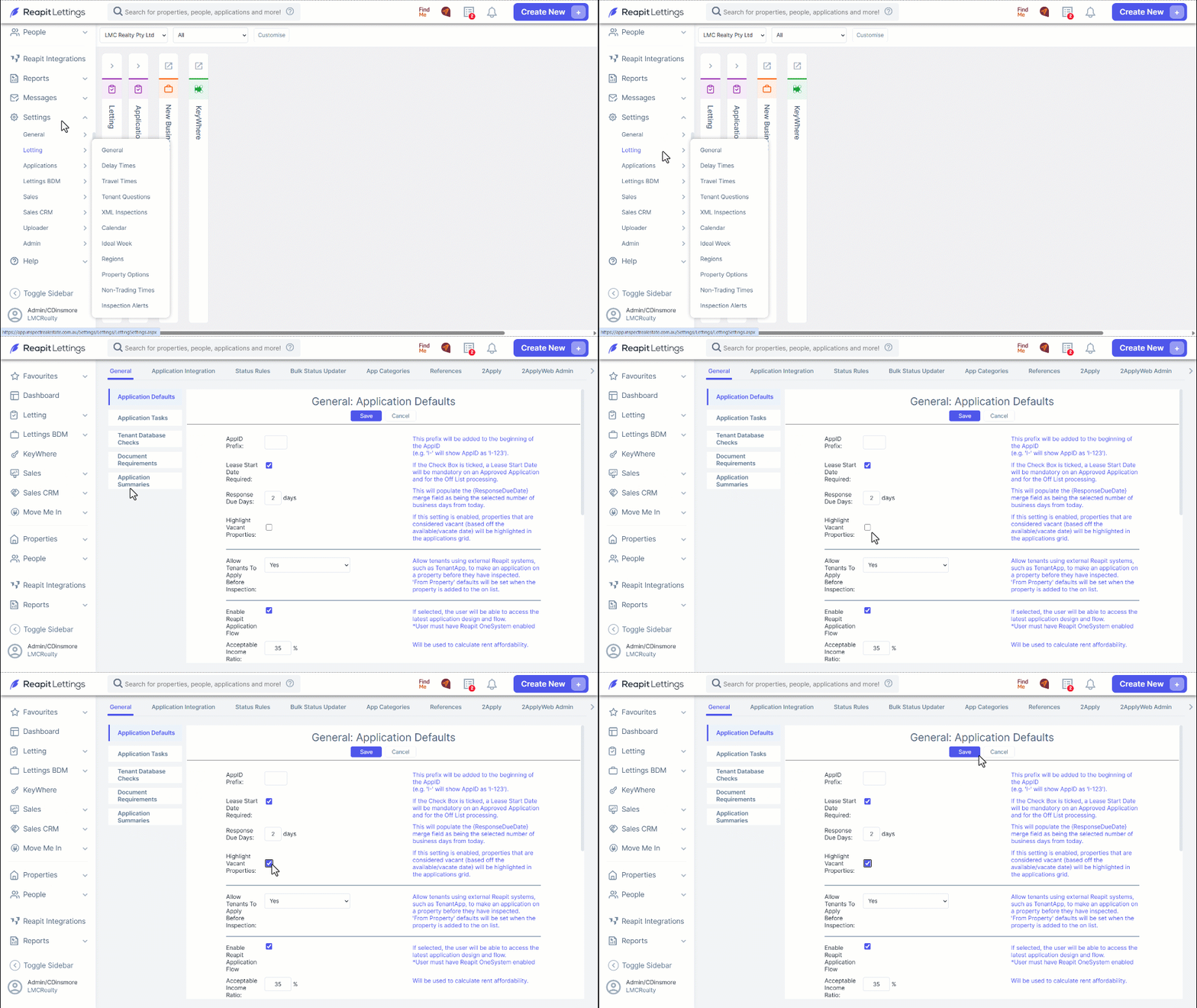
- Navigate to Settings.
- Applications
- Click General, click Application Defaults, scroll down, click the Highlight Vacant Properties checkbox.
- Click Save.
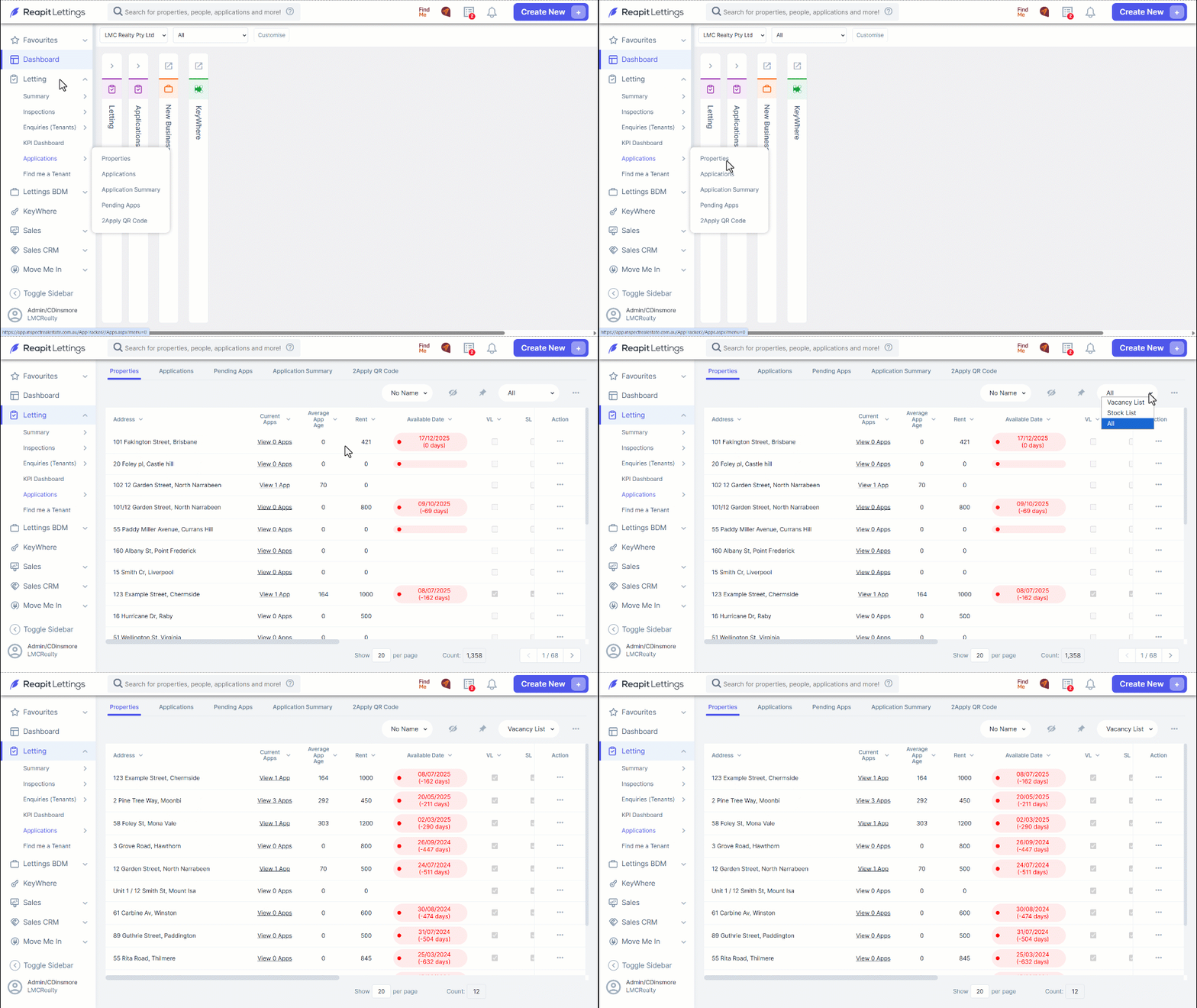
- Navigate to Letting.
- Click Applications.
- Click Properties.
- Click the dropdown selector and choose Vacancy List to see applications for properties presently vacated.