'%20d='M0%208a8%208%200%200%201%208-8h24a8%208%200%200%201%208%208v24a8%208%200%200%201-8%208H8a8%208%200%200%201-8-8V8Z'/%3e%3cpath%20fill='%23fff'%20d='M32.576%206C12.293%206%208.776%2025.887%207.424%2034H9.1c.45-2.977%203.493-14.748%2010.899-20.287%200%200-5.633%206.976-6.572%2015.051%203.426-.652%2013.845-3.372%2016.056-12.927l-3.84-.61c1.352-1.351%204.909-5.17%206.931-9.226V6Z'/%3e%3cdefs%3e%3clinearGradient%20id='reapit-lettings__a'%20x1='20.702'%20x2='20.702'%20y1='.351'%20y2='31.228'%20gradientUnits='userSpaceOnUse'%3e%3cstop%20stop-color='%235573FD'/%3e%3cstop%20offset='.575'%20stop-color='%234E56EA'/%3e%3c/linearGradient%3e%3c/defs%3e%3c/svg%3e)
What is the Extract Features Button?
This article provides an overview of the Extract Features button, explaining its functions and demonstrating how to effectively use it in Reapit Lettings.
What is the Extract Features Button?
This article provides an overview of the Extract Features button, explaining its functions and demonstrating how to effectively use it in Reapit Lettings.
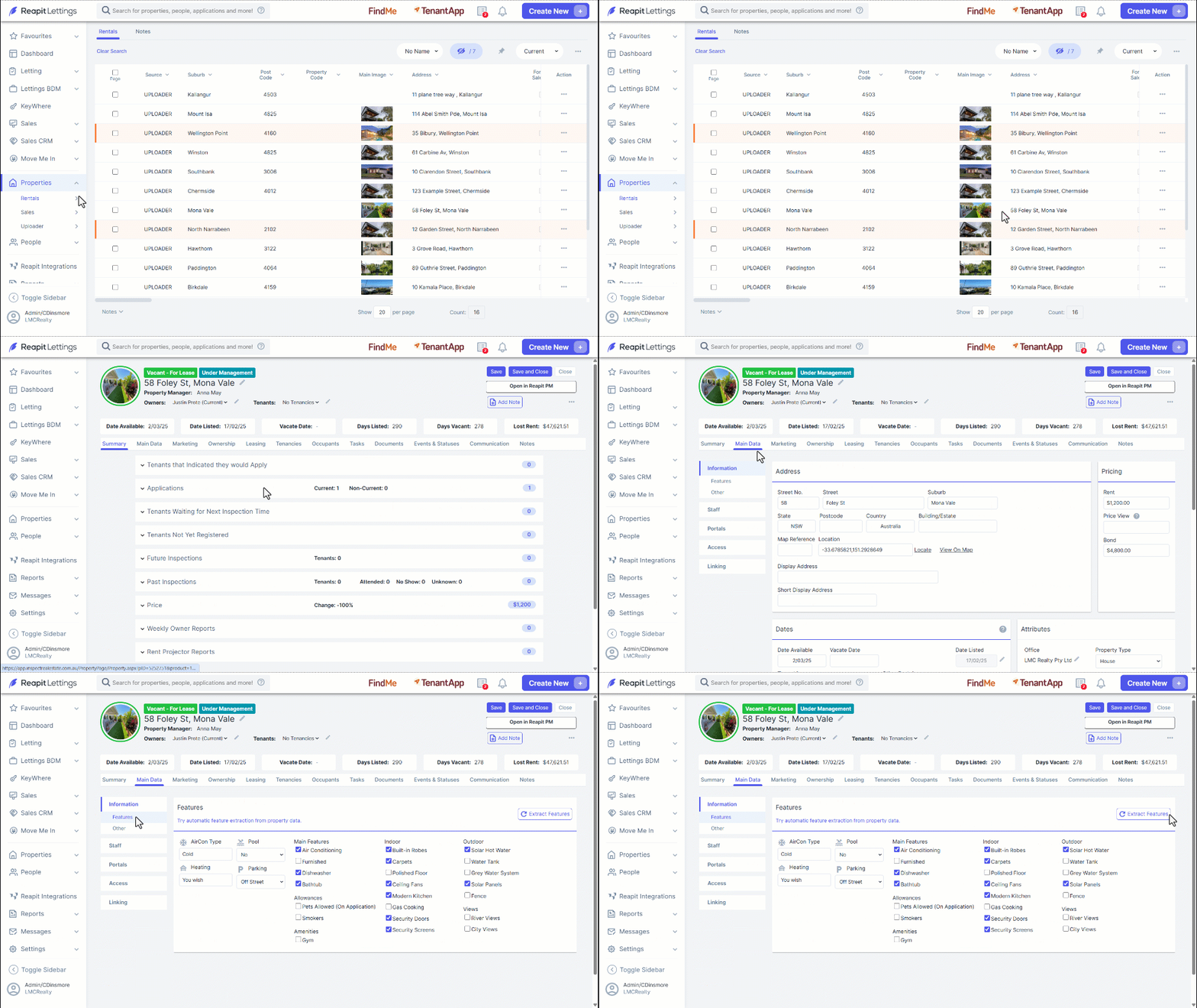
- Navigate to Properties.
- Click Rentals.
- Click on the P****roperty.
- Click Main Data.
- Click on Features.
- Click Extract Features.
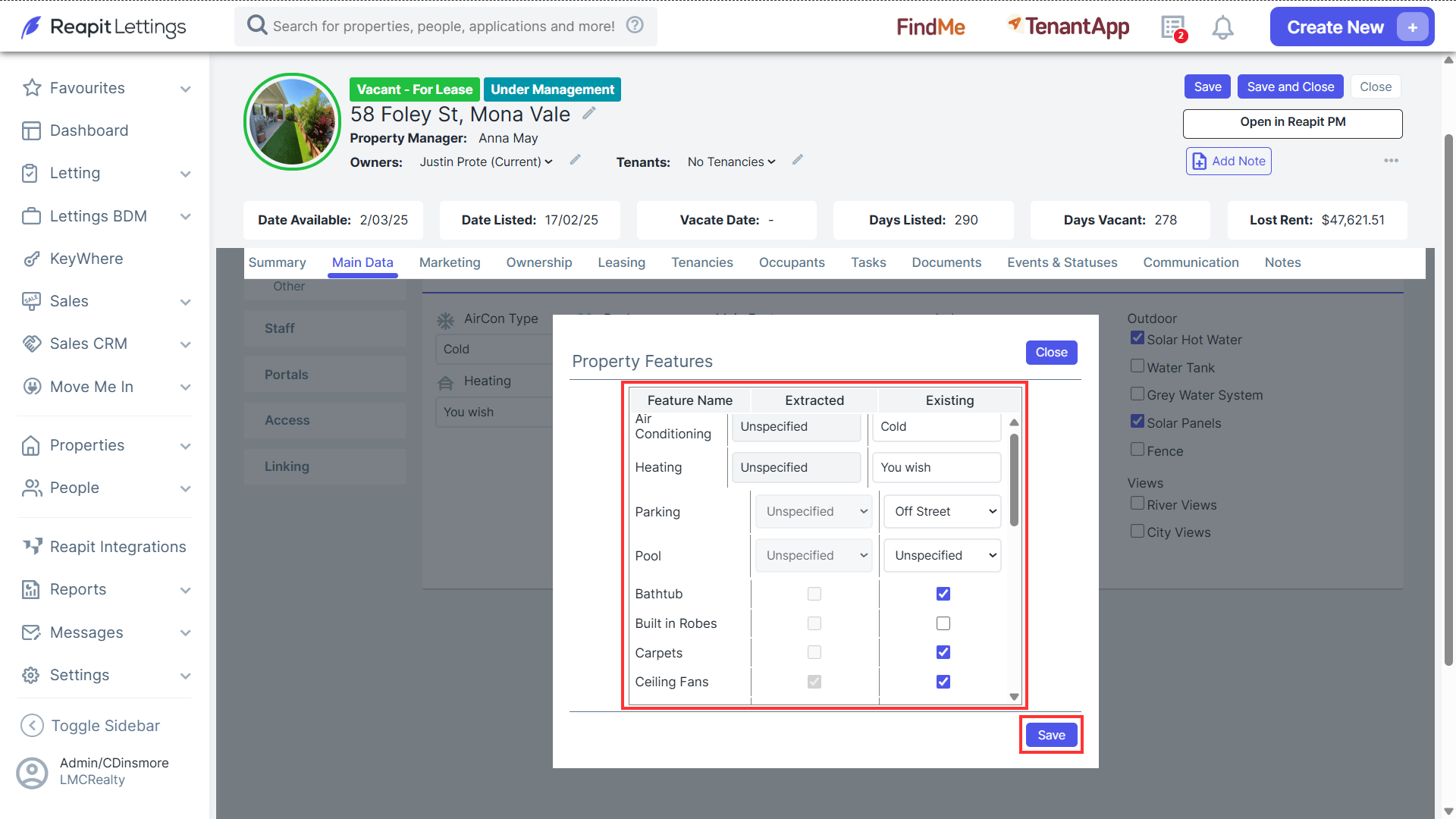
- This feature automatically predicts and assigns property characteristics based on the images and information provided in the listing advertisement. It is particularly beneficial for instances where certain attributes are not manually selected in the Uploader.
- For instance, if the description includes 'city views' but this aspect is not marked as a property feature, the system will intelligently recognise and assign it accordingly.
- Select the checkboxes and choose as appropriate through the selection dropdowns to indicate existing features, and click Save once completed.