'%20d='M0%208a8%208%200%200%201%208-8h24a8%208%200%200%201%208%208v24a8%208%200%200%201-8%208H8a8%208%200%200%201-8-8V8Z'/%3e%3cpath%20fill='%23fff'%20d='M32.576%206C12.293%206%208.776%2025.887%207.424%2034H9.1c.45-2.977%203.493-14.748%2010.899-20.287%200%200-5.633%206.976-6.572%2015.051%203.426-.652%2013.845-3.372%2016.056-12.927l-3.84-.61c1.352-1.351%204.909-5.17%206.931-9.226V6Z'/%3e%3cdefs%3e%3clinearGradient%20id='reapit-lettings__a'%20x1='20.702'%20x2='20.702'%20y1='.351'%20y2='31.228'%20gradientUnits='userSpaceOnUse'%3e%3cstop%20stop-color='%235573FD'/%3e%3cstop%20offset='.575'%20stop-color='%234E56EA'/%3e%3c/linearGradient%3e%3c/defs%3e%3c/svg%3e)
How to Setup the Application Report to be Emailed to You
This article will run through how to enable applications reports to be emailed manually and automated
How to Setup the Application Report to be Emailed to You
This article will run through how to enable application reports to be emailed manually and automatically in Reapit Lettings.
- For sending out reports manually, navigate to Reports.
- Click Applications
- Click Applications.
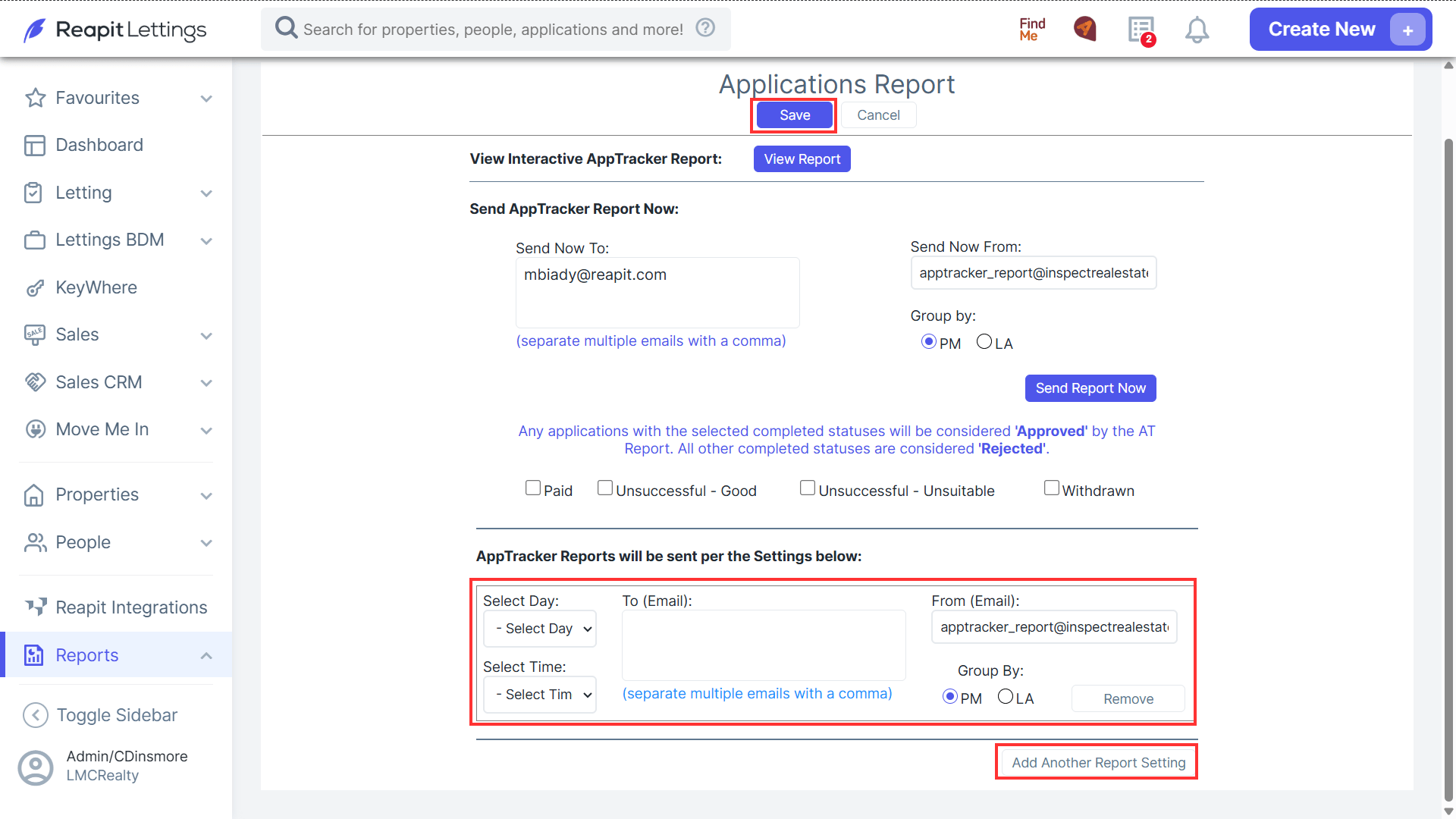
- Enter the appropriate email address(s), select how you want to group the data.
- Click Send Report Now.
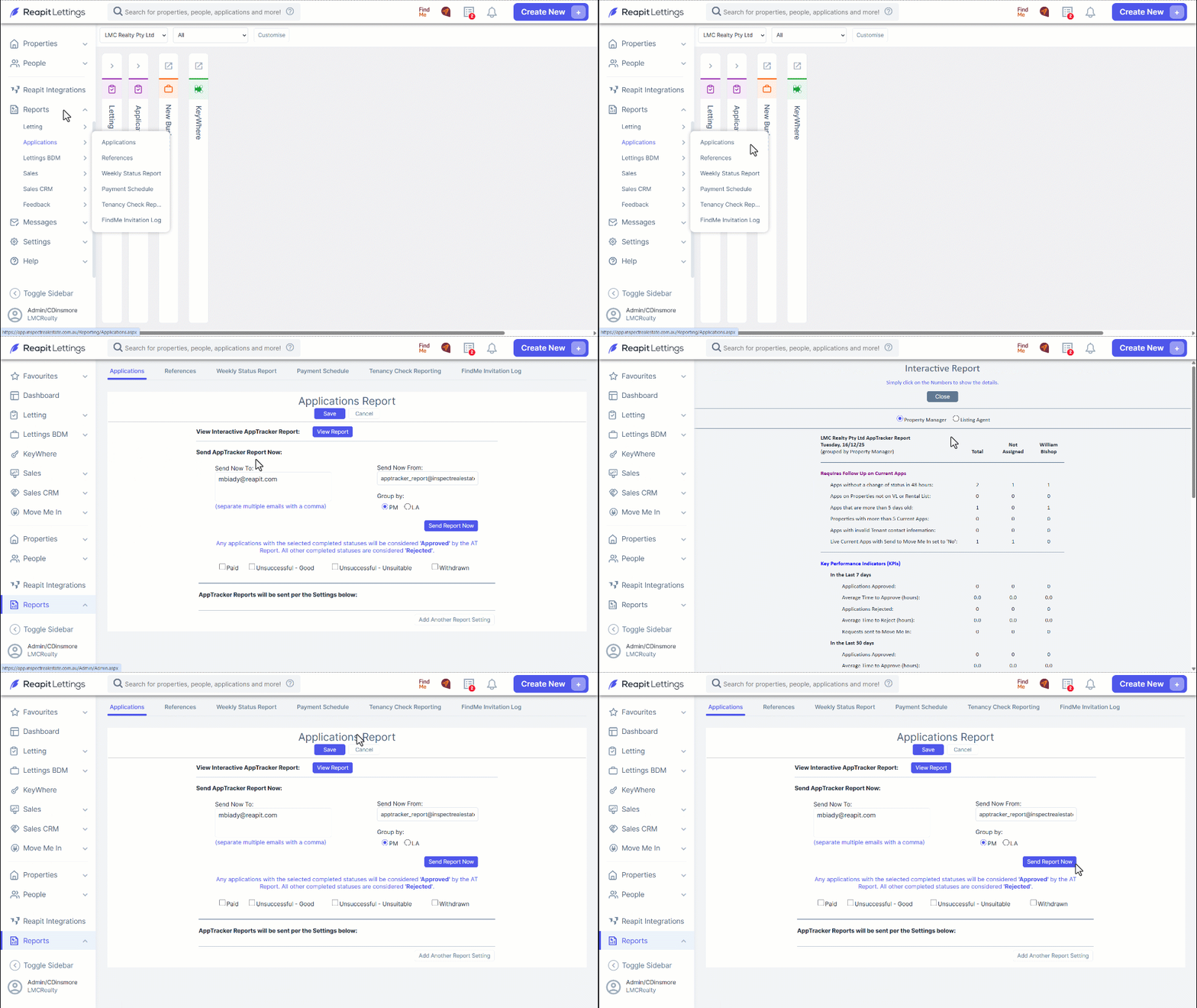
Note: PM = Property Manager, LA = Listing Agent.
- To enable an automatic email for the application report, click Add Another Report Setting, select a Day, Time, To Email and click Save.