'%20d='M0%208a8%208%200%200%201%208-8h24a8%208%200%200%201%208%208v24a8%208%200%200%201-8%208H8a8%208%200%200%201-8-8V8Z'/%3e%3cpath%20fill='%23fff'%20d='M32.576%206C12.293%206%208.776%2025.887%207.424%2034H9.1c.45-2.977%203.493-14.748%2010.899-20.287%200%200-5.633%206.976-6.572%2015.051%203.426-.652%2013.845-3.372%2016.056-12.927l-3.84-.61c1.352-1.351%204.909-5.17%206.931-9.226V6Z'/%3e%3cdefs%3e%3clinearGradient%20id='reapit-lettings__a'%20x1='20.702'%20x2='20.702'%20y1='.351'%20y2='31.228'%20gradientUnits='userSpaceOnUse'%3e%3cstop%20stop-color='%235573FD'/%3e%3cstop%20offset='.575'%20stop-color='%234E56EA'/%3e%3c/linearGradient%3e%3c/defs%3e%3c/svg%3e)
2Apply Verify Overview
This article will show 2Apply Verify Overview in Reapit Lettings.
2Apply Verify Overview
This article will show 2Apply Verify Overview in Reapit Lettings.
2Apply Verify allows applicants to verify 3 key documents – Australian passport, license and Medicare without needing to provide physical ID to your agency.
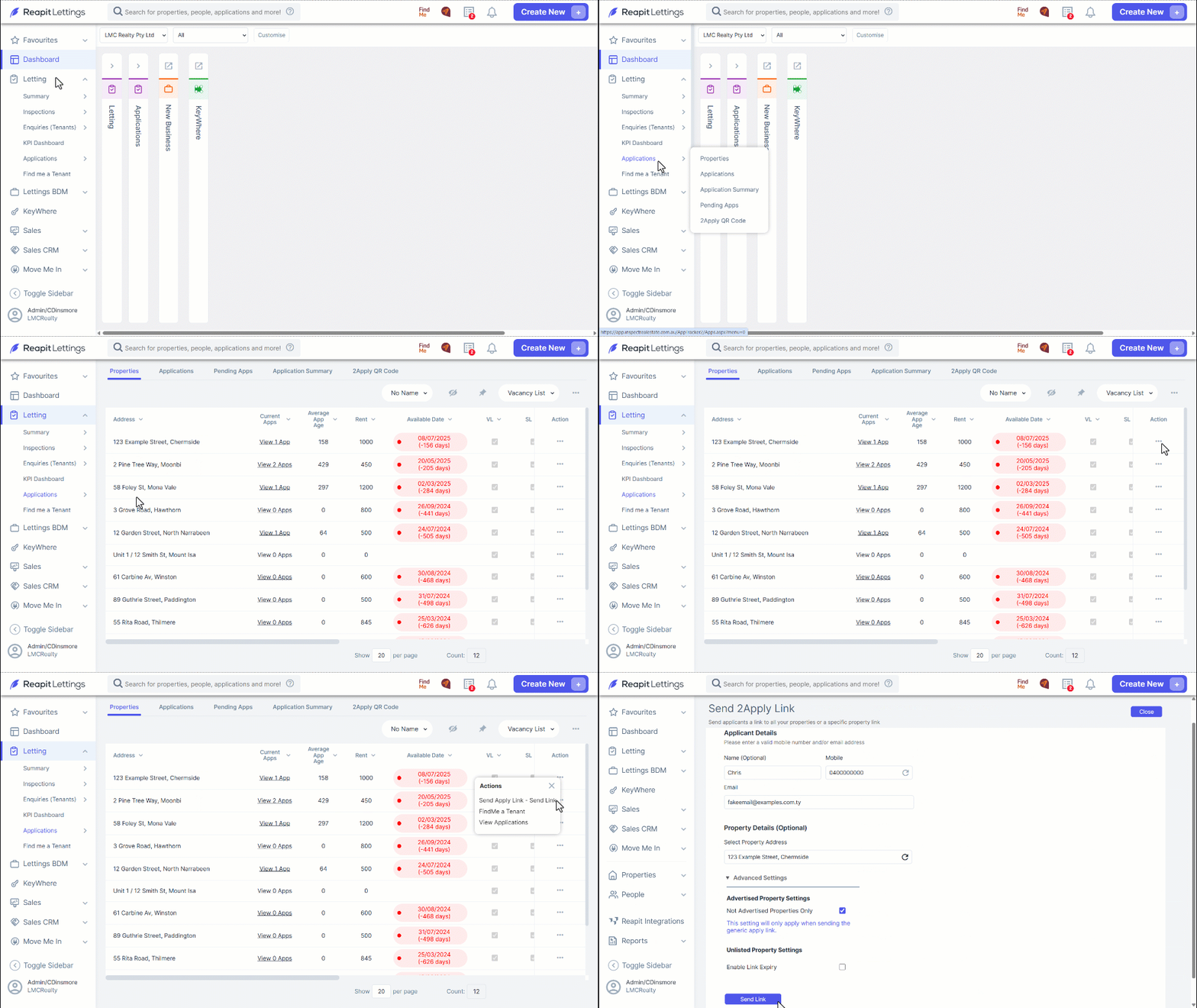
- Navigate to Letting.
- Click Applications.
- Click Properties.
- Click the three dots.
- Click Send Apply Link – Send Link.
- Enter the applicant’s mobile and email, and click Send Link.
Your customer will receive the 2Apply link to complete their living and employment history, references, and to upload their ID documents.
- Once the prospect tenant completes the 2Apply application, you will be able to see it in the application grid.
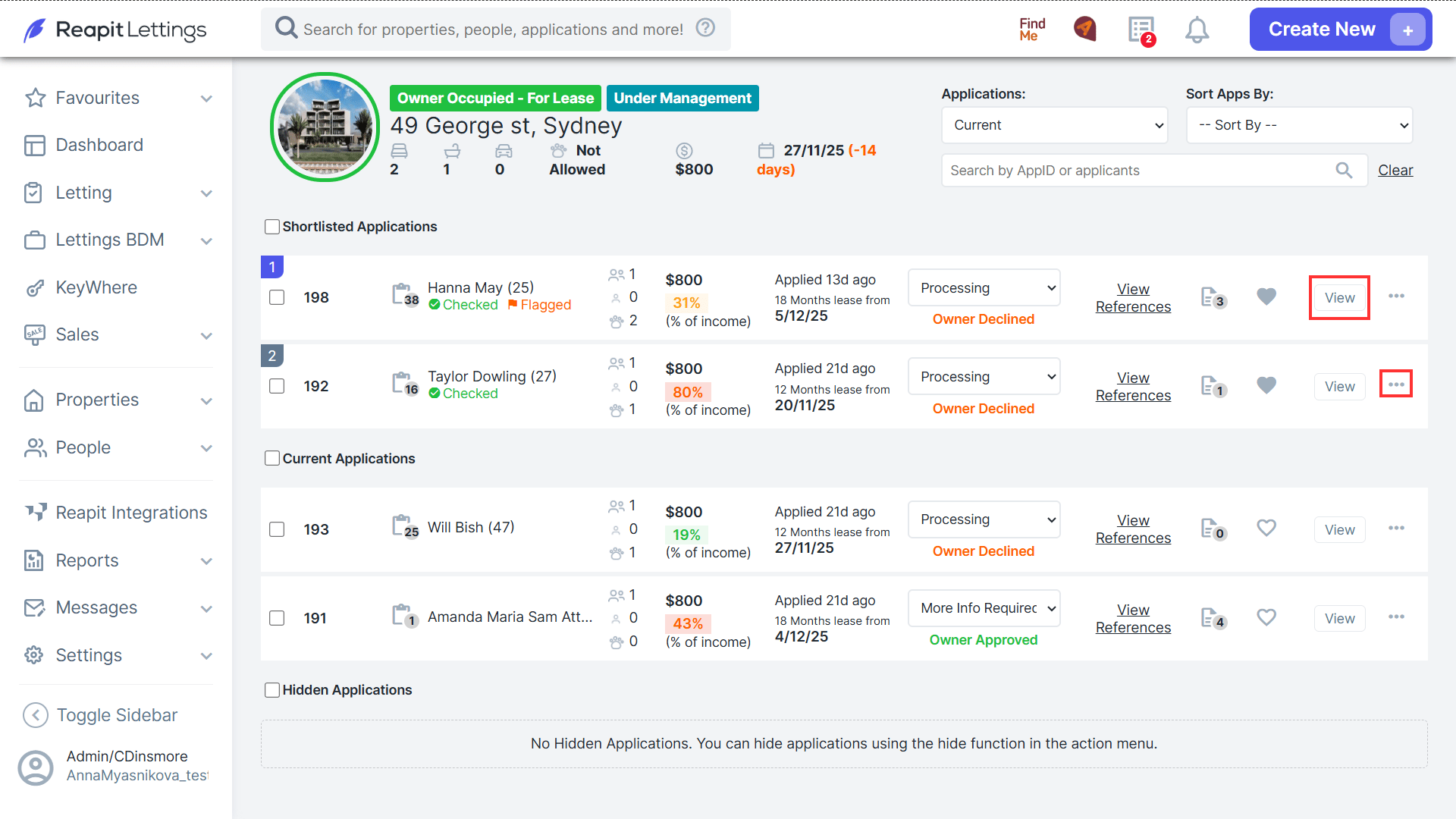
Navigate to Letting > Applications > Current Apps, click App I.D. to see full details (review documentation files data received to tick off everything is accurate.)
Click 3 Action Dots to action a variety of different tasks, such as Move to Shortlist.