'%20d='M0%208a8%208%200%200%201%208-8h24a8%208%200%200%201%208%208v24a8%208%200%200%201-8%208H8a8%208%200%200%201-8-8V8Z'/%3e%3cpath%20fill='%23fff'%20d='M32.576%206C12.293%206%208.776%2025.887%207.424%2034H9.1c.45-2.977%203.493-14.748%2010.899-20.287%200%200-5.633%206.976-6.572%2015.051%203.426-.652%2013.845-3.372%2016.056-12.927l-3.84-.61c1.352-1.351%204.909-5.17%206.931-9.226V6Z'/%3e%3cdefs%3e%3clinearGradient%20id='reapit-lettings__a'%20x1='20.702'%20x2='20.702'%20y1='.351'%20y2='31.228'%20gradientUnits='userSpaceOnUse'%3e%3cstop%20stop-color='%235573FD'/%3e%3cstop%20offset='.575'%20stop-color='%234E56EA'/%3e%3c/linearGradient%3e%3c/defs%3e%3c/svg%3e)
Saving an Applicant's supporting documents
This article will run through how to save applicant’s supporting documents to their application in Reapit Lettings.
Overview
Saving an Applicant's Supporting Documents
This article will run through how to save applicant’s supporting documents to their application in Reapit Lettings.
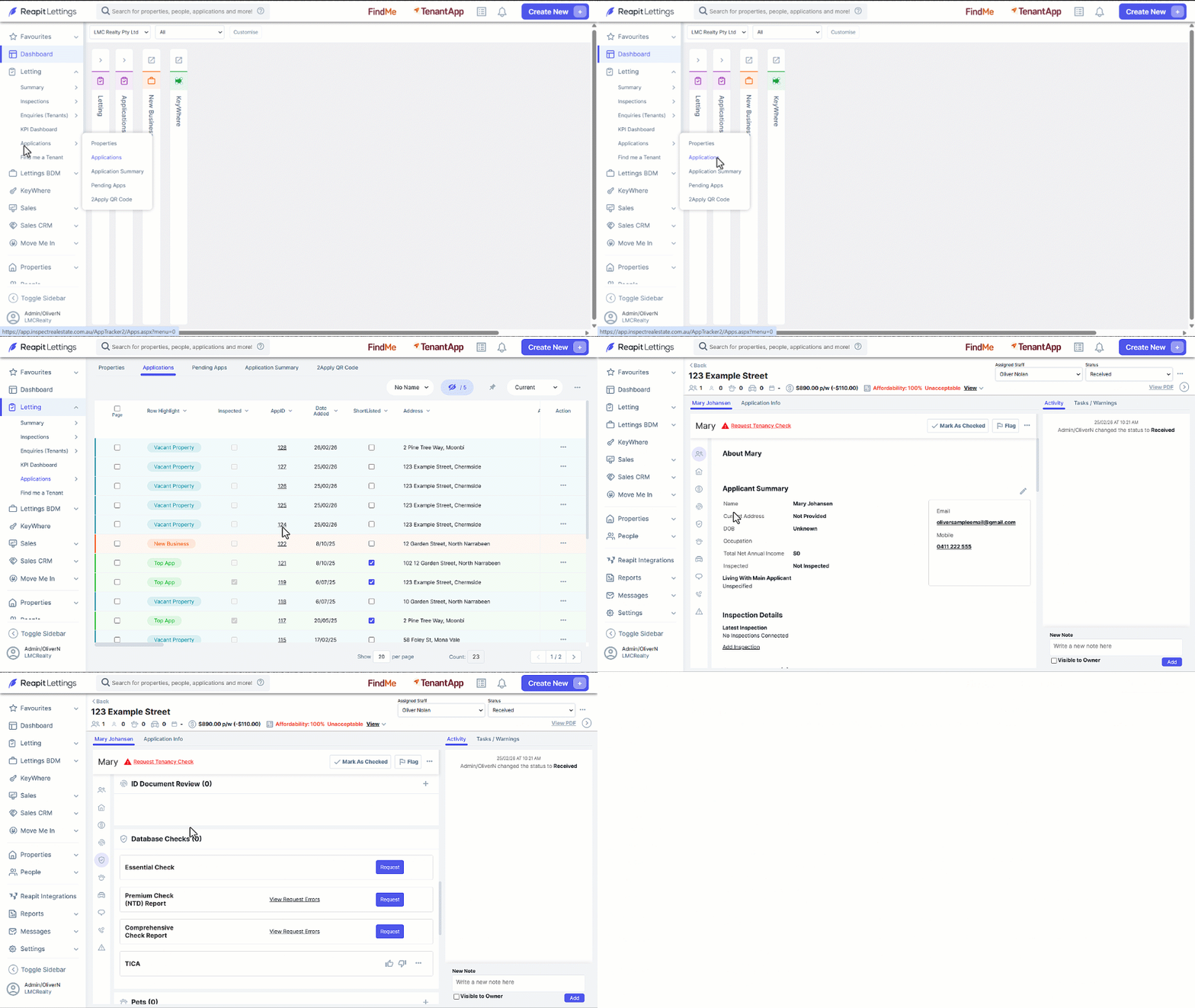
- Click on Letting.
- Click on Applications.
- Click on Applications.
- Click on the required AppID.
- Navigate to the ID Document Review section.
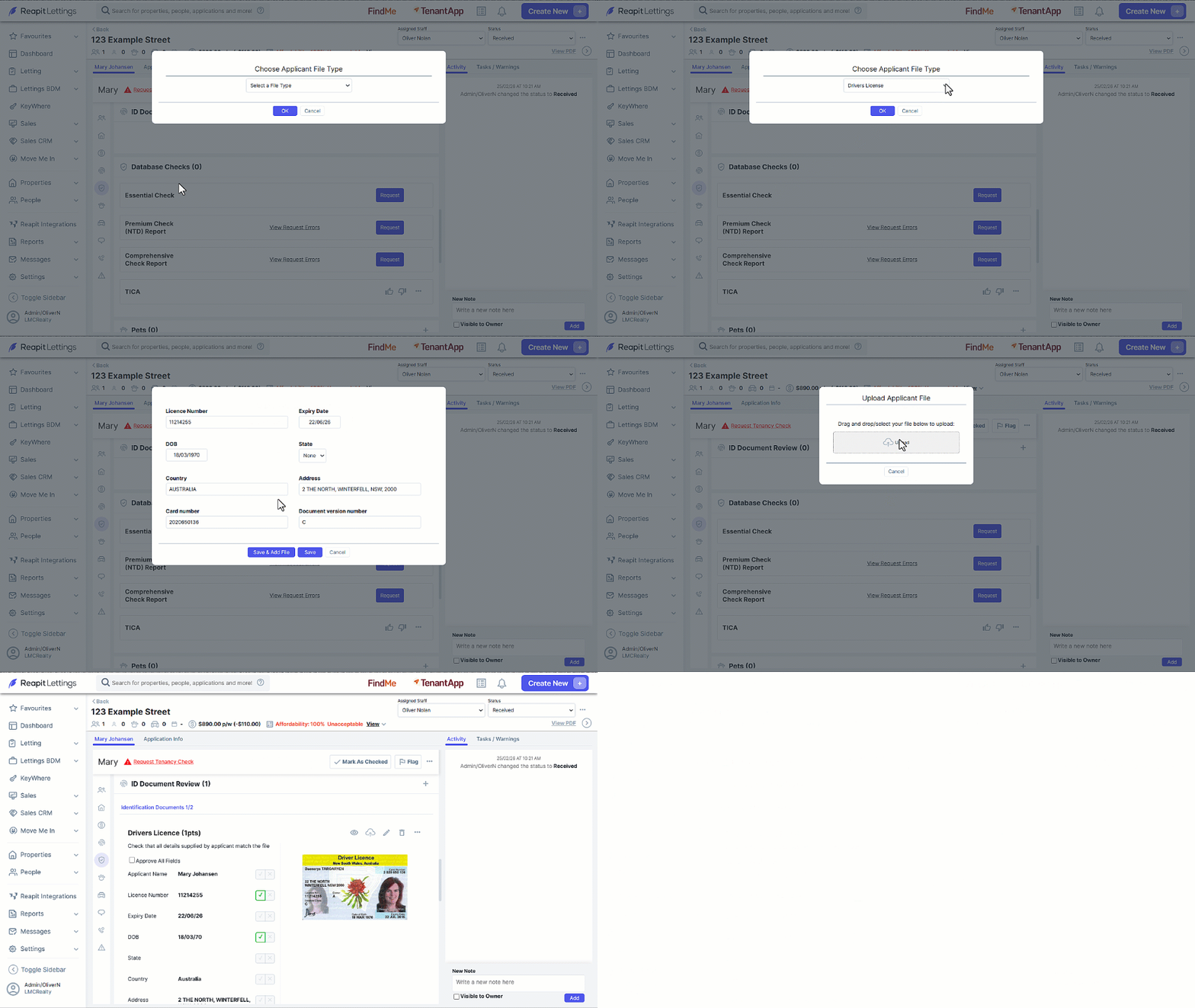
- Click on the Ad****d button
- Select the type of document to upload, enter the details and either drag and drop the file into the Upload section or click on Upload to select the file.
- Once uploaded the File will now be included in the ID Document Review section.