'%20d='M0%208a8%208%200%200%201%208-8h24a8%208%200%200%201%208%208v24a8%208%200%200%201-8%208H8a8%208%200%200%201-8-8V8Z'/%3e%3cpath%20fill='%23fff'%20d='M32.576%206C12.293%206%208.776%2025.887%207.424%2034H9.1c.45-2.977%203.493-14.748%2010.899-20.287%200%200-5.633%206.976-6.572%2015.051%203.426-.652%2013.845-3.372%2016.056-12.927l-3.84-.61c1.352-1.351%204.909-5.17%206.931-9.226V6Z'/%3e%3cdefs%3e%3clinearGradient%20id='reapit-lettings__a'%20x1='20.702'%20x2='20.702'%20y1='.351'%20y2='31.228'%20gradientUnits='userSpaceOnUse'%3e%3cstop%20stop-color='%235573FD'/%3e%3cstop%20offset='.575'%20stop-color='%234E56EA'/%3e%3c/linearGradient%3e%3c/defs%3e%3c/svg%3e)
How To Cancel An Inspection In MobileROL
This article will run through how to record results for registered tenants in MobileROL
How To Cancel An Inspection In Reapit Viewings
This article will run through how to record results for registered tenants in Reapit Viewings.
The processes in this article include:
- How to Cancel an Inspection in Reapit Viewings
- How to View Cancelled Inspections in Reapit Viewings
How to Cancel an Inspection in Reapit Viewings
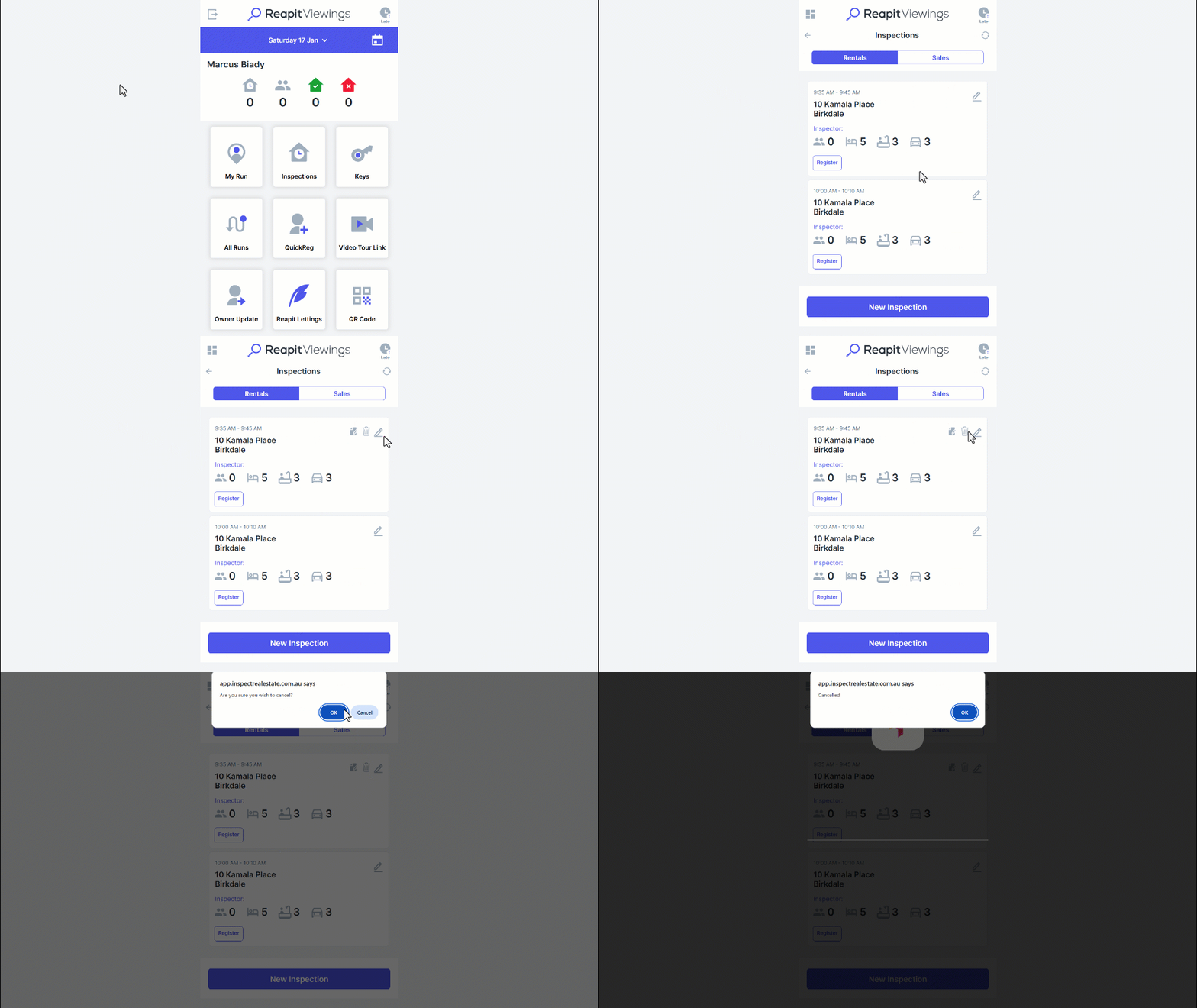
- Navigate to Inspections.
- Click the pencil icon.
- Click the Bin icon to cancel.
- Click OK to confirm.
- A confirmation will appear confirming it has been cancelled.
How to View Cancelled Inspections in Reapit Viewings
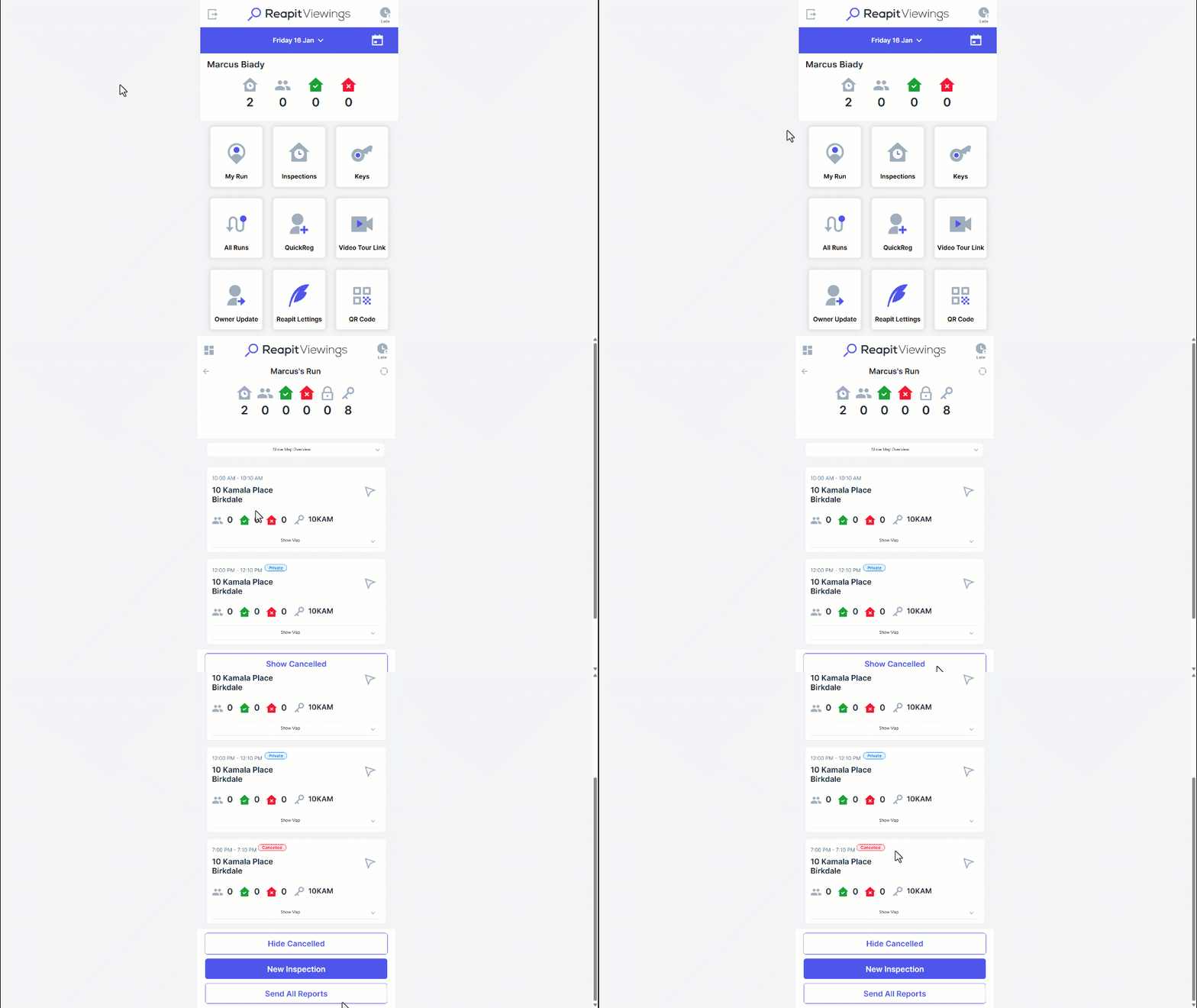
- Navigate to My Run.
- You will then see your inspection run and all active inspections you have scheduled.
- To view cancelled inspections for that run, press the Show Cancelled
- Cancelled inspections will then appear in your run list.