'%20d='M0%208a8%208%200%200%201%208-8h24a8%208%200%200%201%208%208v24a8%208%200%200%201-8%208H8a8%208%200%200%201-8-8V8Z'/%3e%3cpath%20fill='%23fff'%20d='M32.576%206C12.293%206%208.776%2025.887%207.424%2034H9.1c.45-2.977%203.493-14.748%2010.899-20.287%200%200-5.633%206.976-6.572%2015.051%203.426-.652%2013.845-3.372%2016.056-12.927l-3.84-.61c1.352-1.351%204.909-5.17%206.931-9.226V6Z'/%3e%3cdefs%3e%3clinearGradient%20id='reapit-lettings__a'%20x1='20.702'%20x2='20.702'%20y1='.351'%20y2='31.228'%20gradientUnits='userSpaceOnUse'%3e%3cstop%20stop-color='%235573FD'/%3e%3cstop%20offset='.575'%20stop-color='%234E56EA'/%3e%3c/linearGradient%3e%3c/defs%3e%3c/svg%3e)
Keywhere Panel Alarm
This article will run through the Keywhere alarm panel
KeyWhere Panel Alarm
This article will run through the KeyWhere alarm panel in KeyWhere.
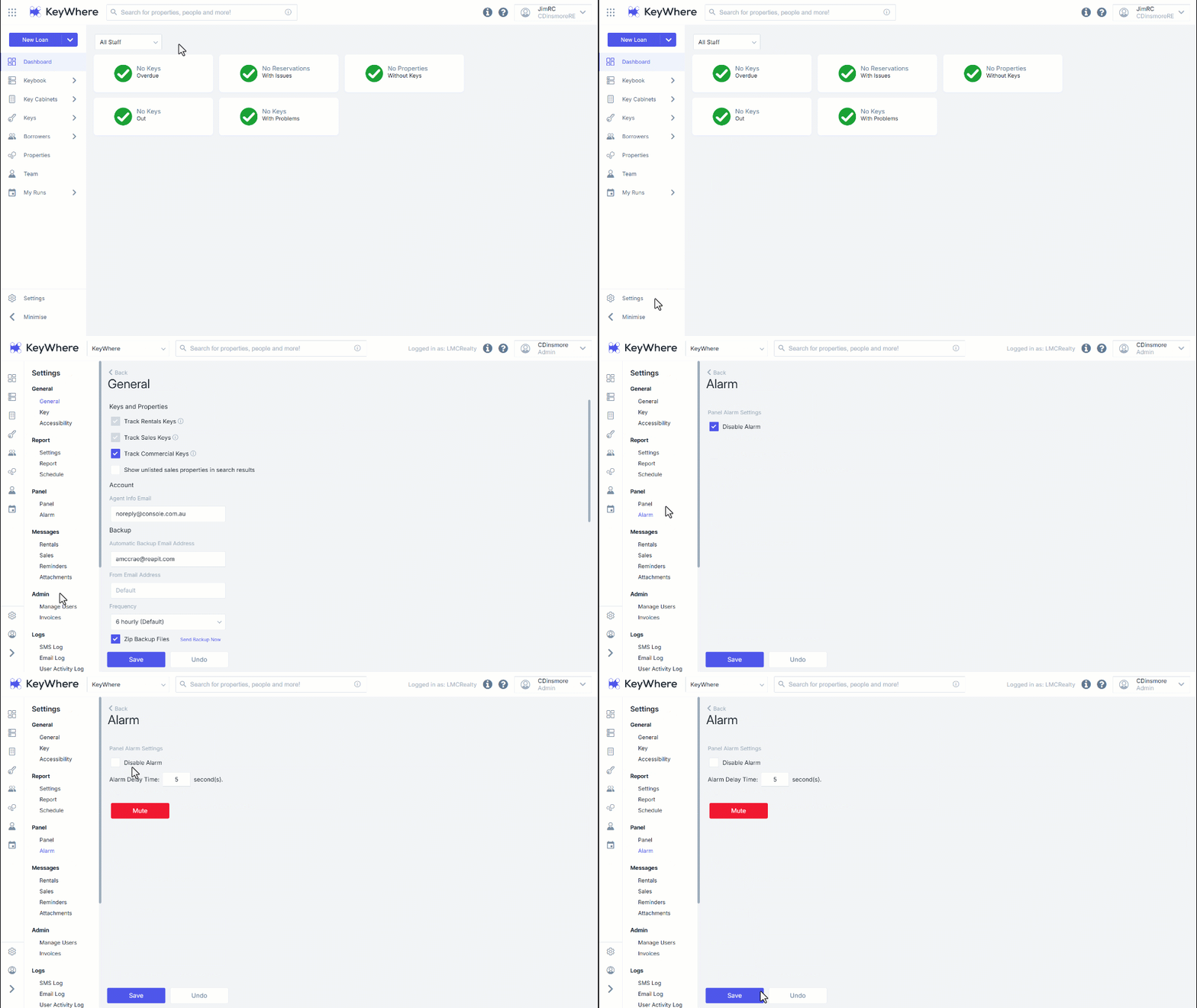
This feature safeguards the panel so if a key is removed without being loaned, the panel will begin a loud beeping noise that must be disabled.
When the alarm is enabled it can be muted from the panels page.
- Navigate Settings.
- Click Alarm.
- From here, this is where you can toggle the setting on or off. By default, the alarm is disabled.
- Edit the settings and click Save.