'%20d='M0%208a8%208%200%200%201%208-8h24a8%208%200%200%201%208%208v24a8%208%200%200%201-8%208H8a8%208%200%200%201-8-8V8Z'/%3e%3cpath%20fill='%23fff'%20d='M32.576%206C12.293%206%208.776%2025.887%207.424%2034H9.1c.45-2.977%203.493-14.748%2010.899-20.287%200%200-5.633%206.976-6.572%2015.051%203.426-.652%2013.845-3.372%2016.056-12.927l-3.84-.61c1.352-1.351%204.909-5.17%206.931-9.226V6Z'/%3e%3cdefs%3e%3clinearGradient%20id='reapit-lettings__a'%20x1='20.702'%20x2='20.702'%20y1='.351'%20y2='31.228'%20gradientUnits='userSpaceOnUse'%3e%3cstop%20stop-color='%235573FD'/%3e%3cstop%20offset='.575'%20stop-color='%234E56EA'/%3e%3c/linearGradient%3e%3c/defs%3e%3c/svg%3e)
Accessing the Notes Grid
This article will run through how to access notes within your account
Accessing the Notes Grid
This article will run through how to access notes in Reapit Lettings.
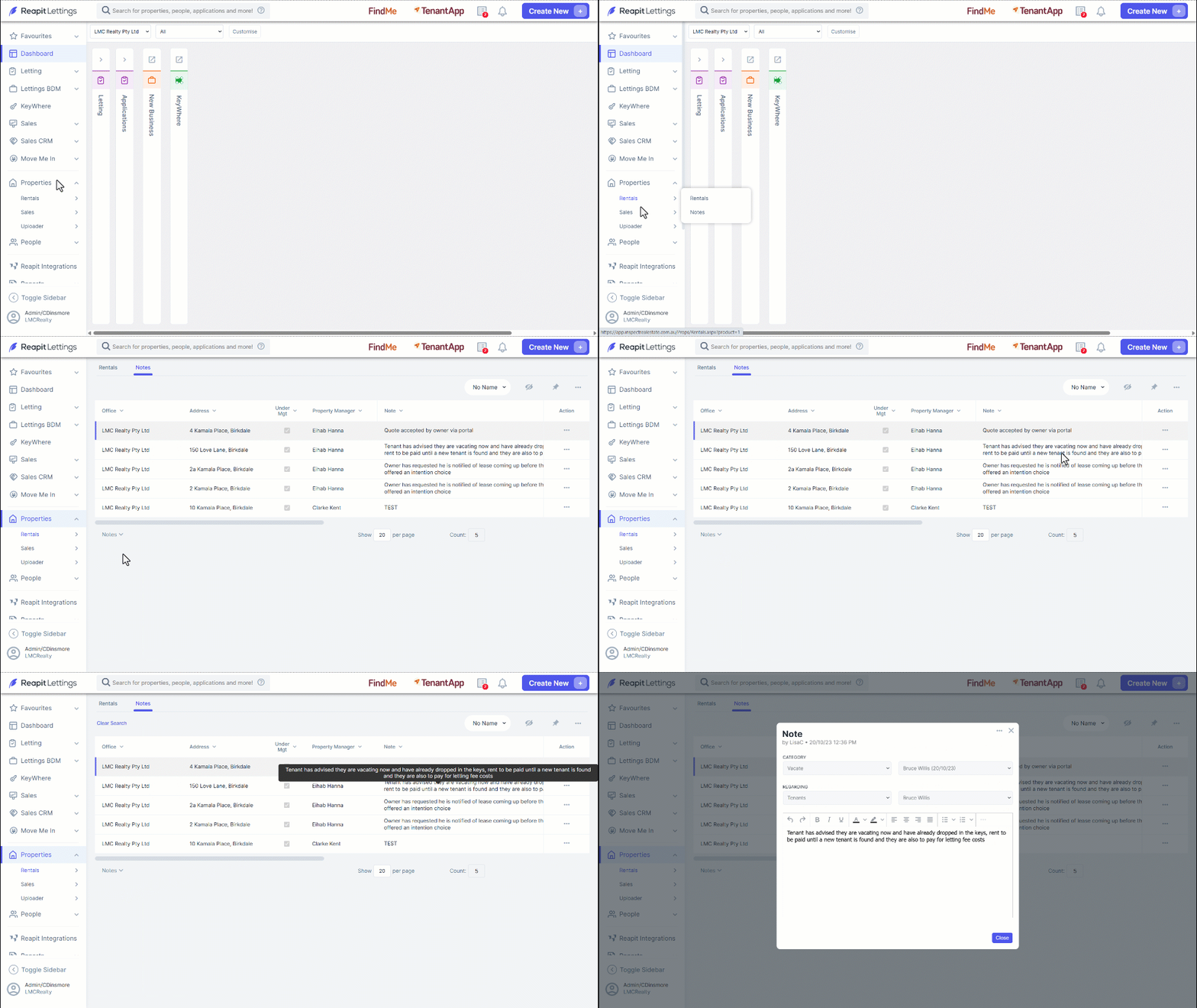
- Navigate to Properties.
- Click Rentals or Sales.
- Click Notes.
- To view note details, hover your cursor over the relevant note.
Alternatively, click on the note to open a pop-up with more information. Click Close after reading the note.
Click the three dots and select Flag. This will visually highlight the note, indicating its importance. Select the 3 Action Dots again to clear the flag selected (if required).
To view the note history, select the 3 Action Dots and select View History.
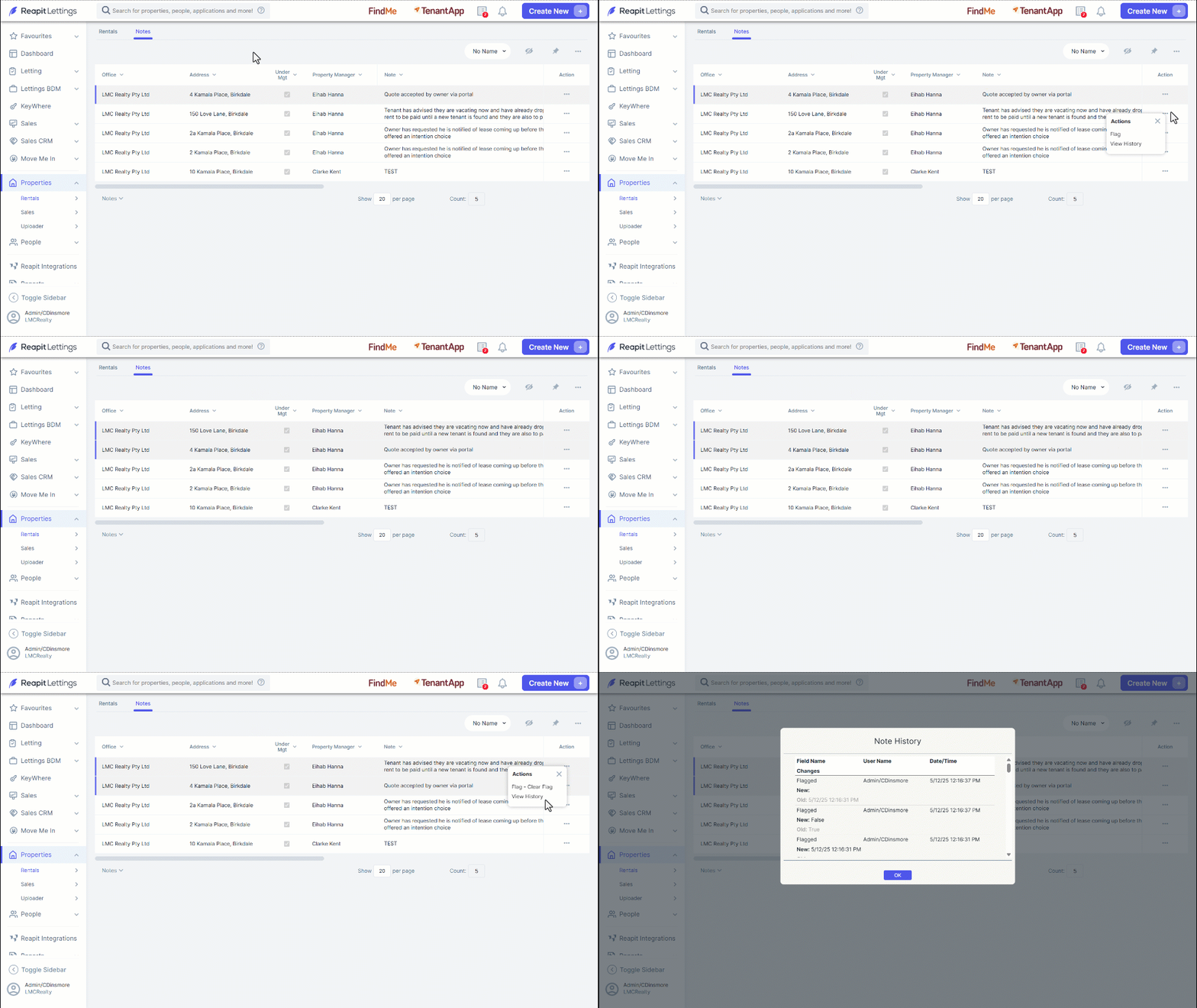
Note: You can use the side scroll bar to review the history and click OK when completed.