'%20d='M0%208a8%208%200%200%201%208-8h24a8%208%200%200%201%208%208v24a8%208%200%200%201-8%208H8a8%208%200%200%201-8-8V8Z'/%3e%3cpath%20fill='%23fff'%20d='M32.576%206C12.293%206%208.776%2025.887%207.424%2034H9.1c.45-2.977%203.493-14.748%2010.899-20.287%200%200-5.633%206.976-6.572%2015.051%203.426-.652%2013.845-3.372%2016.056-12.927l-3.84-.61c1.352-1.351%204.909-5.17%206.931-9.226V6Z'/%3e%3cdefs%3e%3clinearGradient%20id='reapit-lettings__a'%20x1='20.702'%20x2='20.702'%20y1='.351'%20y2='31.228'%20gradientUnits='userSpaceOnUse'%3e%3cstop%20stop-color='%235573FD'/%3e%3cstop%20offset='.575'%20stop-color='%234E56EA'/%3e%3c/linearGradient%3e%3c/defs%3e%3c/svg%3e)
How to Activate Tenant Checks
This article will outline the requirements for tenant checks and guide you through the activation process in Reapit Lettings.
1. Navigate to Settings.
2. Click Applications.
3. Click General.
Note: A user with Diamond-level permissions will need to perform this action. 4. Select Tenant Database Checks.
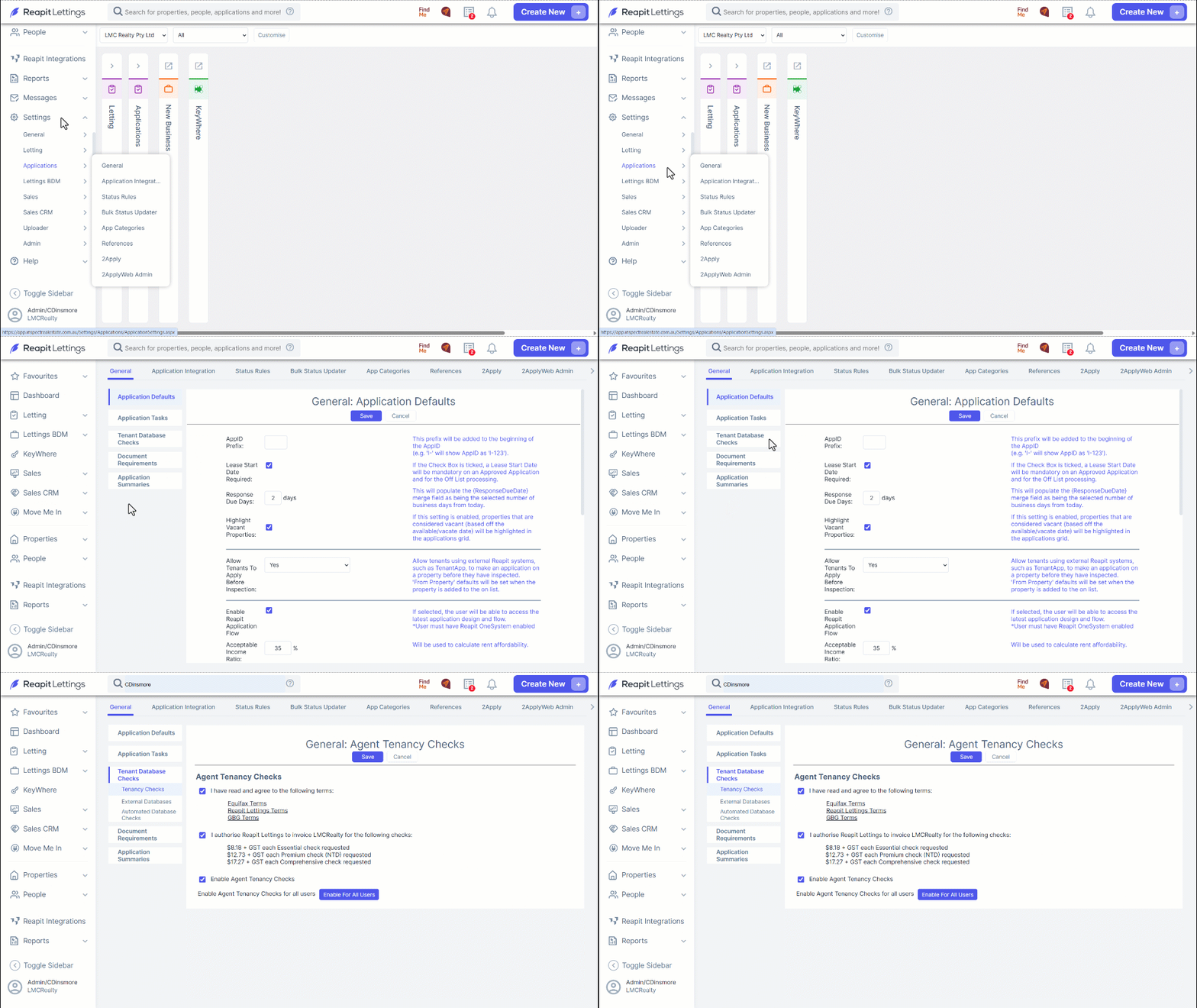
5. You will need to read through the terms and conditions for Equifax, Reapit Lettings & GBG. Tick the box once you have read and agree to these terms.
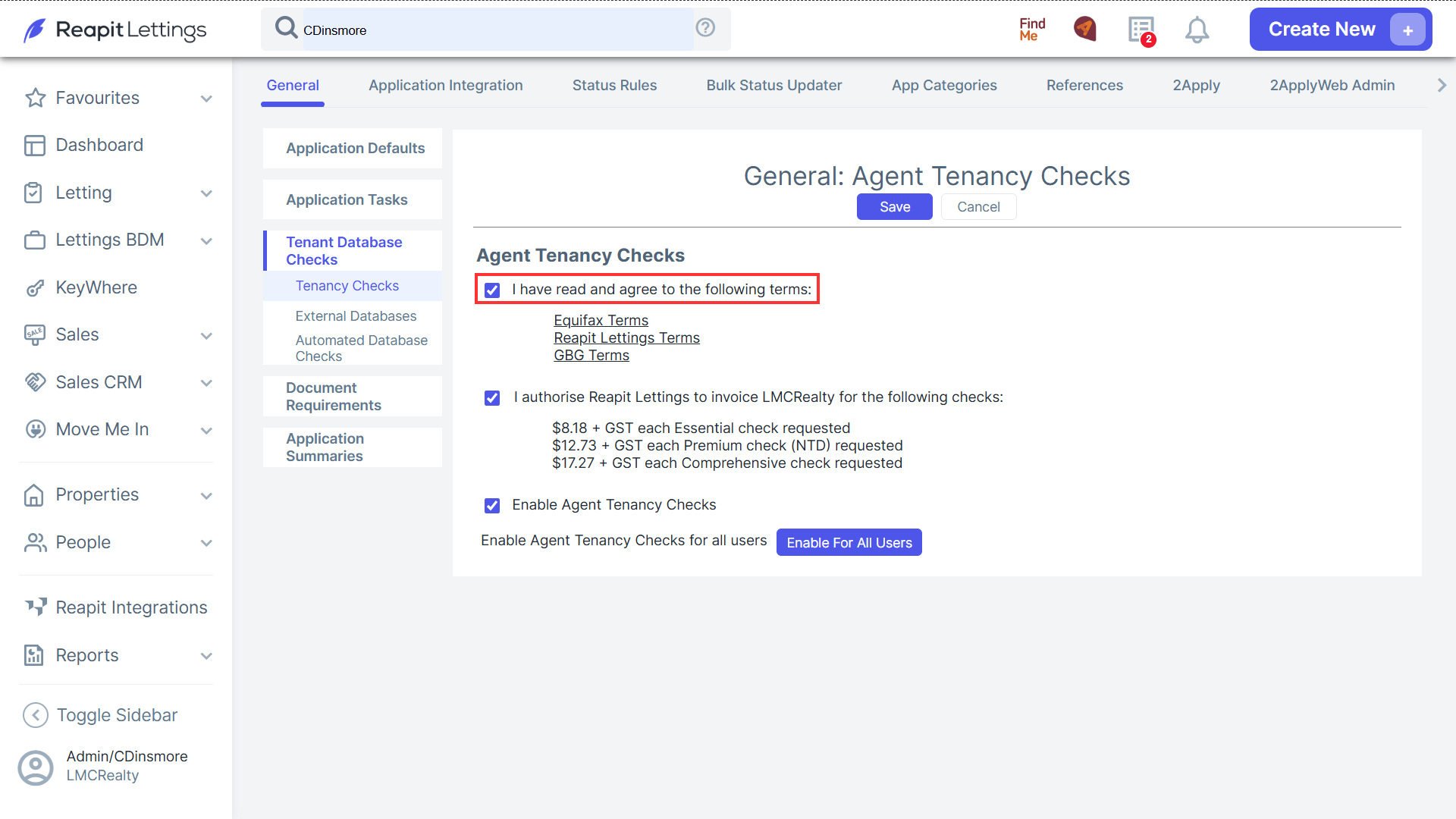
6. Check the box to authorise invoicing for tenant checks, including the associated costs.
Note: Agencies do not need an Equifax or greenID membership to access these checks, as they are enabled and billed directly through IRE. The charges will be included in the client’s invoice at the end of the month.
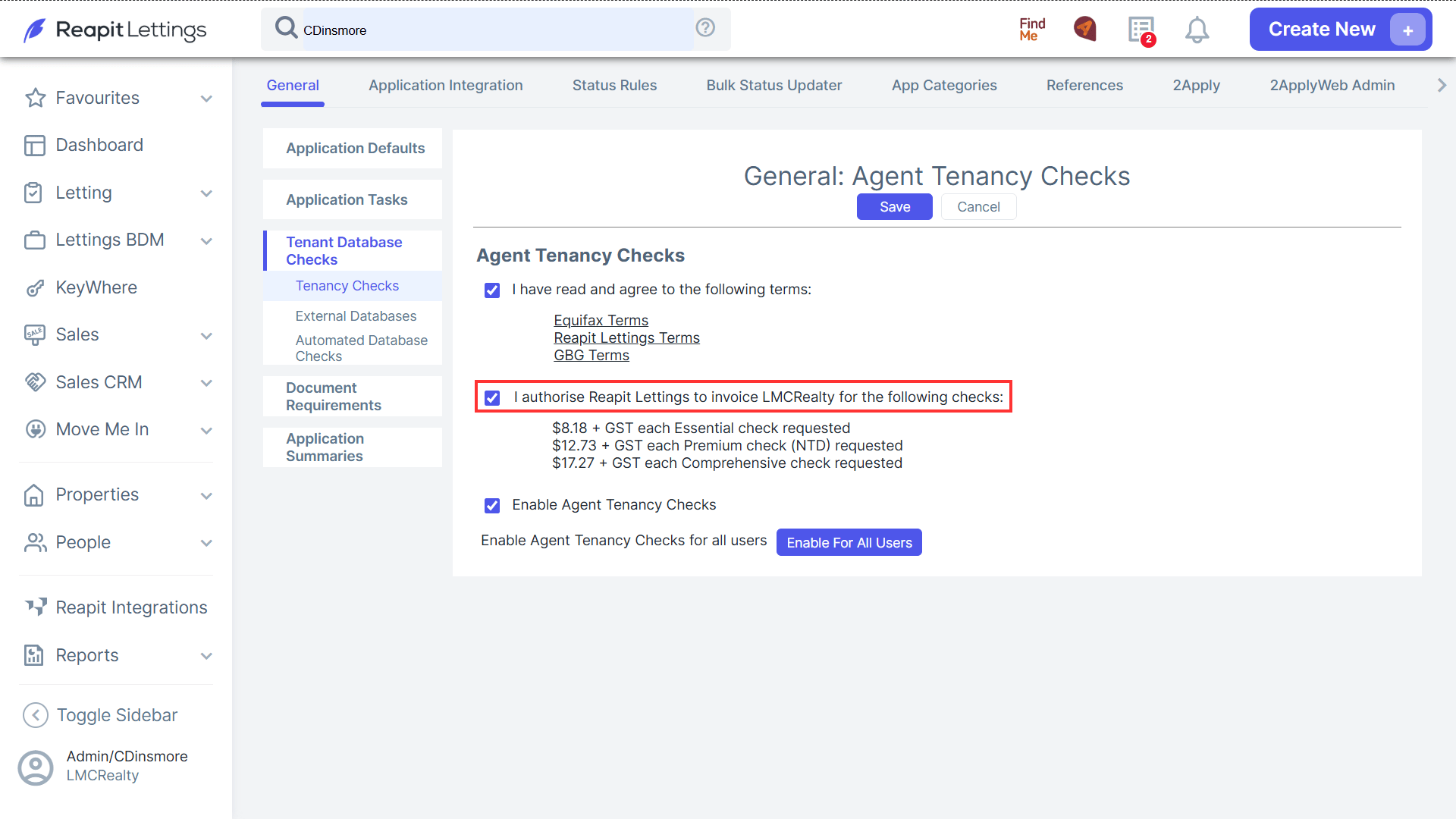
7. Check the box to Enable Agent Tenancy Checks and click Save to finalise.
6. Selecting Enable All Users will allow you to enable the feature for all users. Alternatively, you can click on the text 'Admin > Manage Users' to be re-directed to that screen to enable specific users.