Applications Settings - Status Rules
This article will run through the application settings for Status Rules in Reapit Lettings.
Reapit LettingsUpdated 2026-04-21
Applications Settings - Status Rules
This article will run through the application settings for Status Rules in Reapit Lettings.
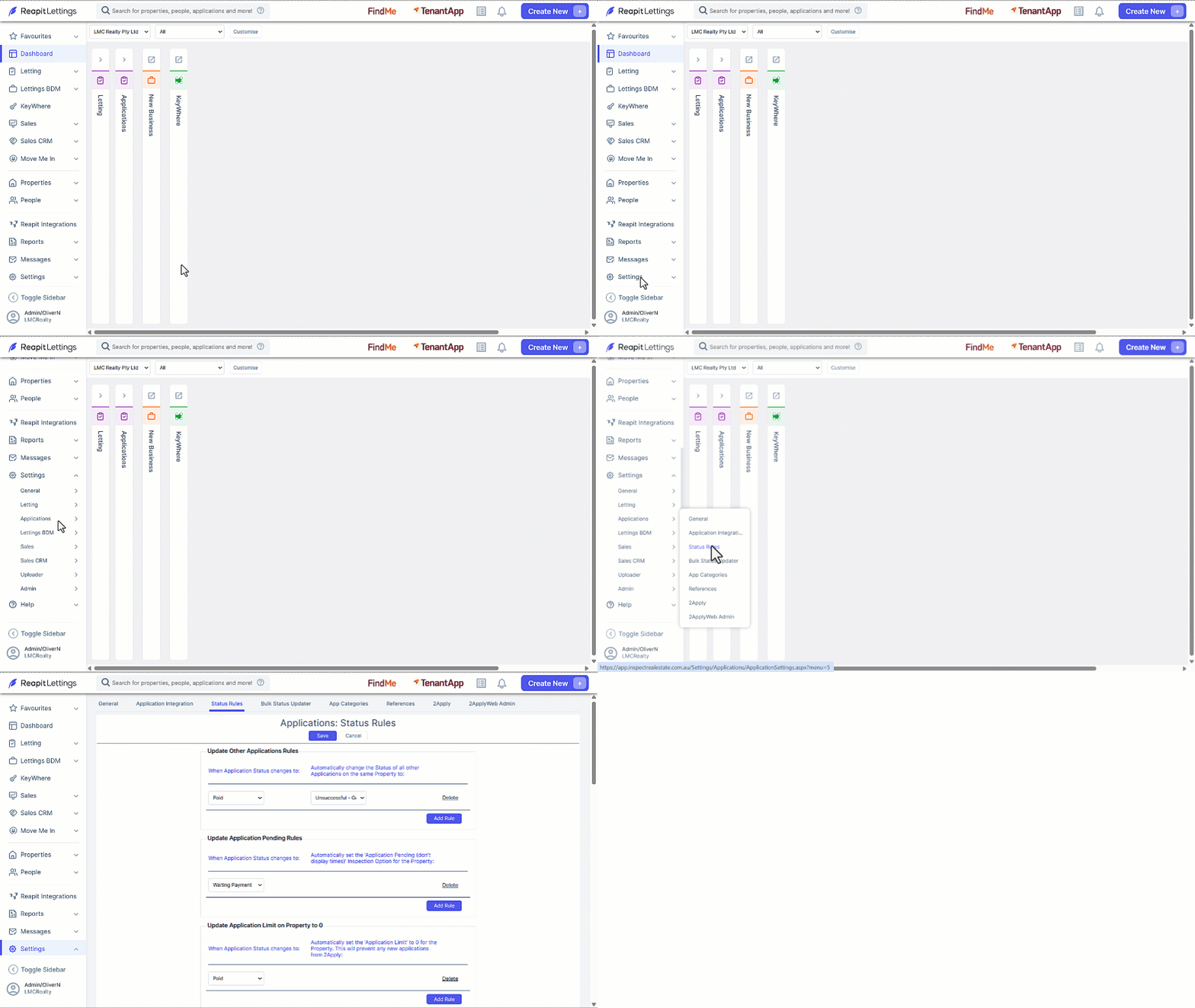
- Click on Settings.
- Click on Applications.
- Click on Status Rules.
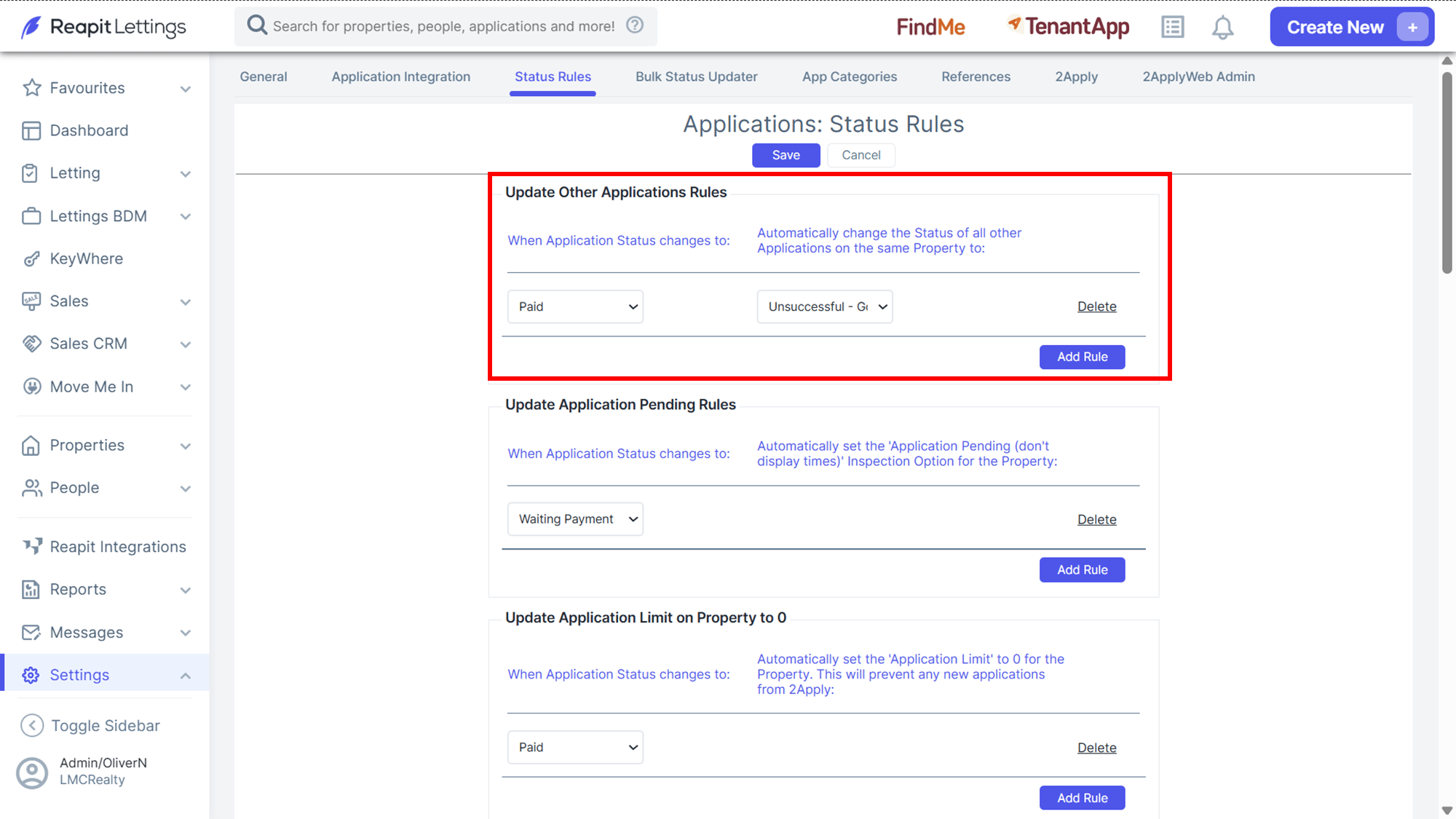
| Update Other Applications Rules | This rule automates the modification of application statuses in response to a particular status being applied to another application within the same property. In the example provided, if there are five applications for a single property, and one of them is marked as "Paid," the system will automatically update the status of the remaining four applications to "Unsuccessful - Good." |
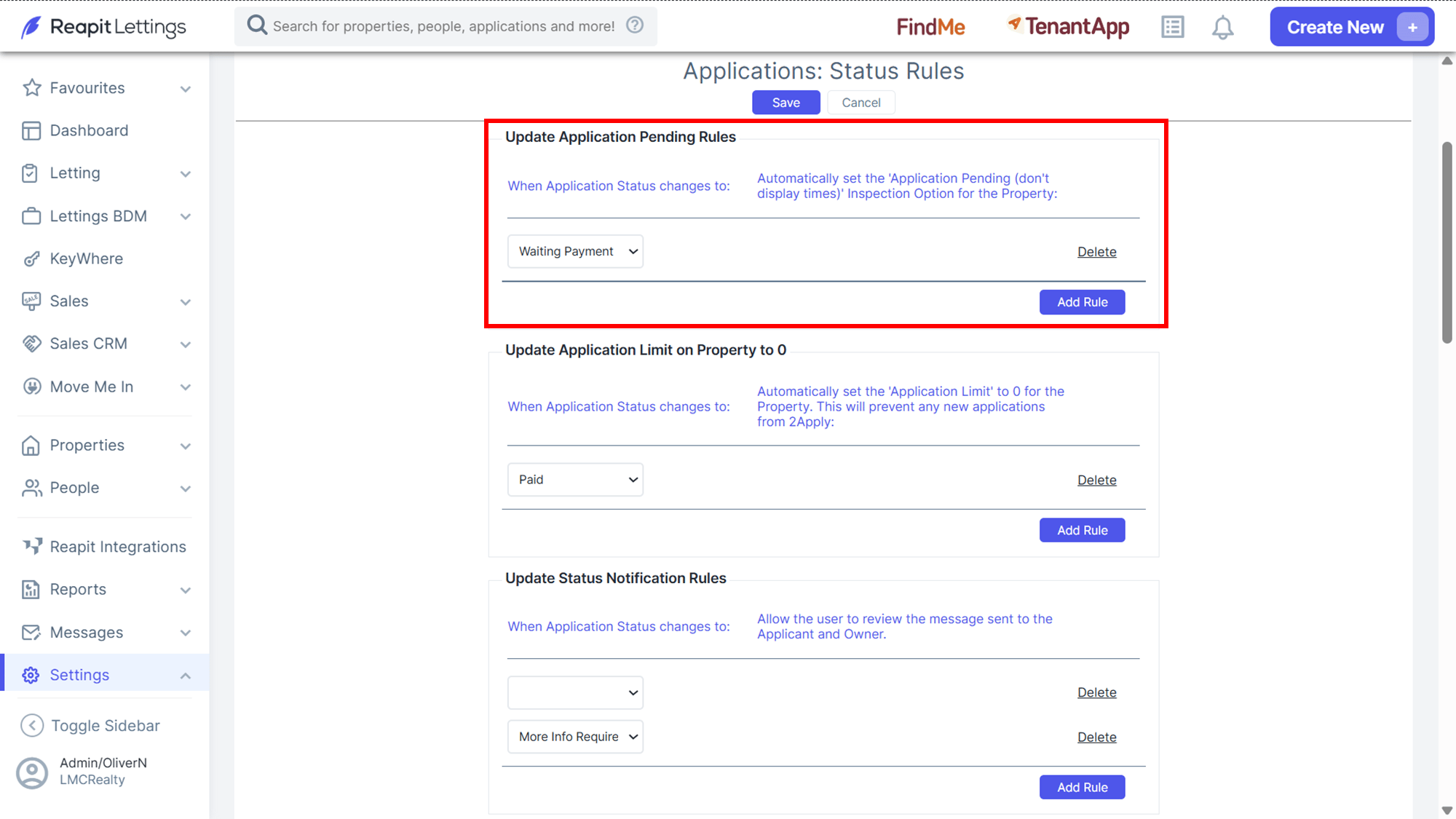
| Update Application Pending Rules | This rule automatically assigns the Application Pending setting to a property when the specified status is assigned to an application. In the provided example, when an application is designated as "Waiting Payment," the system will activate the "Application Pending (don't display times)" setting for the respective property in ROL Rentals. Consequently, if any applications bear the "Waiting Payment" status, inspection times will not be extended to tenants. |
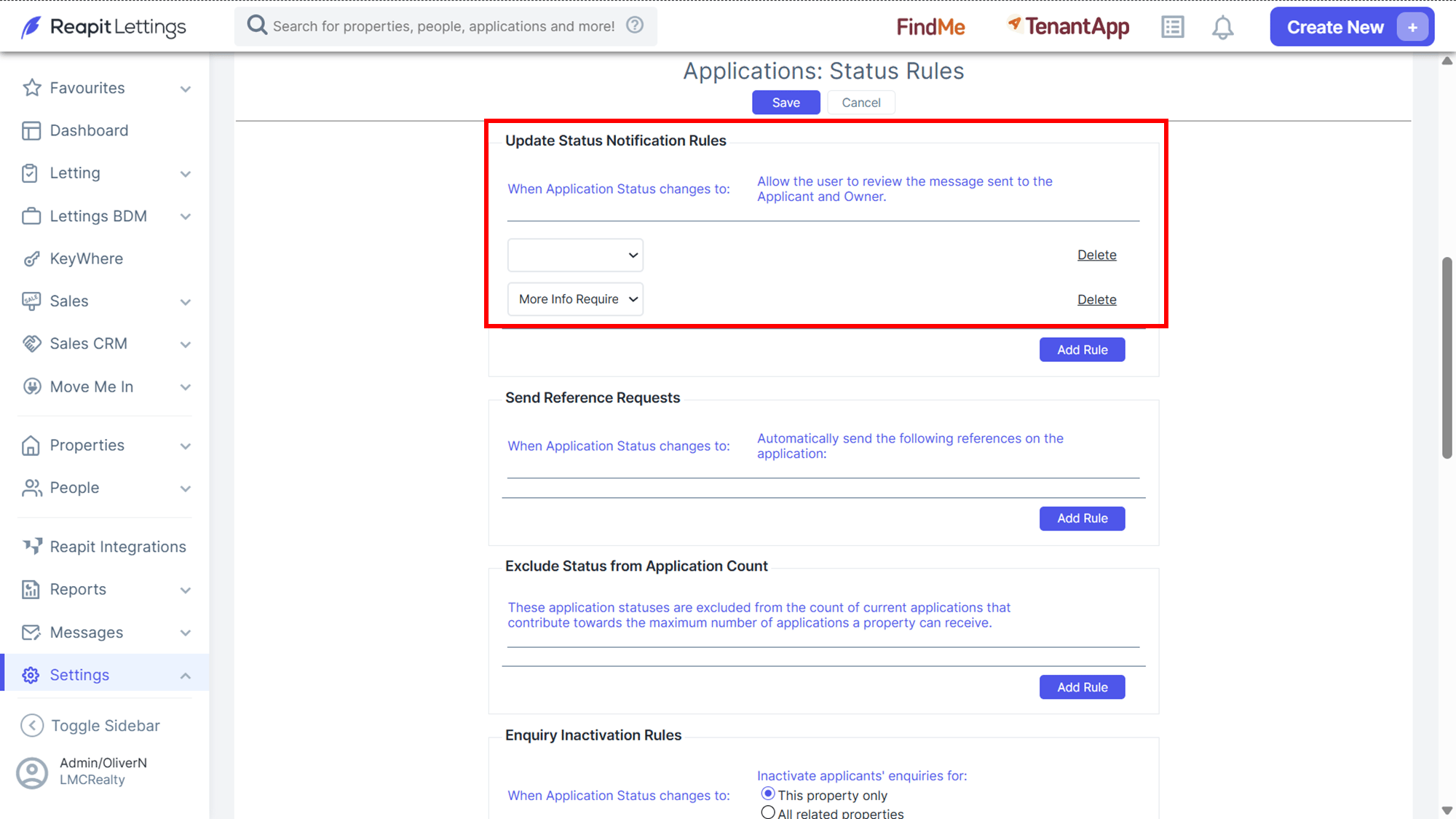
| Update Status Notification Rules | Access the Update Status Notification Rules setting to review and edit the notification message prior to sending. Note: If Applications is enabled in your account, you will see the Send Reference Requests setting. |
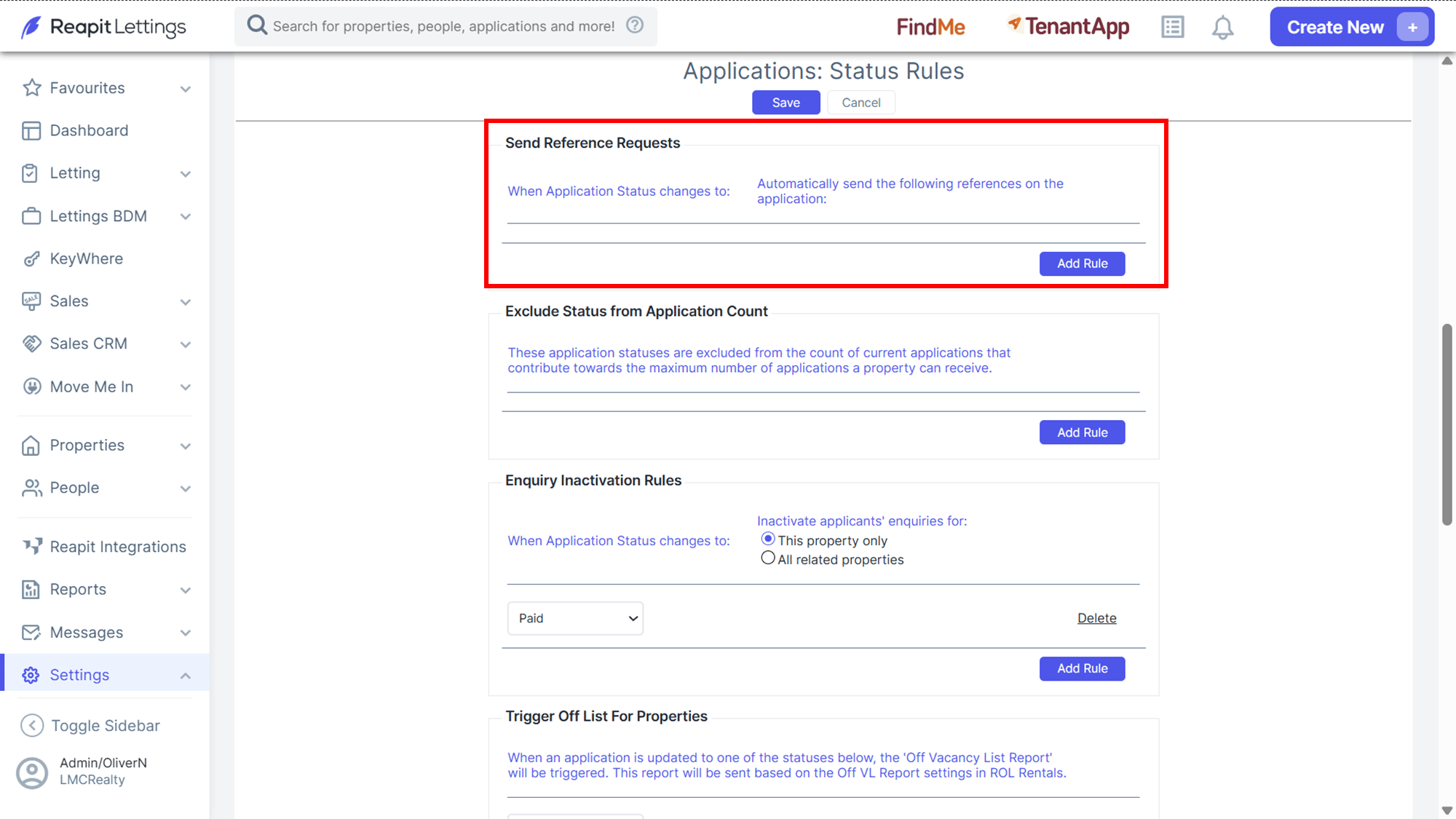
| Send Reference Request | This section allows you to send all or certain references when a nominated status is assigned to an application. Note: These application statuses are excluded from the count of current applications that contribute towards the maximum number of applications a property can receive. |
'%20d='M0%208a8%208%200%200%201%208-8h24a8%208%200%200%201%208%208v24a8%208%200%200%201-8%208H8a8%208%200%200%201-8-8V8Z'/%3e%3cpath%20fill='%23fff'%20d='M32.576%206C12.293%206%208.776%2025.887%207.424%2034H9.1c.45-2.977%203.493-14.748%2010.899-20.287%200%200-5.633%206.976-6.572%2015.051%203.426-.652%2013.845-3.372%2016.056-12.927l-3.84-.61c1.352-1.351%204.909-5.17%206.931-9.226V6Z'/%3e%3cdefs%3e%3clinearGradient%20id='reapit-lettings__a'%20x1='20.702'%20x2='20.702'%20y1='.351'%20y2='31.228'%20gradientUnits='userSpaceOnUse'%3e%3cstop%20stop-color='%235573FD'/%3e%3cstop%20offset='.575'%20stop-color='%234E56EA'/%3e%3c/linearGradient%3e%3c/defs%3e%3c/svg%3e)