'%20d='M0%208a8%208%200%200%201%208-8h24a8%208%200%200%201%208%208v24a8%208%200%200%201-8%208H8a8%208%200%200%201-8-8V8Z'/%3e%3cpath%20fill='%23fff'%20d='M32.576%206C12.293%206%208.776%2025.887%207.424%2034H9.1c.45-2.977%203.493-14.748%2010.899-20.287%200%200-5.633%206.976-6.572%2015.051%203.426-.652%2013.845-3.372%2016.056-12.927l-3.84-.61c1.352-1.351%204.909-5.17%206.931-9.226V6Z'/%3e%3cdefs%3e%3clinearGradient%20id='reapit-lettings__a'%20x1='20.702'%20x2='20.702'%20y1='.351'%20y2='31.228'%20gradientUnits='userSpaceOnUse'%3e%3cstop%20stop-color='%235573FD'/%3e%3cstop%20offset='.575'%20stop-color='%234E56EA'/%3e%3c/linearGradient%3e%3c/defs%3e%3c/svg%3e)
How to Add Reapit Viewings to Your Device's Home Screen on iOS Devices (Previously MobileROL)
This article will guide you through adding Reapit Viewings (previously known as MobileROL) to the home screen of your Apple iOS device
This article will guide you through adding Reapit Viewings (previously known as MobileROL) to the home screen of your Apple iOS device.
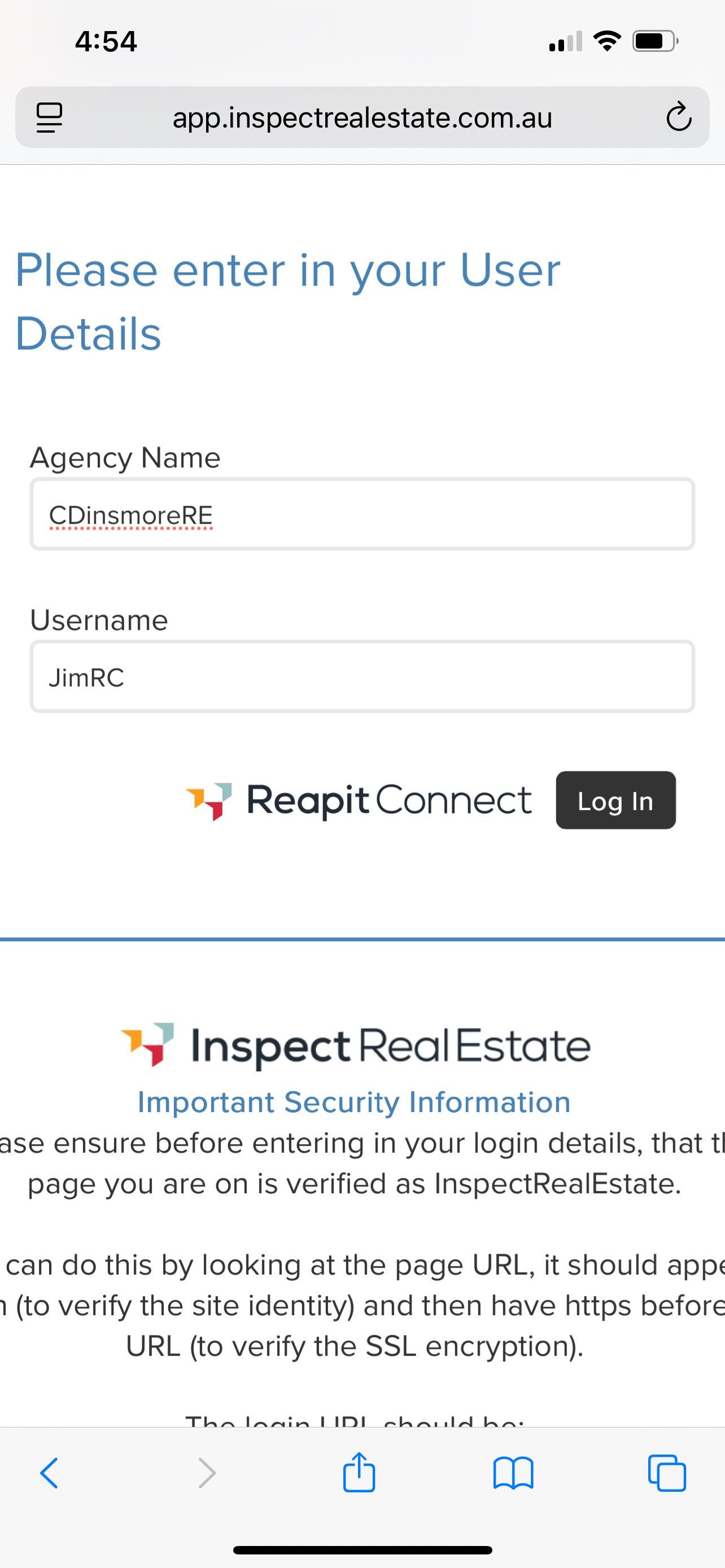
1. Navigate to https://app.inspectrealestate.com.au/Identity/Account/LogIn to access the Reapit Lettings login screen.
Enter your Agency Name and Email address. Click Log In to proceed.
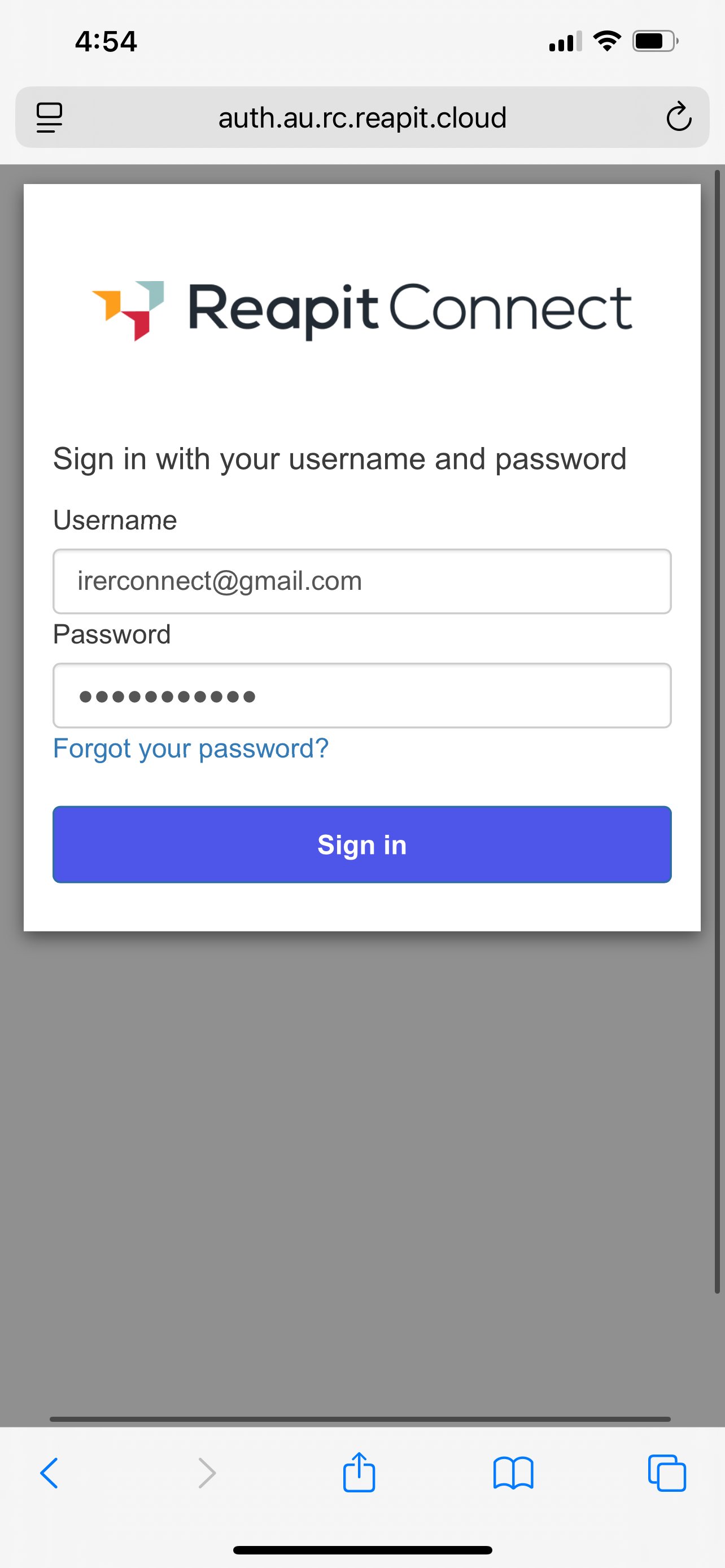
2. If you are not already signed in to another service using Reapit Connect, the Reapit Connect login screen will appear. Enter your Username and Password, then click Sign in.
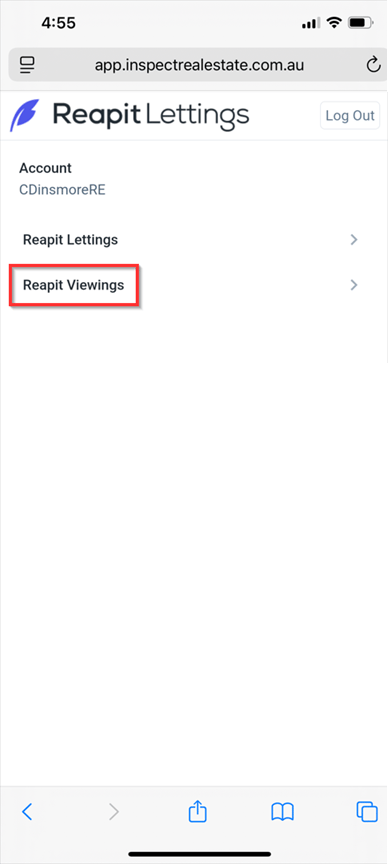
3. Once signed in, click on Reapit Viewings.
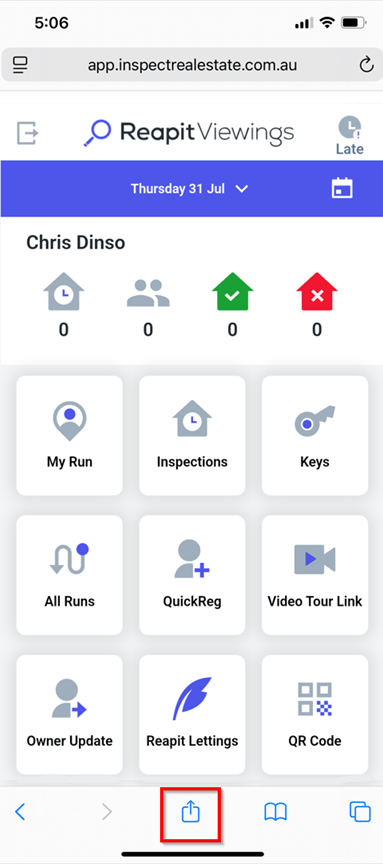
4. Click on the Share icon.
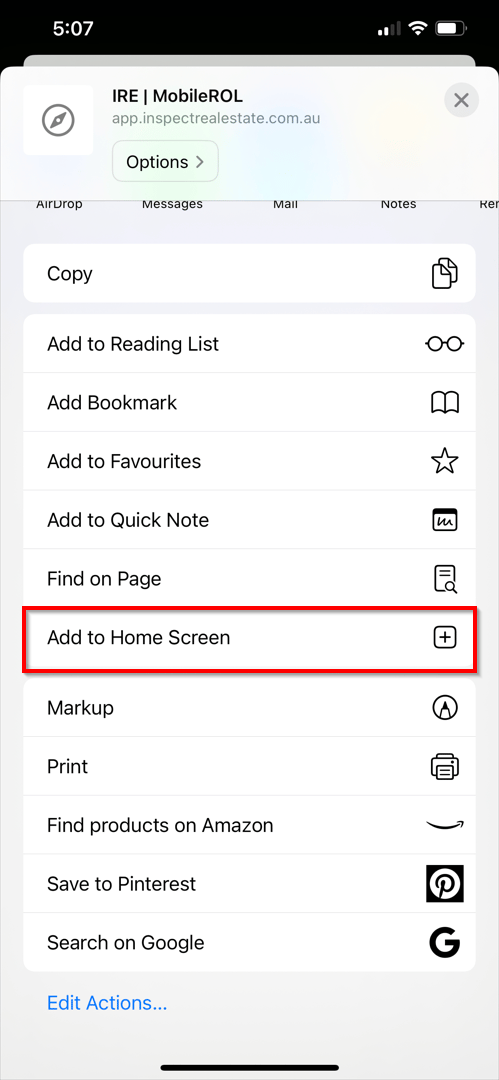
5. From the share menu, click Add to Home Screen.
6. Click Add to finalise**.**