'%20d='M0%208a8%208%200%200%201%208-8h24a8%208%200%200%201%208%208v24a8%208%200%200%201-8%208H8a8%208%200%200%201-8-8V8Z'/%3e%3cpath%20fill='%23fff'%20d='M32.576%206C12.293%206%208.776%2025.887%207.424%2034H9.1c.45-2.977%203.493-14.748%2010.899-20.287%200%200-5.633%206.976-6.572%2015.051%203.426-.652%2013.845-3.372%2016.056-12.927l-3.84-.61c1.352-1.351%204.909-5.17%206.931-9.226V6Z'/%3e%3cdefs%3e%3clinearGradient%20id='reapit-lettings__a'%20x1='20.702'%20x2='20.702'%20y1='.351'%20y2='31.228'%20gradientUnits='userSpaceOnUse'%3e%3cstop%20stop-color='%235573FD'/%3e%3cstop%20offset='.575'%20stop-color='%234E56EA'/%3e%3c/linearGradient%3e%3c/defs%3e%3c/svg%3e)
What is the Quick Prospect tab
This article will run through how to add new prospect tenants within Reapit Lettings
What is the Quick Prospect tab
This article will run through how to add new prospect tenants within Reapit Lettings.
The process in this article include:
- Adding a new Prospect
- Viewing a Prospects Preferences
Adding a New Prospect
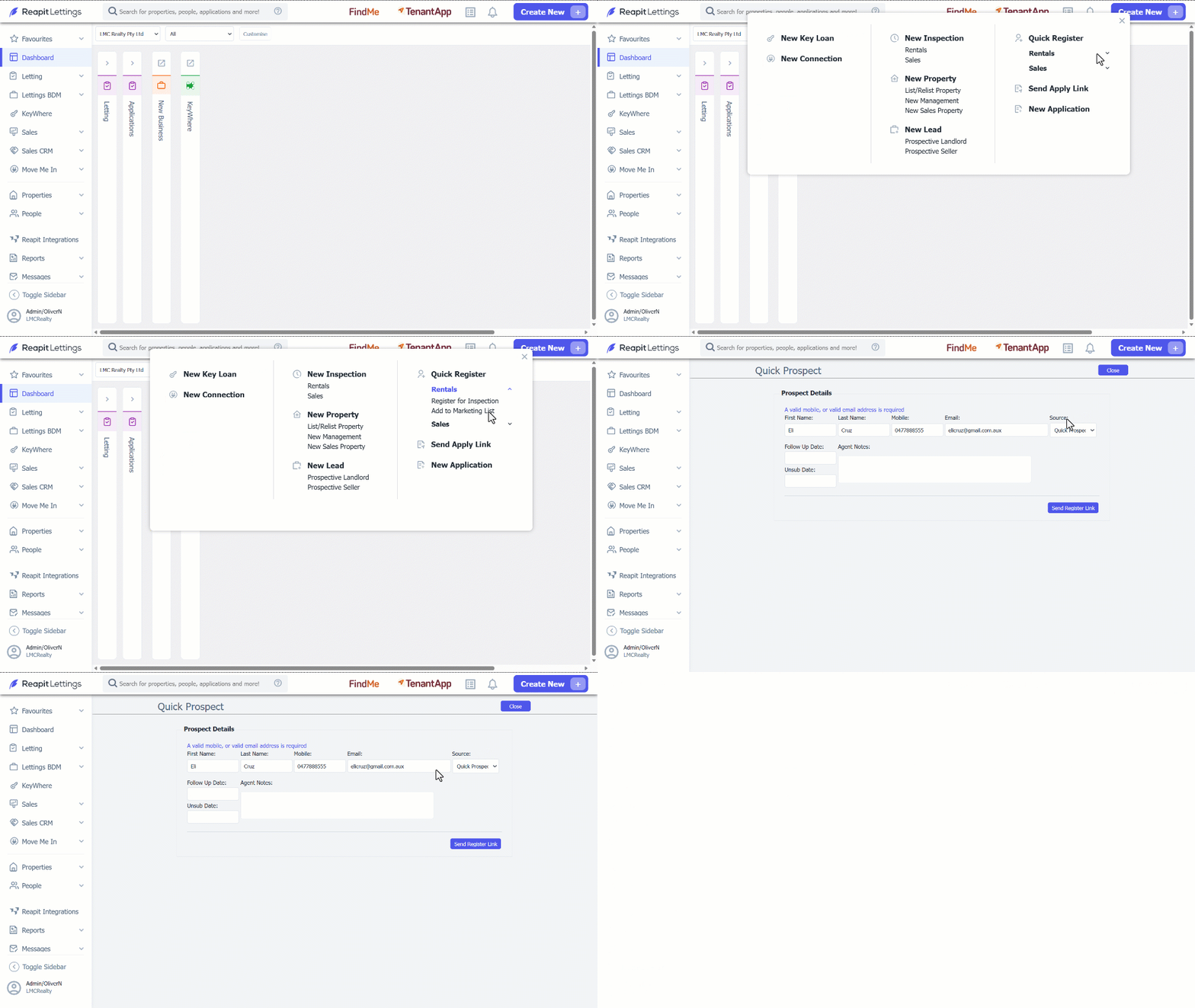
1. Click Create New.
- Click Rentals.
- Select Add to Marketing List.
- Input the Prospect Details: First Name, Last Name, Mobile and Email.
- Click Send Register Link.
Viewing a Prospects Preferences
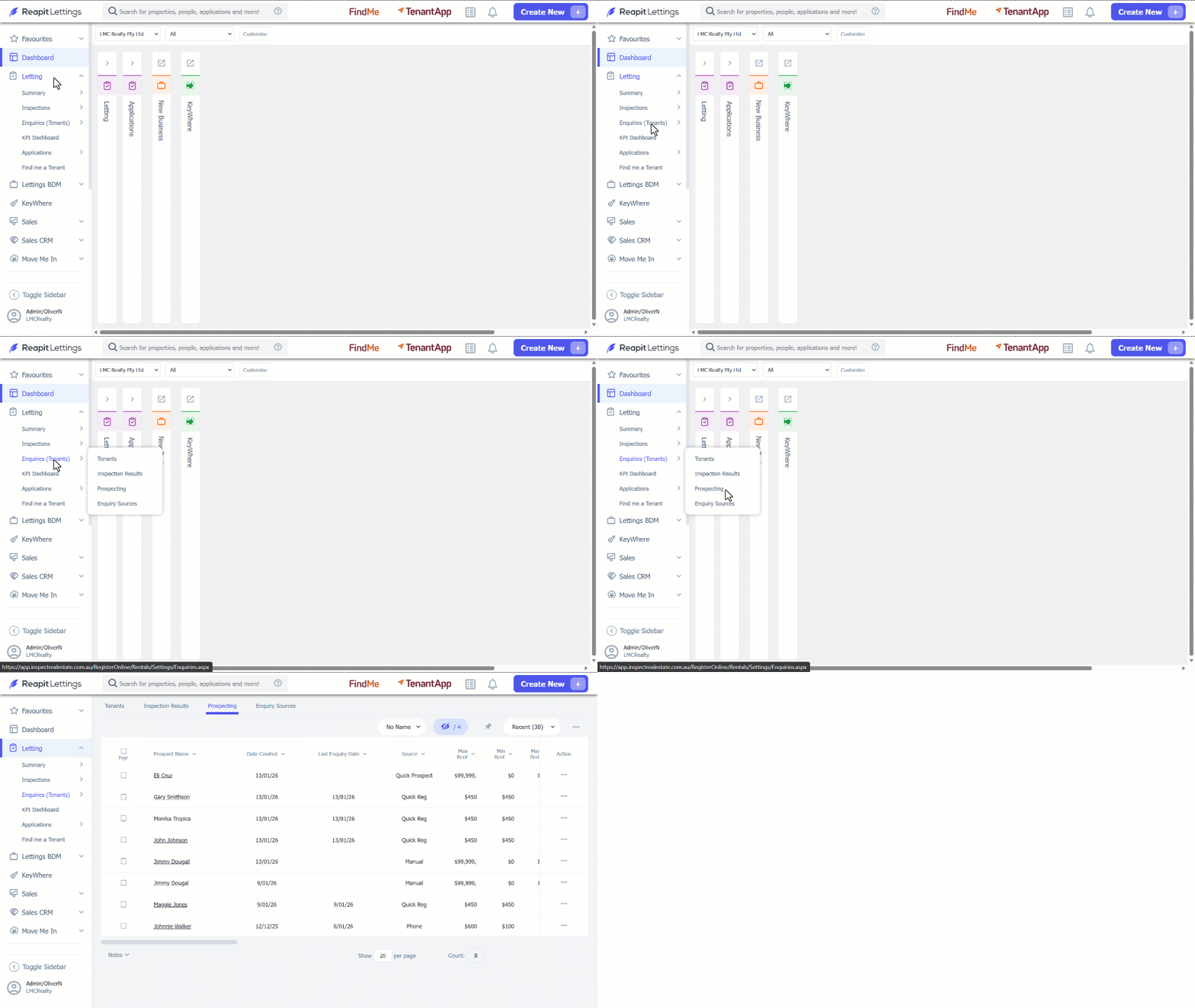
Upon receiving the link, recipients will input their property preferences. These preferences will be captured and stored in your account. To view these preferences, use the following process.
- Click Letting.
- Click Enquiries (Tenants).
- Click Prospecting.