'%20d='M0%208a8%208%200%200%201%208-8h24a8%208%200%200%201%208%208v24a8%208%200%200%201-8%208H8a8%208%200%200%201-8-8V8Z'/%3e%3cpath%20fill='%23fff'%20d='M32.576%206C12.293%206%208.776%2025.887%207.424%2034H9.1c.45-2.977%203.493-14.748%2010.899-20.287%200%200-5.633%206.976-6.572%2015.051%203.426-.652%2013.845-3.372%2016.056-12.927l-3.84-.61c1.352-1.351%204.909-5.17%206.931-9.226V6Z'/%3e%3cdefs%3e%3clinearGradient%20id='reapit-lettings__a'%20x1='20.702'%20x2='20.702'%20y1='.351'%20y2='31.228'%20gradientUnits='userSpaceOnUse'%3e%3cstop%20stop-color='%235573FD'/%3e%3cstop%20offset='.575'%20stop-color='%234E56EA'/%3e%3c/linearGradient%3e%3c/defs%3e%3c/svg%3e)
How to Add Property Specific and Pet Info
This article will run through how to add property specific and pet info at Reapit Lettings
How to Add Property Specific and Pet Info
This article will run through how to add property specific and pet info at Reapit Lettings.
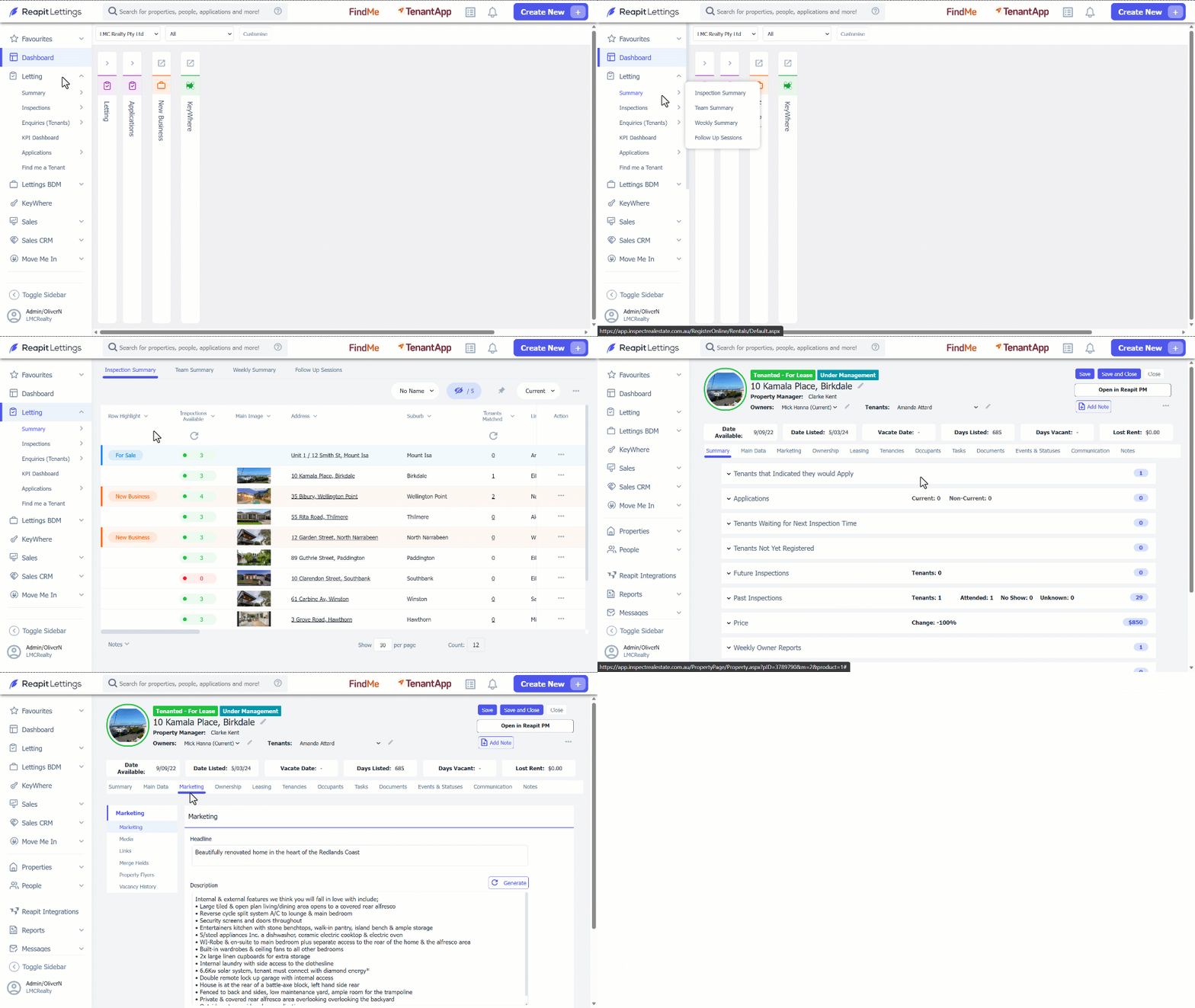
- Click on Letting.
- Click on Summary.
- Click on Inspection Summary.
- Select the property from the Inspection Summary Page.
- Navigate to Marketing tab.
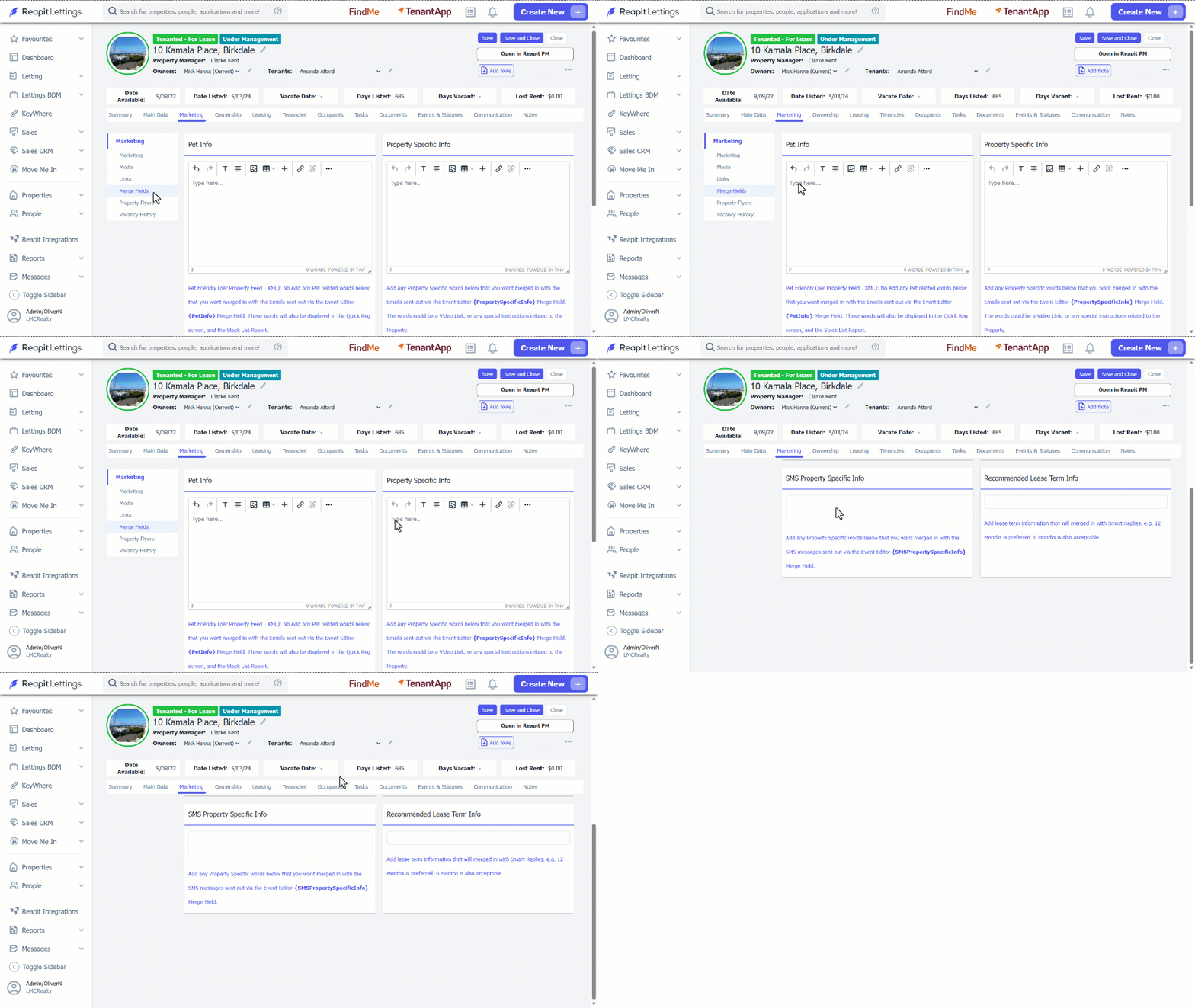
- Click on Merge Fields.
- Enter pet information in the Pet Info section.
- Enter the information you want to appear in email notifications in the Property Specific Info section.
- Enter the information you want to appear in SMS notifications in the SMS Property Specific Info section.
- Click on Save.