'%20d='M0%208a8%208%200%200%201%208-8h24a8%208%200%200%201%208%208v24a8%208%200%200%201-8%208H8a8%208%200%200%201-8-8V8Z'/%3e%3cpath%20fill='%23fff'%20d='M32.576%206C12.293%206%208.776%2025.887%207.424%2034H9.1c.45-2.977%203.493-14.748%2010.899-20.287%200%200-5.633%206.976-6.572%2015.051%203.426-.652%2013.845-3.372%2016.056-12.927l-3.84-.61c1.352-1.351%204.909-5.17%206.931-9.226V6Z'/%3e%3cdefs%3e%3clinearGradient%20id='reapit-lettings__a'%20x1='20.702'%20x2='20.702'%20y1='.351'%20y2='31.228'%20gradientUnits='userSpaceOnUse'%3e%3cstop%20stop-color='%235573FD'/%3e%3cstop%20offset='.575'%20stop-color='%234E56EA'/%3e%3c/linearGradient%3e%3c/defs%3e%3c/svg%3e)
Performance Report
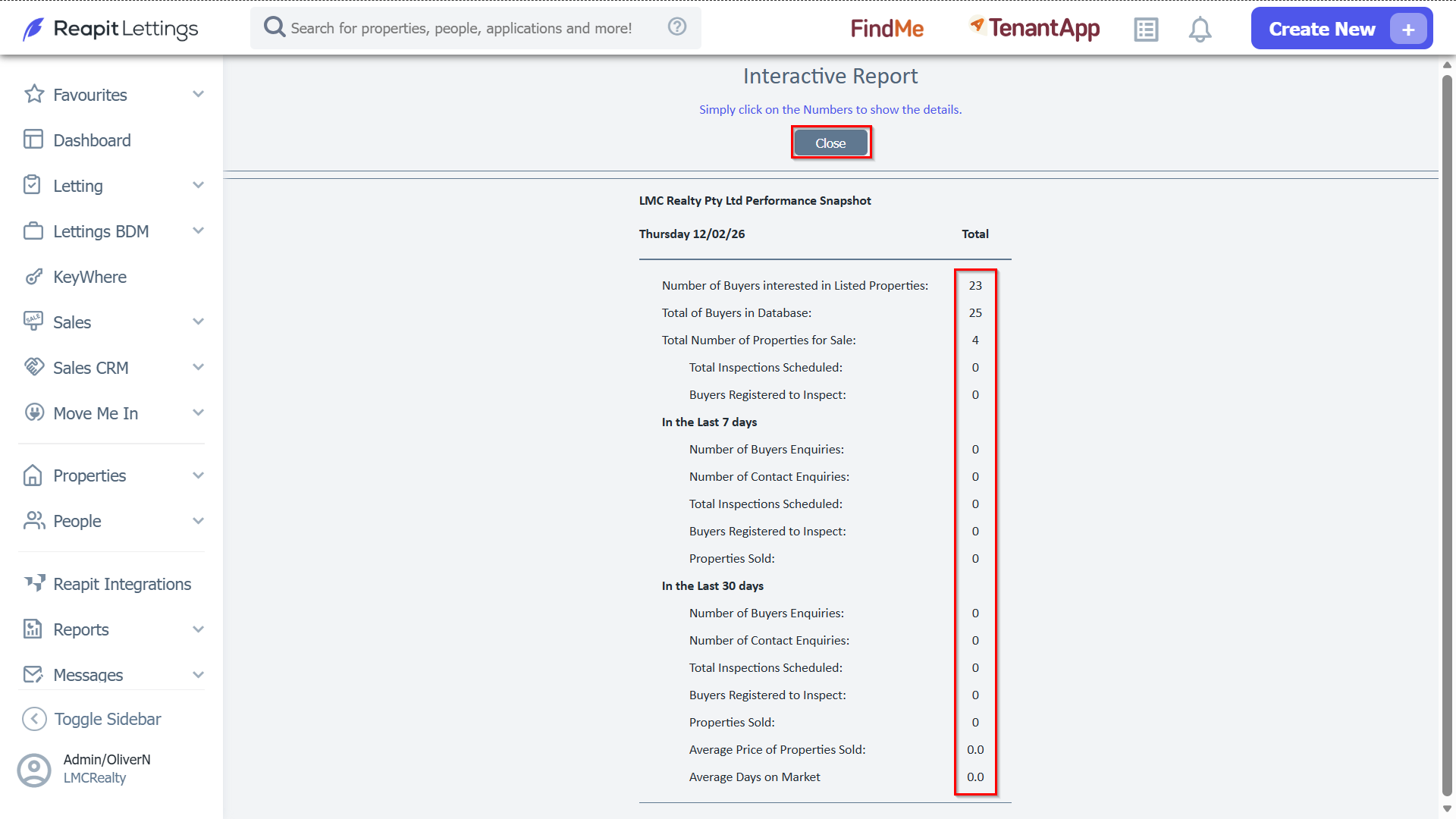
This article will run through how the performance snapshot provides a detailed overview of buyer enquiries, and an overview of the events transpiring within your office, meticulously breaking down key statistics. The report encompasses a wide array of pertinent information.
It is important to note that this report is interactive; thus, you have the capability to click on specific numbers to unveil additional details, facilitating a more thorough understanding of the presented data.
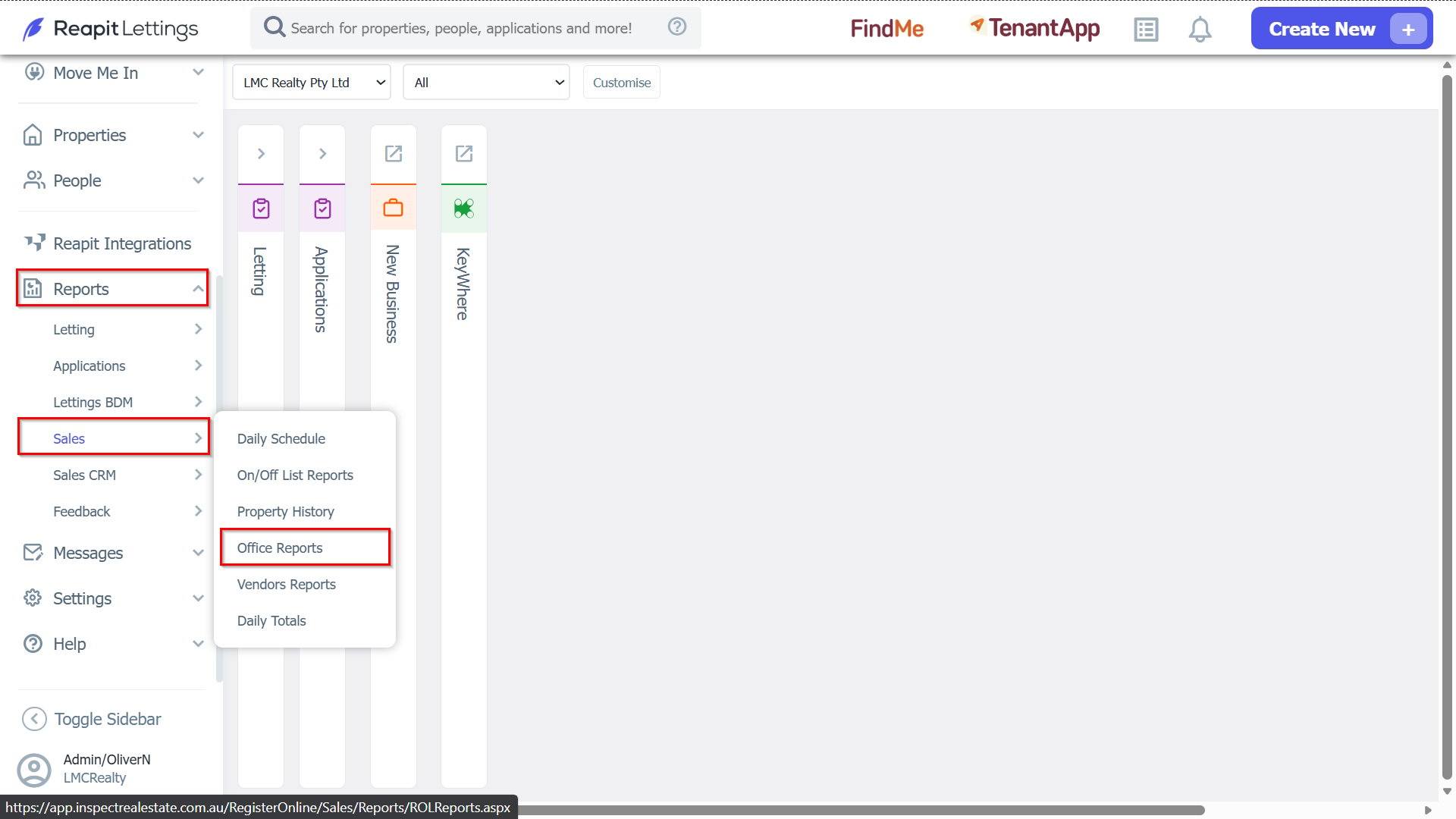
1. Navigate to Reports > Sales, and select Office Reports.
2. In the Performance Snapshot, click View Report.
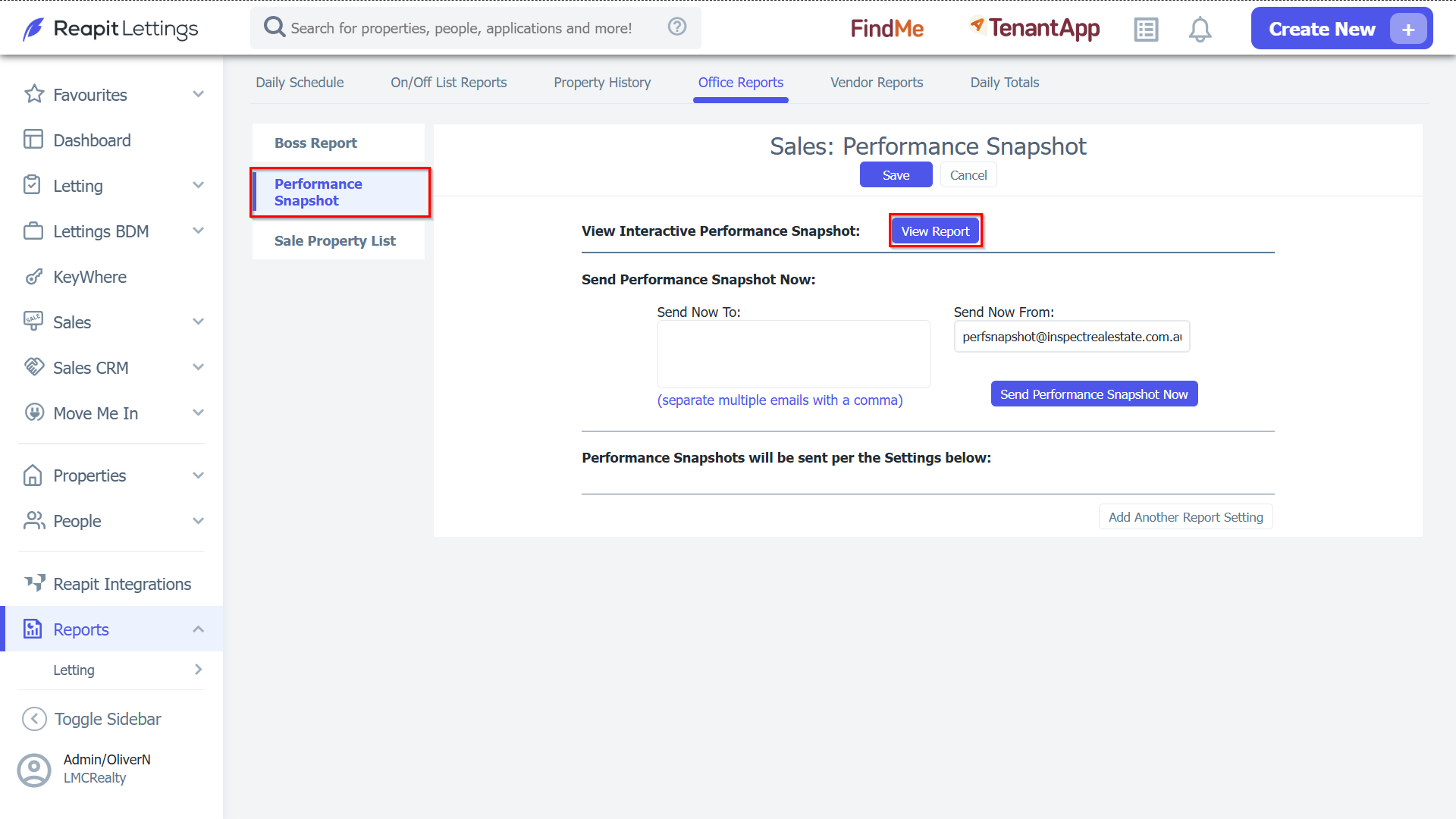
Note: If desired, input stakeholder Send Now To: email address and a Send Now From: email address and select the Send Performance Snapshot Now option for an emailed version outside your account.
3. Select the value adjacent to each description to access a detailed data breakdown. Ensure to click Close when finished.
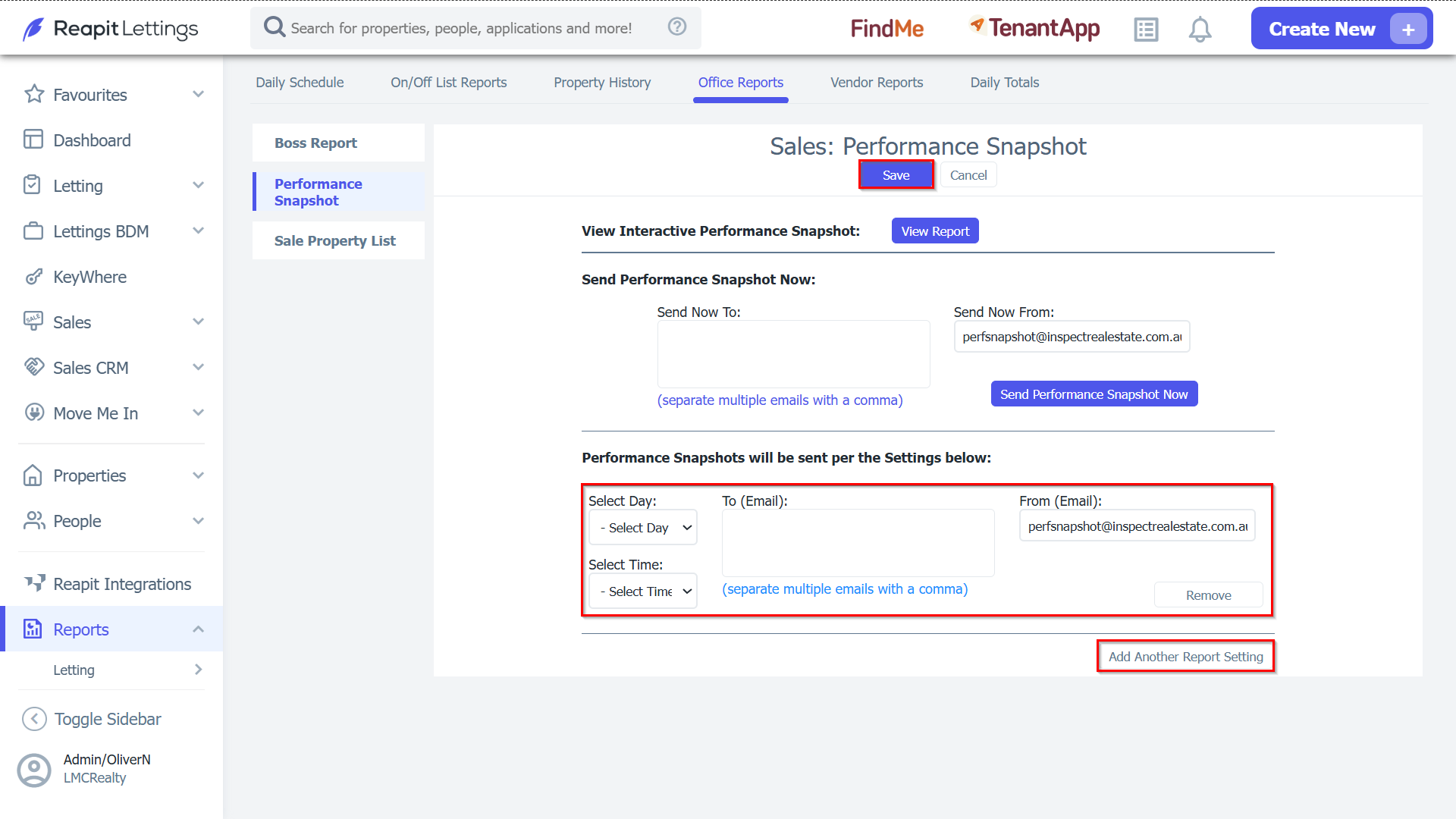
4. To have this report be sent to you automatically, click Add Another Report Setting, located towards the bottom of the page.
- Enter the day, time & email address you would like this report to go to.
- Click Save once completed.