'%20d='M0%208a8%208%200%200%201%208-8h24a8%208%200%200%201%208%208v24a8%208%200%200%201-8%208H8a8%208%200%200%201-8-8V8Z'/%3e%3cpath%20fill='%23fff'%20d='M32.576%206C12.293%206%208.776%2025.887%207.424%2034H9.1c.45-2.977%203.493-14.748%2010.899-20.287%200%200-5.633%206.976-6.572%2015.051%203.426-.652%2013.845-3.372%2016.056-12.927l-3.84-.61c1.352-1.351%204.909-5.17%206.931-9.226V6Z'/%3e%3cdefs%3e%3clinearGradient%20id='reapit-lettings__a'%20x1='20.702'%20x2='20.702'%20y1='.351'%20y2='31.228'%20gradientUnits='userSpaceOnUse'%3e%3cstop%20stop-color='%235573FD'/%3e%3cstop%20offset='.575'%20stop-color='%234E56EA'/%3e%3c/linearGradient%3e%3c/defs%3e%3c/svg%3e)
How to Bulk Contact Lettings BDM Leads
This article will cover sending bulk communication to Lettings BDM leads in Reapit Lettings
How to Bulk Contact Lettings BDM Leads
This article will cover sending bulk communication to Lettings BDM leads in Reapit Lettings.
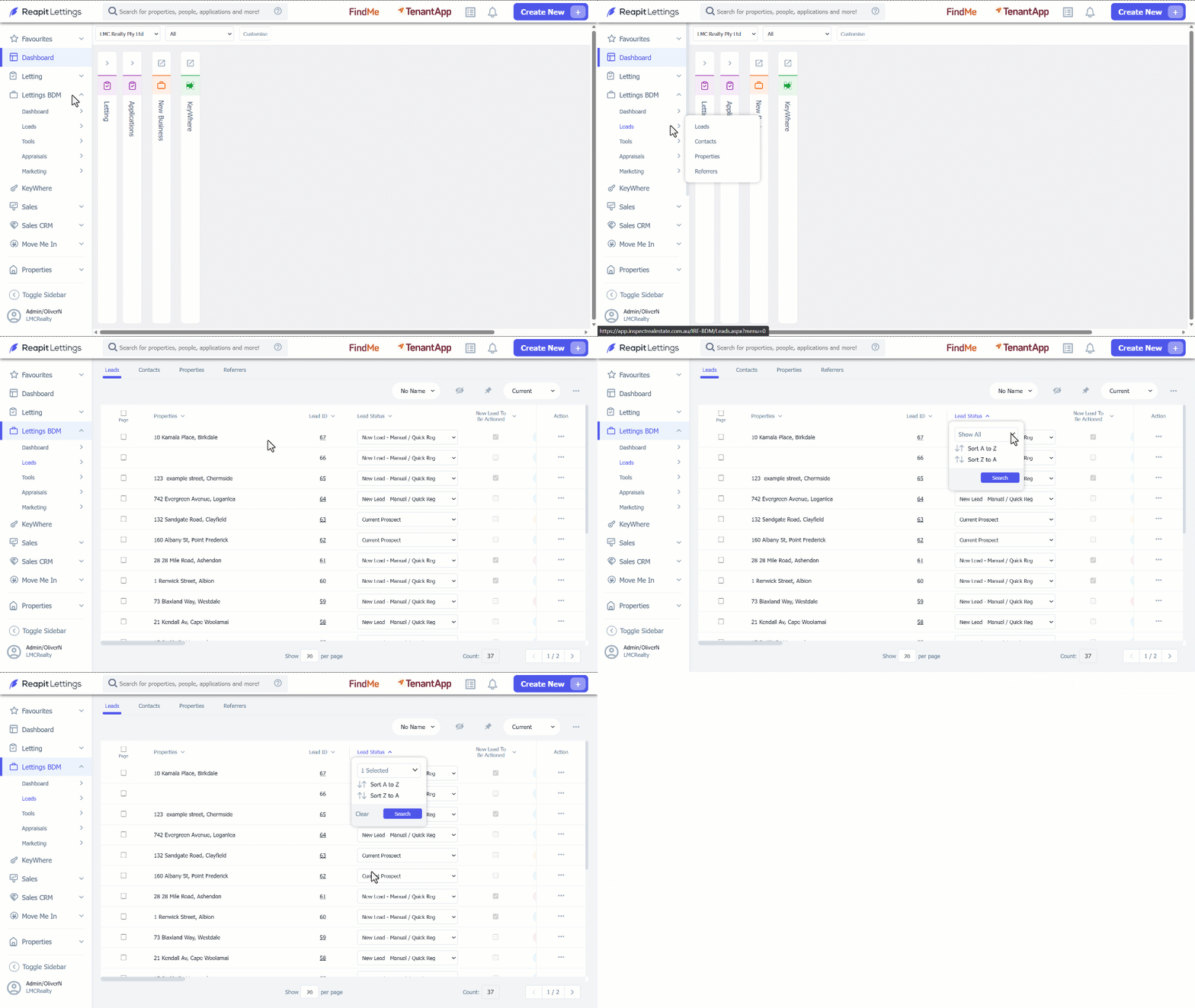
- Click on Lettings BDM. 2. Click on Leads. 3. Select Leads.
- Using the Lead Status filter, use the show all drop down to select the lead status filter type you wish to bulk contact.
- Click Search to apply the filter.
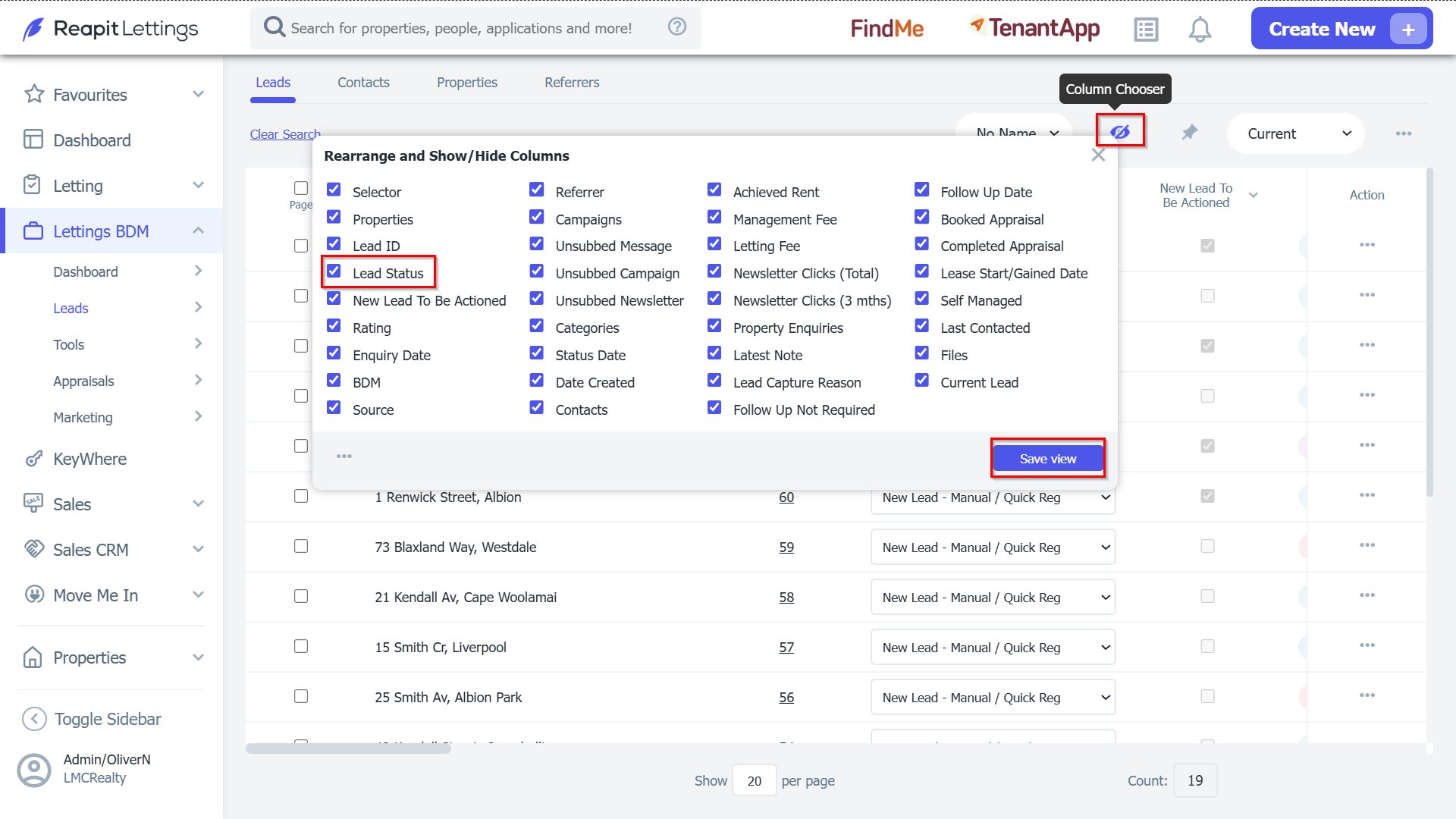
- If you are unable to locate the lead status column, you can use the Column Chooser to show, hide, or re-arrange the location of the Lead Status column. Select Save View to update.
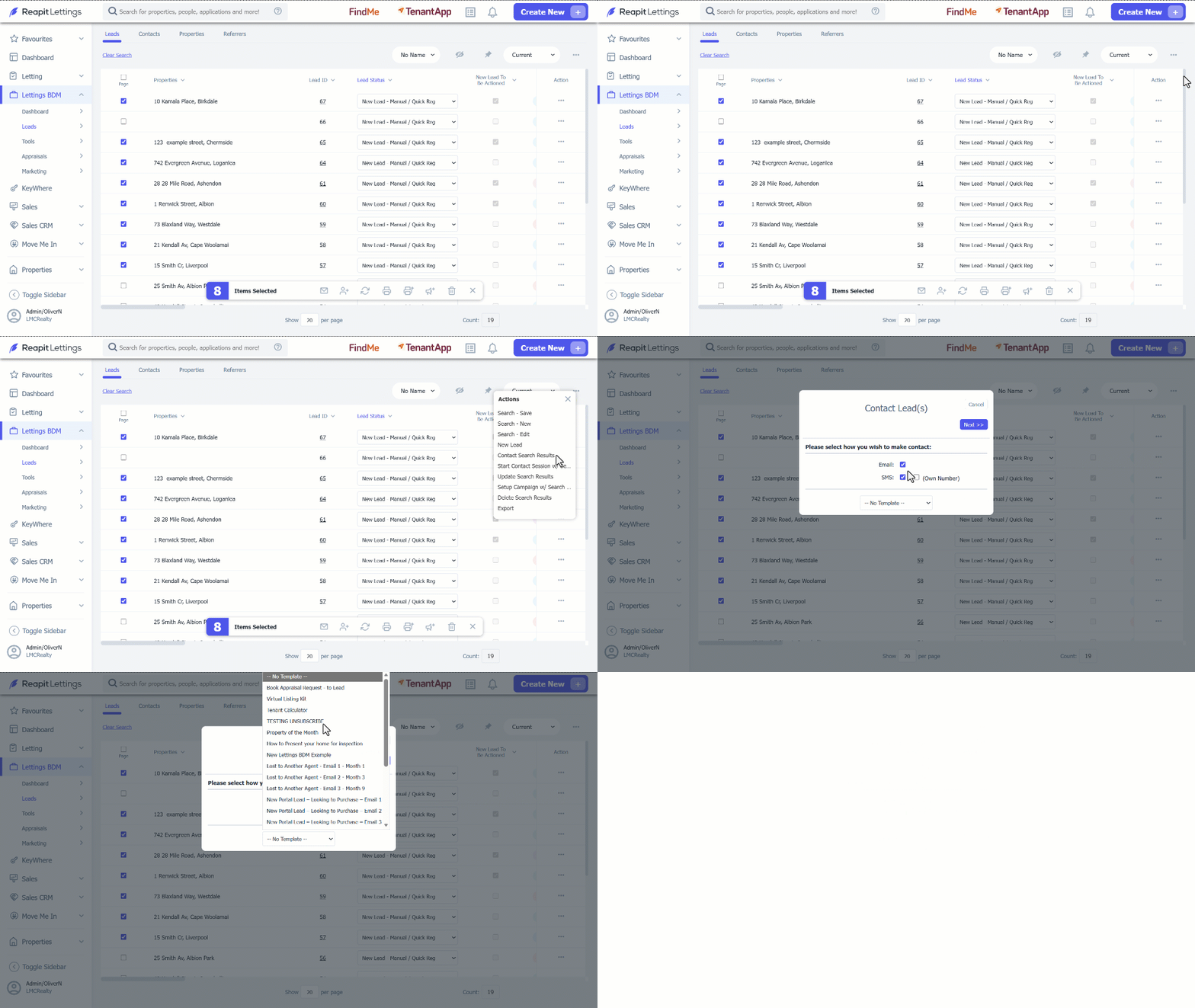
- To send a bulk communication to the leads that appear in the filter, tick the checkbox under Page column.
- Click the 3 dots at the top of the page and select Contact Search Results.
- Select the method of communication: Email or SMS (or both). Select the template you wish to use and click Next.
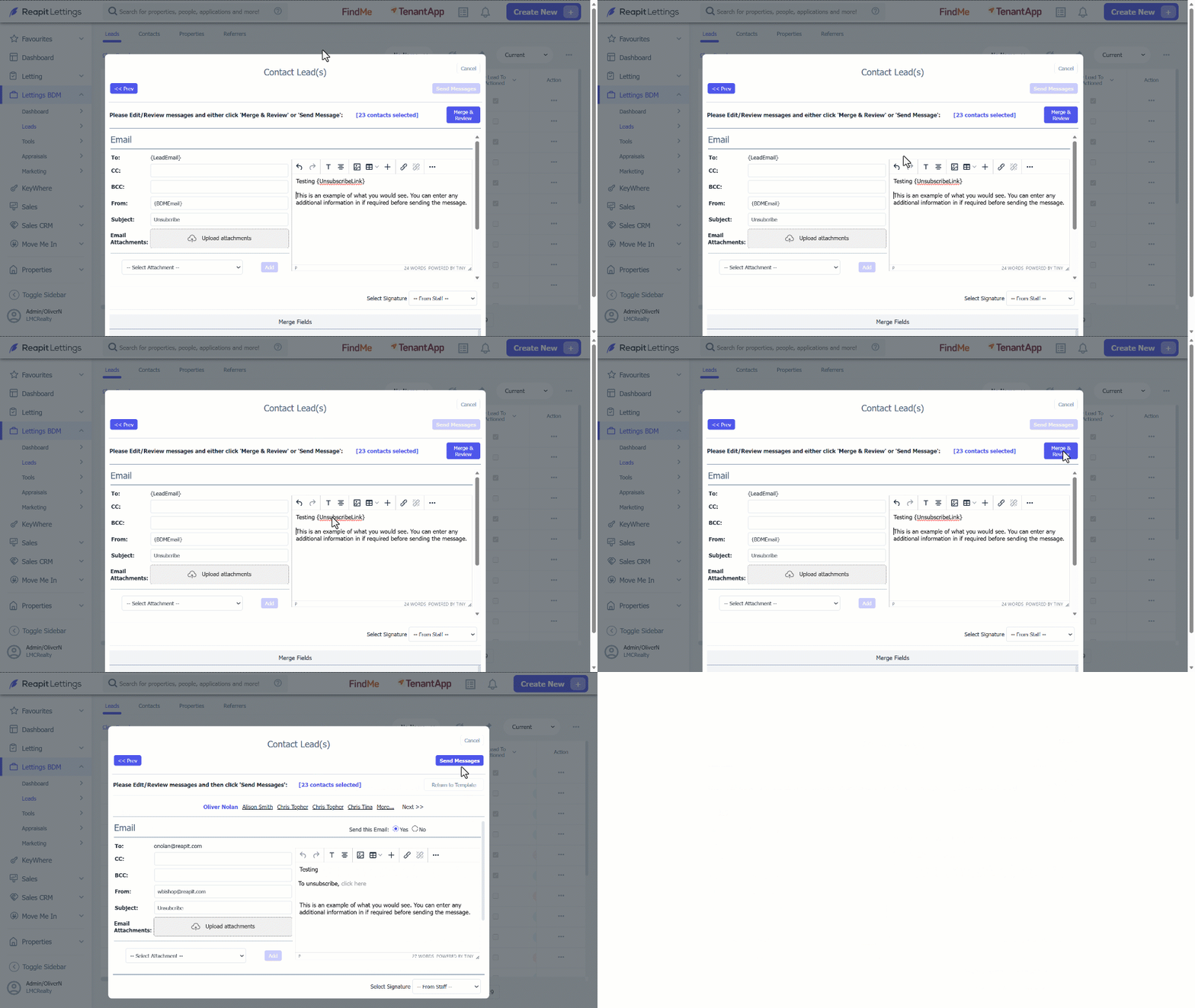
- The template page will appear. You can add any additional information to the body of the email/template if required.
When ready to proceed, select Merge & Review.
- You will see the summary before the message is sent to the nominated leads. If you are ready to proceed, select Send Messages.
Note: The selected leads will receive an Email or SMS based on the method of communication used.