'%20d='M0%208a8%208%200%200%201%208-8h24a8%208%200%200%201%208%208v24a8%208%200%200%201-8%208H8a8%208%200%200%201-8-8V8Z'/%3e%3cpath%20fill='%23fff'%20d='M32.576%206C12.293%206%208.776%2025.887%207.424%2034H9.1c.45-2.977%203.493-14.748%2010.899-20.287%200%200-5.633%206.976-6.572%2015.051%203.426-.652%2013.845-3.372%2016.056-12.927l-3.84-.61c1.352-1.351%204.909-5.17%206.931-9.226V6Z'/%3e%3cdefs%3e%3clinearGradient%20id='reapit-lettings__a'%20x1='20.702'%20x2='20.702'%20y1='.351'%20y2='31.228'%20gradientUnits='userSpaceOnUse'%3e%3cstop%20stop-color='%235573FD'/%3e%3cstop%20offset='.575'%20stop-color='%234E56EA'/%3e%3c/linearGradient%3e%3c/defs%3e%3c/svg%3e)
Prequalification Questions
This Reapit Lettings article will explain prequalification questions and provide guidance on how to activate them in your account.
Prequalification Questions
This Reapit Lettings article will explain prequalification questions and provide guidance on how to activate them in your account.
Prequalification questions for property inspections are preliminary inquiries posed to prospective tenants to clarify the scope and requirements of an upcoming inspection. These questions streamline the process, preventing misunderstandings and ensuring both parties have aligned expectations.
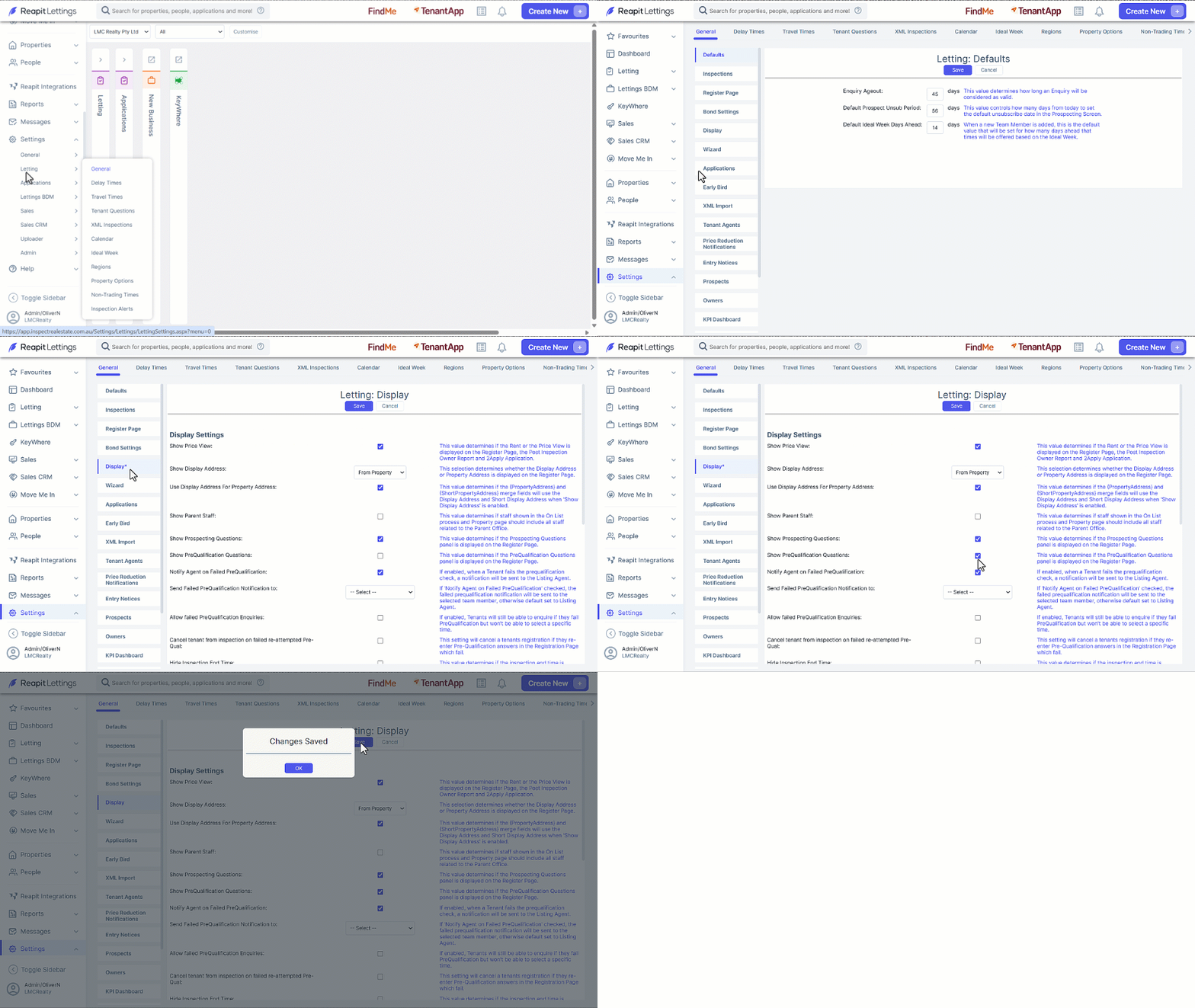
- Click on Settings.
- Click on Letting.
- Click on General.
- Select the Display tab.
- Navigate to and select the Show PreQualification Questions checkbox.
- Click Save and OK.
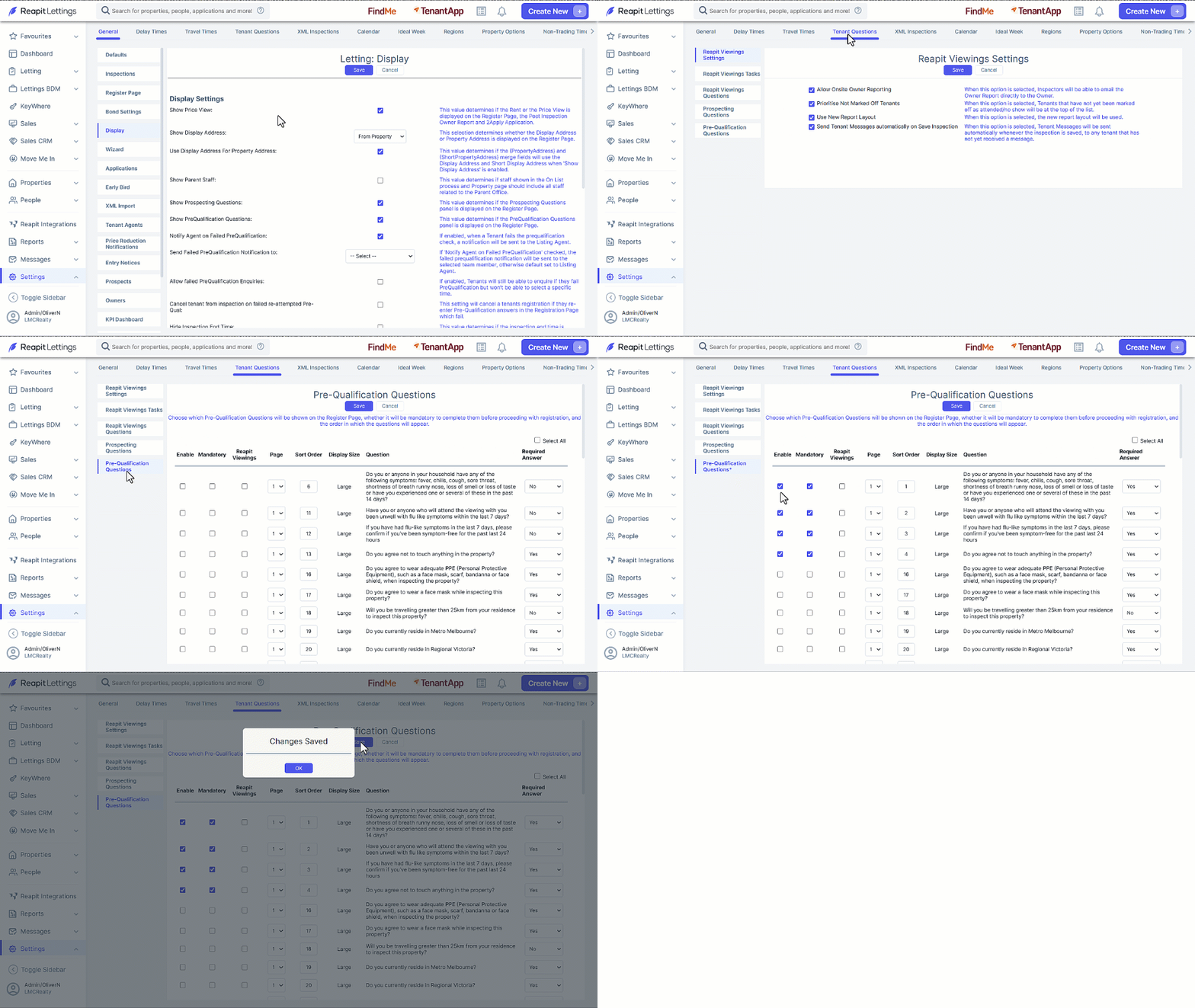
- Select the Tenant Questions tab
- Select the Pre-Qualification Questions tab.
- Here, you can select or deselect your desired questions. Additionally, you have the option to organise these questions onto separate pages and choose if an answer is required.
- Click on Save and OK.
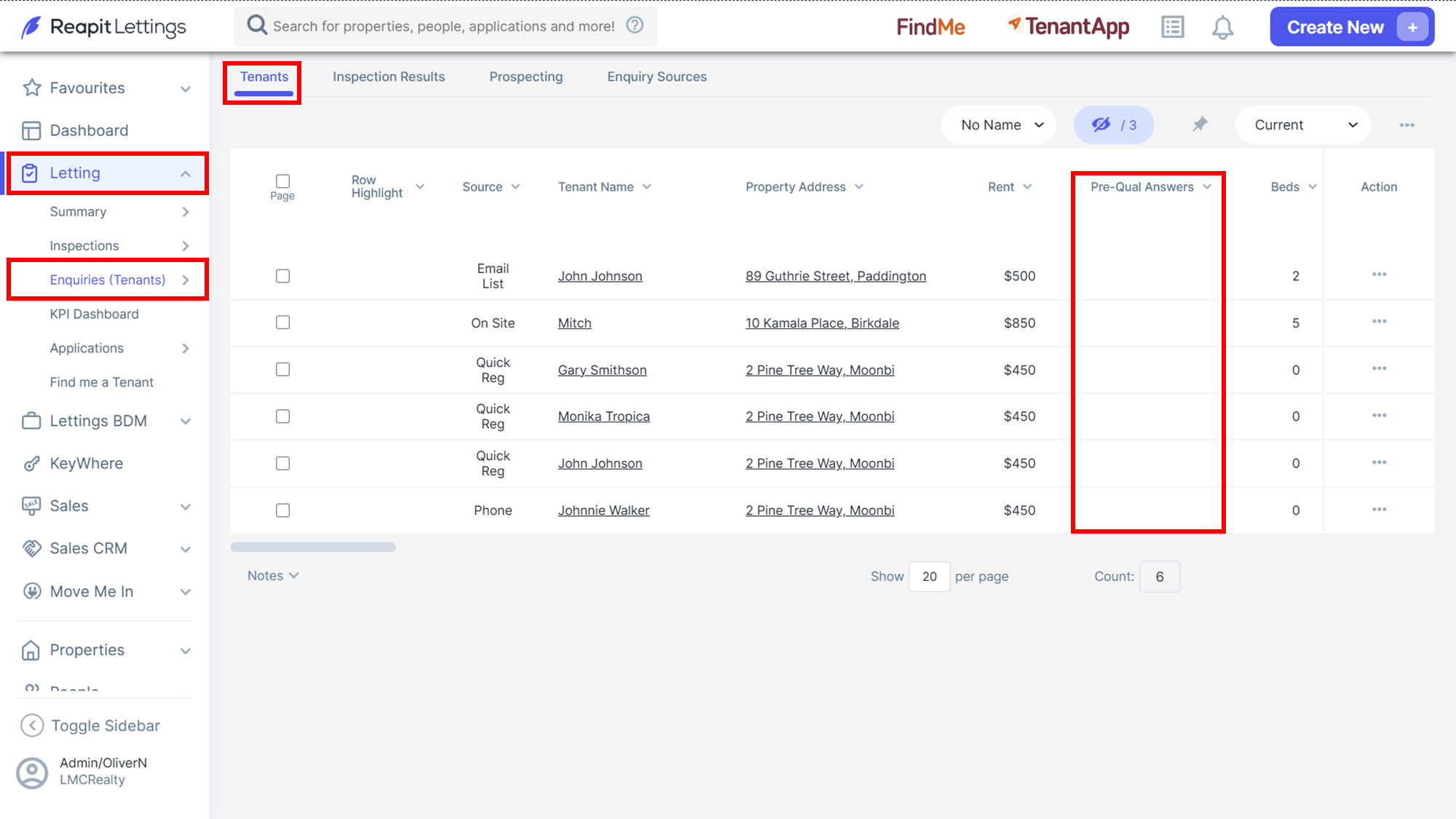
- Once enabled, completed responses are accessed by a link in the Pre-Qual Answers column on the Tenants screen under Letting.
Note: If the column is not visible, use the column selector viewer to add it to the tenant screen.