'%20d='M0%208a8%208%200%200%201%208-8h24a8%208%200%200%201%208%208v24a8%208%200%200%201-8%208H8a8%208%200%200%201-8-8V8Z'/%3e%3cpath%20fill='%23fff'%20d='M32.576%206C12.293%206%208.776%2025.887%207.424%2034H9.1c.45-2.977%203.493-14.748%2010.899-20.287%200%200-5.633%206.976-6.572%2015.051%203.426-.652%2013.845-3.372%2016.056-12.927l-3.84-.61c1.352-1.351%204.909-5.17%206.931-9.226V6Z'/%3e%3cdefs%3e%3clinearGradient%20id='reapit-lettings__a'%20x1='20.702'%20x2='20.702'%20y1='.351'%20y2='31.228'%20gradientUnits='userSpaceOnUse'%3e%3cstop%20stop-color='%235573FD'/%3e%3cstop%20offset='.575'%20stop-color='%234E56EA'/%3e%3c/linearGradient%3e%3c/defs%3e%3c/svg%3e)
How to Create an Owner Application Summary
This article will run through how to create an owner application summary
How to Create an Owner Application Summary
This article will run through how to create an owner application summary in Reapit Lettings.
- Navigate to Letting.
- Click Applications.
- Click Applications.
- ****Click the AppID.
- Click View PDF.
Note: ****If this PDF does not open, please check your web browser extensions.
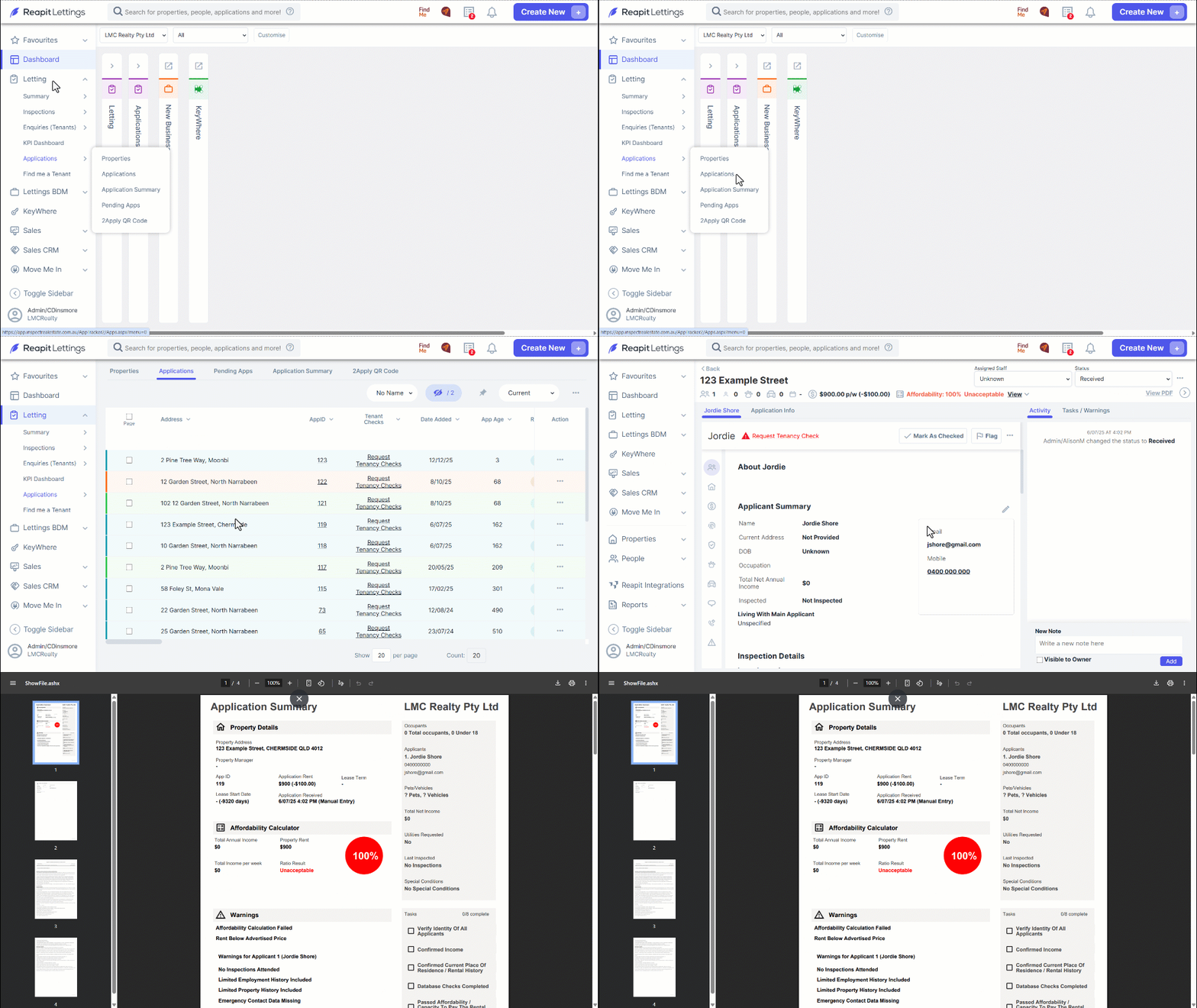
Note: You can follow a flexible path when navigating through the system, either using Letting > Applications > Properties > Applications or the more direct route Letting > Applications > Applications. Both approaches will lead you to the same destination.
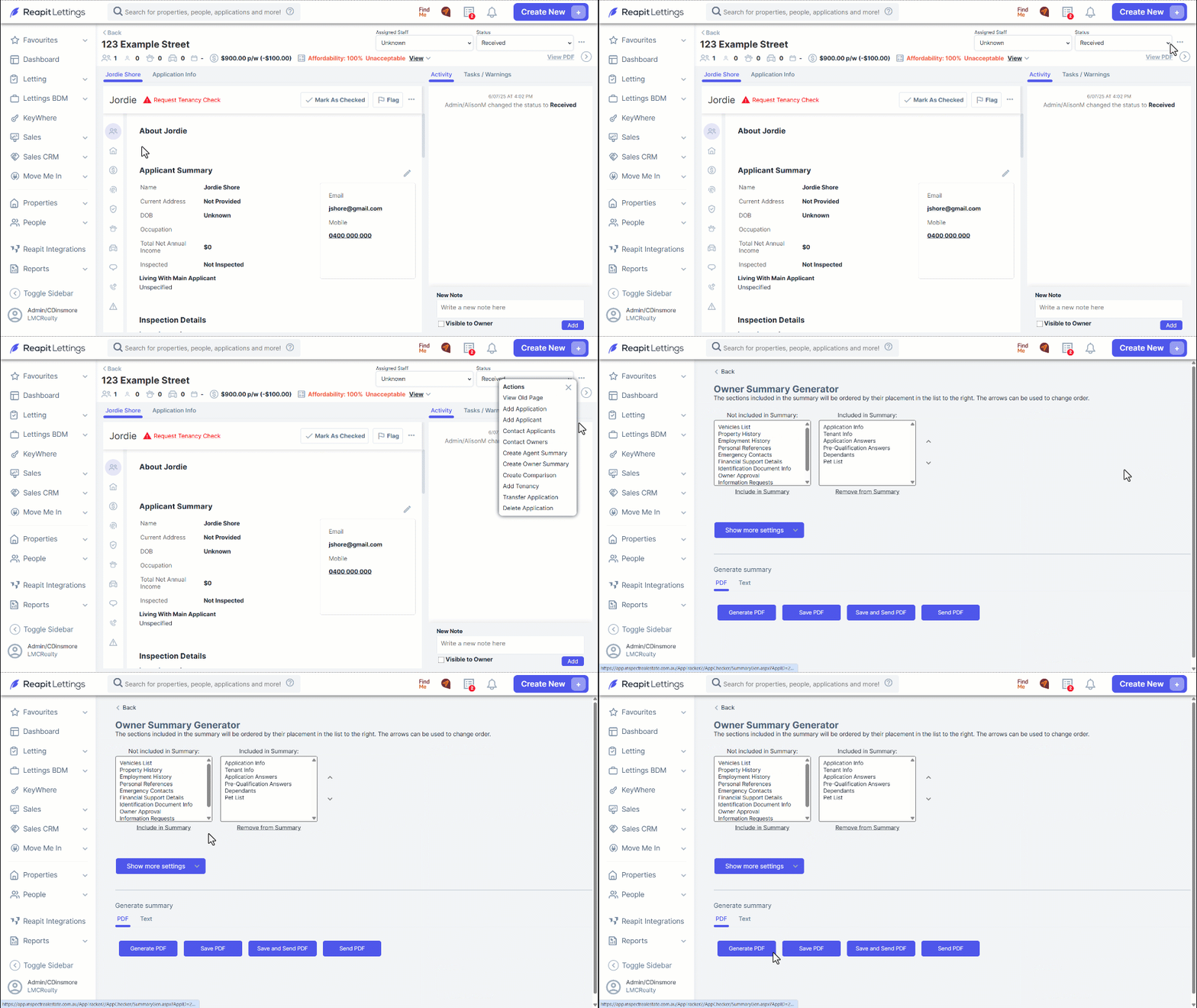
- If you are unable to generate an application this way, or want to customise the content, navigate to the three dots.
- Click Create Owner Summary.
- To customise content within the PDF, use the Owner Summary Generator to include or remove sections.
Click Show more settings if you wish to customise further for this application only.
Note: To make changes to the default owner summary settings, navigate to Settings > Applications > General > Application Summaries > Owner PDF Settings, or the "Text Summary Template.
- Click on the desired box to generate or save/ send when finalised.