'%20d='M0%208a8%208%200%200%201%208-8h24a8%208%200%200%201%208%208v24a8%208%200%200%201-8%208H8a8%208%200%200%201-8-8V8Z'/%3e%3cpath%20fill='%23fff'%20d='M32.576%206C12.293%206%208.776%2025.887%207.424%2034H9.1c.45-2.977%203.493-14.748%2010.899-20.287%200%200-5.633%206.976-6.572%2015.051%203.426-.652%2013.845-3.372%2016.056-12.927l-3.84-.61c1.352-1.351%204.909-5.17%206.931-9.226V6Z'/%3e%3cdefs%3e%3clinearGradient%20id='reapit-lettings__a'%20x1='20.702'%20x2='20.702'%20y1='.351'%20y2='31.228'%20gradientUnits='userSpaceOnUse'%3e%3cstop%20stop-color='%235573FD'/%3e%3cstop%20offset='.575'%20stop-color='%234E56EA'/%3e%3c/linearGradient%3e%3c/defs%3e%3c/svg%3e)
How to Edit User Details
This article will guide you through editing user details in Reapit Lettings.
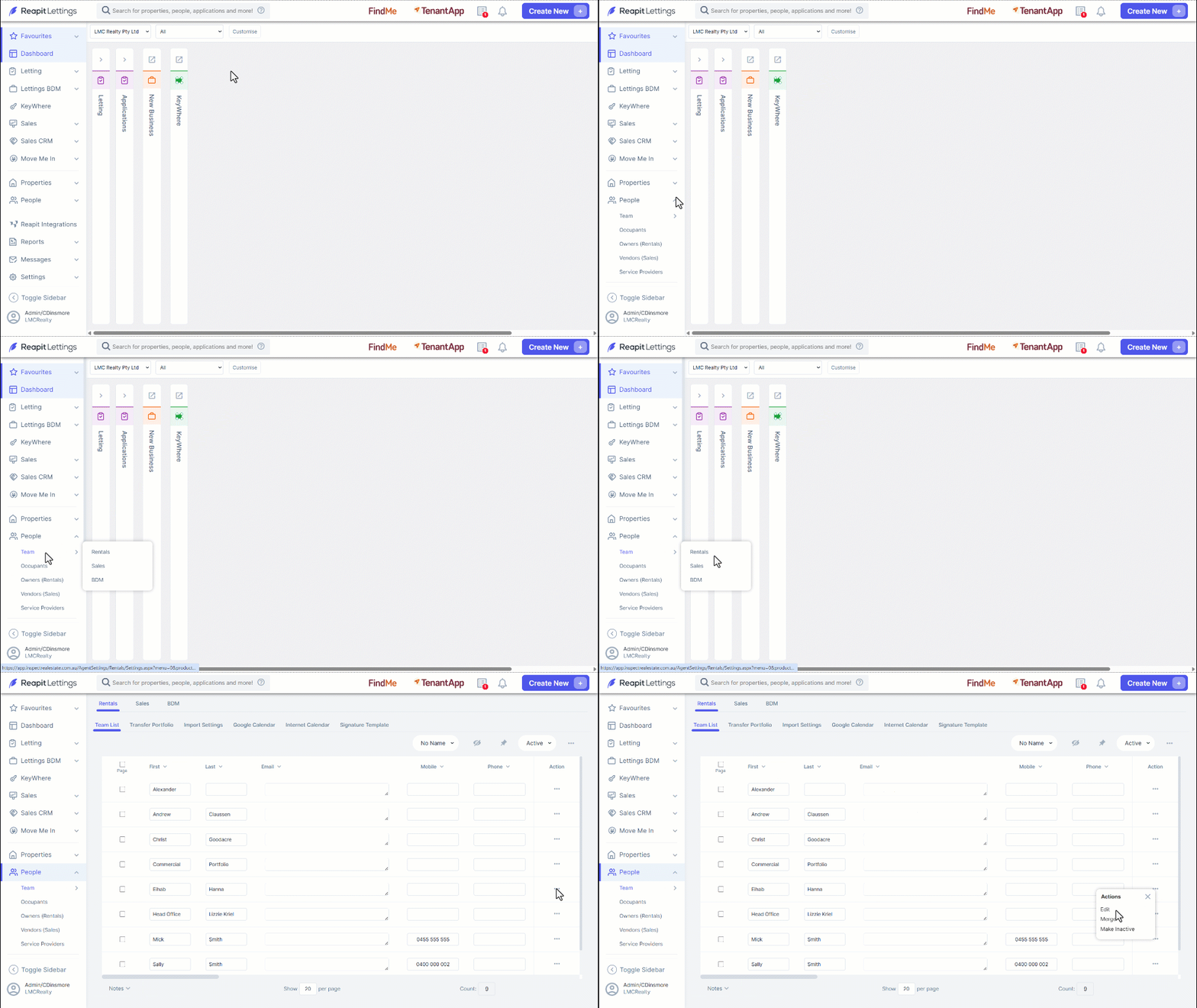
Navigate to People.
Click Team.
Click Rentals, Sales, or BDM.
Click the three dots to the right of the user.
Click Edit.
The Edit button to the right of the user details, products, or email signatures allows you to make changes to the fields.
Make the required changes.
Click Save.
The page will refresh, and the changes will appear on the user's profile.
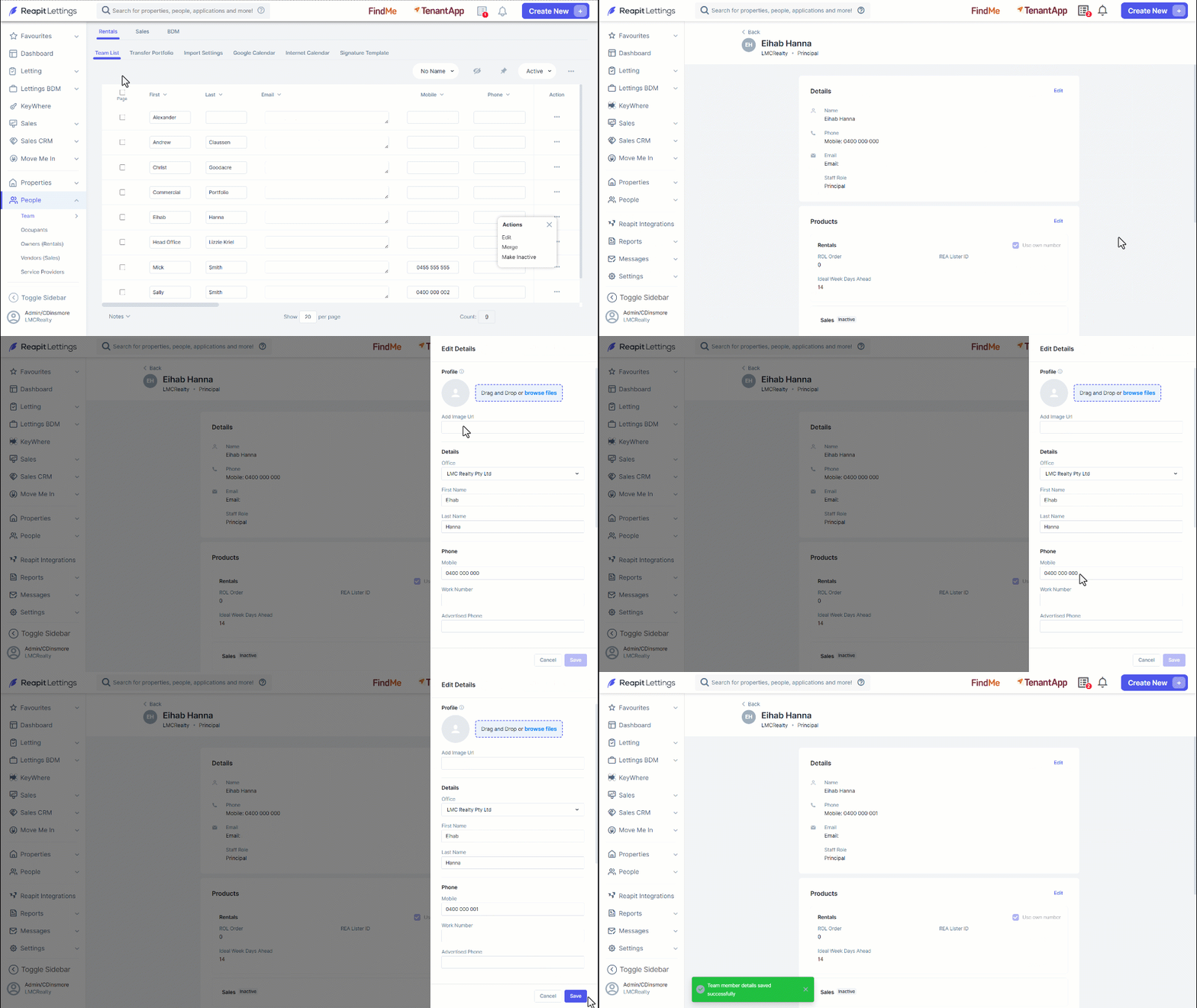
- The Details, Products, and Email Signature fields will allow for the following edits to be applied to the user:
Details
- Profile Image
- First Name
- Last Name
- Mobile
- Work Number
- Advertised Phone
- Advertised Email
- Personal Website URL
- Role
Products
- Rentals (toggle)
- ROL Order
- Ideal Week Days Ahead
- Use Own Number
- Sales (toggle)
- Use Own Number
- Banner Code
- BDM (toggle)
- About Me
- Use Own Number
Email Signature
- Email Signature