'%20d='M0%208a8%208%200%200%201%208-8h24a8%208%200%200%201%208%208v24a8%208%200%200%201-8%208H8a8%208%200%200%201-8-8V8Z'/%3e%3cpath%20fill='%23fff'%20d='M32.576%206C12.293%206%208.776%2025.887%207.424%2034H9.1c.45-2.977%203.493-14.748%2010.899-20.287%200%200-5.633%206.976-6.572%2015.051%203.426-.652%2013.845-3.372%2016.056-12.927l-3.84-.61c1.352-1.351%204.909-5.17%206.931-9.226V6Z'/%3e%3cdefs%3e%3clinearGradient%20id='reapit-lettings__a'%20x1='20.702'%20x2='20.702'%20y1='.351'%20y2='31.228'%20gradientUnits='userSpaceOnUse'%3e%3cstop%20stop-color='%235573FD'/%3e%3cstop%20offset='.575'%20stop-color='%234E56EA'/%3e%3c/linearGradient%3e%3c/defs%3e%3c/svg%3e)
How to Add a New Rental Listing with Uploader
This article explains how to add a new rental listing using the Uploader function in Reapit Lettings.
How to Add a New Rental Property with Listing Template (Uploader)
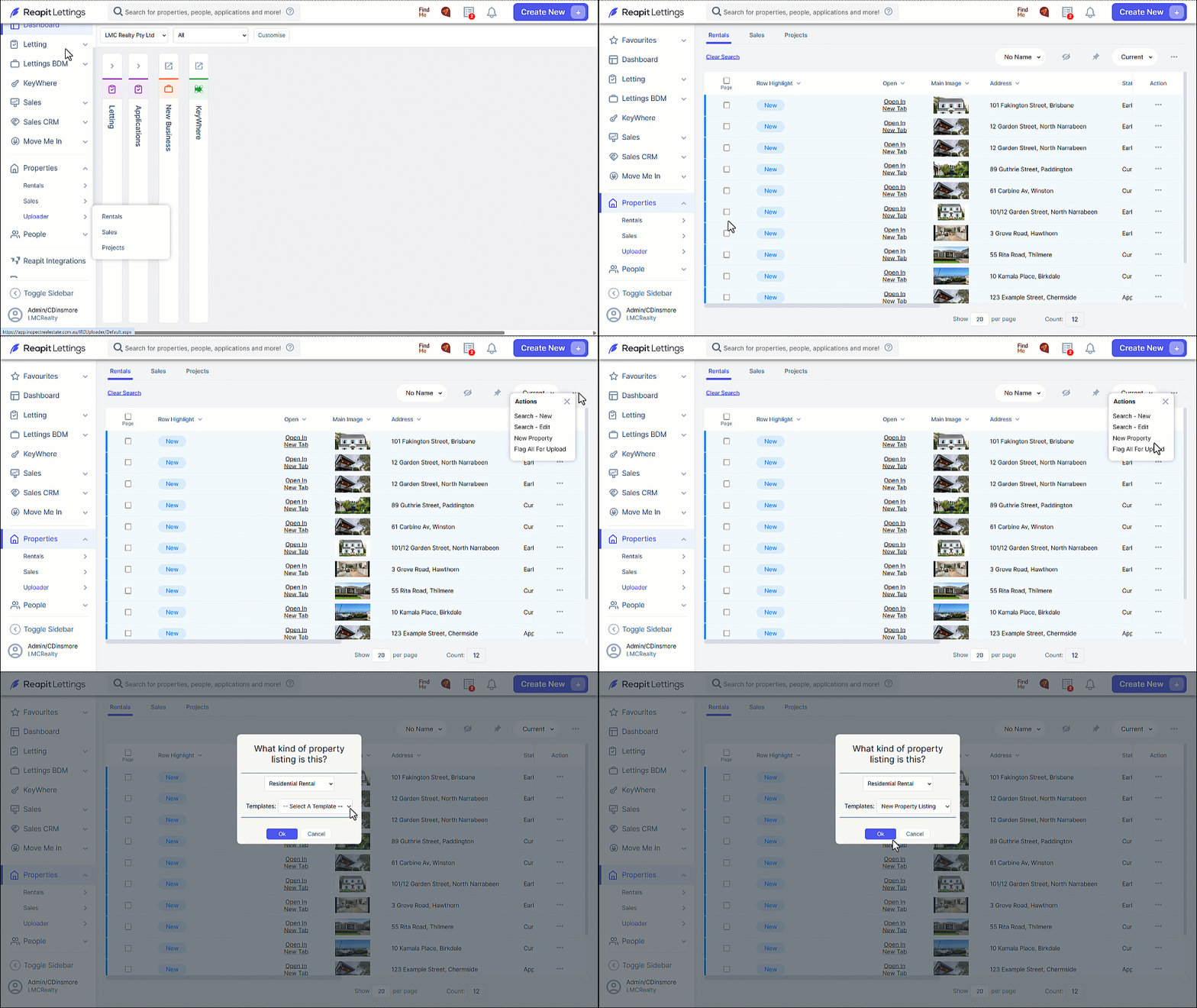
- Click on Properties.
- Click on Uploader.
- Click onRentals.
- Click on the 3-dots and select New Property**.**
- Select the required Residential Rental type and a Listing Template.
- Click on OK.
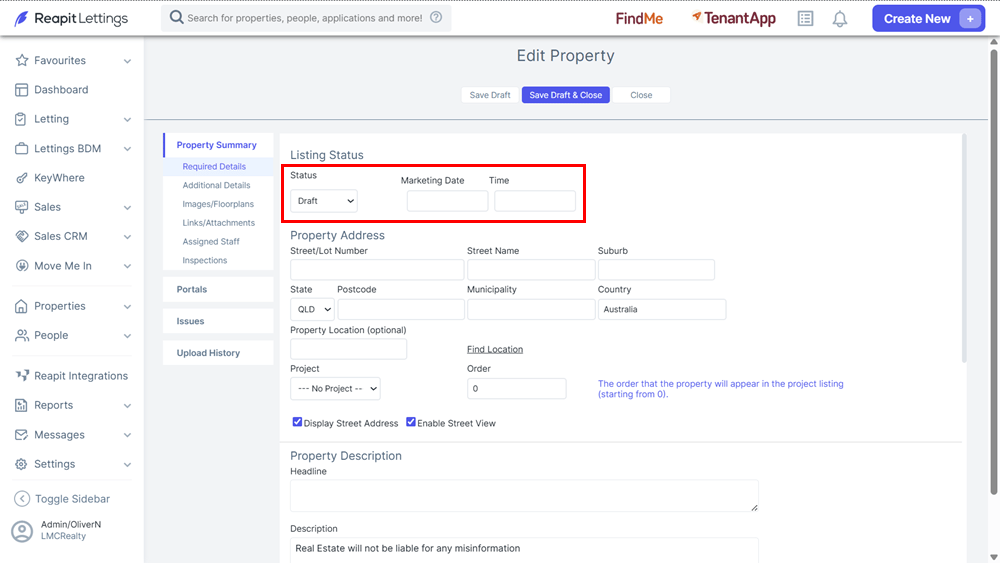
- Complete the Edit Property screen.
- Select a listing status. Draft can be selected if the property is not ready for listing.
- Add Future Marketing Date to push the listing through to portals on a certain date if required.
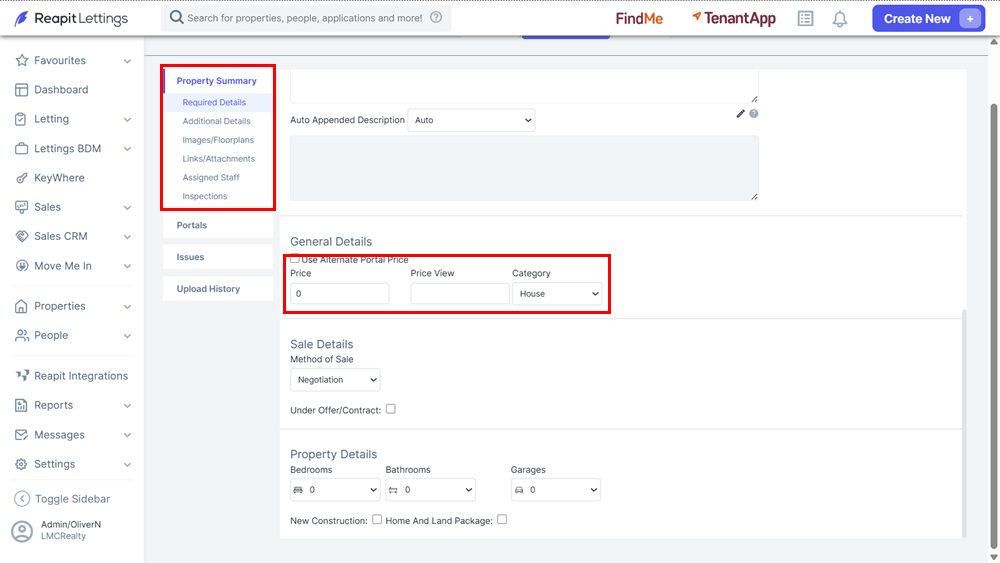
- Price is the search price for the portals and Price View is the price that displays on the advertising. This field can be words e.g., Just Listed, depending on your state regulations while the price must be a numerical entry only.
- Ensure you complete sub sections of the Property Summary section.
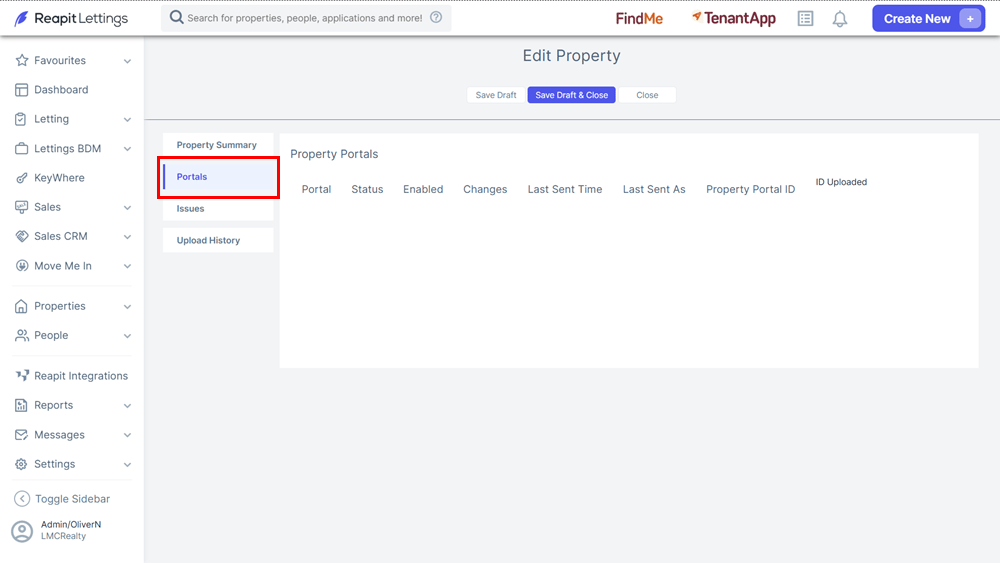
- Select the Portals tab to ensure that you have the right portals enabled for the listing.
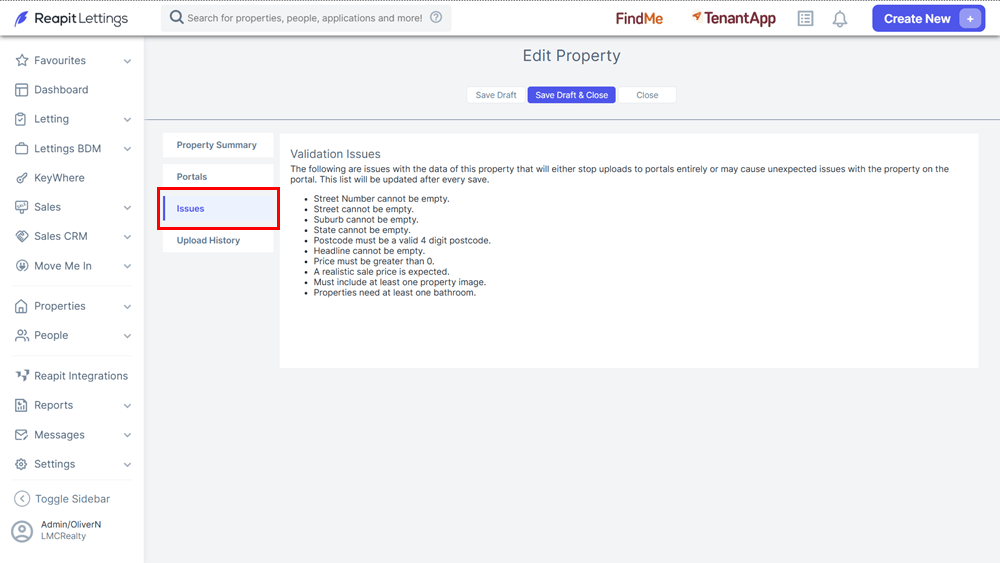
- Select the Issues tab to review prompts for missing information as these will stop the property being listed.