'%20d='M0%208a8%208%200%200%201%208-8h24a8%208%200%200%201%208%208v24a8%208%200%200%201-8%208H8a8%208%200%200%201-8-8V8Z'/%3e%3cpath%20fill='%23fff'%20d='M32.576%206C12.293%206%208.776%2025.887%207.424%2034H9.1c.45-2.977%203.493-14.748%2010.899-20.287%200%200-5.633%206.976-6.572%2015.051%203.426-.652%2013.845-3.372%2016.056-12.927l-3.84-.61c1.352-1.351%204.909-5.17%206.931-9.226V6Z'/%3e%3cdefs%3e%3clinearGradient%20id='reapit-lettings__a'%20x1='20.702'%20x2='20.702'%20y1='.351'%20y2='31.228'%20gradientUnits='userSpaceOnUse'%3e%3cstop%20stop-color='%235573FD'/%3e%3cstop%20offset='.575'%20stop-color='%234E56EA'/%3e%3c/linearGradient%3e%3c/defs%3e%3c/svg%3e)
How to Merge Team Members Together
This article will run through how to merge team members together within Reapit Lettings.
How to Merge Team Members Together
This article will run through how to merge team members together within Reapit Lettings.
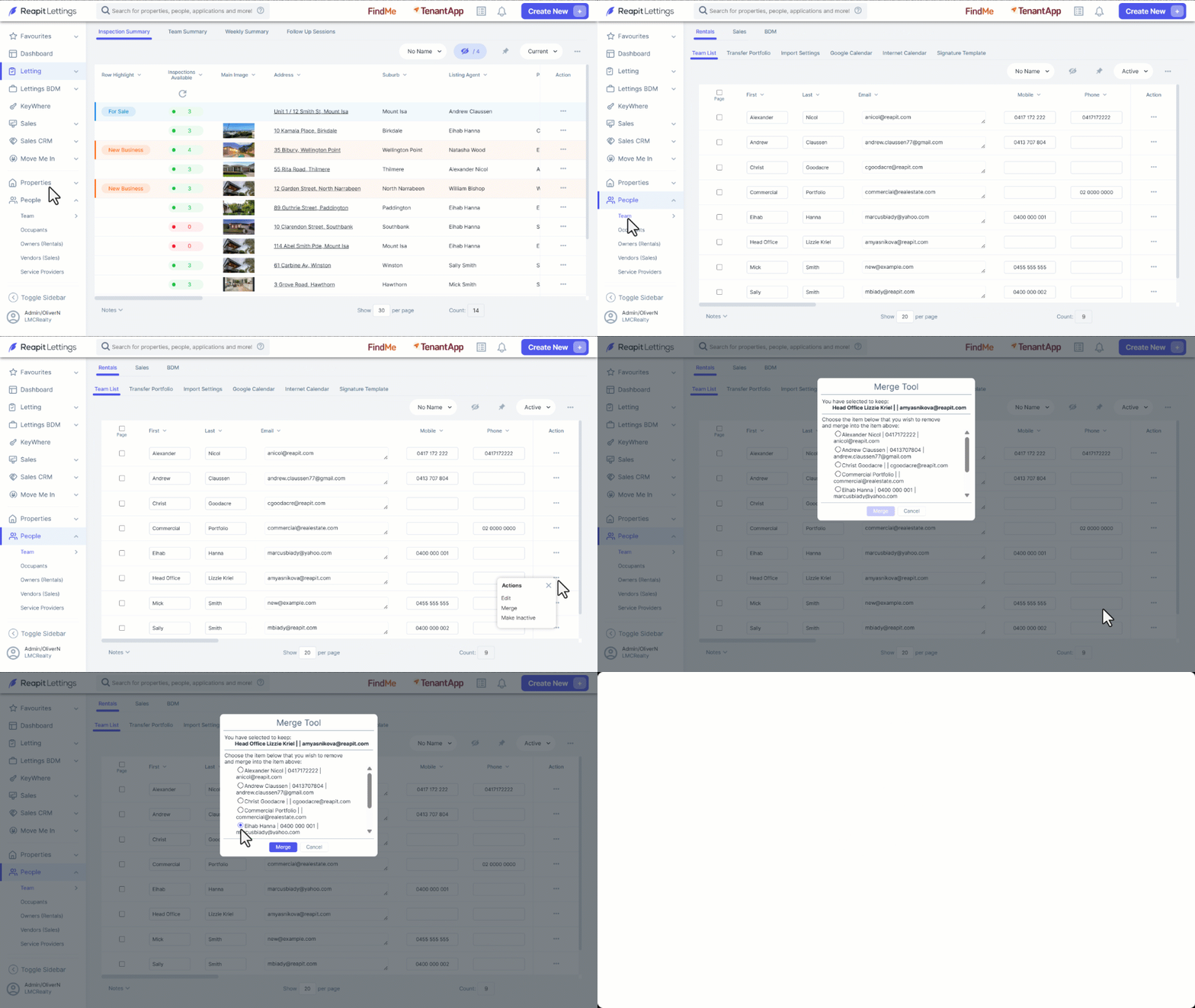
When team members are merged together, it will reassign all of a team member's properties, inspections, calendar and ideal week times to another team member.
- Click on People.
- Click on Team.
- Navigate to the team member you would like to keep and click the three dots then Merge.
- This will open up a list of the other team members. Select the checkbox next to the name of the team member you want to be removed and merged.
- Click on Merge.