'%20d='M0%208a8%208%200%200%201%208-8h24a8%208%200%200%201%208%208v24a8%208%200%200%201-8%208H8a8%208%200%200%201-8-8V8Z'/%3e%3cpath%20fill='%23fff'%20d='M32.576%206C12.293%206%208.776%2025.887%207.424%2034H9.1c.45-2.977%203.493-14.748%2010.899-20.287%200%200-5.633%206.976-6.572%2015.051%203.426-.652%2013.845-3.372%2016.056-12.927l-3.84-.61c1.352-1.351%204.909-5.17%206.931-9.226V6Z'/%3e%3cdefs%3e%3clinearGradient%20id='reapit-lettings__a'%20x1='20.702'%20x2='20.702'%20y1='.351'%20y2='31.228'%20gradientUnits='userSpaceOnUse'%3e%3cstop%20stop-color='%235573FD'/%3e%3cstop%20offset='.575'%20stop-color='%234E56EA'/%3e%3c/linearGradient%3e%3c/defs%3e%3c/svg%3e)
How to Update Sales Enquiry Contact Details
This guide will walk you through the process of updating buyer details within the system in Reapit Lettings.
Follow these steps to ensure accurate and timely updates.
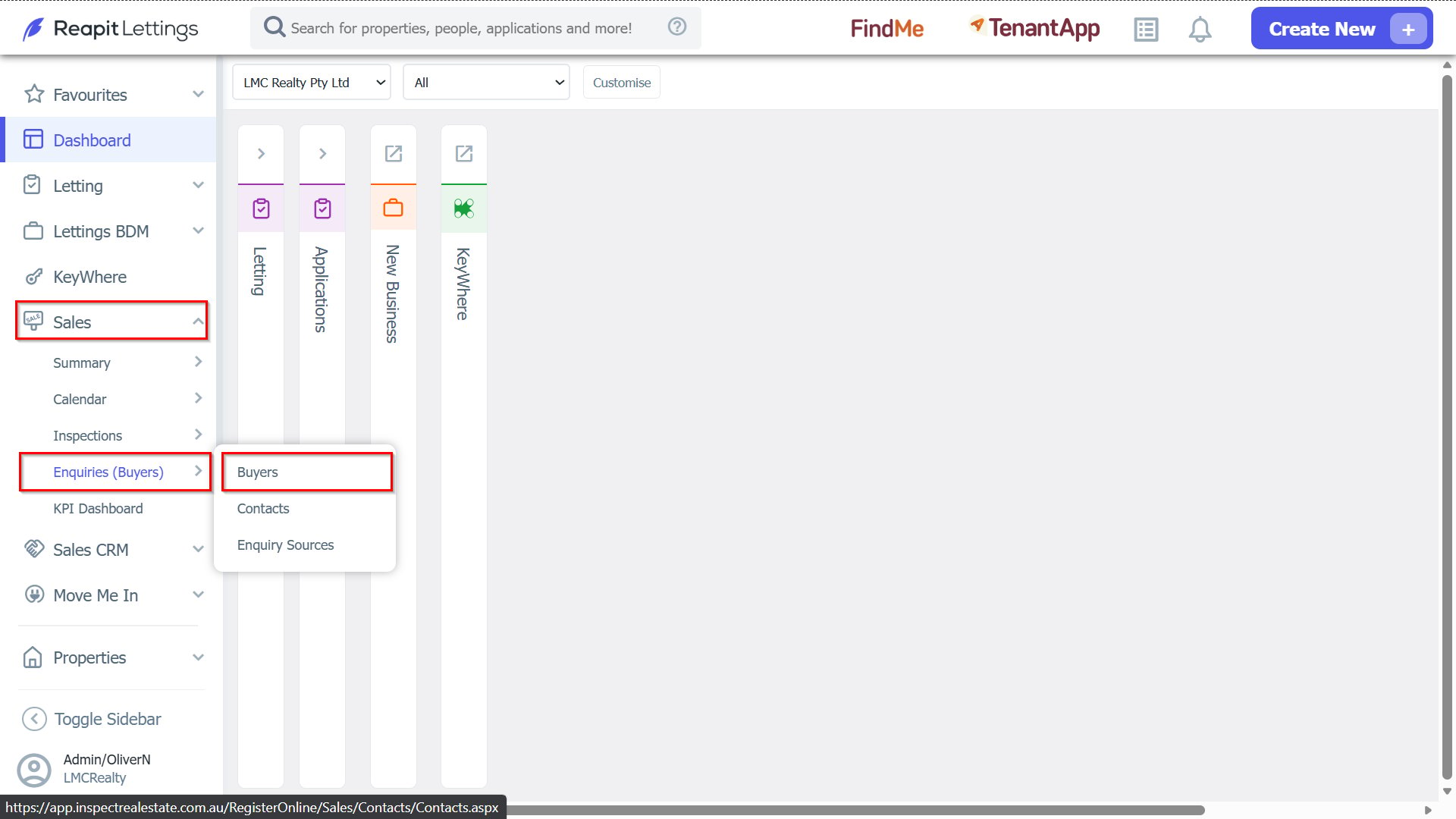
1. Navigate to Sales > Enquiries (Buyers), and select Buyers.
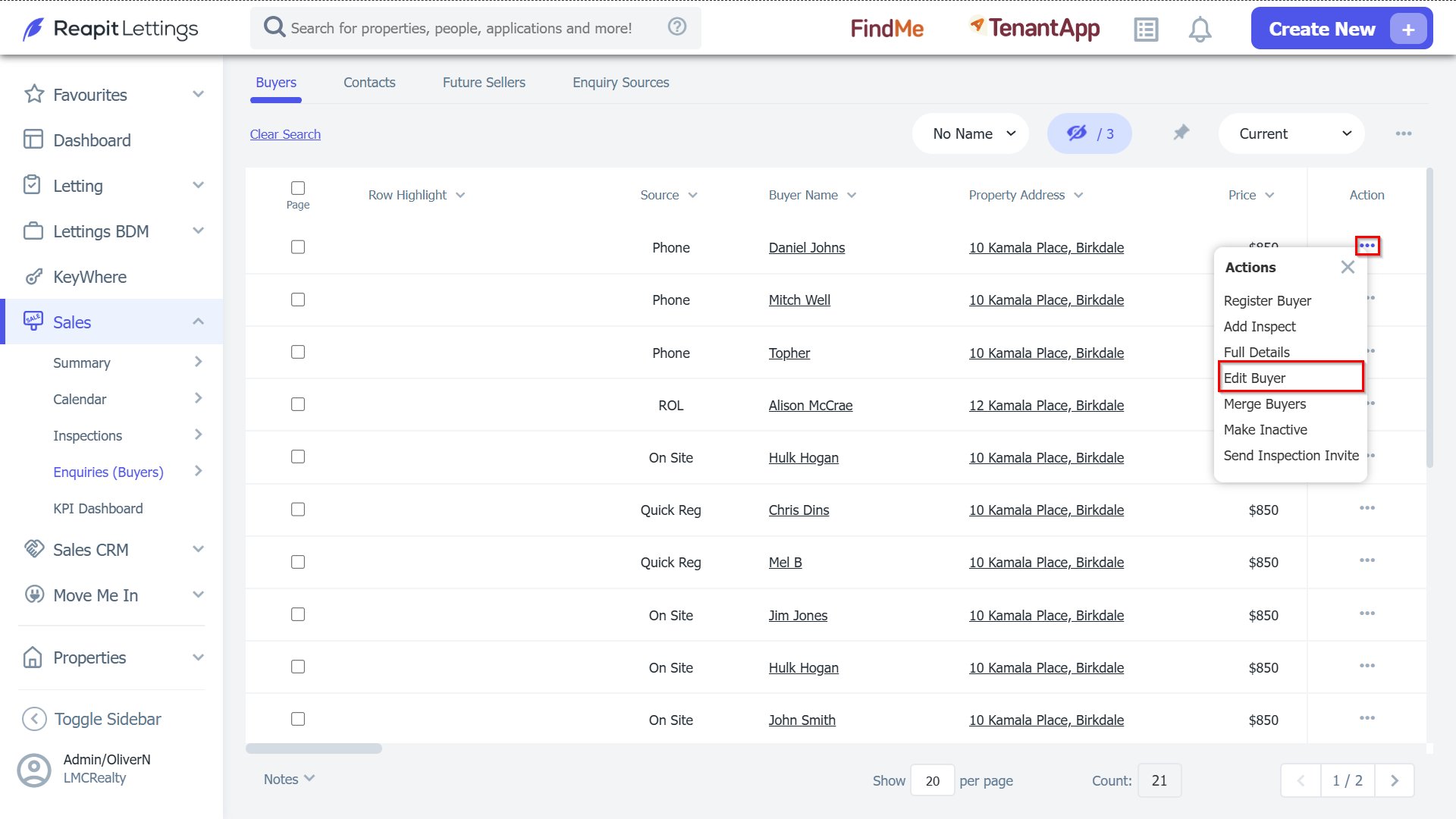
2. From the search results, locate the buyer whose details you wish to update. Click the 3 Action Dots next to the buyer's name, then select Edit Buyer from the dropdown menu.
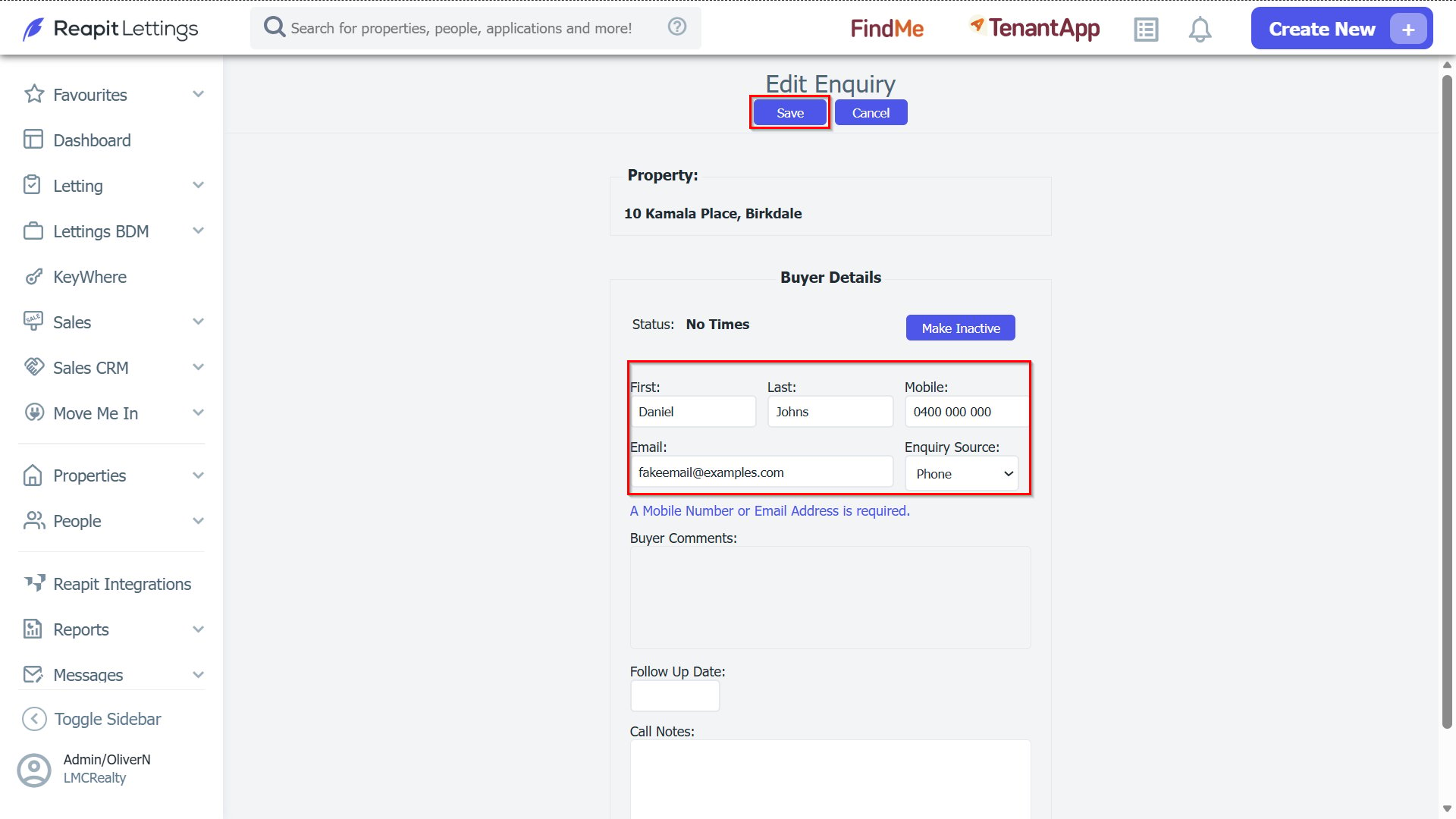
3. You will now be able to edit the enquiry contact details. Make the necessary changes to ensure the information is current and accurate. Click Save once completed.