'%20d='M0%208a8%208%200%200%201%208-8h24a8%208%200%200%201%208%208v24a8%208%200%200%201-8%208H8a8%208%200%200%201-8-8V8Z'/%3e%3cpath%20fill='%23fff'%20d='M32.576%206C12.293%206%208.776%2025.887%207.424%2034H9.1c.45-2.977%203.493-14.748%2010.899-20.287%200%200-5.633%206.976-6.572%2015.051%203.426-.652%2013.845-3.372%2016.056-12.927l-3.84-.61c1.352-1.351%204.909-5.17%206.931-9.226V6Z'/%3e%3cdefs%3e%3clinearGradient%20id='reapit-lettings__a'%20x1='20.702'%20x2='20.702'%20y1='.351'%20y2='31.228'%20gradientUnits='userSpaceOnUse'%3e%3cstop%20stop-color='%235573FD'/%3e%3cstop%20offset='.575'%20stop-color='%234E56EA'/%3e%3c/linearGradient%3e%3c/defs%3e%3c/svg%3e)
How to Prefill Property Disclosure Statements
This article will cover prefilling the property disclosure statements in Reapit Lettings.
How to Prefill Property Disclosure Statements
This article will cover prefilling the property disclosure statements in Reapit Lettings.
Note: We can only guide you on how to use the software. It is up to your agency to determine whether this approach aligns with your legislative requirements and operational process.
- Search and select the required Property file.
- Click the Ownership tab.
- Click Property Disclosure Answers.
- Click Manual Disclosure.
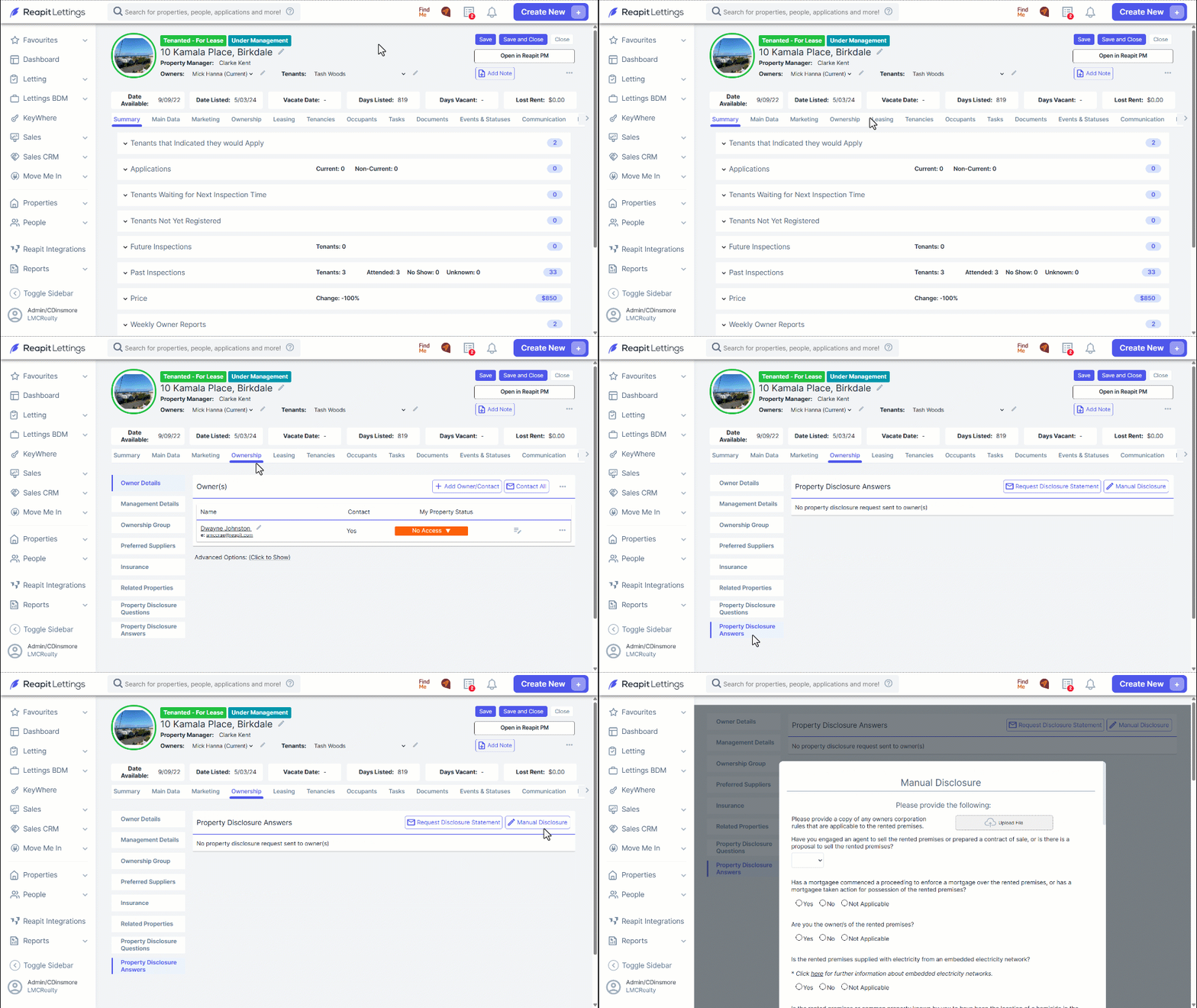
- The questions found on the disclosure statement will appear on the screen.
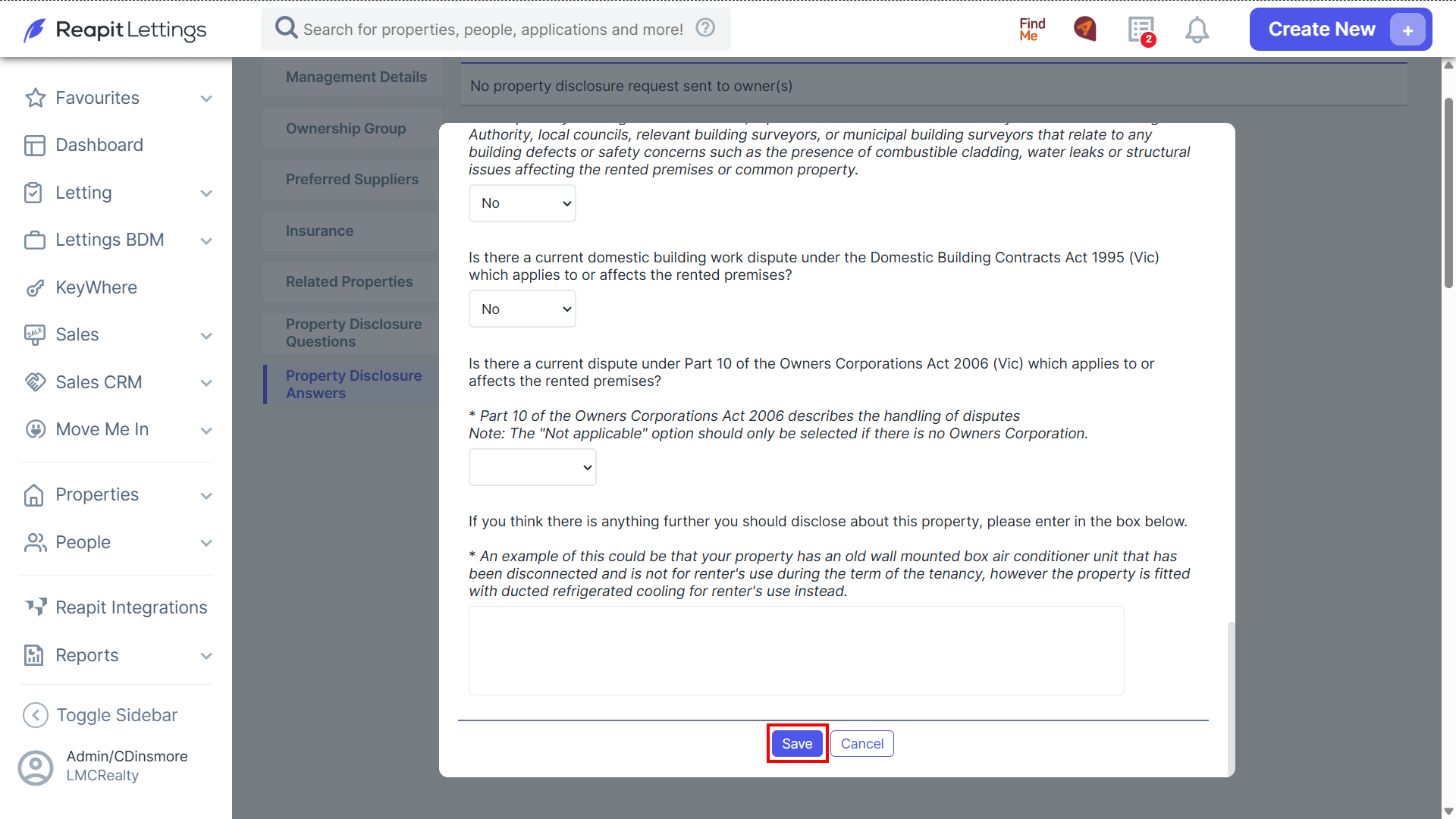
- Navigate through the disclosure questions and enter the desired prefilled information. You can also upload a copy of the owners corportation rules if required.
- Click Save.
- Once completed, the property disclosure status will display as Completed along with the last updated date and the user who last updated.
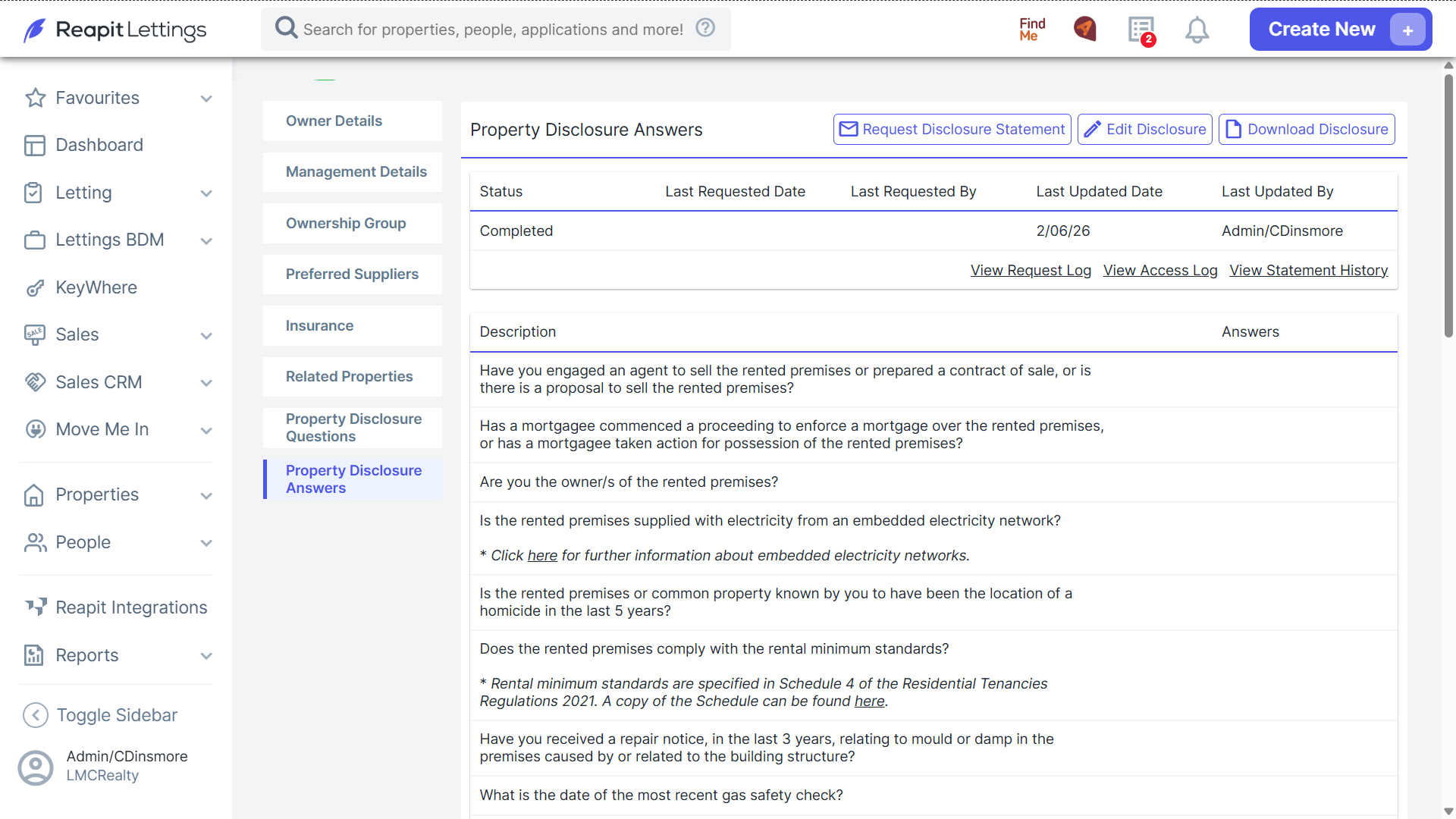
- Proceed with sending to the owner when ready by clicking Request Disclosure Statement.