'%20d='M0%208a8%208%200%200%201%208-8h24a8%208%200%200%201%208%208v24a8%208%200%200%201-8%208H8a8%208%200%200%201-8-8V8Z'/%3e%3cpath%20fill='%23fff'%20d='M32.576%206C12.293%206%208.776%2025.887%207.424%2034H9.1c.45-2.977%203.493-14.748%2010.899-20.287%200%200-5.633%206.976-6.572%2015.051%203.426-.652%2013.845-3.372%2016.056-12.927l-3.84-.61c1.352-1.351%204.909-5.17%206.931-9.226V6Z'/%3e%3cdefs%3e%3clinearGradient%20id='reapit-lettings__a'%20x1='20.702'%20x2='20.702'%20y1='.351'%20y2='31.228'%20gradientUnits='userSpaceOnUse'%3e%3cstop%20stop-color='%235573FD'/%3e%3cstop%20offset='.575'%20stop-color='%234E56EA'/%3e%3c/linearGradient%3e%3c/defs%3e%3c/svg%3e)
How to Assign Properties to An Existing Owner
This article will guide you through updating a property with a new vendor in Reapit Lettings.
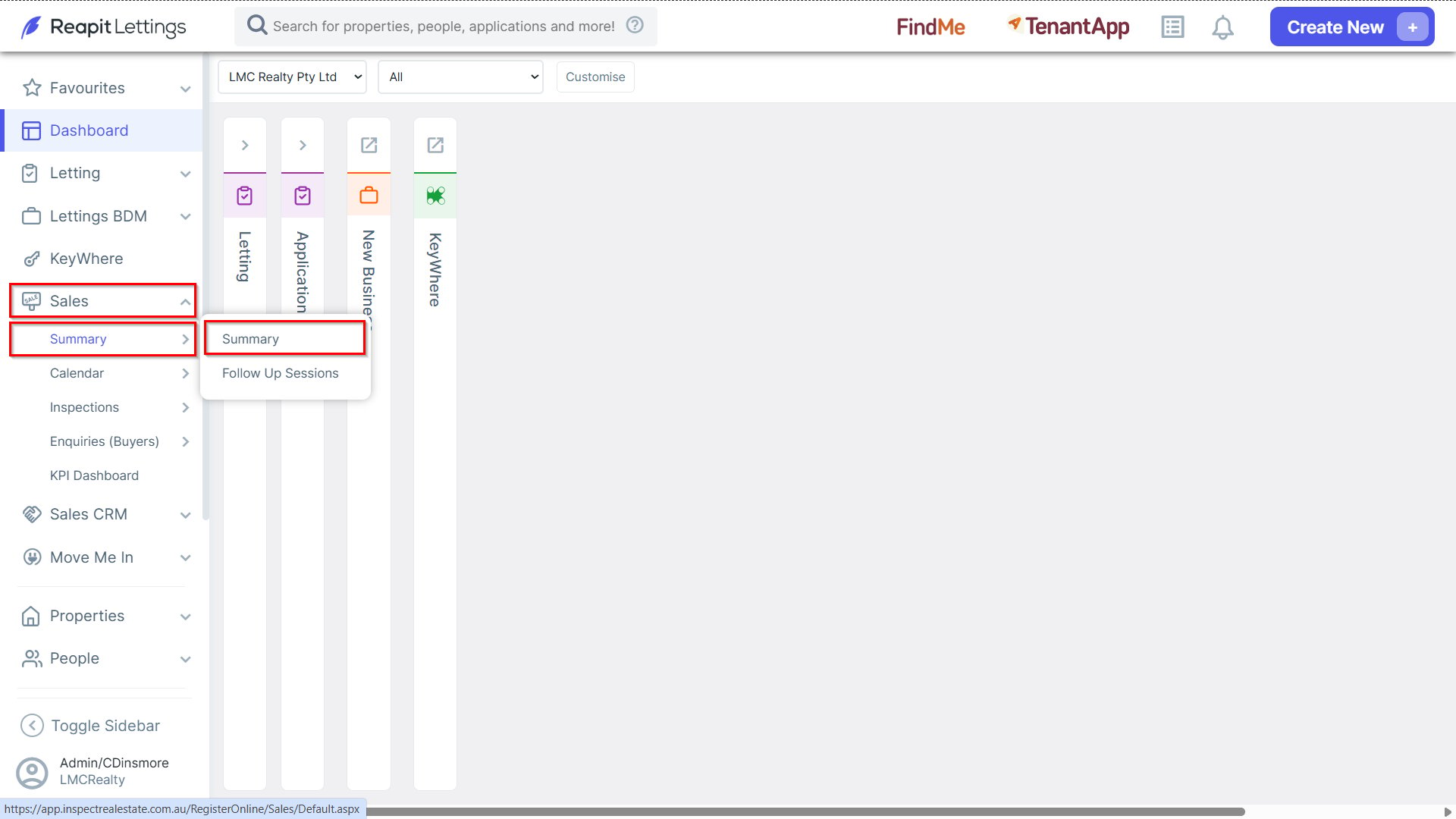
1. Navigate to Sales > Summary, and select Summary.
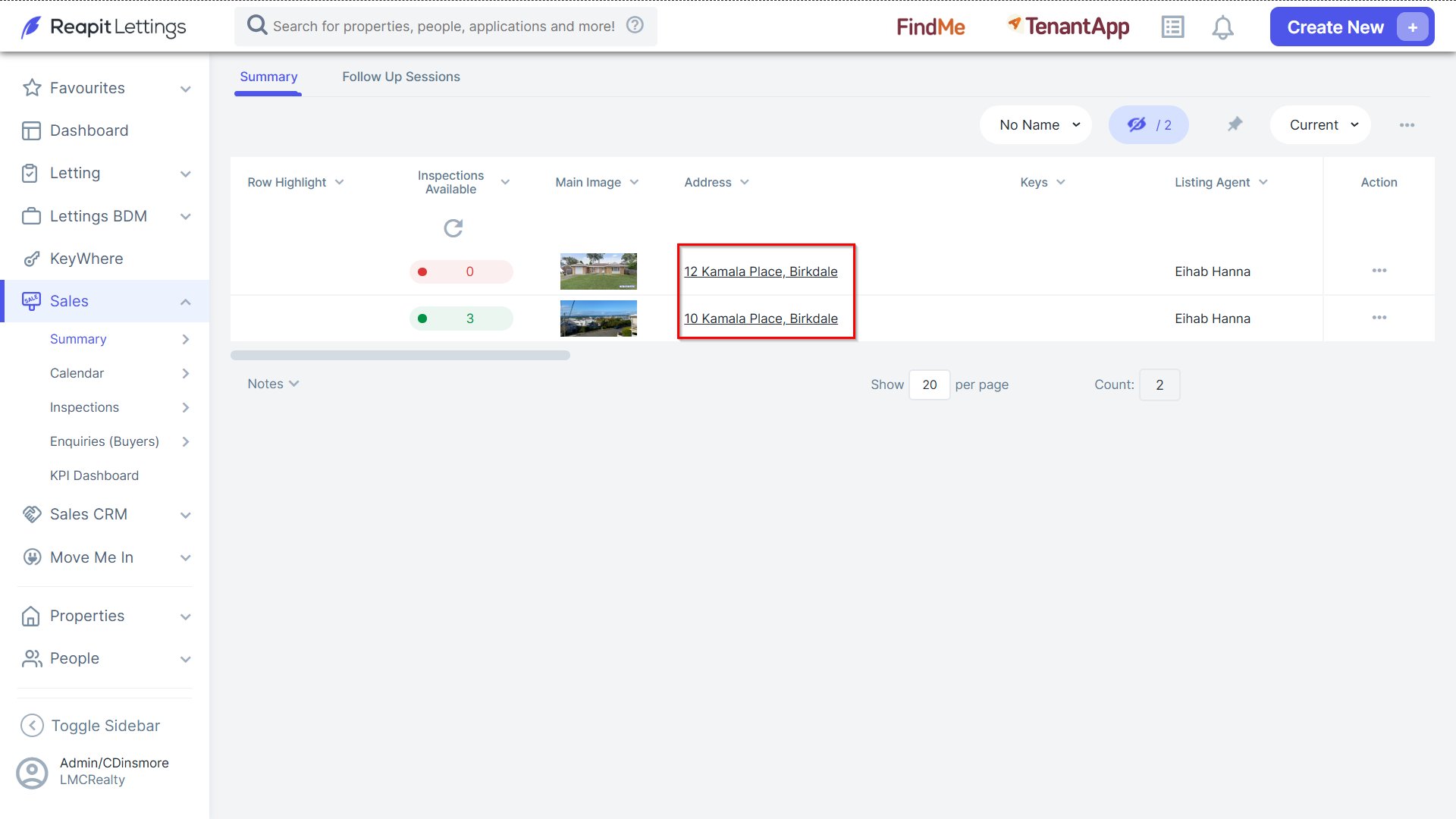
- Click the property address you wish to access.
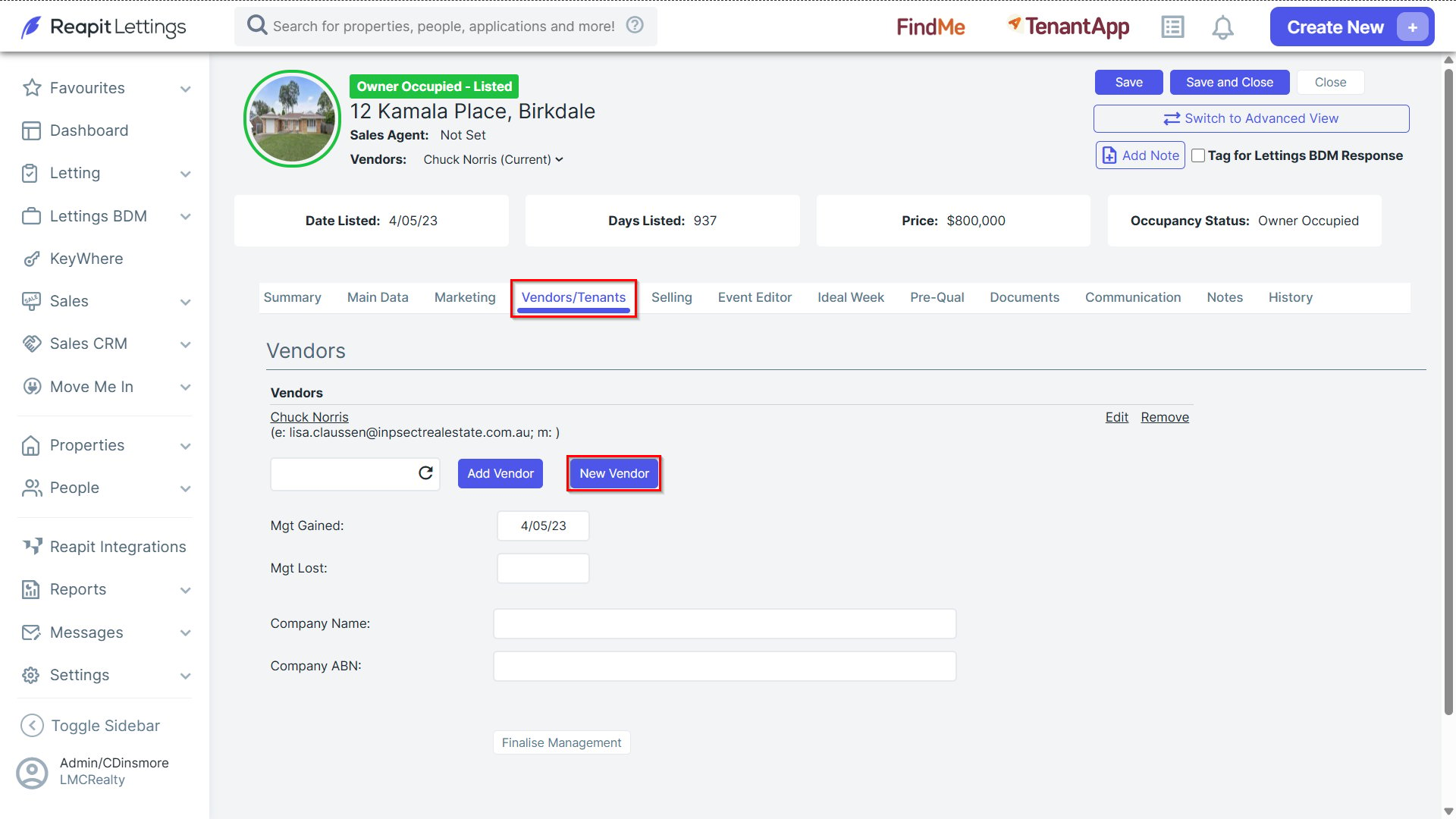
2. Within the 'Vendors/Tenants' tab, click New Vendor
3. Within the New Vendor pop up, input the details as designated and click Add Vendor.
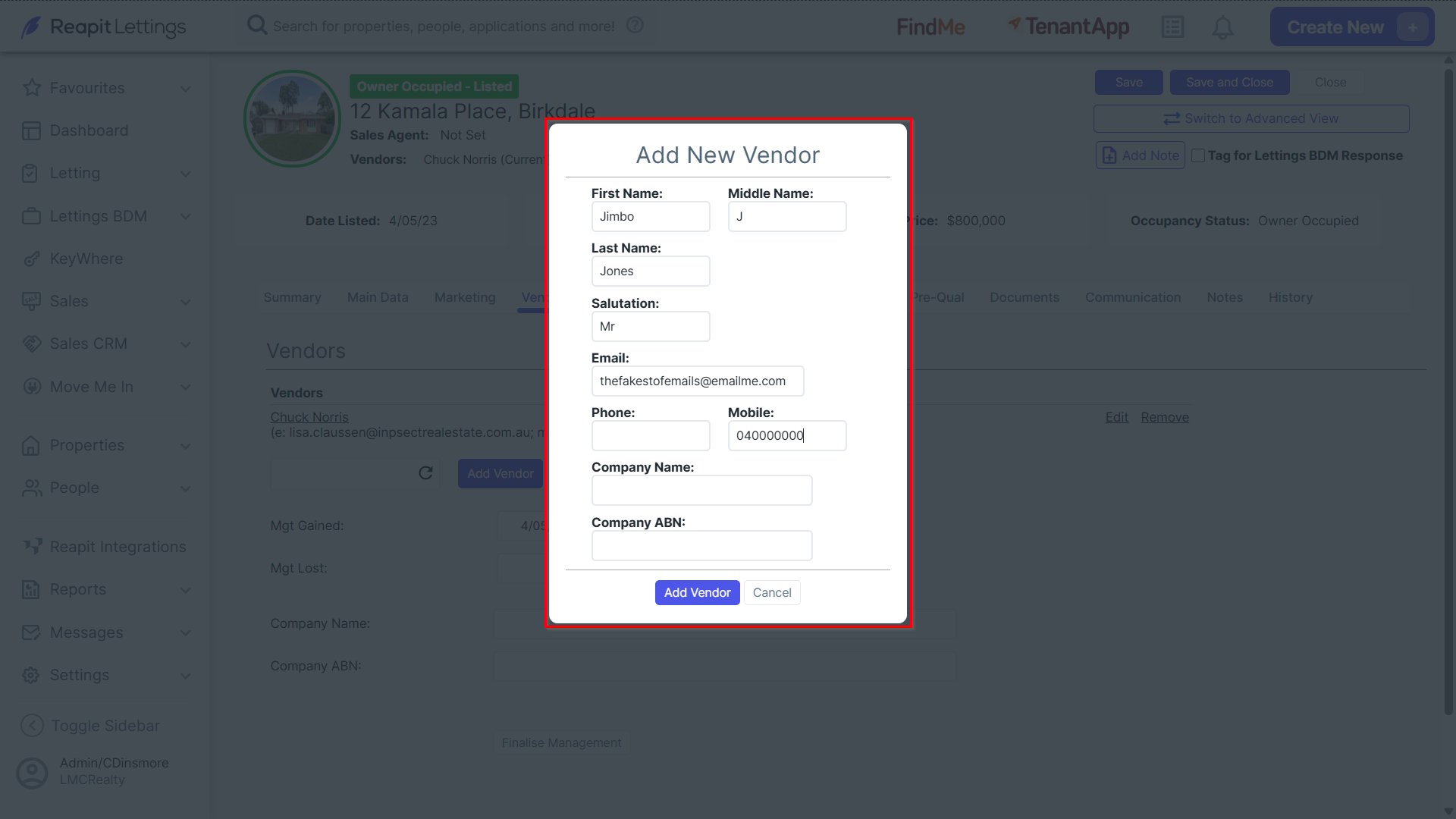
Note: New vendor details will be stored within the Vendor section and be modified or removed if required as designated.
4. To add an existing owner, type the owner's name into the text field designated, click the refresh icon for the existing vendor details to populate and then click Add Vendor.
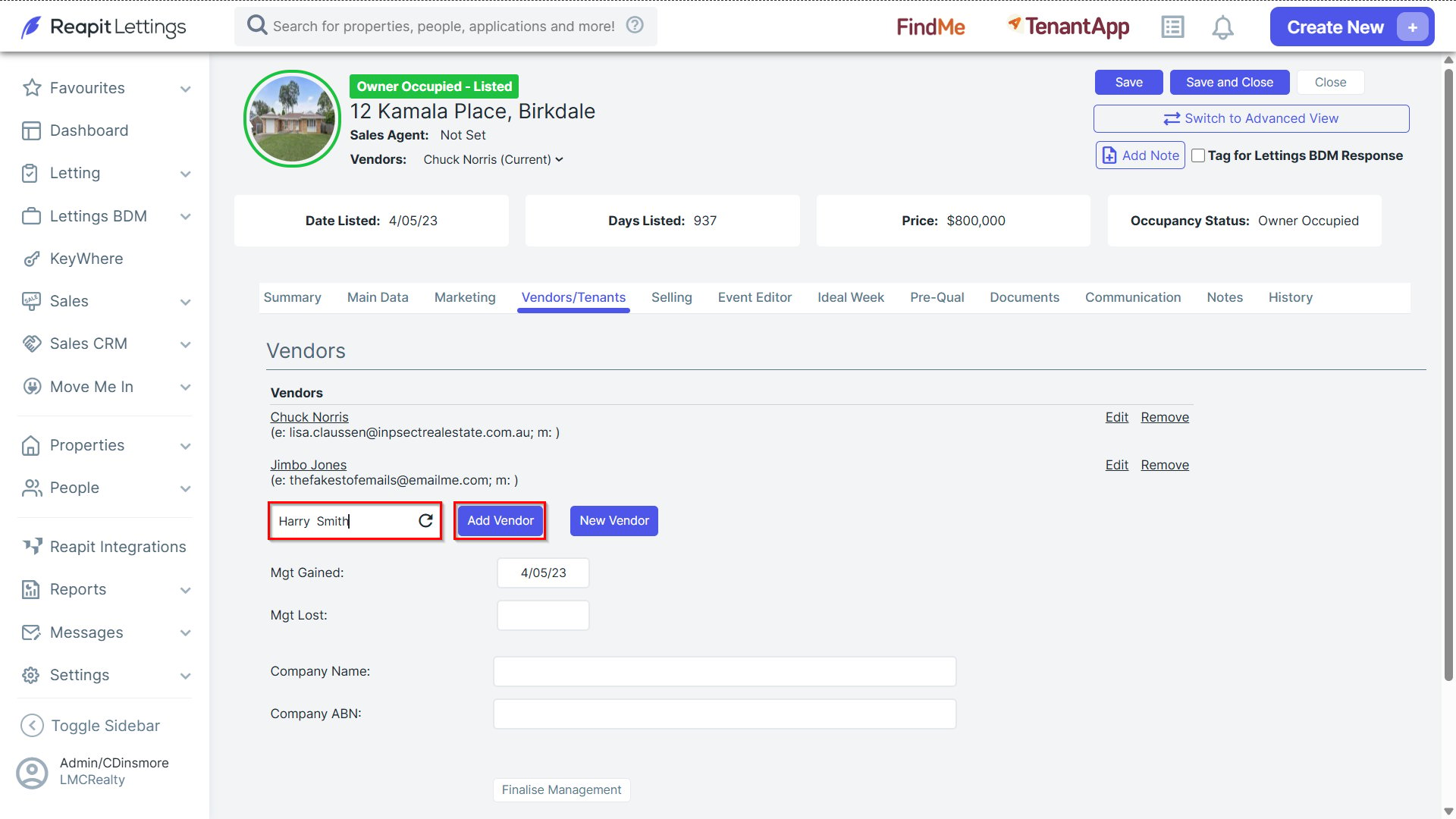
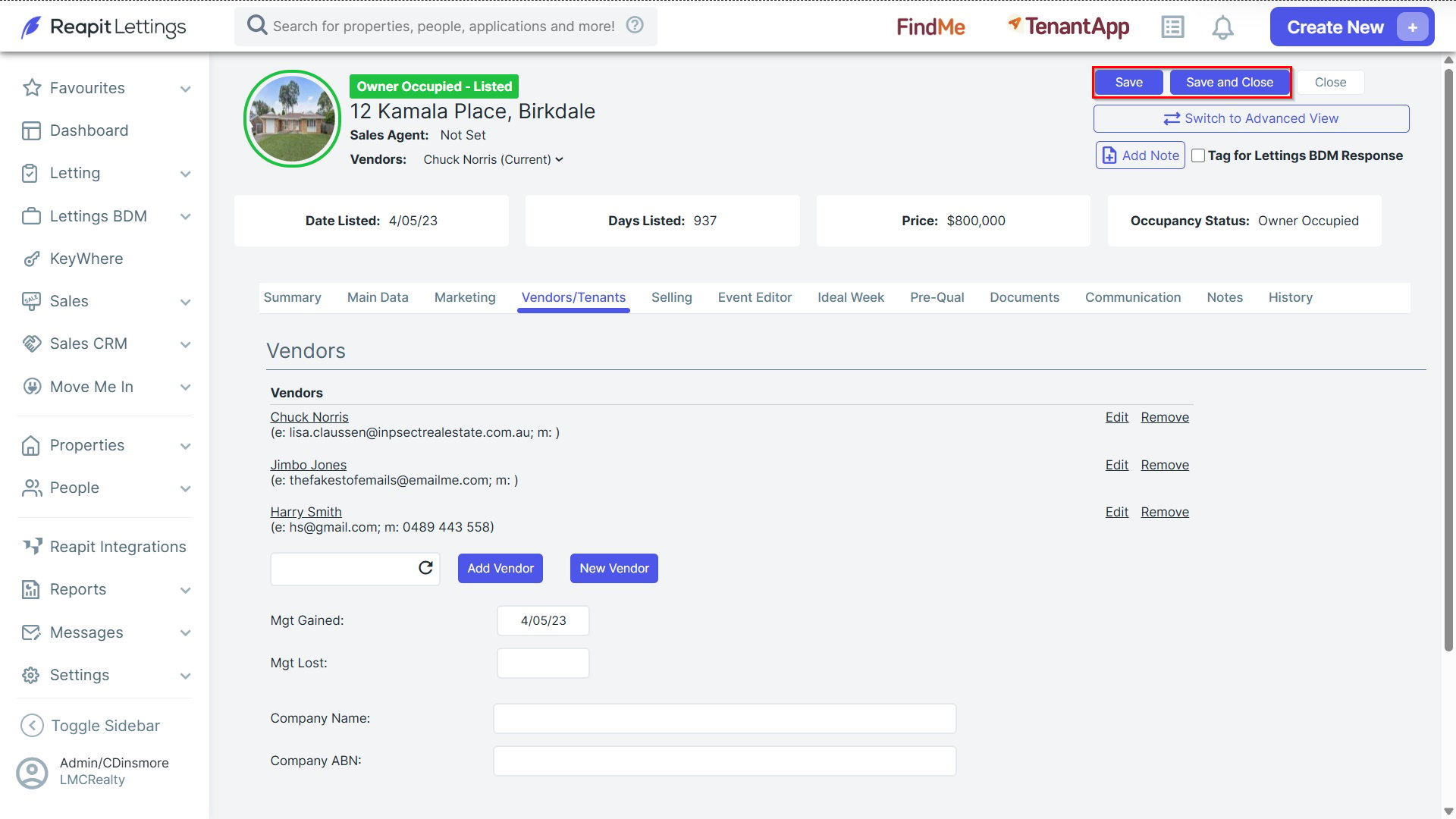
5. After assigning all owners, click the Save at the top of the screen to save your changes.