'%20d='M0%208a8%208%200%200%201%208-8h24a8%208%200%200%201%208%208v24a8%208%200%200%201-8%208H8a8%208%200%200%201-8-8V8Z'/%3e%3cpath%20fill='%23fff'%20d='M32.576%206C12.293%206%208.776%2025.887%207.424%2034H9.1c.45-2.977%203.493-14.748%2010.899-20.287%200%200-5.633%206.976-6.572%2015.051%203.426-.652%2013.845-3.372%2016.056-12.927l-3.84-.61c1.352-1.351%204.909-5.17%206.931-9.226V6Z'/%3e%3cdefs%3e%3clinearGradient%20id='reapit-lettings__a'%20x1='20.702'%20x2='20.702'%20y1='.351'%20y2='31.228'%20gradientUnits='userSpaceOnUse'%3e%3cstop%20stop-color='%235573FD'/%3e%3cstop%20offset='.575'%20stop-color='%234E56EA'/%3e%3c/linearGradient%3e%3c/defs%3e%3c/svg%3e)
How to Setup a New Inspection Task for Reapit Viewings
This article will run through how to setup a new inspection task for Reapit Viewings within your account in Reapit Lettings
How to Setup a New Inspection Task for Reapit Viewings
This article will run through how to setup a new inspection task for Reapit Viewings within your account in Reapit Lettings.
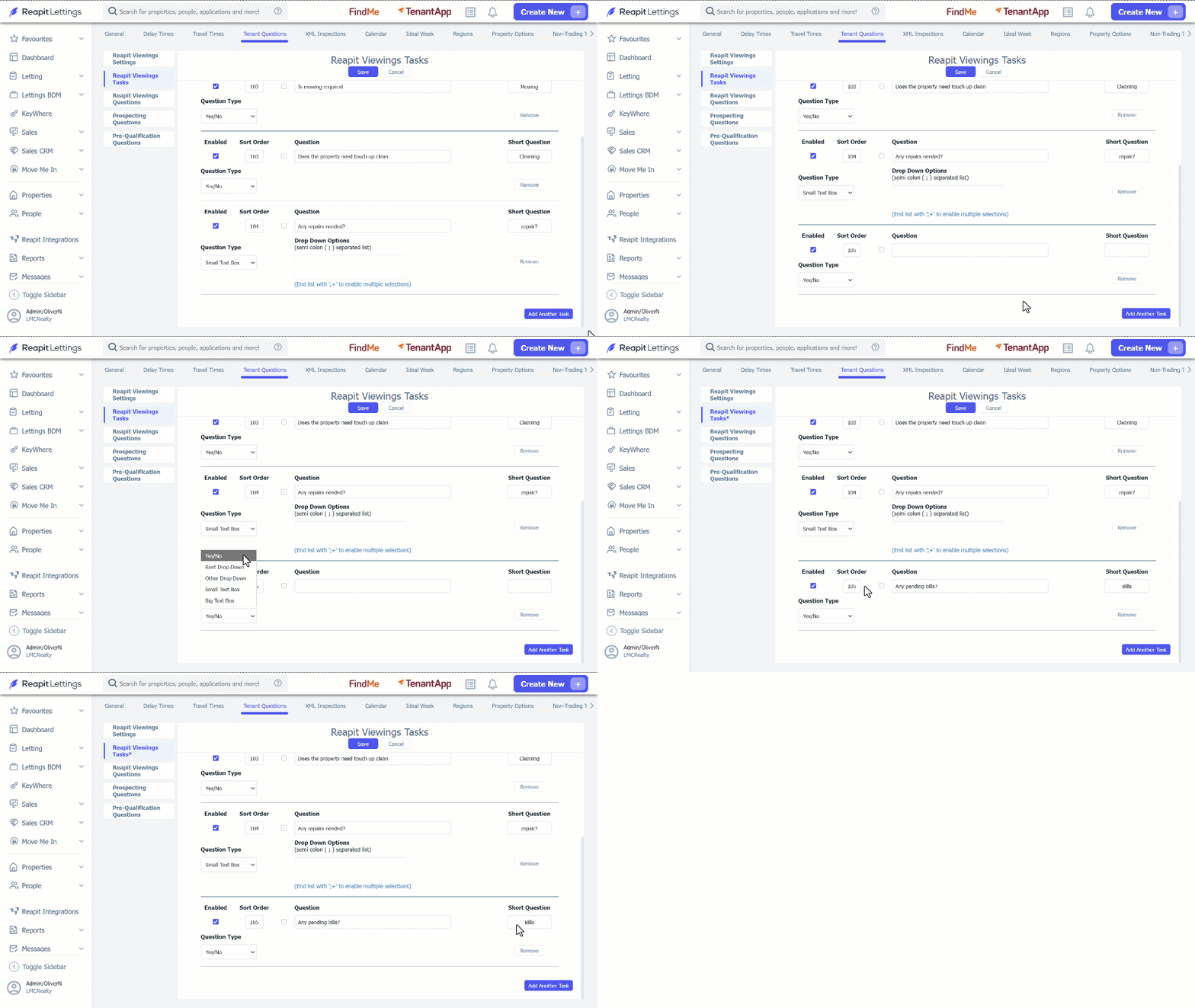
- Click on Settings. 2. Click on Lettings. 3. Select Tenant Questions. 4. Navigate to Reapit Viewings Tasks. 5. To enable and disable task tick or untick the checkbox under Enable section. 6. To remove a task, click on the Remove button.
7. To add a new task, click on Add Another Task. 7.1. Select a Question Type from the dropdown menu. 7.2. Sort the question by modifying it in the Sort Order section. 7.3. Enter a question in the Question text field. 7.4. Enter a short question in the Short Question text field. 8. Click on Save.