'%20d='M0%208a8%208%200%200%201%208-8h24a8%208%200%200%201%208%208v24a8%208%200%200%201-8%208H8a8%208%200%200%201-8-8V8Z'/%3e%3cpath%20fill='%23fff'%20d='M32.576%206C12.293%206%208.776%2025.887%207.424%2034H9.1c.45-2.977%203.493-14.748%2010.899-20.287%200%200-5.633%206.976-6.572%2015.051%203.426-.652%2013.845-3.372%2016.056-12.927l-3.84-.61c1.352-1.351%204.909-5.17%206.931-9.226V6Z'/%3e%3cdefs%3e%3clinearGradient%20id='reapit-lettings__a'%20x1='20.702'%20x2='20.702'%20y1='.351'%20y2='31.228'%20gradientUnits='userSpaceOnUse'%3e%3cstop%20stop-color='%235573FD'/%3e%3cstop%20offset='.575'%20stop-color='%234E56EA'/%3e%3c/linearGradient%3e%3c/defs%3e%3c/svg%3e)
How to Assign Keys to the KeyWhere Panel
This article will run through how to assign keys to the KeyWhere panel within your account in KeyWhere
How to Assign Keys to the KeyWhere Panel
This article will run through how to assign keys to the KeyWhere panel within your account.
Before commencing this process, hang the RFID tag (set of keys) on to the available hook on the panel, the hook will turn a solid red indicating it's not assigned. From there navigate into your KeyWhere account and proceed.
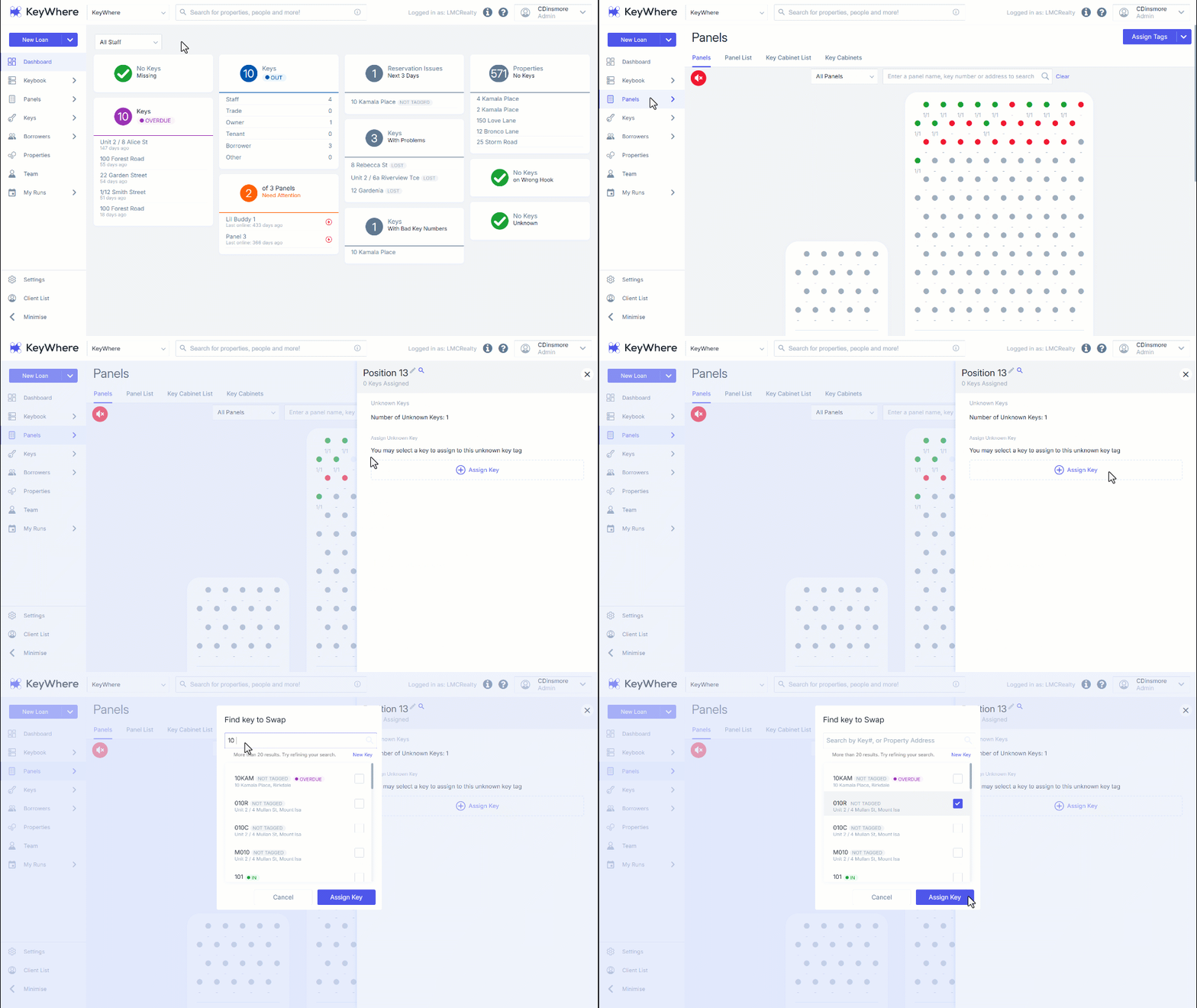
- Navigate to Panels.
- Select the "Red Hook" option that corresponds with the physical keys.
- Click Assign Key.
- Enter the Key Number or Property Address.
To assign a key to a new address, first locate the checkbox next to the address you wish to select, ensuring that it is not already associated with an existing key. After verifying this, click on Assign Key to complete the process.
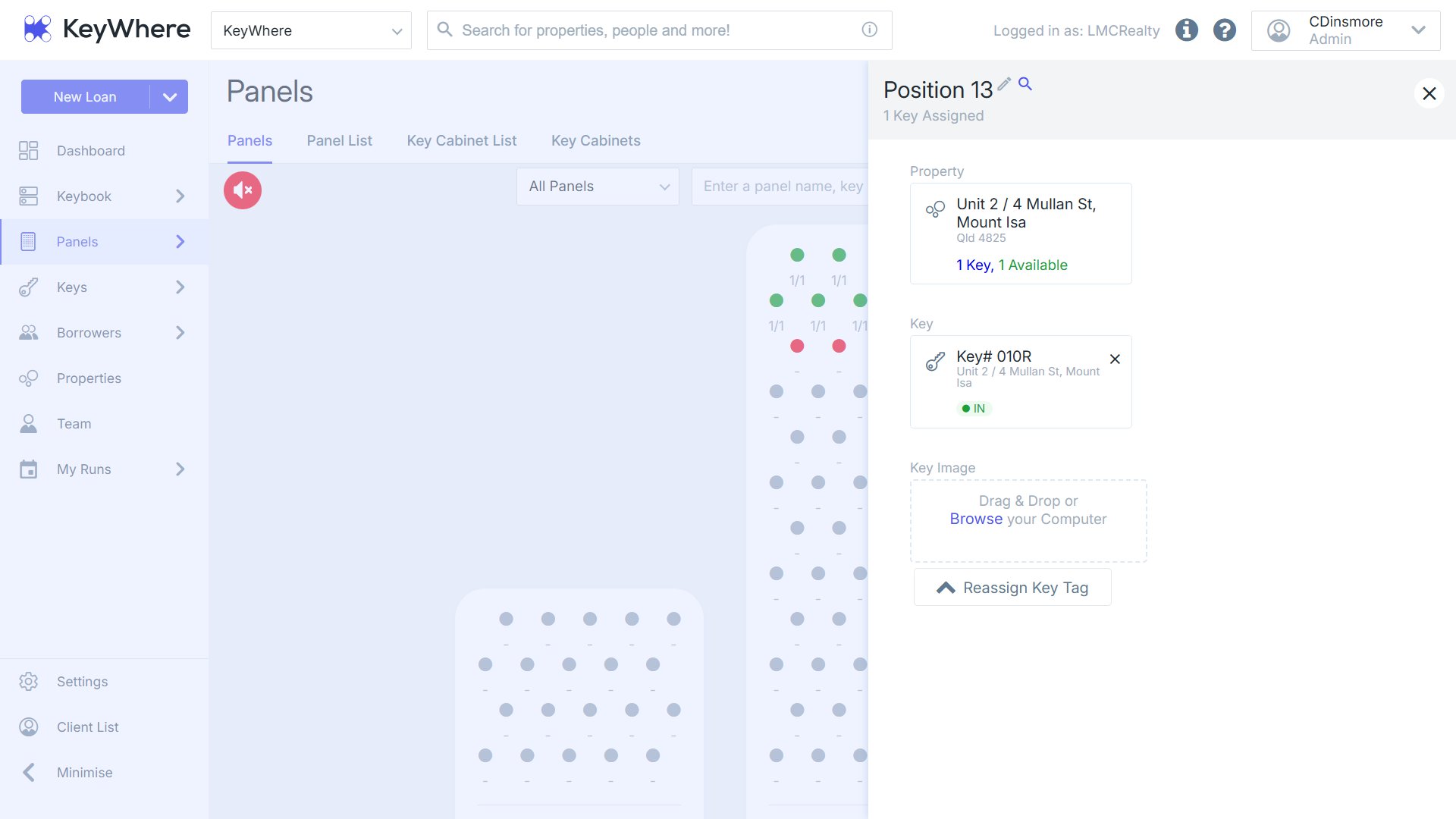
- Subsequently, both the digital and physical components will transition to green status.