'%20d='M0%208a8%208%200%200%201%208-8h24a8%208%200%200%201%208%208v24a8%208%200%200%201-8%208H8a8%208%200%200%201-8-8V8Z'/%3e%3cpath%20fill='%23fff'%20d='M32.576%206C12.293%206%208.776%2025.887%207.424%2034H9.1c.45-2.977%203.493-14.748%2010.899-20.287%200%200-5.633%206.976-6.572%2015.051%203.426-.652%2013.845-3.372%2016.056-12.927l-3.84-.61c1.352-1.351%204.909-5.17%206.931-9.226V6Z'/%3e%3cdefs%3e%3clinearGradient%20id='reapit-lettings__a'%20x1='20.702'%20x2='20.702'%20y1='.351'%20y2='31.228'%20gradientUnits='userSpaceOnUse'%3e%3cstop%20stop-color='%235573FD'/%3e%3cstop%20offset='.575'%20stop-color='%234E56EA'/%3e%3c/linearGradient%3e%3c/defs%3e%3c/svg%3e)
Owner Reports in Reapit Viewings
Owner Reports allow the sending of completed Inspections to the owner including Video reports. The processes in this article include: Owner Quick Reports Owner Video Report Owner Video Update Message
Overview
Owner Reports in Reapit Viewings
Owner Reports allow the sending of completed Inspections to the owner including Video reports.
The processes in this article include:
- Owner Quick Reports
- Owner Video Report
- Owner Video Update Message
Owner Quick Report
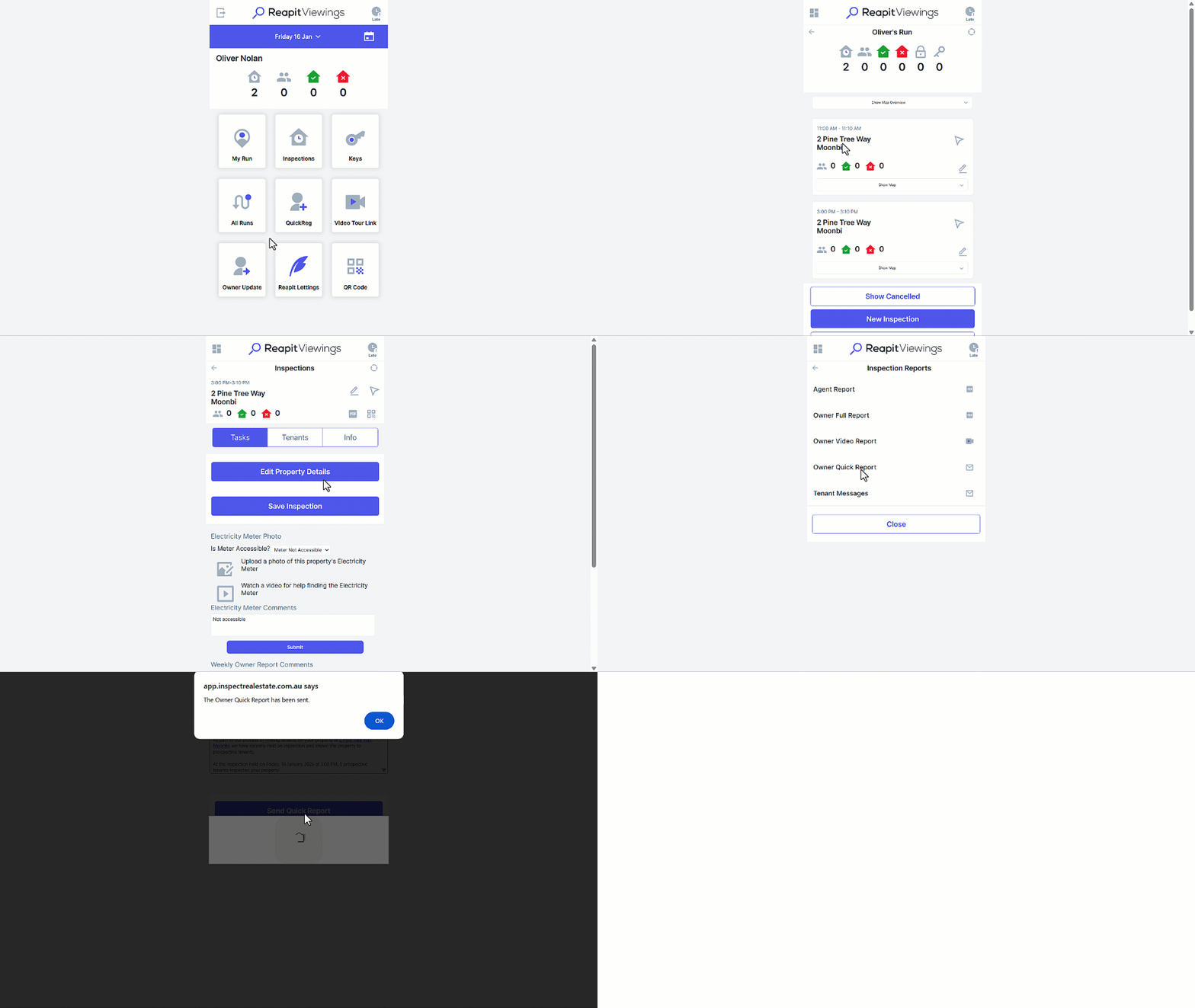
Owner Quick Reports can be sent once the inspection has been completed. Note: The PDF Icon only appears once in inspection has been completed.
- Click on My Run.
- Select the property address.
- Click on the PDF icon.
- Select the Owner Quick Report and an Email/SMS template will appear. Update the template if required.
- Click on the Send Quick Report button.
The report will be sent based on your Event Editor settings for “Owner Quick Report” event.
Owner Video Report
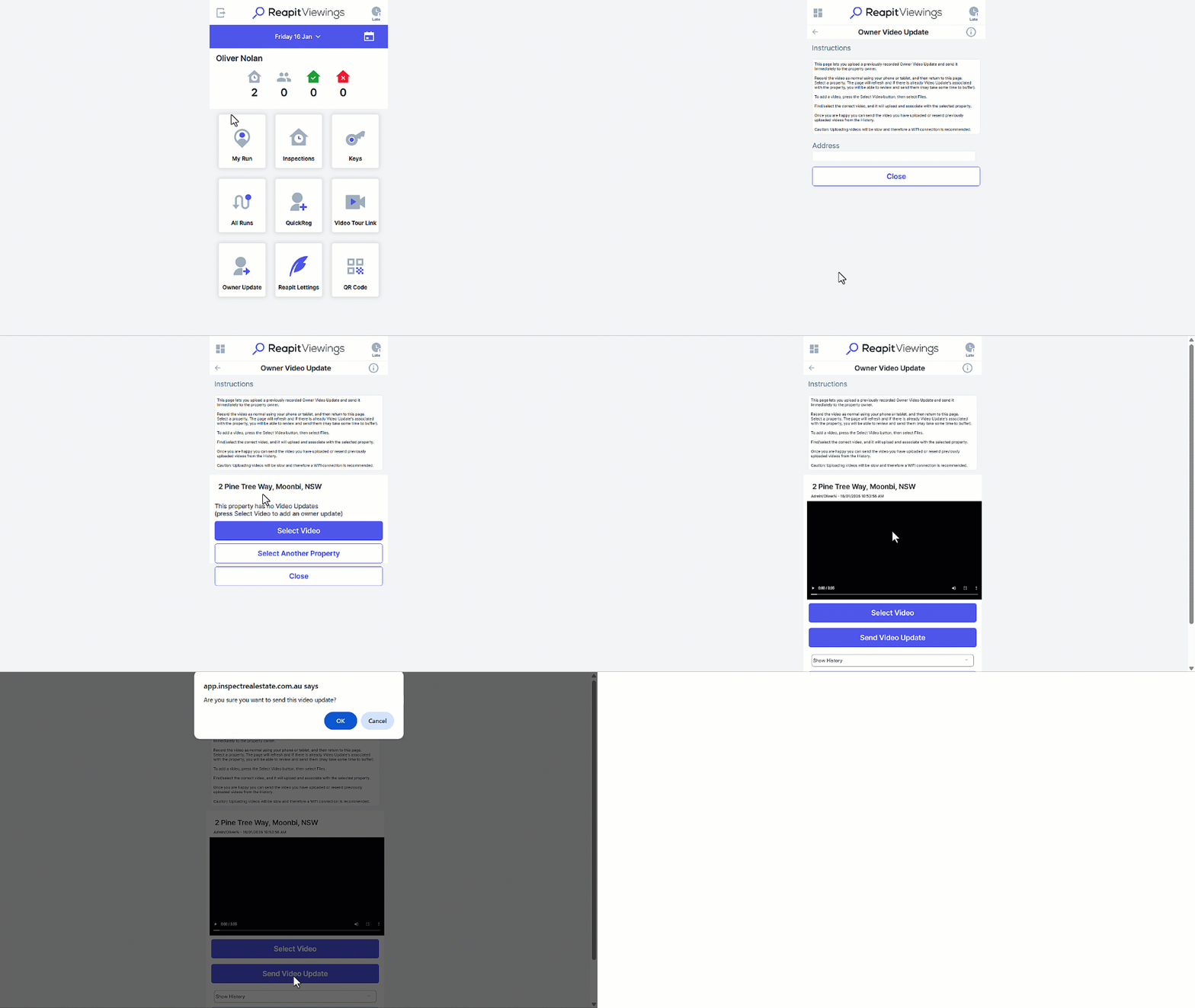
In Reapit Viewings, there is the option to send a video update to an owner. This feature is commonly used by agents that like to conduct a property walk-through of the property to highlight maintenance or the current condition of the property to owners that are unable to visit the property frequently. The video can be created onsite through Reapit Viewings with your device, or you can upload an existing video you have saved.
- Click on Owner Update.
- Search and select the property address.
- Click on the Select Video button, where you can either update an existing video saved on your device or opt to record a new video.
- Click on ****Send Video Update.
Owner Video Update Message
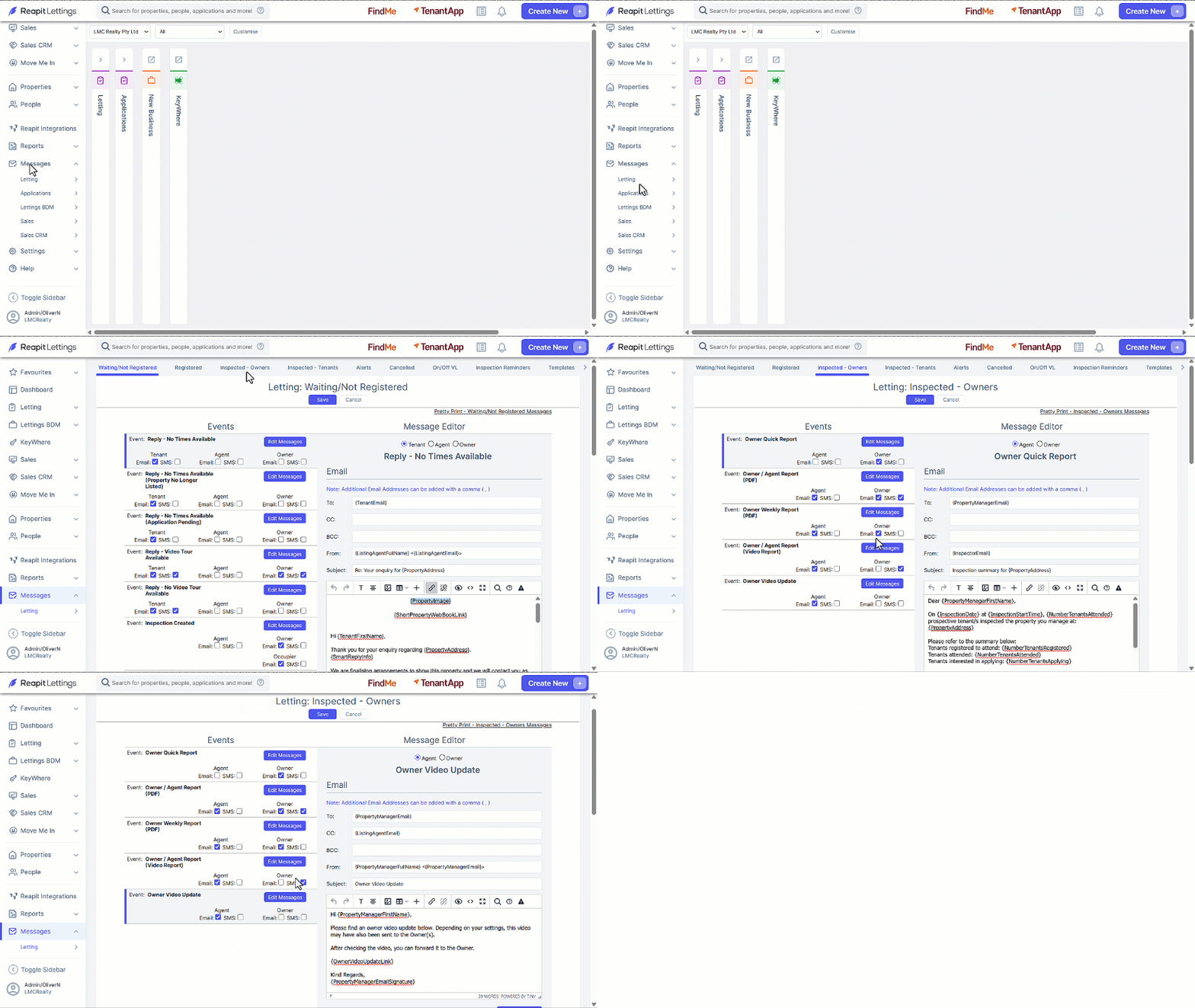
When a video is sent to an Owner, the message will send based upon the Owner Video Update Message. To review or update, follow this process.
- Click on Messages.
- Click on Letting.
- Click on Inspected - Owners.
- Navigate to the Owner Video Update message and click on Edit Messages.
- Update as required and click on Save.