'%20d='M0%208a8%208%200%200%201%208-8h24a8%208%200%200%201%208%208v24a8%208%200%200%201-8%208H8a8%208%200%200%201-8-8V8Z'/%3e%3cpath%20fill='%23fff'%20d='M32.576%206C12.293%206%208.776%2025.887%207.424%2034H9.1c.45-2.977%203.493-14.748%2010.899-20.287%200%200-5.633%206.976-6.572%2015.051%203.426-.652%2013.845-3.372%2016.056-12.927l-3.84-.61c1.352-1.351%204.909-5.17%206.931-9.226V6Z'/%3e%3cdefs%3e%3clinearGradient%20id='reapit-lettings__a'%20x1='20.702'%20x2='20.702'%20y1='.351'%20y2='31.228'%20gradientUnits='userSpaceOnUse'%3e%3cstop%20stop-color='%235573FD'/%3e%3cstop%20offset='.575'%20stop-color='%234E56EA'/%3e%3c/linearGradient%3e%3c/defs%3e%3c/svg%3e)
How to Link Properties Together
This article will run through how to link properties together within Reapit Lettings.
How to Link Properties Together
This article will run through how to link properties together within Reapit Lettings.
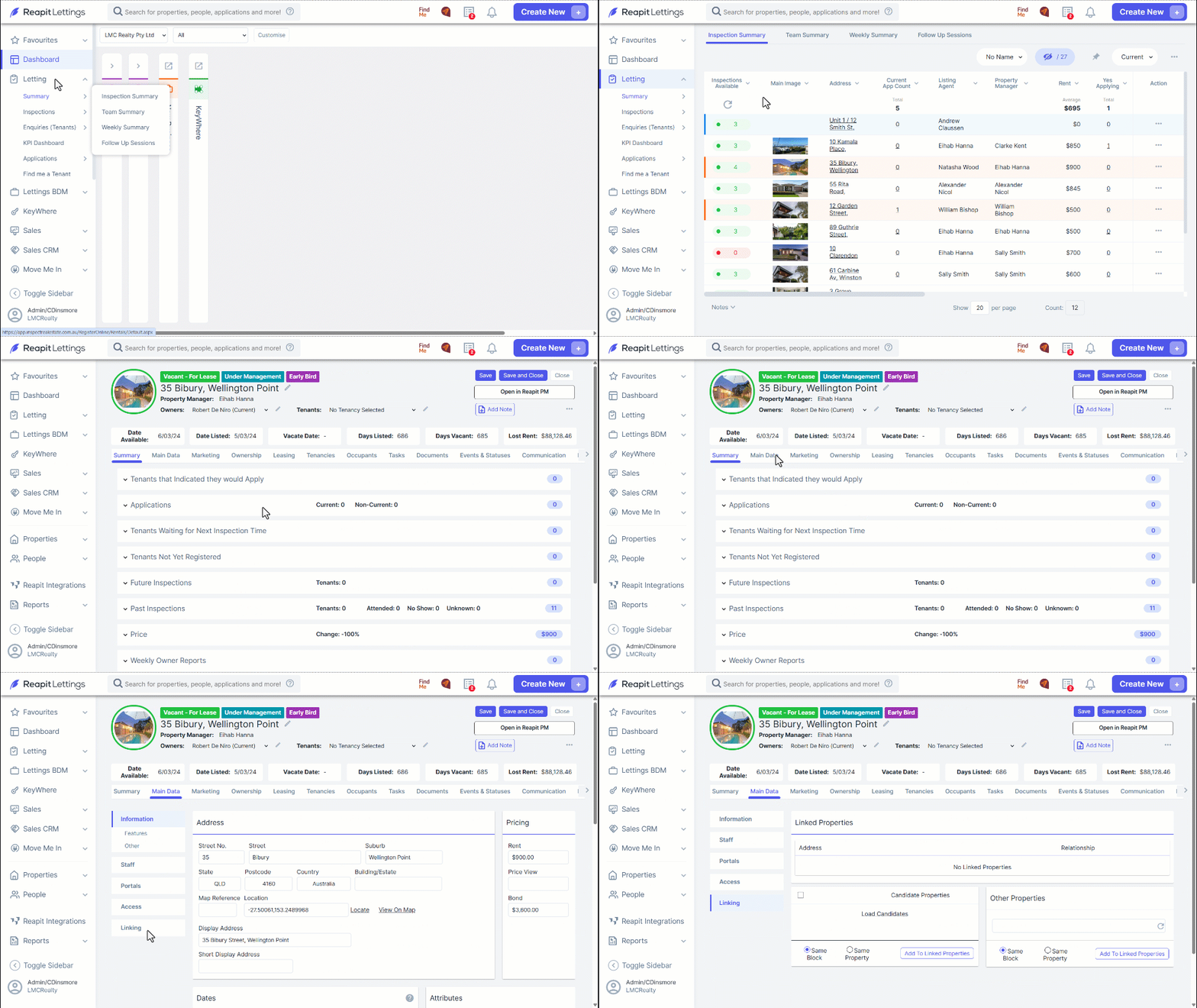
- Navigate to Letting.
- Click Summary.
- Click Inspection Summary.
- Find the property and then click on the address. This will load up the details for that property.
- Click the Main Data tab.
- Navigate to the Links.
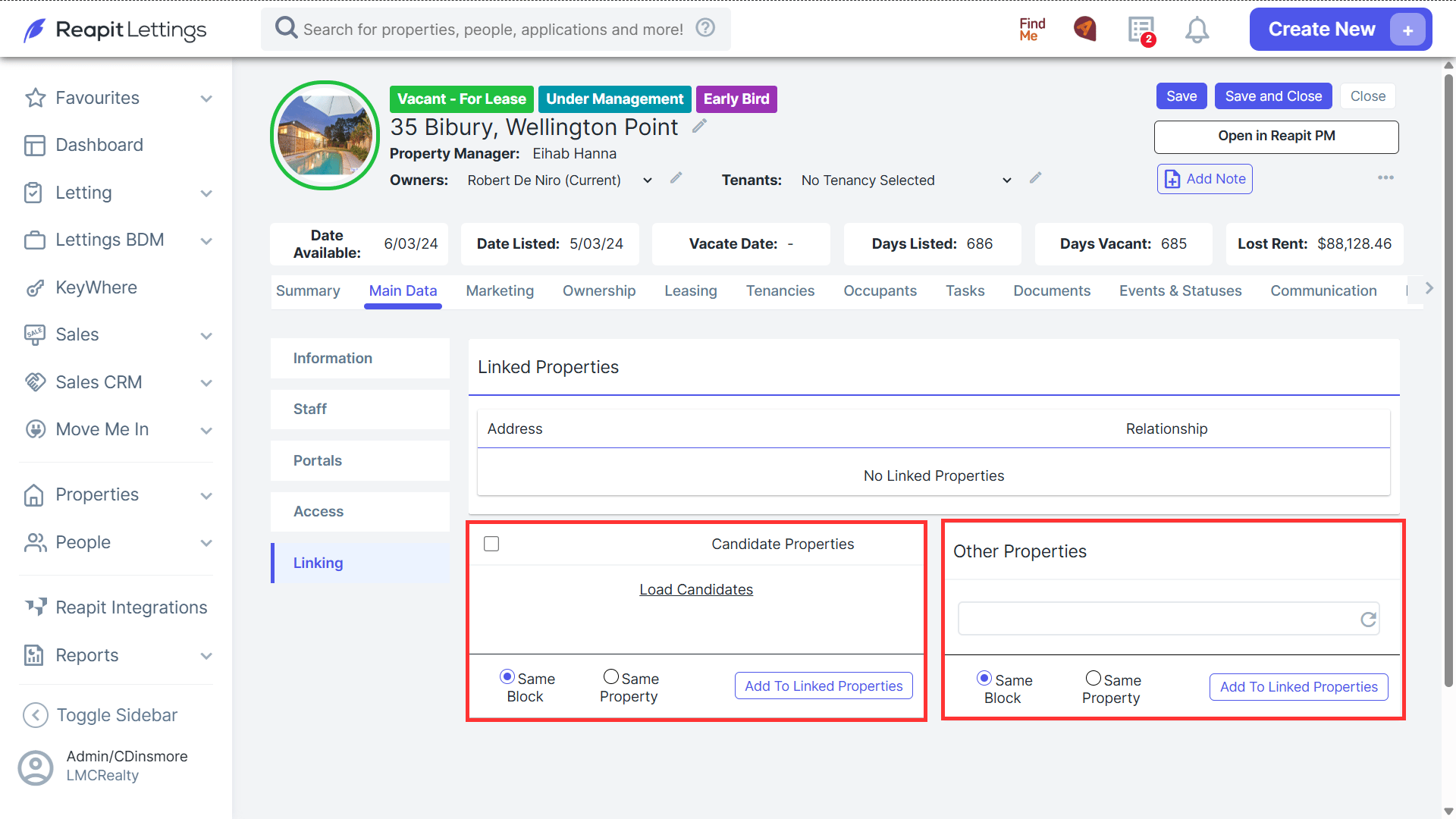
- On the left will be your ‘Candidate Properties’; these are properties the system thinks may need to be linked based on the address.
- You can also search for a property in the system to link using the ‘Other Properties’ box on the right.
- To add, select a property from the candidate list or type in the property address.
Choose the relationship then press the Add to Linked Properties button.
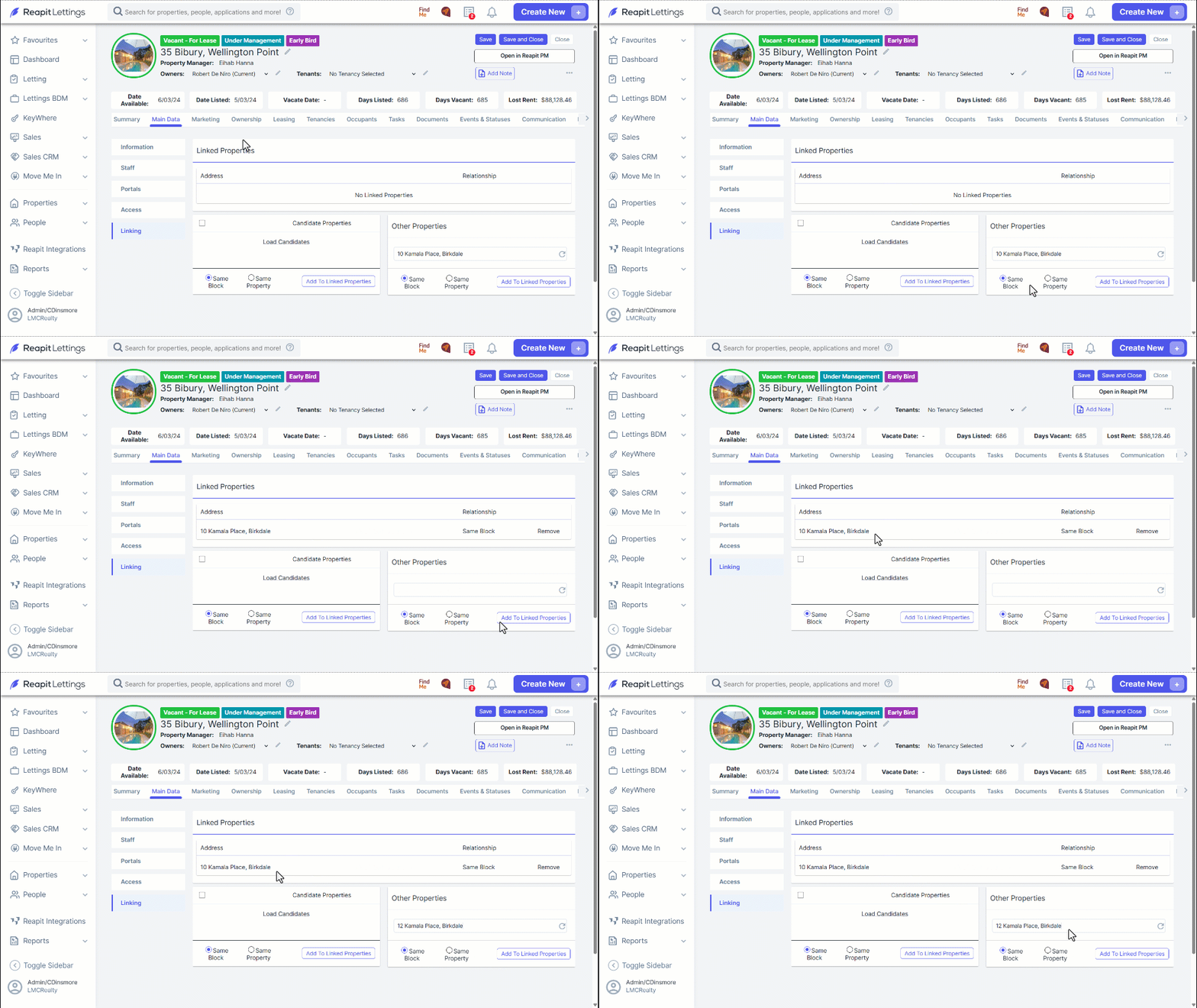
Note: The property will then appear in the Linked Properties list.