'%20d='M0%208a8%208%200%200%201%208-8h24a8%208%200%200%201%208%208v24a8%208%200%200%201-8%208H8a8%208%200%200%201-8-8V8Z'/%3e%3cpath%20fill='%23fff'%20d='M32.576%206C12.293%206%208.776%2025.887%207.424%2034H9.1c.45-2.977%203.493-14.748%2010.899-20.287%200%200-5.633%206.976-6.572%2015.051%203.426-.652%2013.845-3.372%2016.056-12.927l-3.84-.61c1.352-1.351%204.909-5.17%206.931-9.226V6Z'/%3e%3cdefs%3e%3clinearGradient%20id='reapit-lettings__a'%20x1='20.702'%20x2='20.702'%20y1='.351'%20y2='31.228'%20gradientUnits='userSpaceOnUse'%3e%3cstop%20stop-color='%235573FD'/%3e%3cstop%20offset='.575'%20stop-color='%234E56EA'/%3e%3c/linearGradient%3e%3c/defs%3e%3c/svg%3e)
User Permissions (Roles) In Reapit Lettings
This article will run through the user permissions in Reapit Lettings.
There are currently five levels of access in Reapit Lettings for your user accounts:
- Diamond (administration use)
- Gold (normal use)
- Silver (restricted use)
- Bronze (restricted use)
- Contractor ( Contractors are only able to access MyInspector. These users will appear in the team list and inspections may be assigned to them )
How to Edit a User Role/Permission:
1. Navigate to Settings > Admin > Manage Users.
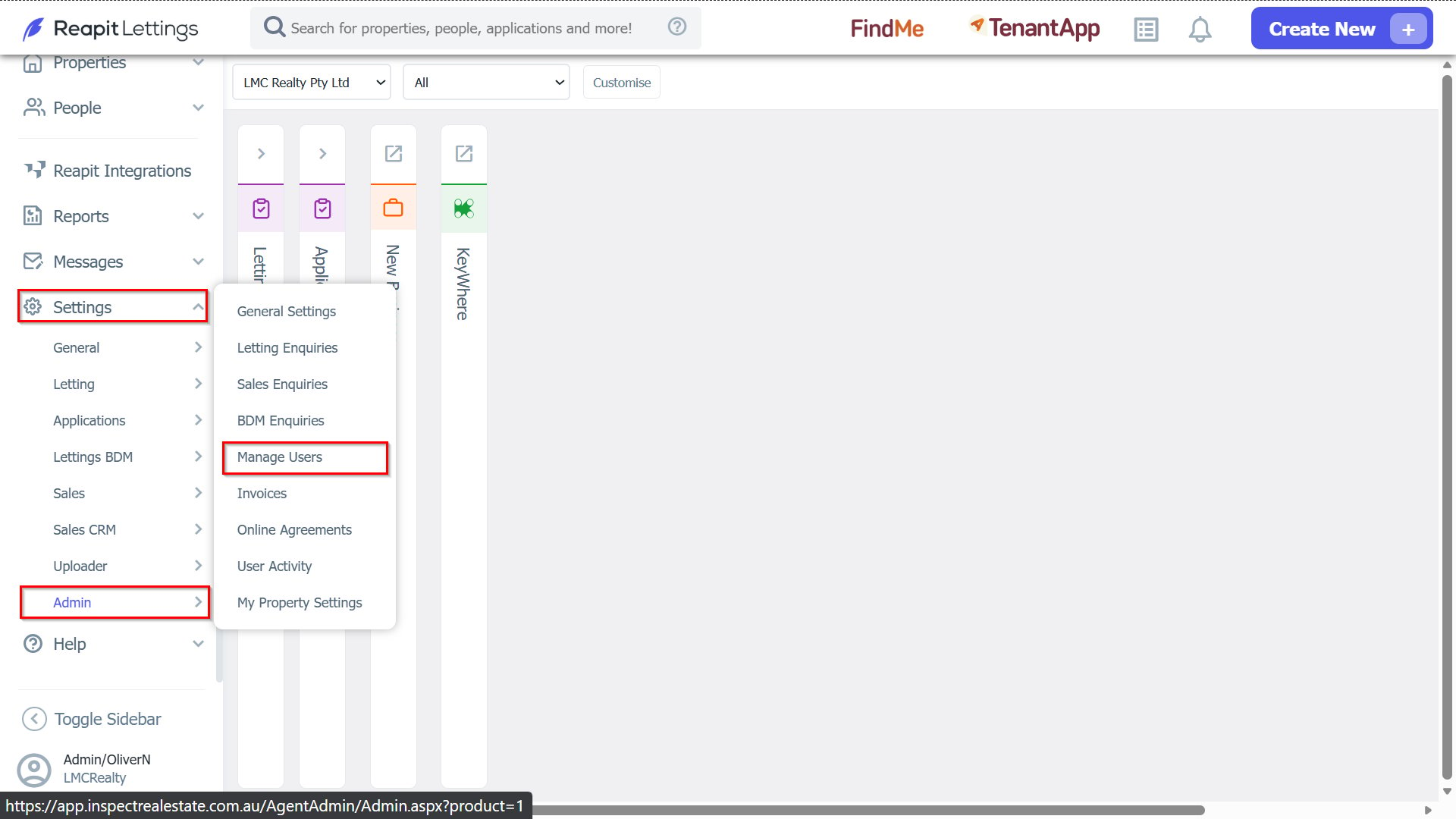
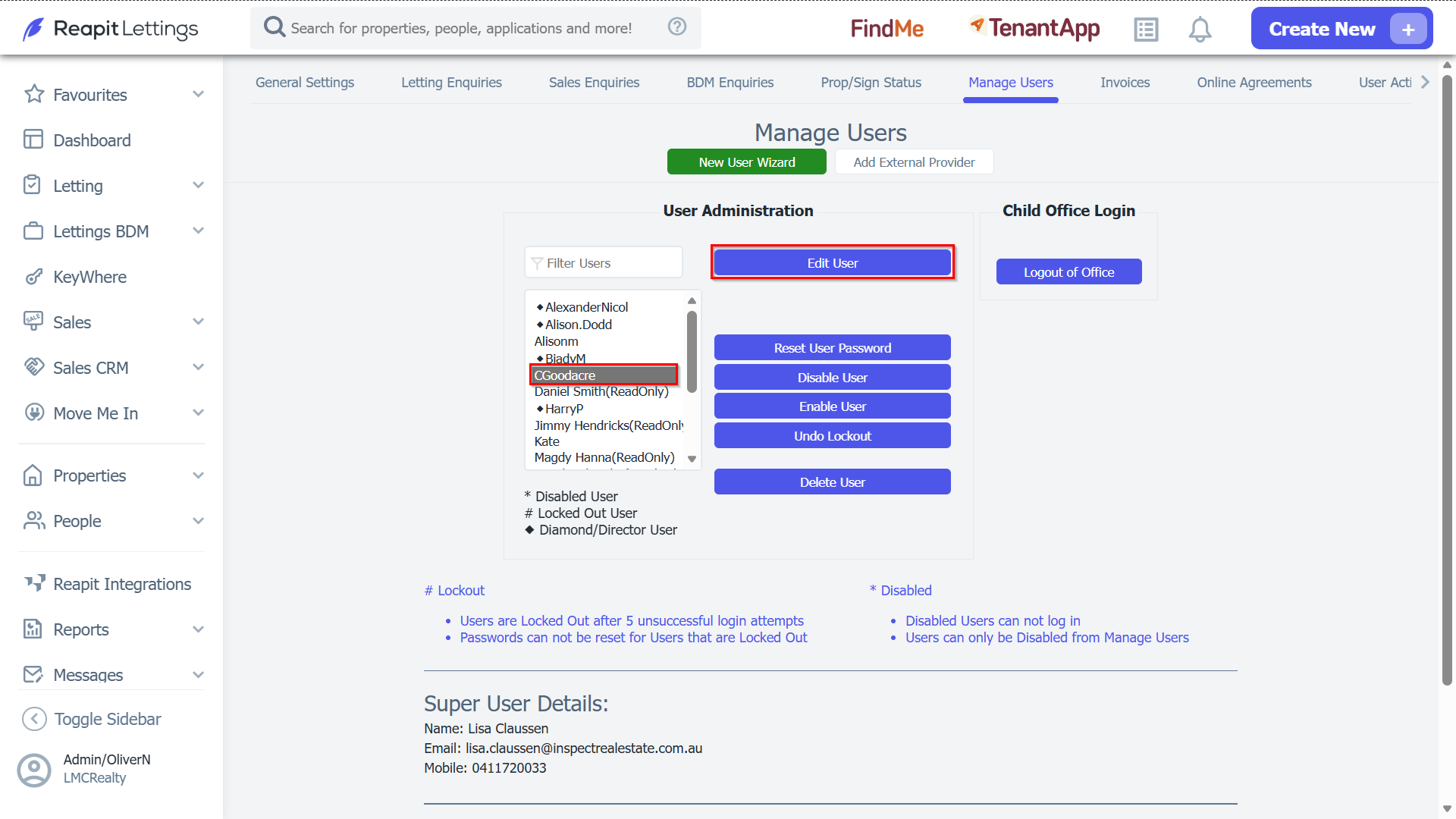
2. Select the user you wish to edit and press the Edit User button.
3. Select the role/level of permission you want to assign for that user – then press the ‘Save User Account’ button to save your changes.
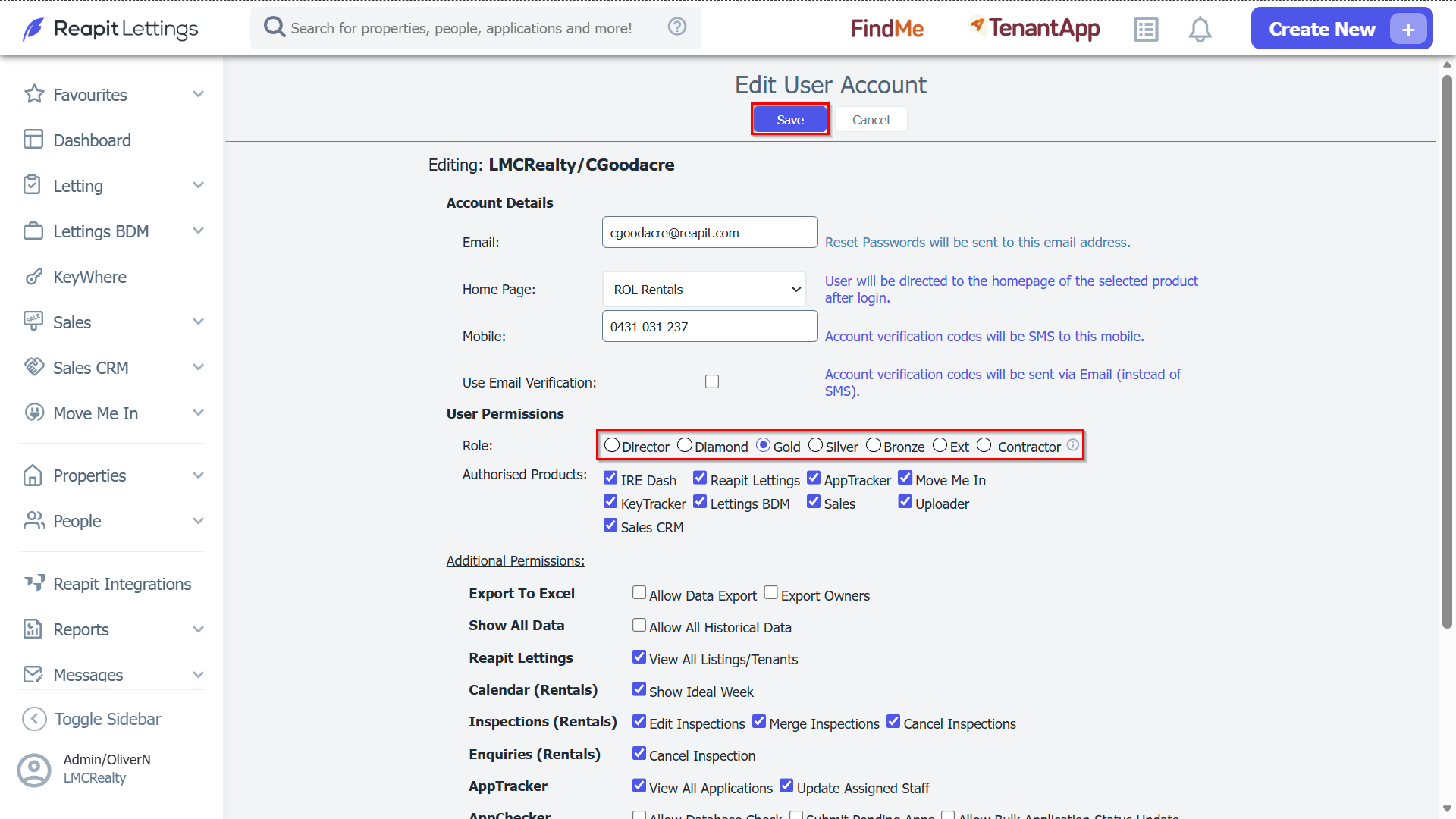
- A Diamond User can access all areas of your account.
- A Gold User cannot access the following menus:
- Admin & Settings
- A Silver user cannot access the following menus:
- Admin, Settings, Inspection Settings & Reports,
A Bronze user cannot access the following menus:
- Admin, Settings, Reports, Inspection Settings, Buyers, Inspections, Calendar