'%20d='M0%208a8%208%200%200%201%208-8h24a8%208%200%200%201%208%208v24a8%208%200%200%201-8%208H8a8%208%200%200%201-8-8V8Z'/%3e%3cpath%20fill='%23fff'%20d='M32.576%206C12.293%206%208.776%2025.887%207.424%2034H9.1c.45-2.977%203.493-14.748%2010.899-20.287%200%200-5.633%206.976-6.572%2015.051%203.426-.652%2013.845-3.372%2016.056-12.927l-3.84-.61c1.352-1.351%204.909-5.17%206.931-9.226V6Z'/%3e%3cdefs%3e%3clinearGradient%20id='reapit-lettings__a'%20x1='20.702'%20x2='20.702'%20y1='.351'%20y2='31.228'%20gradientUnits='userSpaceOnUse'%3e%3cstop%20stop-color='%235573FD'/%3e%3cstop%20offset='.575'%20stop-color='%234E56EA'/%3e%3c/linearGradient%3e%3c/defs%3e%3c/svg%3e)
How To Add, Edit or Delete Status Rules
This article will run through how to edit, delete, or add additional status rules in Reapit Lettings.
How To Add, Edit or Delete Status Rules
This article will run through how to edit, delete, or add additional status rules in Reapit Lettings.
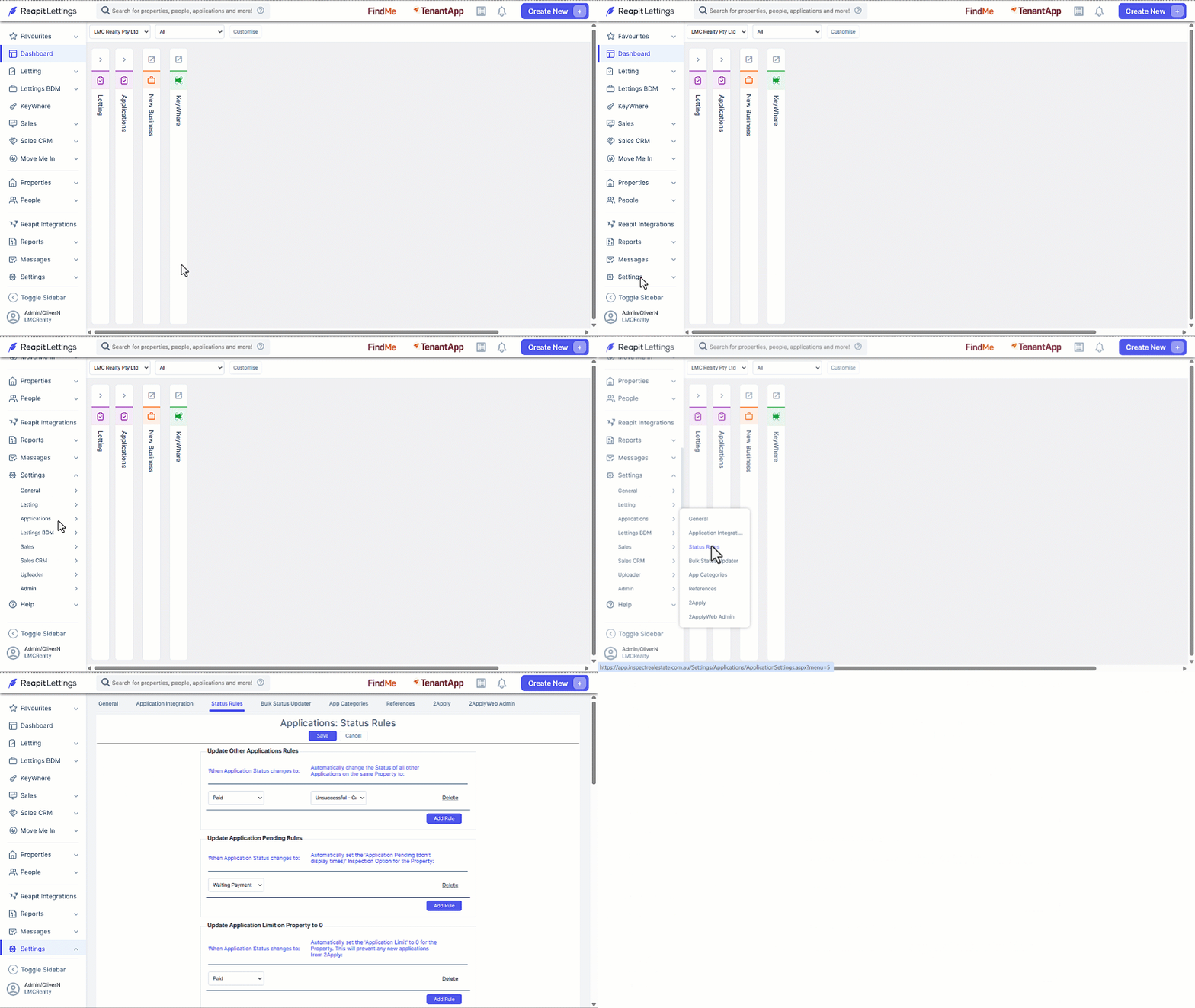
- Click on Settings.
- Click on Applications.
- Click on Status Rules.
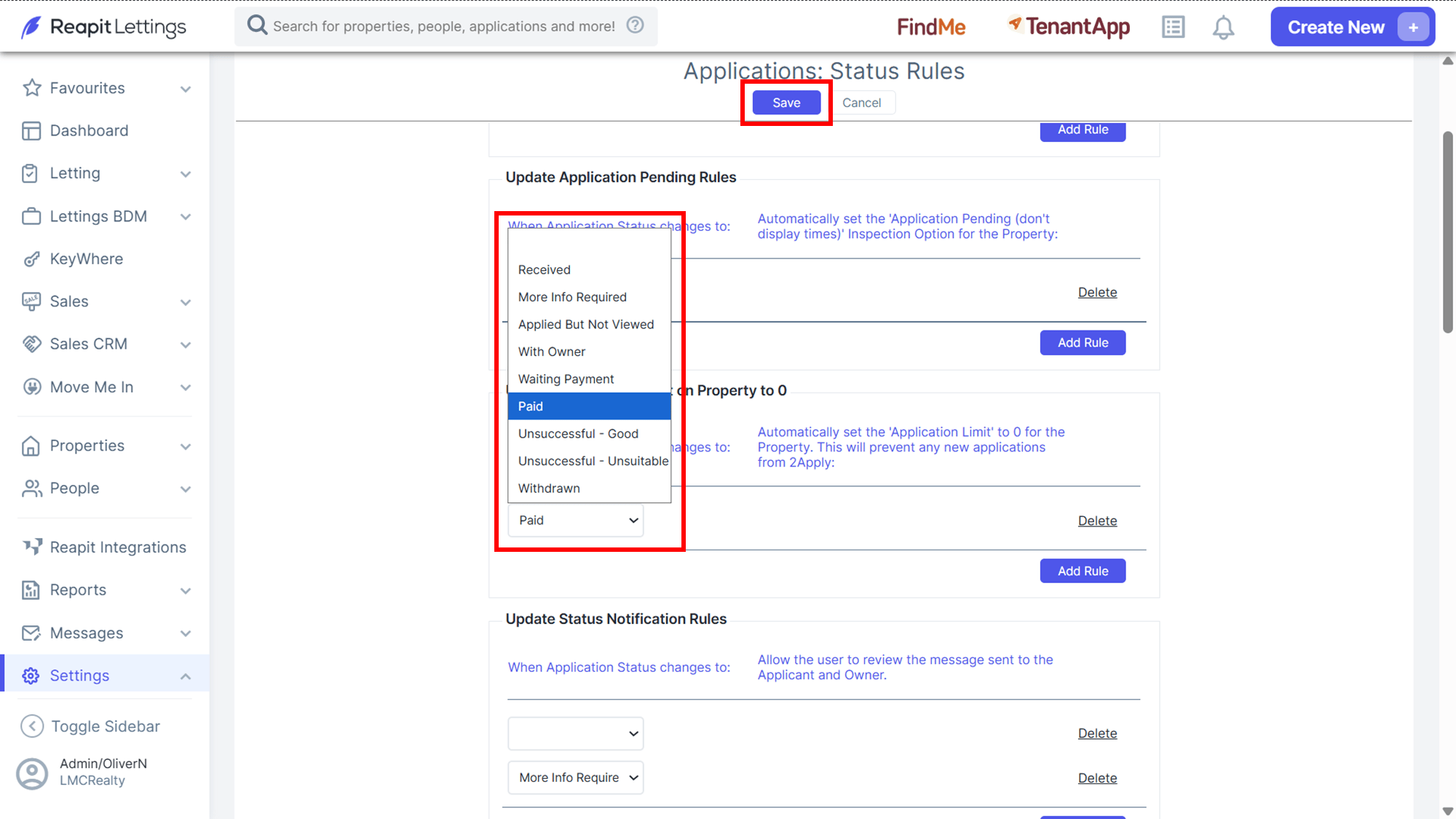
- To edit an existing rule, navigate to the rules section you want to edit, click on the appropriate selection drop-down and select a different status rule and click Save.
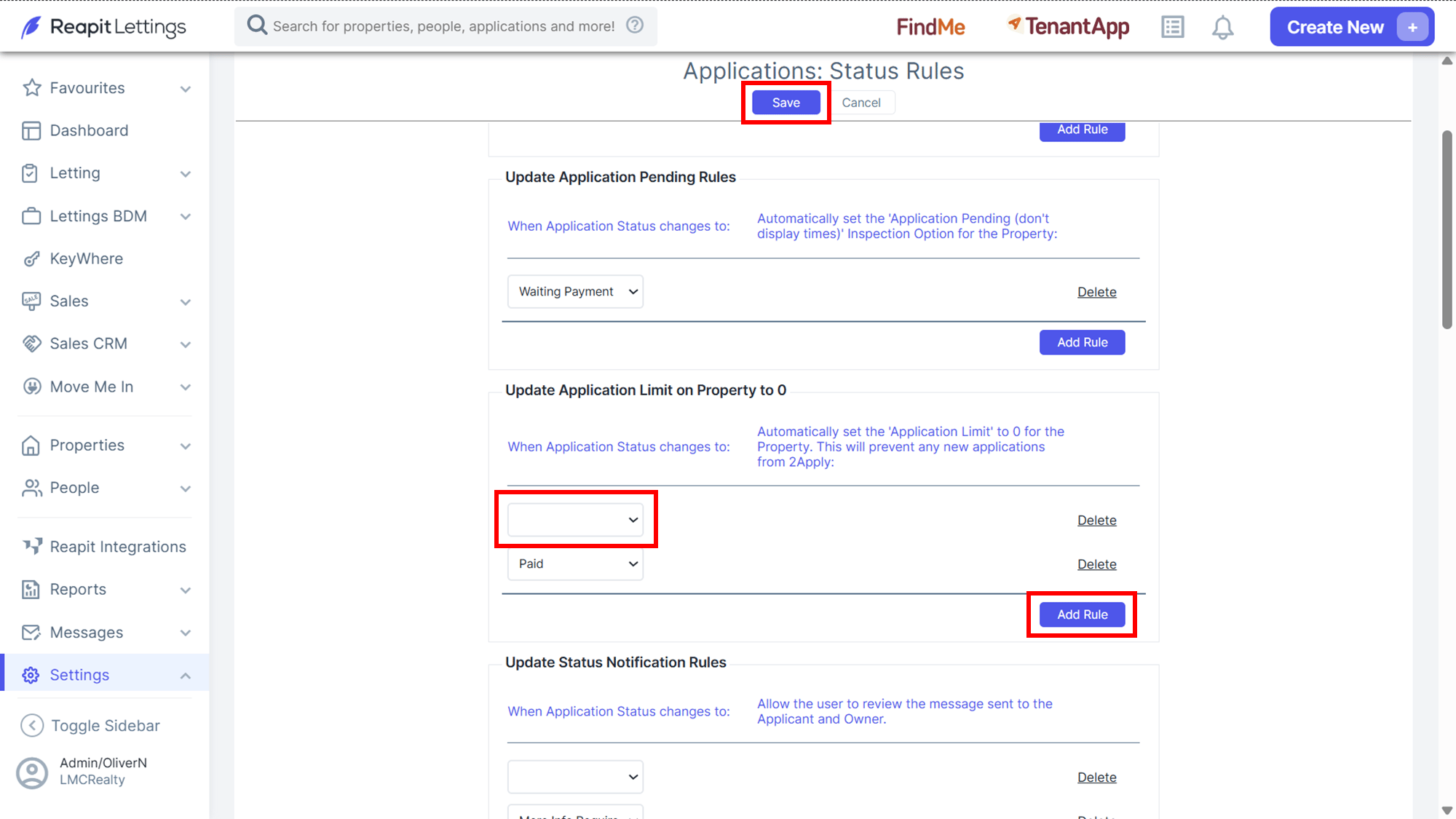
- To add a new status rule, navigate to the rules section, click Add Rule, click on the blank selection drop-down and select a status rule and click Save.
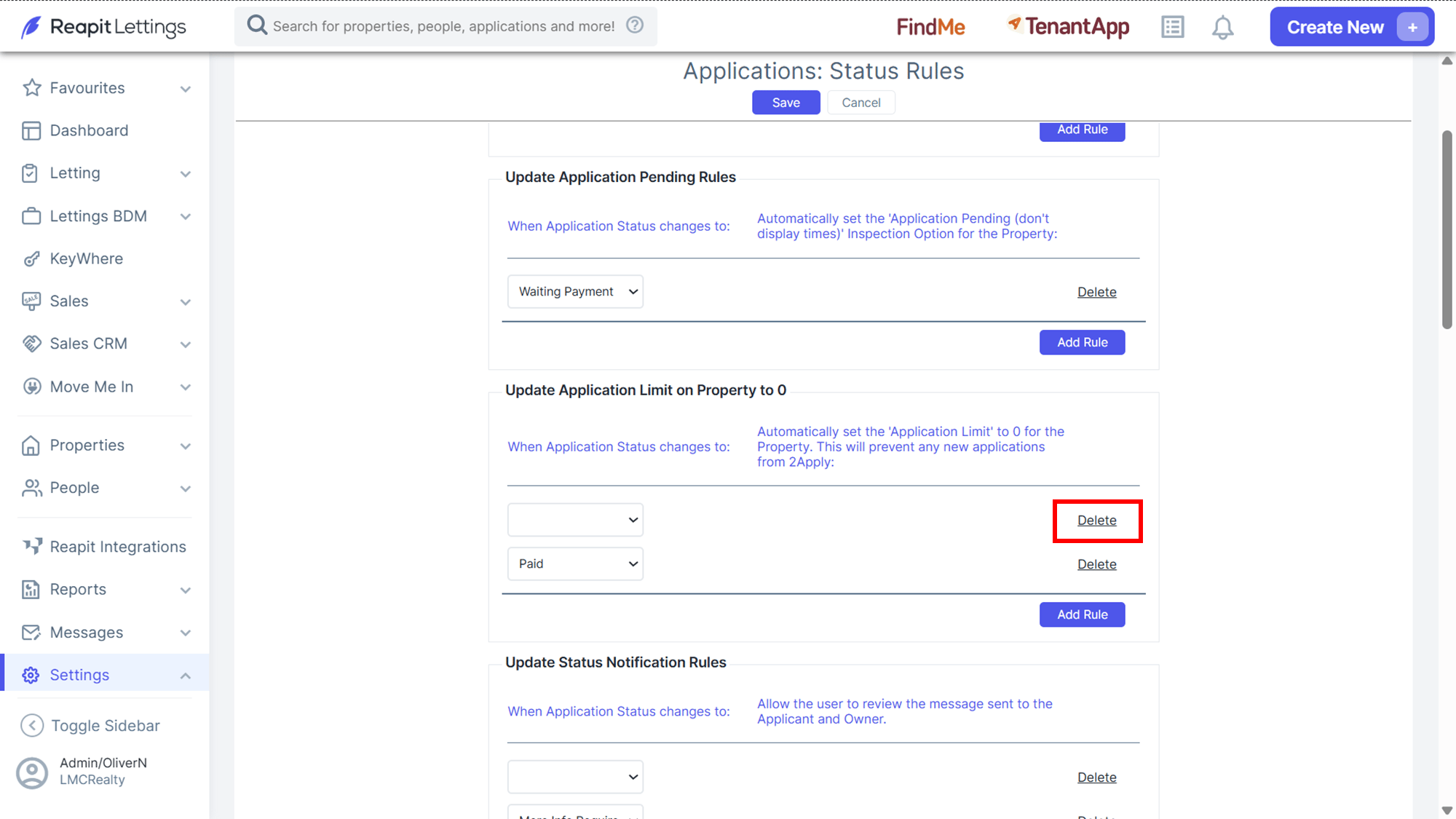
- To delete an existing rule, navigate to the rules section, click Delete.