'%20d='M0%208a8%208%200%200%201%208-8h24a8%208%200%200%201%208%208v24a8%208%200%200%201-8%208H8a8%208%200%200%201-8-8V8Z'/%3e%3cpath%20fill='%23fff'%20d='M32.576%206C12.293%206%208.776%2025.887%207.424%2034H9.1c.45-2.977%203.493-14.748%2010.899-20.287%200%200-5.633%206.976-6.572%2015.051%203.426-.652%2013.845-3.372%2016.056-12.927l-3.84-.61c1.352-1.351%204.909-5.17%206.931-9.226V6Z'/%3e%3cdefs%3e%3clinearGradient%20id='reapit-lettings__a'%20x1='20.702'%20x2='20.702'%20y1='.351'%20y2='31.228'%20gradientUnits='userSpaceOnUse'%3e%3cstop%20stop-color='%235573FD'/%3e%3cstop%20offset='.575'%20stop-color='%234E56EA'/%3e%3c/linearGradient%3e%3c/defs%3e%3c/svg%3e)
How to Search for an Application
This article will run through how to search for an application in Reapit Lettings.
How to Search for an Application
This article will run through how to search for an application in Reapit Lettings.
- Click on Letting. 2. Click on Applications. 3. Select Applications.
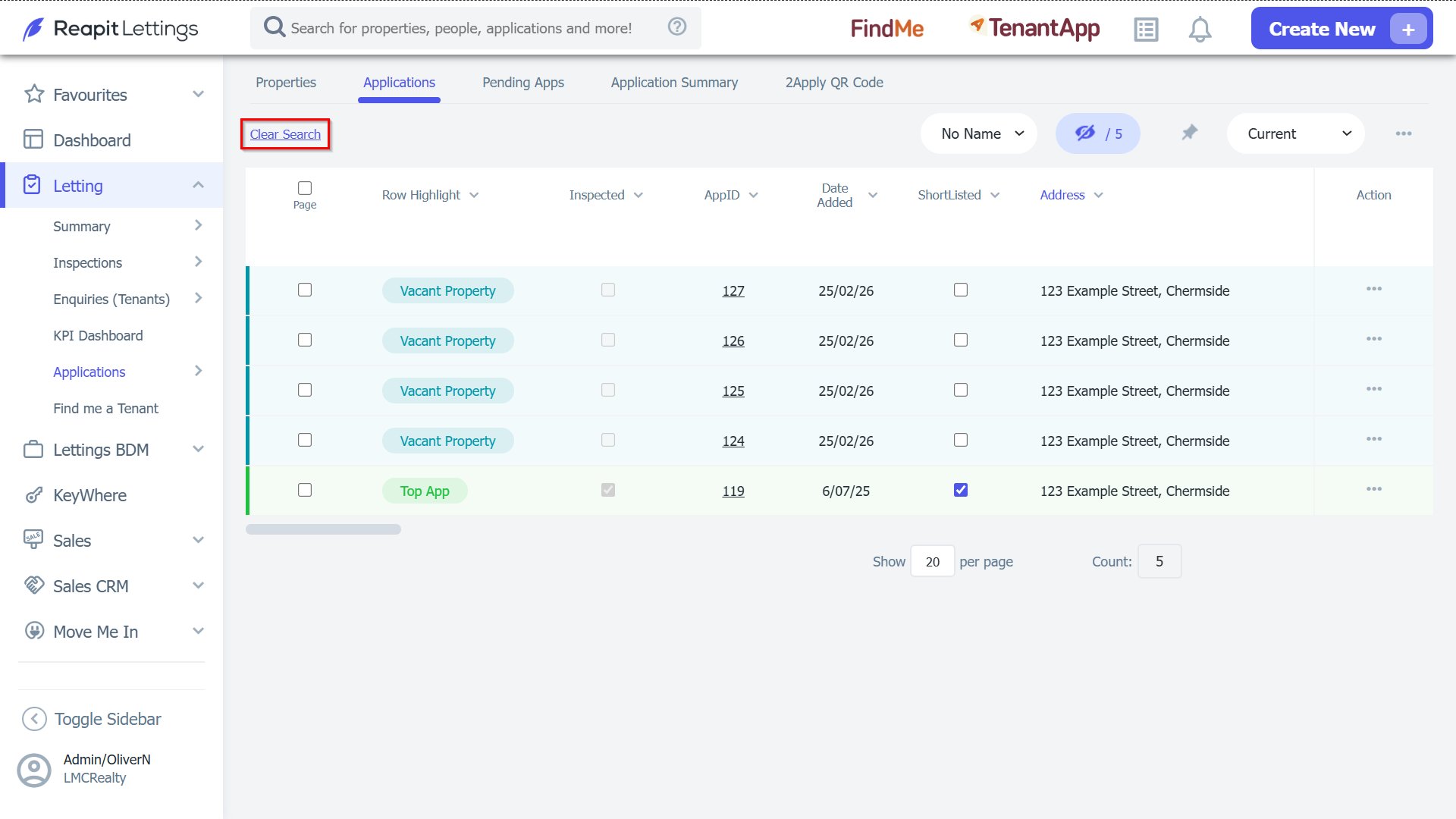
4. In the screen that opens, you will see a list of your applications. By default, this will only show Current applications. You can filter this page to see All (30 Days), All (90 Days), Hidden or All if the application is not current.
5. You are then able to search using any of the headings shown in the application section by selecting the heading which will bring up the search bar.
6. You can search by any column visible (add or remove columns using the Column Chooser outlined in another guide). Please note that if the search continues and you would now like to remove it, please select the Clear Search button.