'%20d='M0%208a8%208%200%200%201%208-8h24a8%208%200%200%201%208%208v24a8%208%200%200%201-8%208H8a8%208%200%200%201-8-8V8Z'/%3e%3cpath%20fill='%23fff'%20d='M32.576%206C12.293%206%208.776%2025.887%207.424%2034H9.1c.45-2.977%203.493-14.748%2010.899-20.287%200%200-5.633%206.976-6.572%2015.051%203.426-.652%2013.845-3.372%2016.056-12.927l-3.84-.61c1.352-1.351%204.909-5.17%206.931-9.226V6Z'/%3e%3cdefs%3e%3clinearGradient%20id='reapit-lettings__a'%20x1='20.702'%20x2='20.702'%20y1='.351'%20y2='31.228'%20gradientUnits='userSpaceOnUse'%3e%3cstop%20stop-color='%235573FD'/%3e%3cstop%20offset='.575'%20stop-color='%234E56EA'/%3e%3c/linearGradient%3e%3c/defs%3e%3c/svg%3e)
Vault Integration
This article will run through the vault integration in Reapit Lettings - Sales.
Integration Options
Autosync
When a new customer sets up VaultRE integration and enables Autosync, then Reapit Lettings will:
- Look for contacts up to 90 days old that have not been synchronised, and synchronise them.
- Look for inquiries up to 90 days old that have not been synchronised, and synchronise them.
- Look for inspections up to 21 days old that have not been synchronised, and synchronise them.
Inquiries
Inquiries that are not registered for an inspection will be sent through to Vault provided the property is listed in Vault.
- If the contact already exists in Vault, the inquiry will be added to the existing record.
- If the contact does not already exist, it will be created.
Inspections
Buyers booked into an inspection will be added to their existing contact record.
Enabling the Integration.
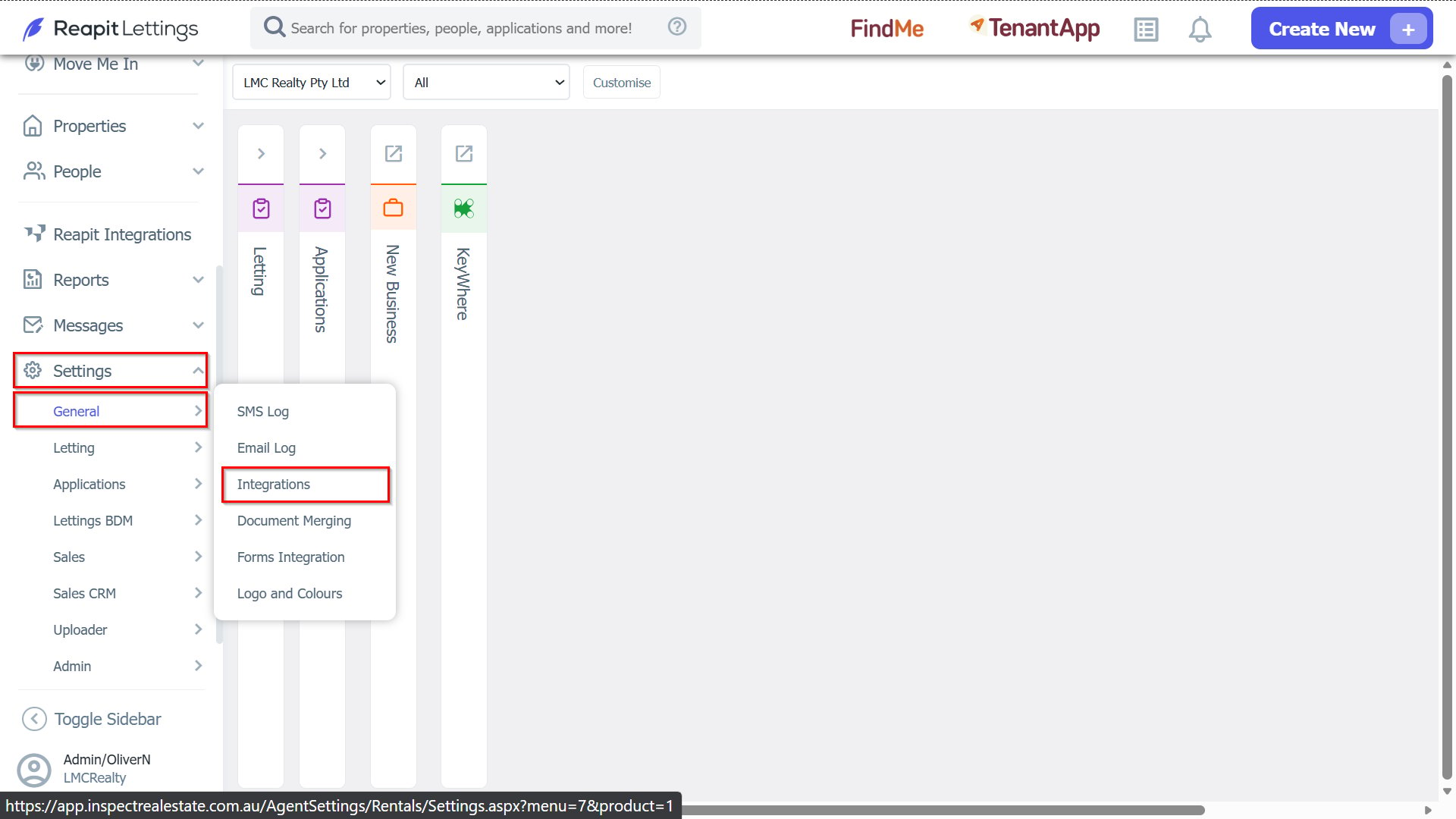
1. To enable the integration with VaultRE, a Diamond or above user will need to navigate to Settings > General > Integrations.
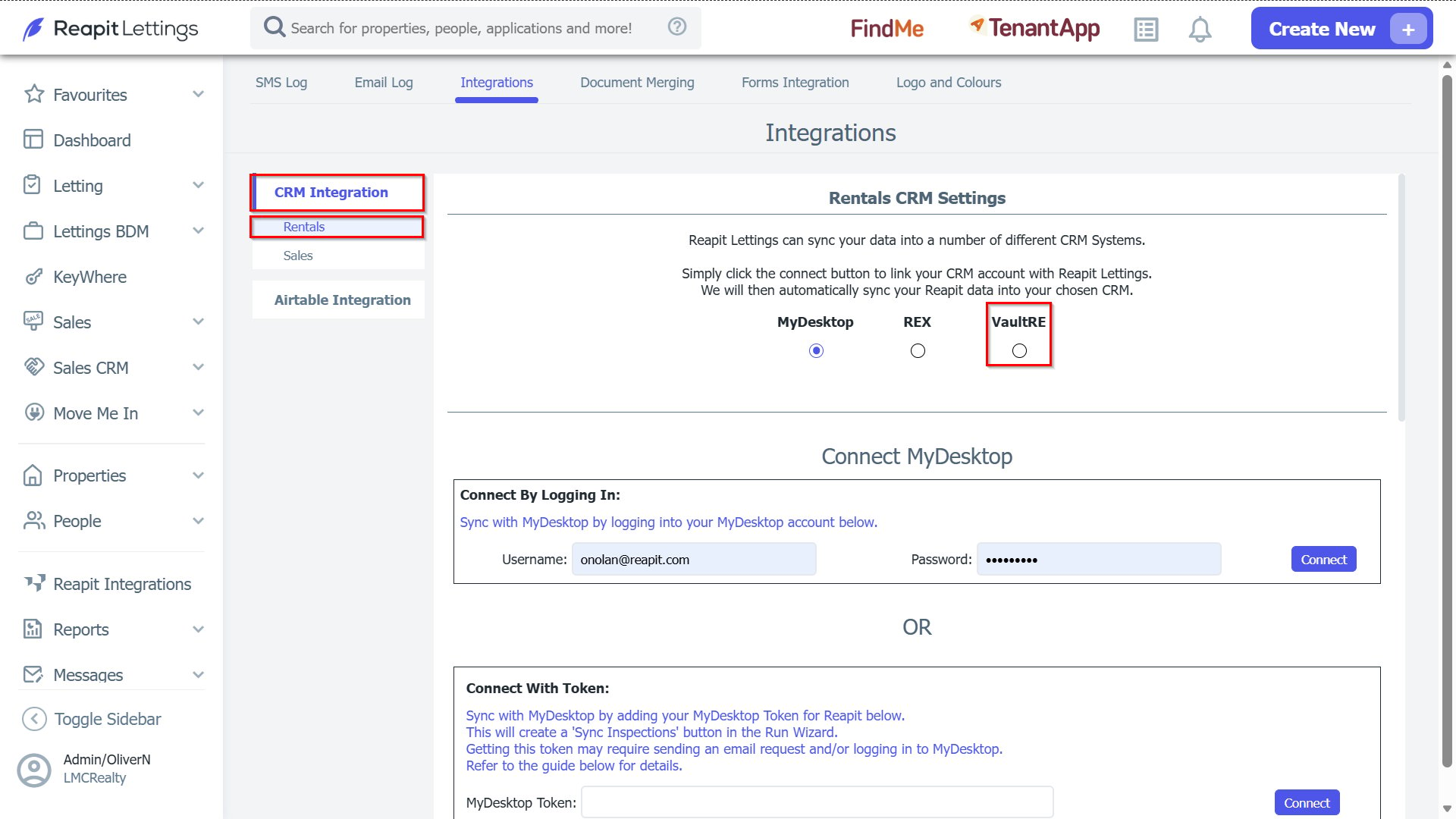
2. In the CRM Integration tab, choose either Rentals or Sales (if these products are enabled in yourReapit Lettings account), and select VaultRE.
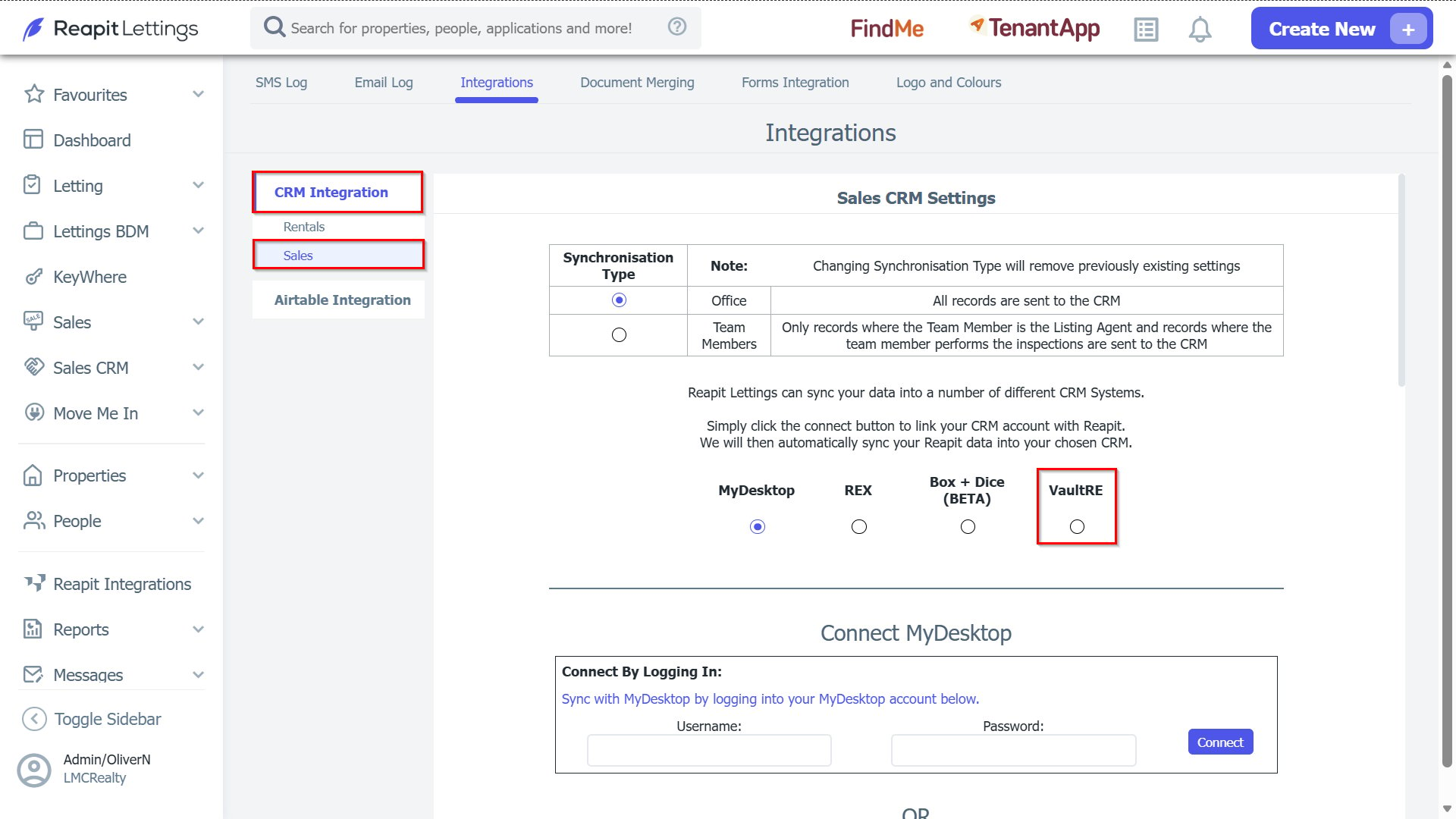
3. Select and complete your connection method. Once this has been connected, you can select the relevant integration options and match the note types to what is available in Vault.