'%20d='M0%208a8%208%200%200%201%208-8h24a8%208%200%200%201%208%208v24a8%208%200%200%201-8%208H8a8%208%200%200%201-8-8V8Z'/%3e%3cpath%20fill='%23fff'%20d='M32.576%206C12.293%206%208.776%2025.887%207.424%2034H9.1c.45-2.977%203.493-14.748%2010.899-20.287%200%200-5.633%206.976-6.572%2015.051%203.426-.652%2013.845-3.372%2016.056-12.927l-3.84-.61c1.352-1.351%204.909-5.17%206.931-9.226V6Z'/%3e%3cdefs%3e%3clinearGradient%20id='reapit-lettings__a'%20x1='20.702'%20x2='20.702'%20y1='.351'%20y2='31.228'%20gradientUnits='userSpaceOnUse'%3e%3cstop%20stop-color='%235573FD'/%3e%3cstop%20offset='.575'%20stop-color='%234E56EA'/%3e%3c/linearGradient%3e%3c/defs%3e%3c/svg%3e)
Hiding Key Numbers
This article will run through how to hide key numbers in KeyWhere
Hiding Key Numbers
This article will run through how to hide key numbers in KeyWhere.
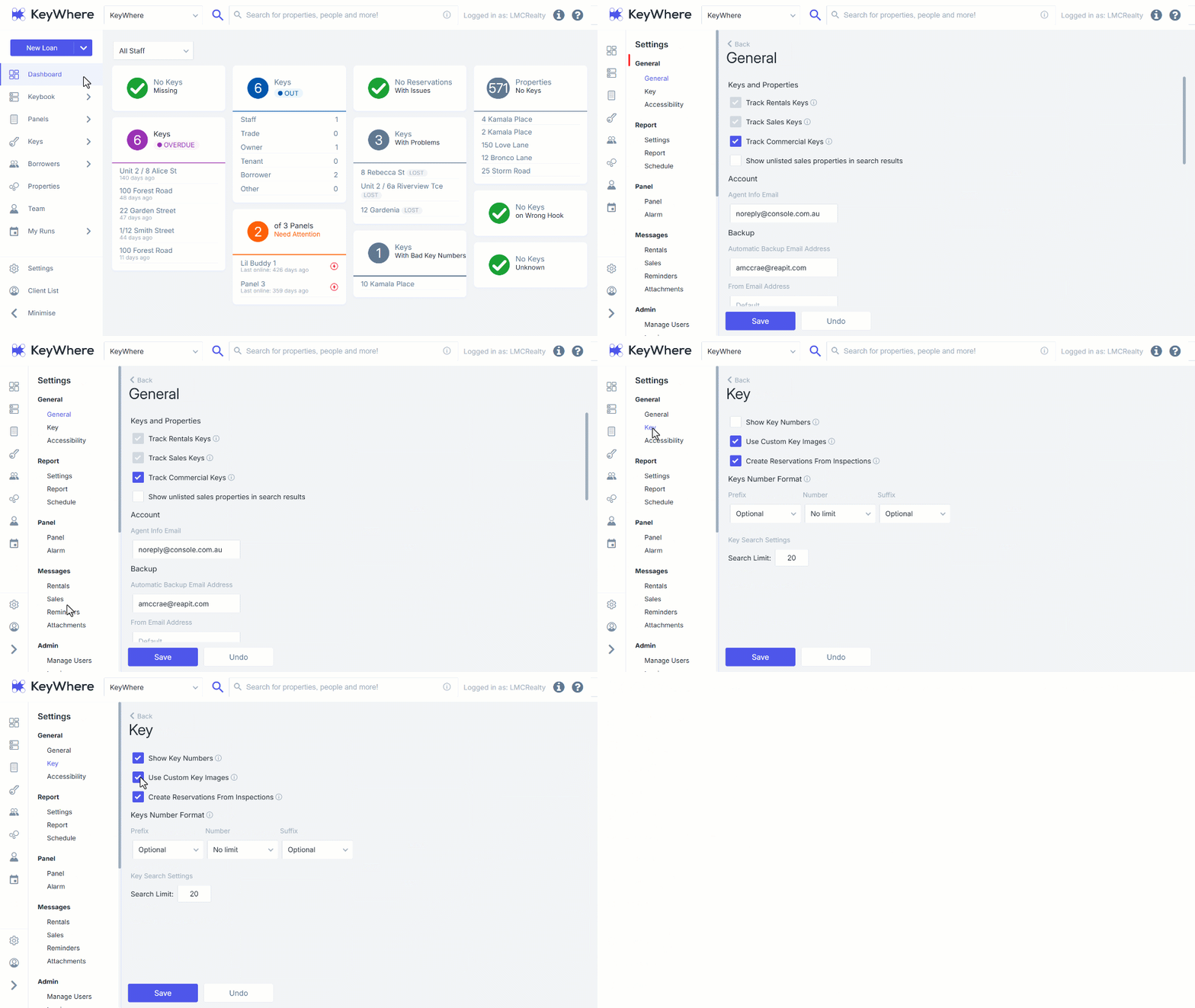
This feature safeguards the keysets, so a paper trail is created should a user view a key number and then the key goes 'missing'. 1. Click on Settings. 2. Navigate to subcategory General. 3. Click on Key. 4. Tick or untick the check box for Show Key Numbers to Turn On or Turn Off the setting. 5. Click on Save.