'%20d='M0%208a8%208%200%200%201%208-8h24a8%208%200%200%201%208%208v24a8%208%200%200%201-8%208H8a8%208%200%200%201-8-8V8Z'/%3e%3cpath%20fill='%23fff'%20d='M32.576%206C12.293%206%208.776%2025.887%207.424%2034H9.1c.45-2.977%203.493-14.748%2010.899-20.287%200%200-5.633%206.976-6.572%2015.051%203.426-.652%2013.845-3.372%2016.056-12.927l-3.84-.61c1.352-1.351%204.909-5.17%206.931-9.226V6Z'/%3e%3cdefs%3e%3clinearGradient%20id='reapit-lettings__a'%20x1='20.702'%20x2='20.702'%20y1='.351'%20y2='31.228'%20gradientUnits='userSpaceOnUse'%3e%3cstop%20stop-color='%235573FD'/%3e%3cstop%20offset='.575'%20stop-color='%234E56EA'/%3e%3c/linearGradient%3e%3c/defs%3e%3c/svg%3e)
Owner Report
The article will walk you through how to generate and manage the Weekly Owner Report for each property In Reapit Lettings - Sales. This report is sent to the listed owner, detailing enquiry information for their property over the last seven days. It includes methods of enquiry, number of enquiries, and inspection outcomes.
Owner Report
The article will walk you through how to generate and manage the Weekly Owner Report for each property in Reapit Lettings - Sales. This report is sent to the listed owner, detailing enquiry information for their property over the last seven days. It includes methods of enquiry, number of enquiries, and inspection outcomes.
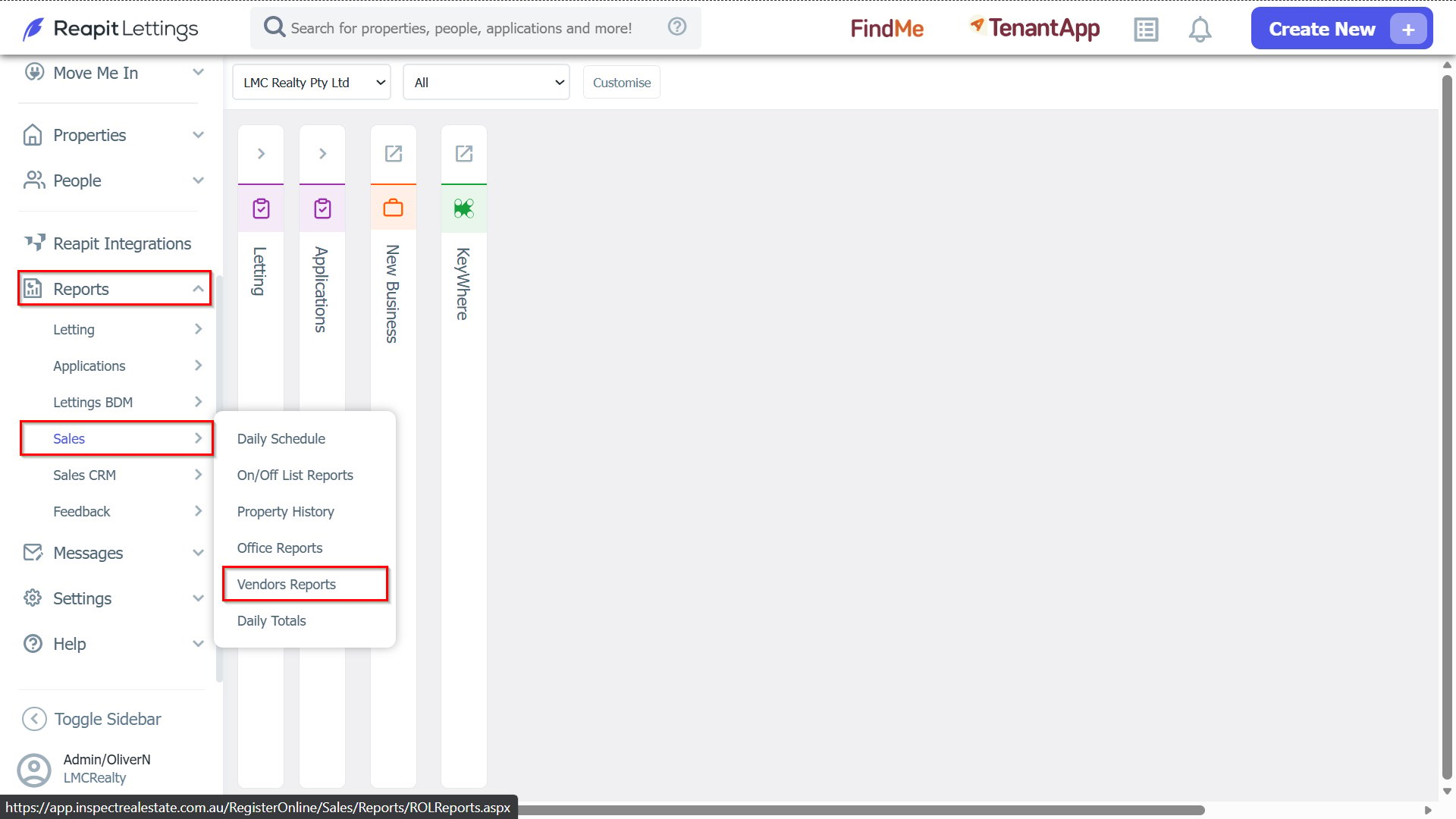
- To access the Owner Report settings, navigate to Reports > Sales, and select Vendor Reports.
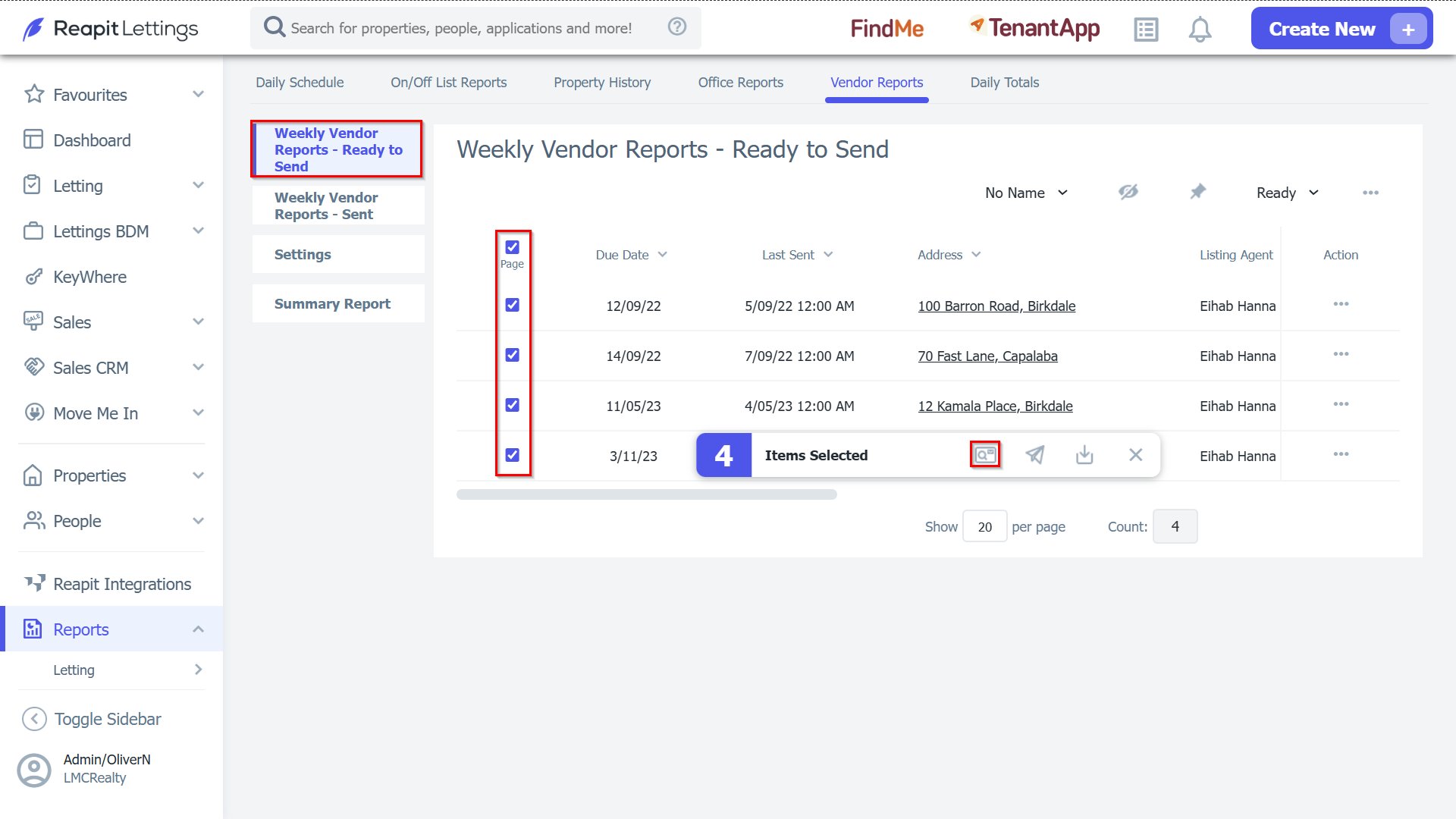
- Within the Weekly Vendor Reports - Ready to Send tab, select the checkboxes adjacent to the property address you wish to deploy and click the Review and Send icon.