'%20d='M0%208a8%208%200%200%201%208-8h24a8%208%200%200%201%208%208v24a8%208%200%200%201-8%208H8a8%208%200%200%201-8-8V8Z'/%3e%3cpath%20fill='%23fff'%20d='M32.576%206C12.293%206%208.776%2025.887%207.424%2034H9.1c.45-2.977%203.493-14.748%2010.899-20.287%200%200-5.633%206.976-6.572%2015.051%203.426-.652%2013.845-3.372%2016.056-12.927l-3.84-.61c1.352-1.351%204.909-5.17%206.931-9.226V6Z'/%3e%3cdefs%3e%3clinearGradient%20id='reapit-lettings__a'%20x1='20.702'%20x2='20.702'%20y1='.351'%20y2='31.228'%20gradientUnits='userSpaceOnUse'%3e%3cstop%20stop-color='%235573FD'/%3e%3cstop%20offset='.575'%20stop-color='%234E56EA'/%3e%3c/linearGradient%3e%3c/defs%3e%3c/svg%3e)
Inviting Tenants using FindMe
This article will teach you how to review and invite suitable applicants to apply for properties within your management using the FindMe function within Reapit Lettings.
Inviting Tenants using FindMe
This article will teach you how to review and invite suitable applicants to apply for properties within your management using the FindMe function within Reapit Lettings.
The FindMe function will display suggested applicants who have shared their 2Apply account with agencies if their profile meets the criteria set for the chosen property.
Potential applicants who have interacted with your agency in the past and been entered as a Prospect into Reapit Lettings can be matched with properties by going to Letting > Inspection Summary > Tenants Matched column.
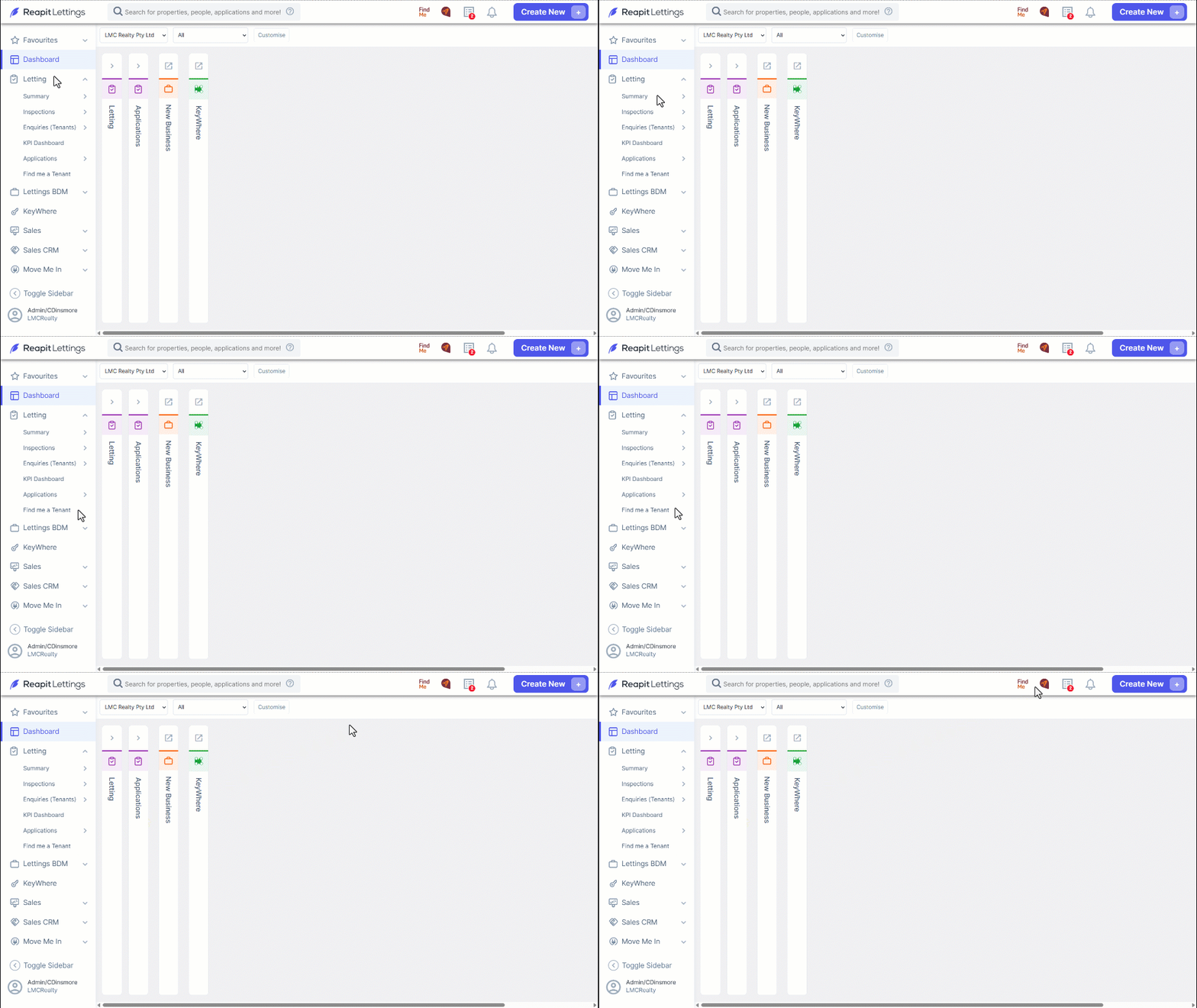
- Navigate to Letting
- Click Find Me a Tenant.
- Or click on FindMe located on the Reapit Lettings Ribbon at the top of the screen.
- Select a Search Type:
| Select a Property | Allows you to search for a specific property address. |
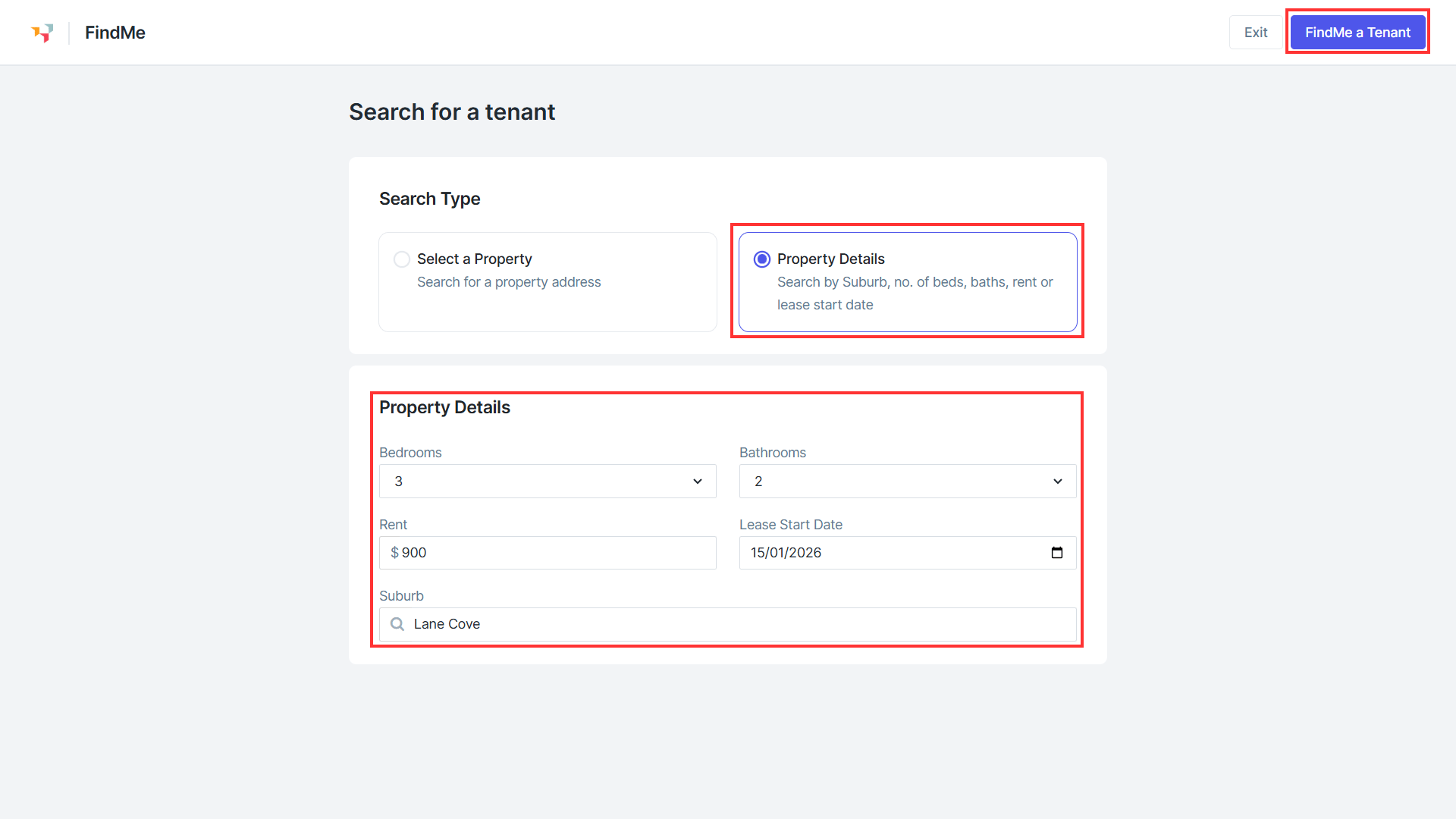
| Property Details | Allows you to enter some property details, Suburb, no. of beds, rent, lease start date etc. to start browsing suggested applicants for properties not yet listed. |
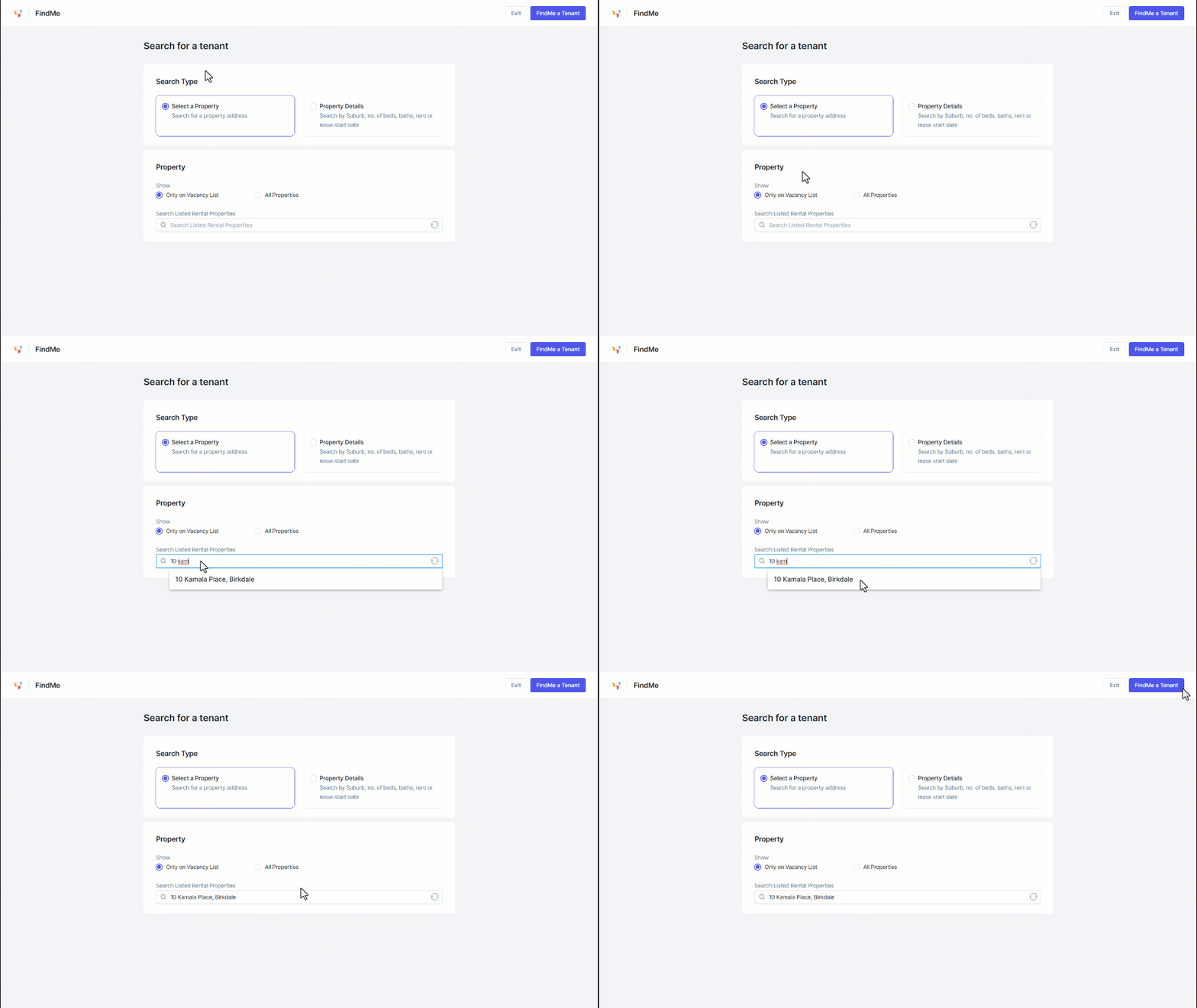
- To search for a property by address, choose Select a Property and then either Only on Vacancy List or All Properties.
- Start typing in the address of the property and select from the list displayed.
- Click FindMe a Tenant.
- Alternatively, choose Property Details and enter property details into each field to start browsing suggested applicants for the properties not yet listed.
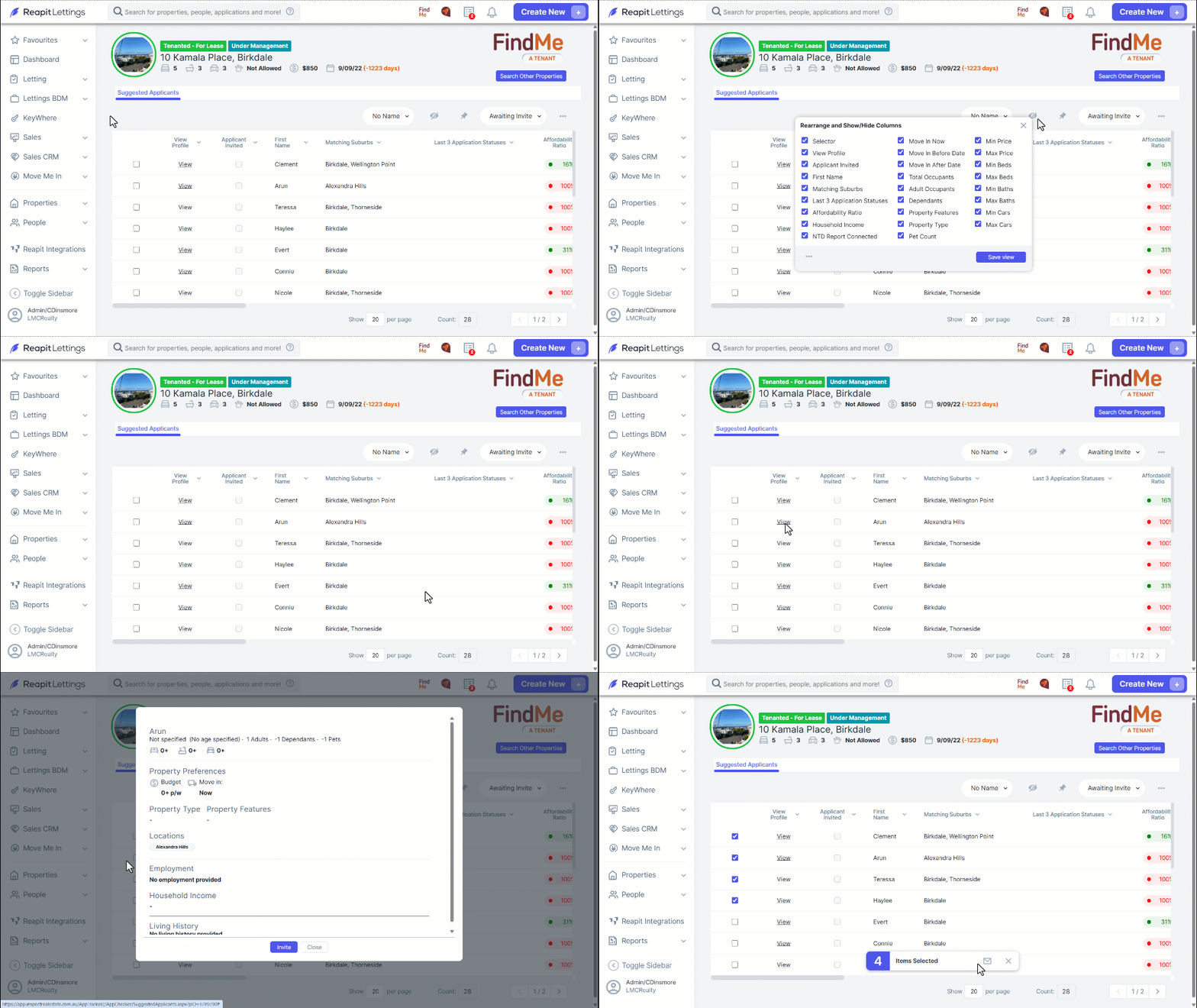
- Click on the Column Chooser to change the columns displayed on screen, and click Save view after any changes.
- Click View to open and review the profile of the applicant. Within the profile, you can click Close or Send Invite.
- To send bulk invitations to applicants, select the associated checkbox and then click the envelope icon from the pop-up.
Note: If the property features are not updated, navigate to Properties > Rentals, select the property you wish to edit, click Main Data and you can edit accordingly for a more effective search result.