'%20d='M0%208a8%208%200%200%201%208-8h24a8%208%200%200%201%208%208v24a8%208%200%200%201-8%208H8a8%208%200%200%201-8-8V8Z'/%3e%3cpath%20fill='%23fff'%20d='M32.576%206C12.293%206%208.776%2025.887%207.424%2034H9.1c.45-2.977%203.493-14.748%2010.899-20.287%200%200-5.633%206.976-6.572%2015.051%203.426-.652%2013.845-3.372%2016.056-12.927l-3.84-.61c1.352-1.351%204.909-5.17%206.931-9.226V6Z'/%3e%3cdefs%3e%3clinearGradient%20id='reapit-lettings__a'%20x1='20.702'%20x2='20.702'%20y1='.351'%20y2='31.228'%20gradientUnits='userSpaceOnUse'%3e%3cstop%20stop-color='%235573FD'/%3e%3cstop%20offset='.575'%20stop-color='%234E56EA'/%3e%3c/linearGradient%3e%3c/defs%3e%3c/svg%3e)
Lettings Quick Register
This article will cover using Quick Register for inspections or adding prospects to your database in Reapit Lettings.
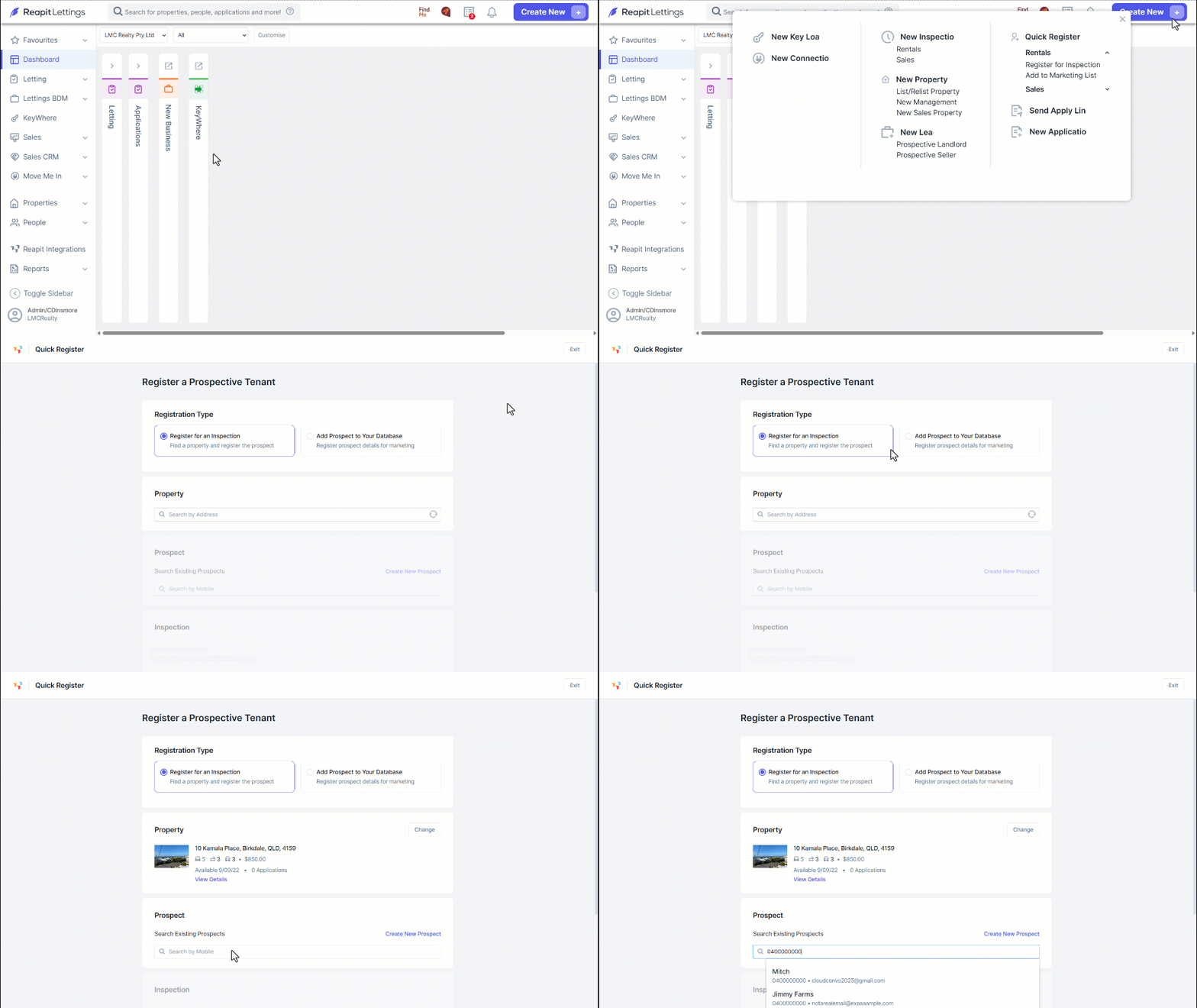
1. Navigate to Create New.
2. Click Register for Inspection.
3. Select the Registration Type:
- Register for an Inspection – Find a property and register the prospect
- Add Prospect to Your Database – Register product details for marketing
4. Enter the Property Address.
5. Search for an existing prospect with the mobile number search field. Alternatively, to create a new prospect, click Create New Prospect.
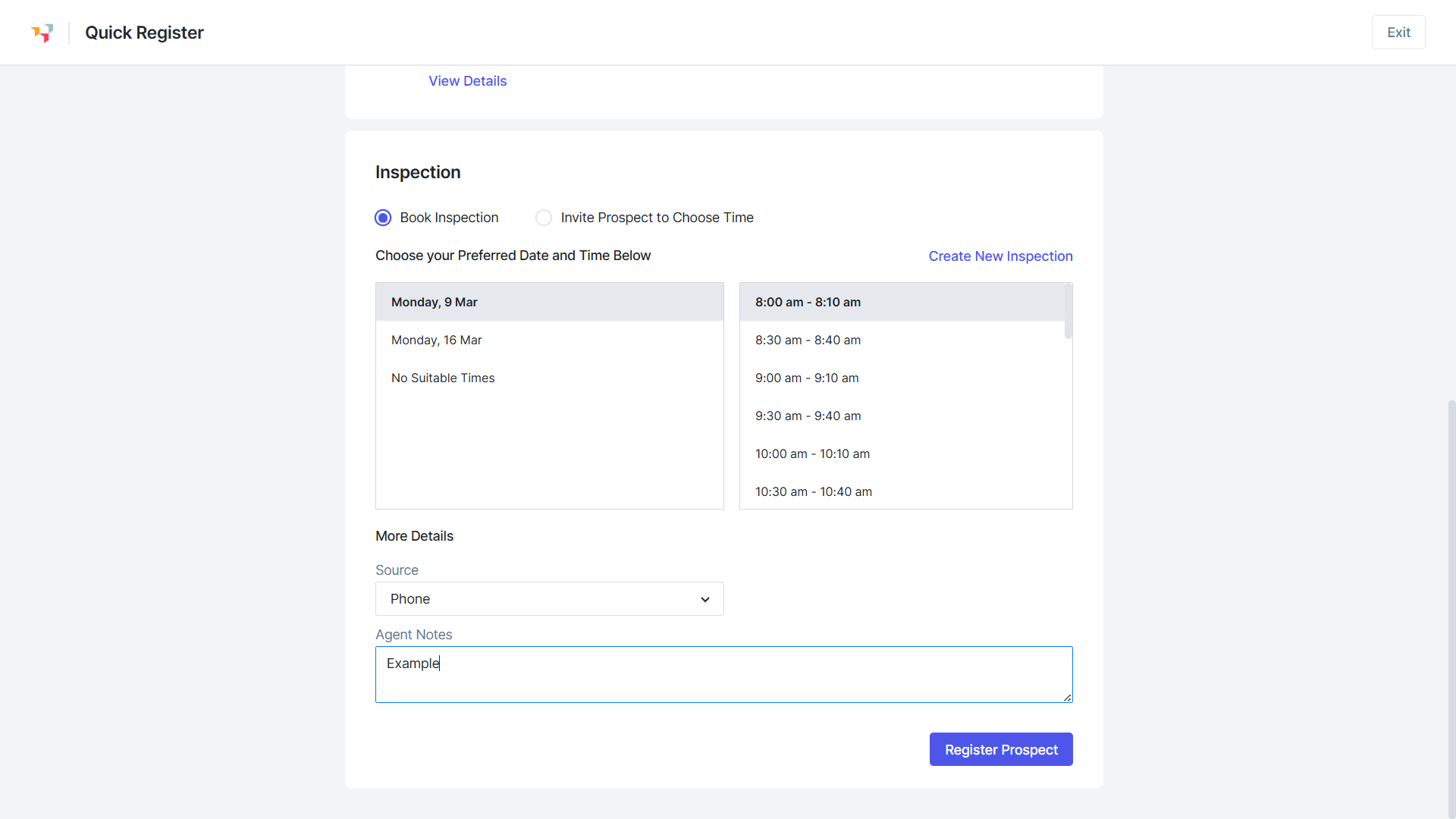
6. Select Book inspection or Invite Prospect to Choose Time.
7. Enter in the preferred date and time details along with the source and any agent notes for Book inspection.
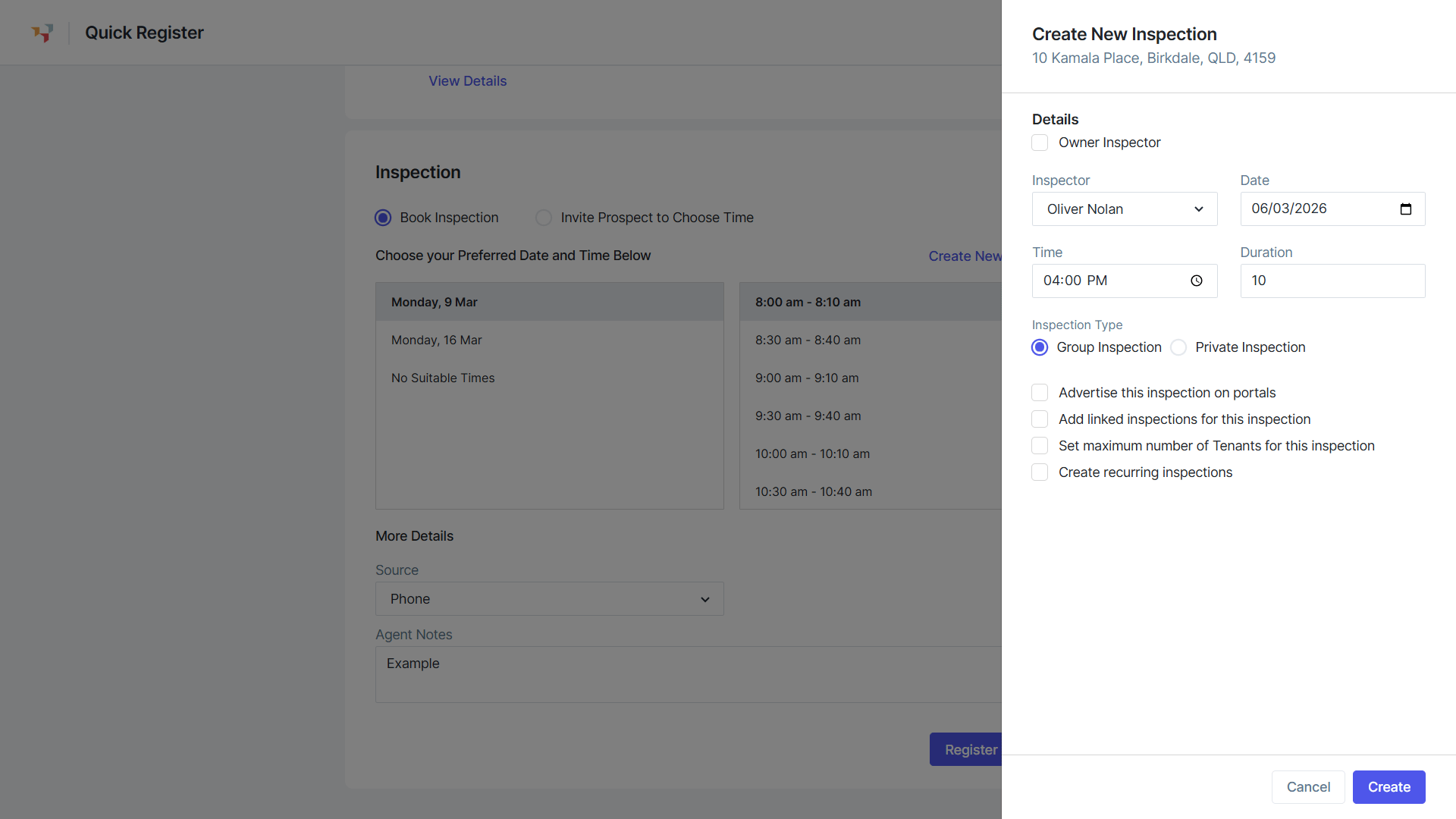
8. Click Create Inspection to arrange a new inspection date, time and type. Click Create.
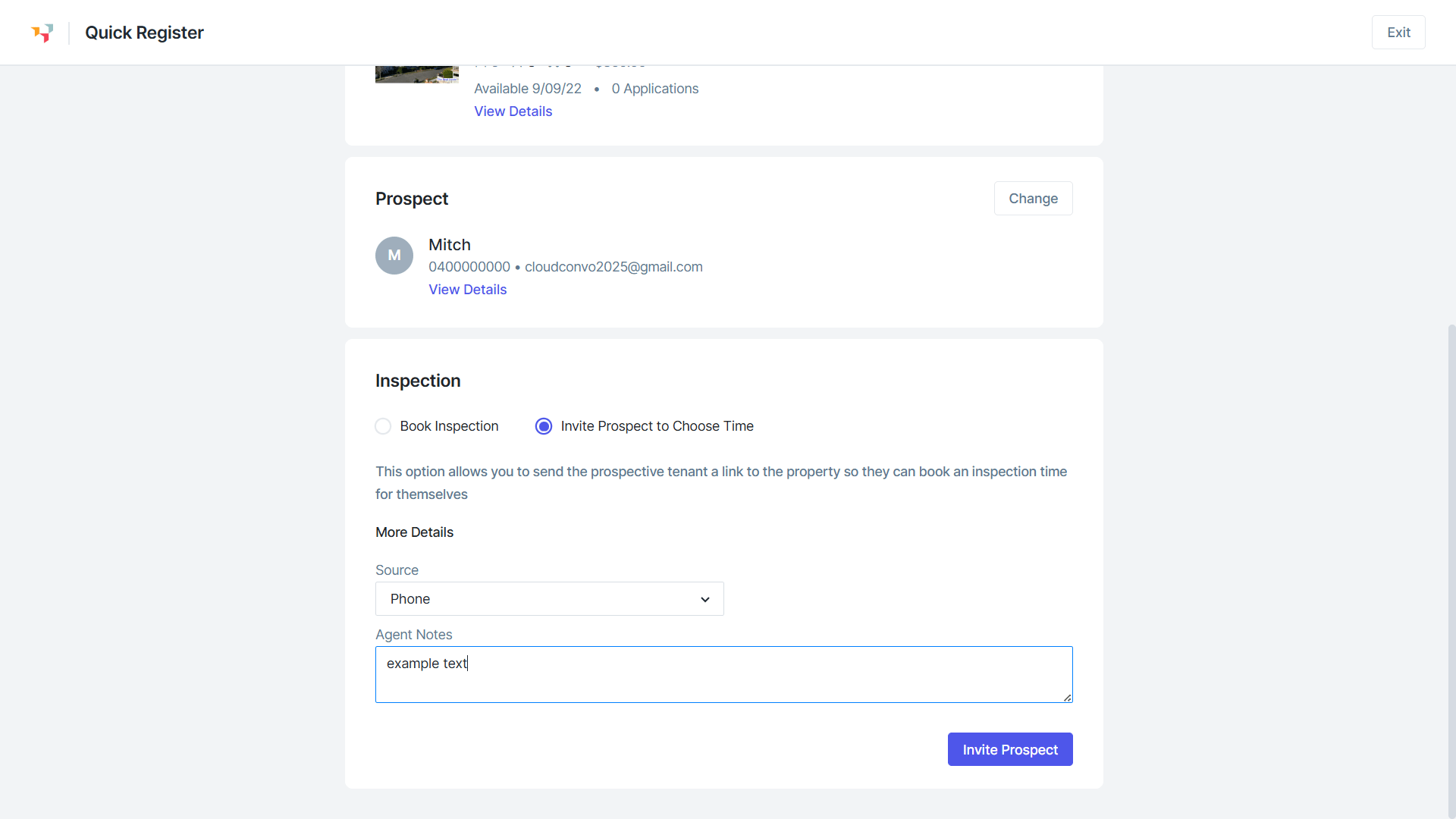
9. Enter the source and any agent notes for Invite Prospect to Choose Time.
10. Click Invite Prospect.