'%20d='M0%208a8%208%200%200%201%208-8h24a8%208%200%200%201%208%208v24a8%208%200%200%201-8%208H8a8%208%200%200%201-8-8V8Z'/%3e%3cpath%20fill='%23fff'%20d='M32.576%206C12.293%206%208.776%2025.887%207.424%2034H9.1c.45-2.977%203.493-14.748%2010.899-20.287%200%200-5.633%206.976-6.572%2015.051%203.426-.652%2013.845-3.372%2016.056-12.927l-3.84-.61c1.352-1.351%204.909-5.17%206.931-9.226V6Z'/%3e%3cdefs%3e%3clinearGradient%20id='reapit-lettings__a'%20x1='20.702'%20x2='20.702'%20y1='.351'%20y2='31.228'%20gradientUnits='userSpaceOnUse'%3e%3cstop%20stop-color='%235573FD'/%3e%3cstop%20offset='.575'%20stop-color='%234E56EA'/%3e%3c/linearGradient%3e%3c/defs%3e%3c/svg%3e)
How To Assign Properties To An Existing Owner
This article will run through how to assign properties to an existing owner within your account
How To Assign Properties To An Existing Owner
This article will run through how to assign properties to an existing owner within your account.
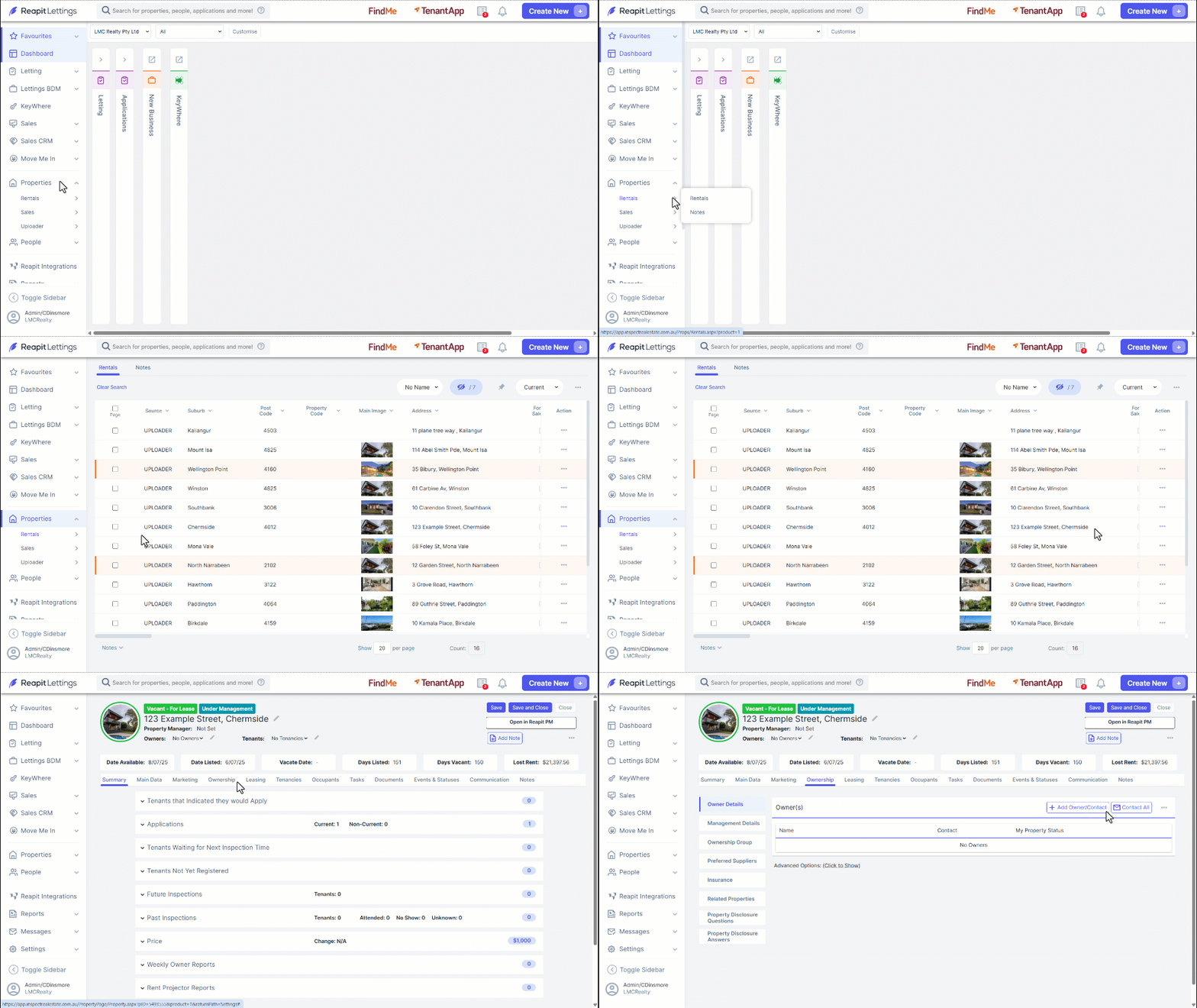
- Navigate to Properties.
- Click Rentals.
- Click on the p****roperty.
- Click the Ownership tab.
- Click the three dots.
- Click Add Owner Contact.
- If the contact to be added is an existing owner in your account, input their name into the Existing Owner text field (otherwise, input the details of the new owner contact(s), and click Save.
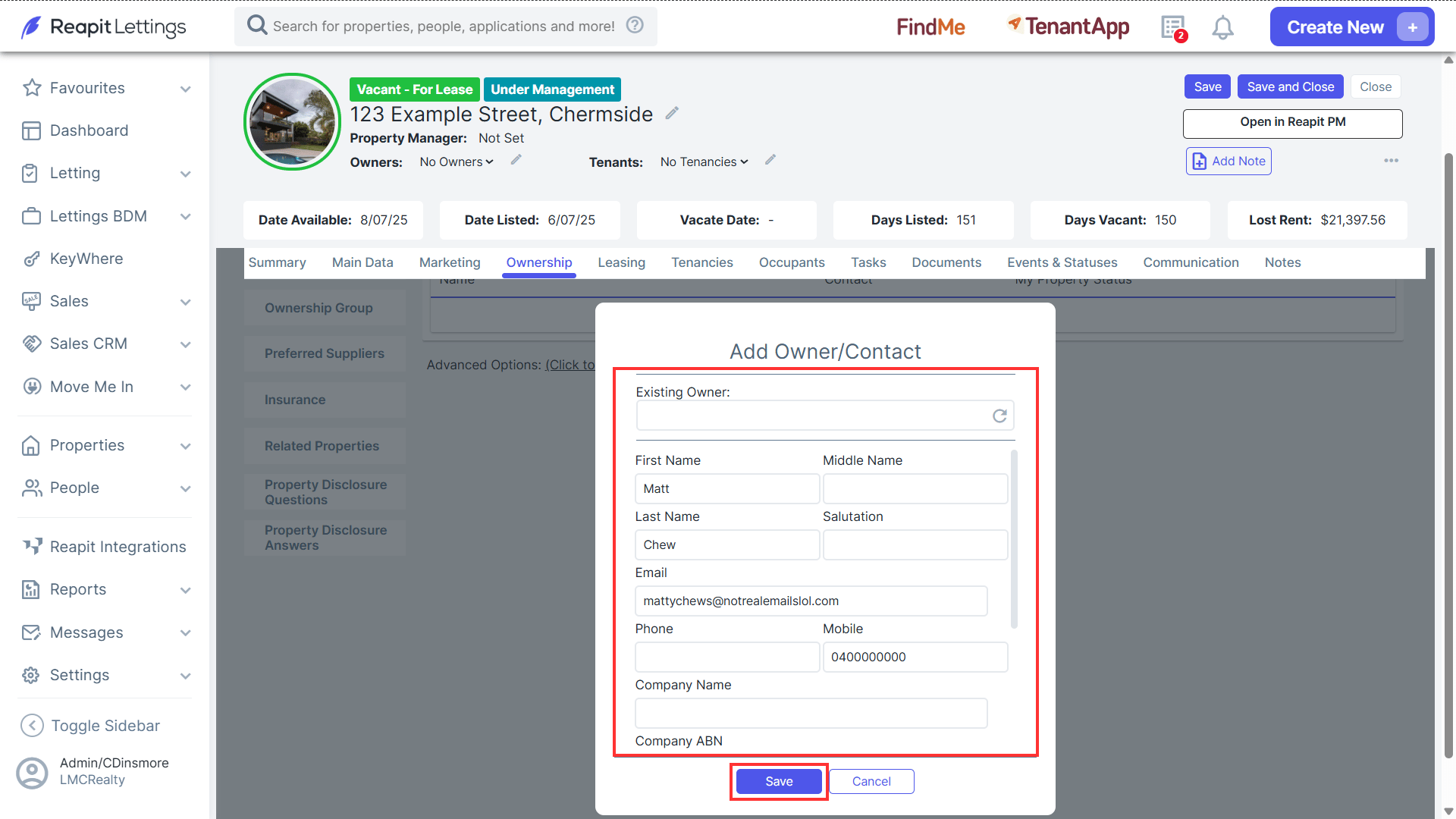
Note: You can add as many owner contacts as required.