'%20d='M0%208a8%208%200%200%201%208-8h24a8%208%200%200%201%208%208v24a8%208%200%200%201-8%208H8a8%208%200%200%201-8-8V8Z'/%3e%3cpath%20fill='%23fff'%20d='M32.576%206C12.293%206%208.776%2025.887%207.424%2034H9.1c.45-2.977%203.493-14.748%2010.899-20.287%200%200-5.633%206.976-6.572%2015.051%203.426-.652%2013.845-3.372%2016.056-12.927l-3.84-.61c1.352-1.351%204.909-5.17%206.931-9.226V6Z'/%3e%3cdefs%3e%3clinearGradient%20id='reapit-lettings__a'%20x1='20.702'%20x2='20.702'%20y1='.351'%20y2='31.228'%20gradientUnits='userSpaceOnUse'%3e%3cstop%20stop-color='%235573FD'/%3e%3cstop%20offset='.575'%20stop-color='%234E56EA'/%3e%3c/linearGradient%3e%3c/defs%3e%3c/svg%3e)
Use Custom Key Images
This article will run through how to toggle on and off the use of custom key images in KeyWhere
Use Custom Key Images
This article will run through how to toggle on and off the use of custom key images in KeyWhere.
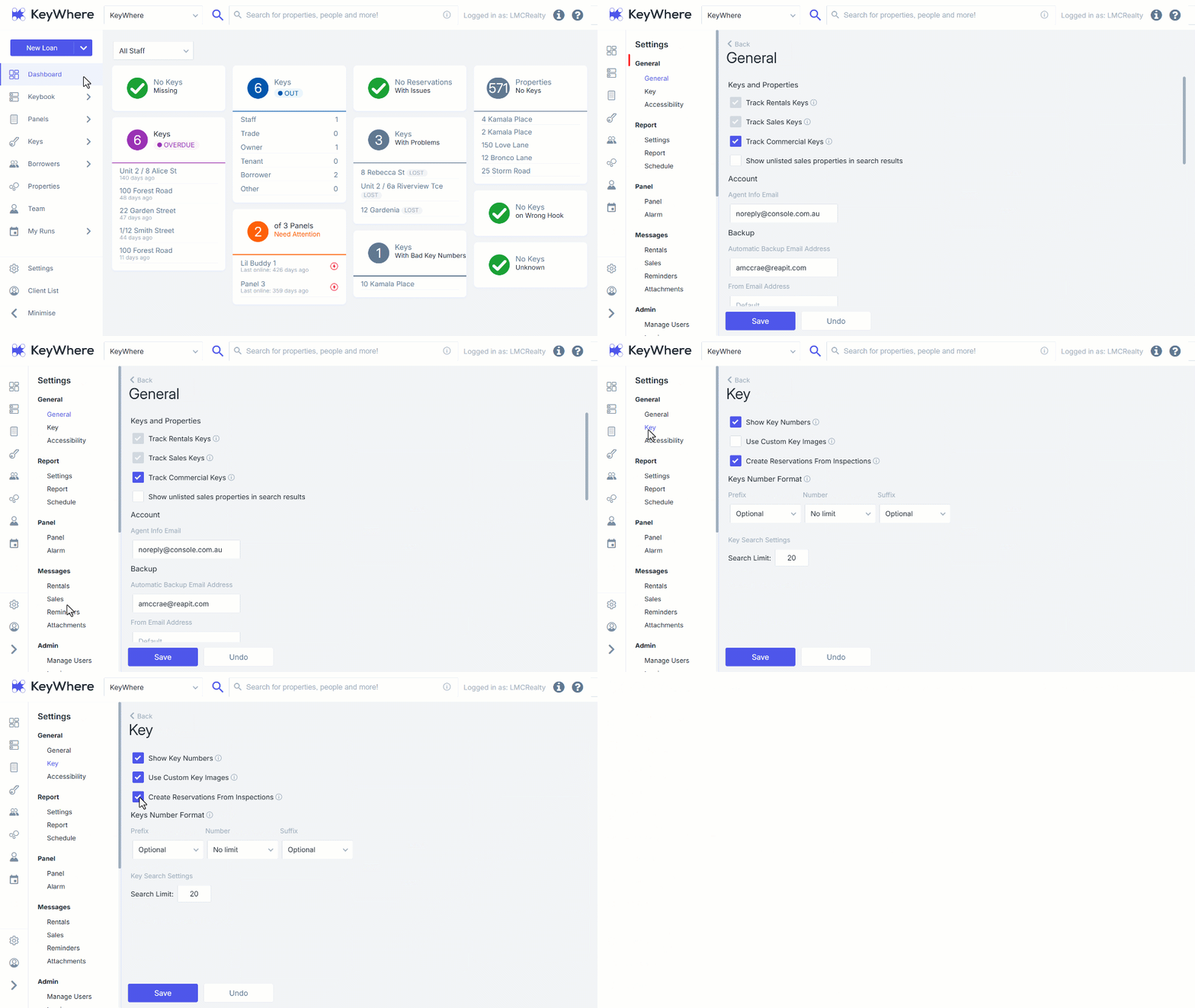
The key images can be used during the setup process, which can store a picture of the keyset within the software. To upload Key Images, please review Managing Keys in KeyWhere. 1. Click on Settings. 2. Navigate to subcategory General. 3. Click on Key. 4. Tick or untick the check box for Use Custom Key Images to Turn On or Turn Off the setting. 5. Click on Save.