'%20d='M0%208a8%208%200%200%201%208-8h24a8%208%200%200%201%208%208v24a8%208%200%200%201-8%208H8a8%208%200%200%201-8-8V8Z'/%3e%3cpath%20fill='%23fff'%20d='M32.576%206C12.293%206%208.776%2025.887%207.424%2034H9.1c.45-2.977%203.493-14.748%2010.899-20.287%200%200-5.633%206.976-6.572%2015.051%203.426-.652%2013.845-3.372%2016.056-12.927l-3.84-.61c1.352-1.351%204.909-5.17%206.931-9.226V6Z'/%3e%3cdefs%3e%3clinearGradient%20id='reapit-lettings__a'%20x1='20.702'%20x2='20.702'%20y1='.351'%20y2='31.228'%20gradientUnits='userSpaceOnUse'%3e%3cstop%20stop-color='%235573FD'/%3e%3cstop%20offset='.575'%20stop-color='%234E56EA'/%3e%3c/linearGradient%3e%3c/defs%3e%3c/svg%3e)
Bulk Status Updater
This article will run through how to use the Reapit Lettings Bulk Status Updater to update statuses for all applications that you have across all properties within your account.
Bulk Status Updater
This article will run through how to use the Reapit Lettings Bulk Status Updater to update statuses for all applications that you have across all properties within your account.
Please Note: The permission for Allow Bulk Application Status Update needs to be enabled for this to function. This can be located under Edit User > App Checker > Allow Bulk Application Status Update. Be sure to Save changes.
Option A
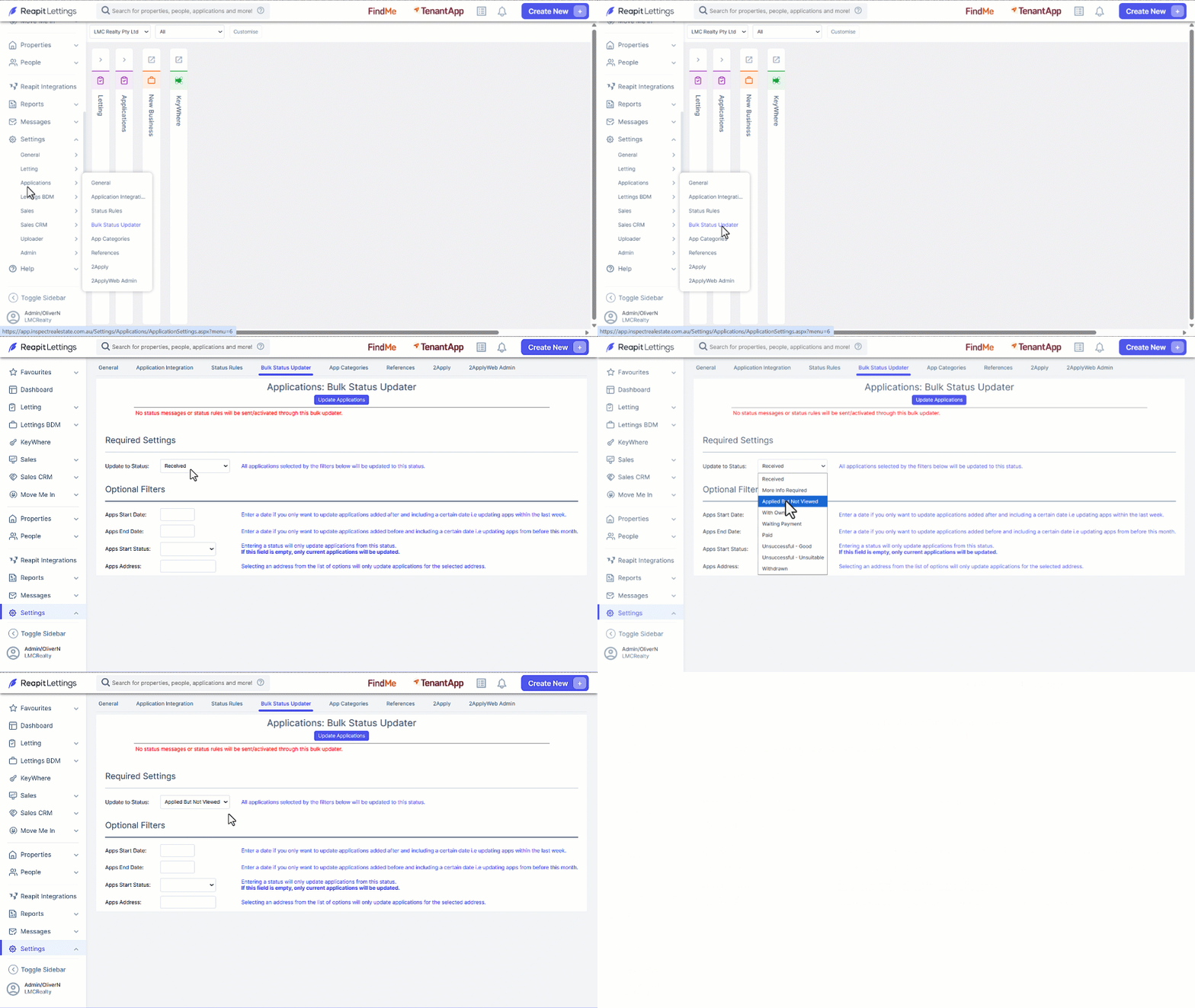
- Click on Settings.
- Click on Applications.
- Click on Bulk Status Updater.
- 1Click the Update to Status selector and select the appropriate status.
- In Optional Filters you can add additional criteria to be included,
- select Update Applications once completed.
Option B
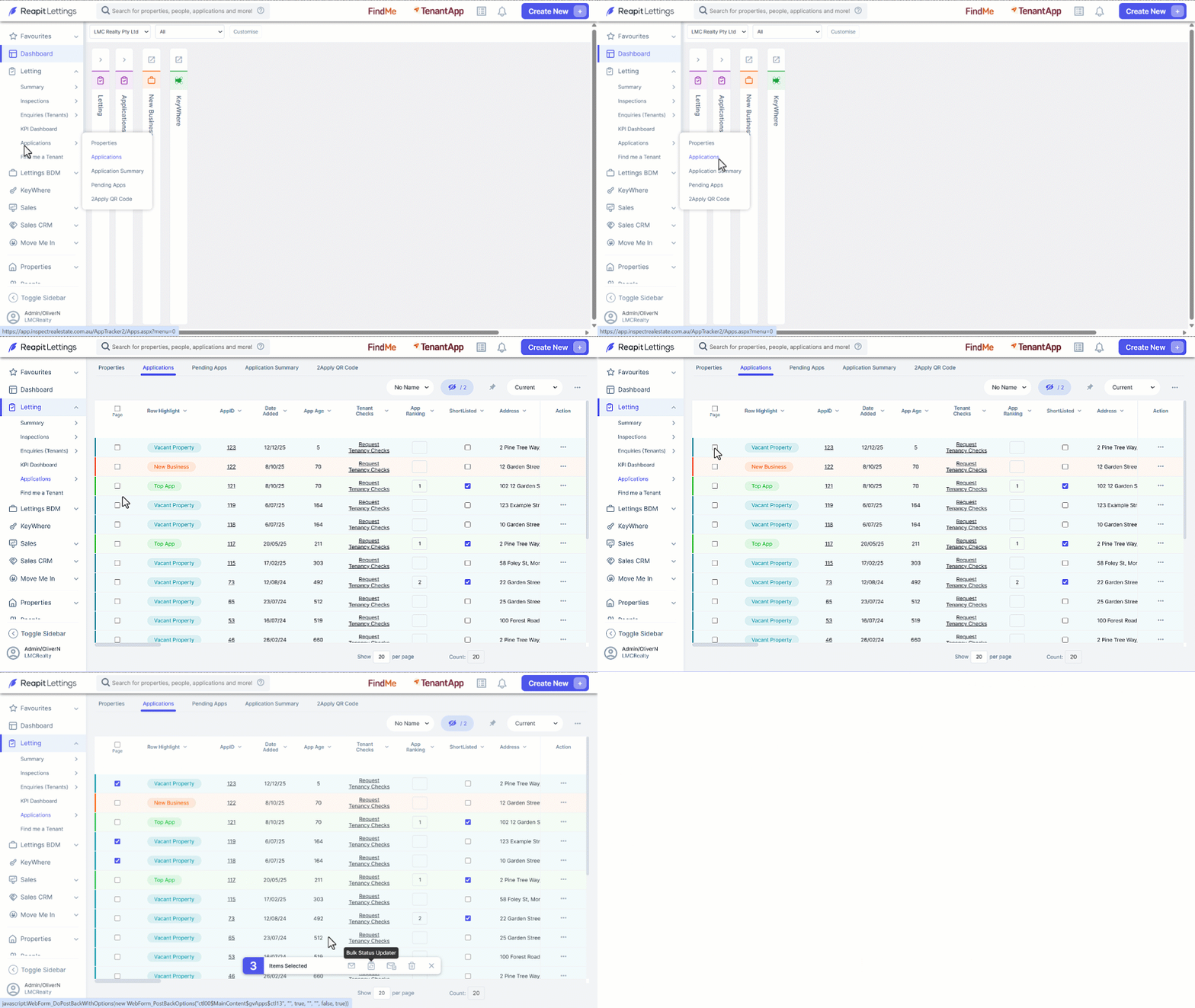
- Click on Letting.
- Click on Applications.
- Click on ****Applications.
- Select the properties you wish to update (either by clicking multiple checkboxes as shown below, or by clicking Page checkbox for all properties to be selected).
- Click the Bulk Status Updater icon.