'%20d='M0%208a8%208%200%200%201%208-8h24a8%208%200%200%201%208%208v24a8%208%200%200%201-8%208H8a8%208%200%200%201-8-8V8Z'/%3e%3cpath%20fill='%23fff'%20d='M32.576%206C12.293%206%208.776%2025.887%207.424%2034H9.1c.45-2.977%203.493-14.748%2010.899-20.287%200%200-5.633%206.976-6.572%2015.051%203.426-.652%2013.845-3.372%2016.056-12.927l-3.84-.61c1.352-1.351%204.909-5.17%206.931-9.226V6Z'/%3e%3cdefs%3e%3clinearGradient%20id='reapit-lettings__a'%20x1='20.702'%20x2='20.702'%20y1='.351'%20y2='31.228'%20gradientUnits='userSpaceOnUse'%3e%3cstop%20stop-color='%235573FD'/%3e%3cstop%20offset='.575'%20stop-color='%234E56EA'/%3e%3c/linearGradient%3e%3c/defs%3e%3c/svg%3e)
How Buyers Enquiries Are Categorised
This article will run through how buyer enquiries are categorised in your account in Reapit Lettings.
1. Click on Sales.
2. Click on Summary.
3. Select Summary.
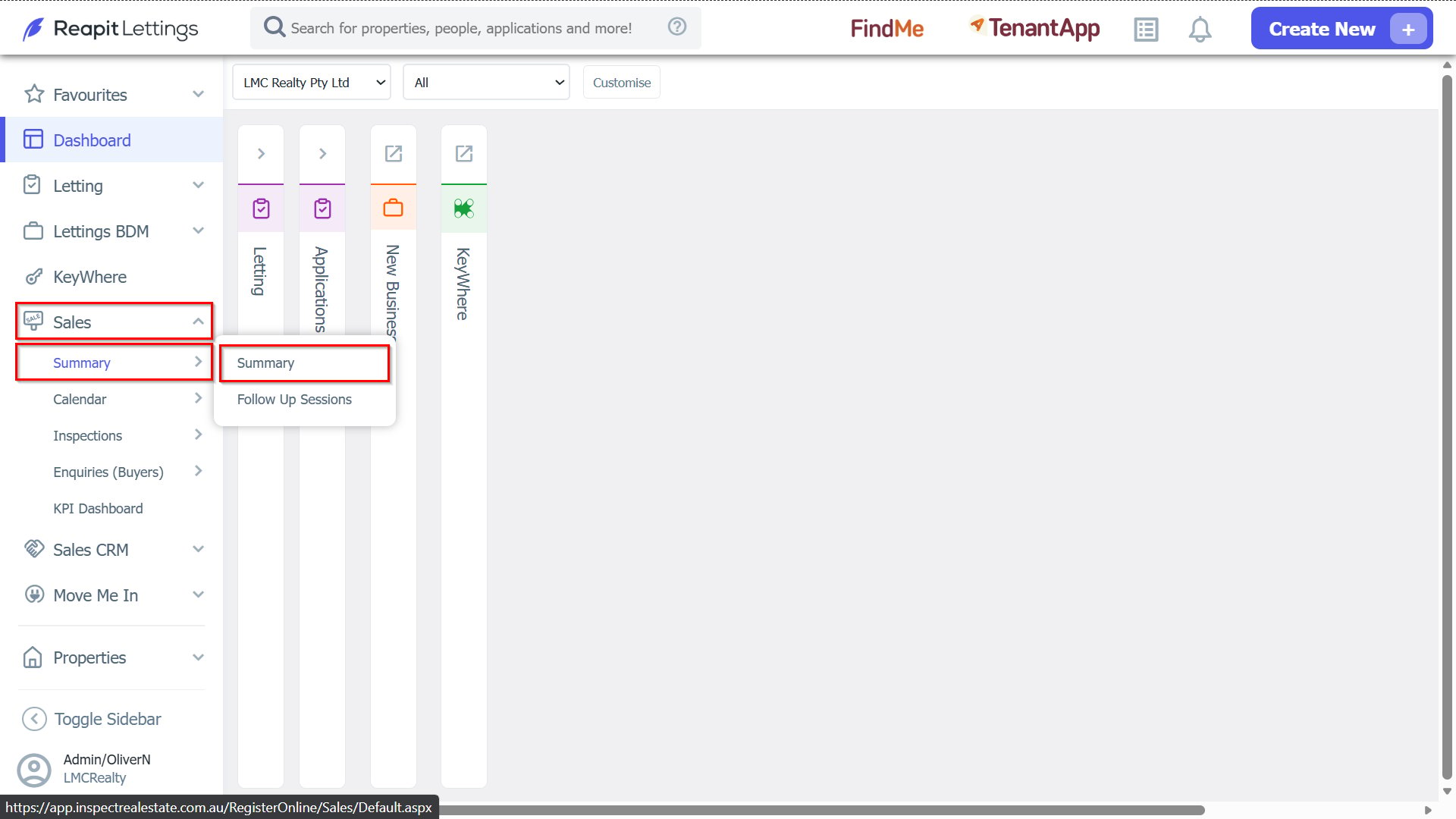
4. Locate the Buyers Enquiries you are looking for.
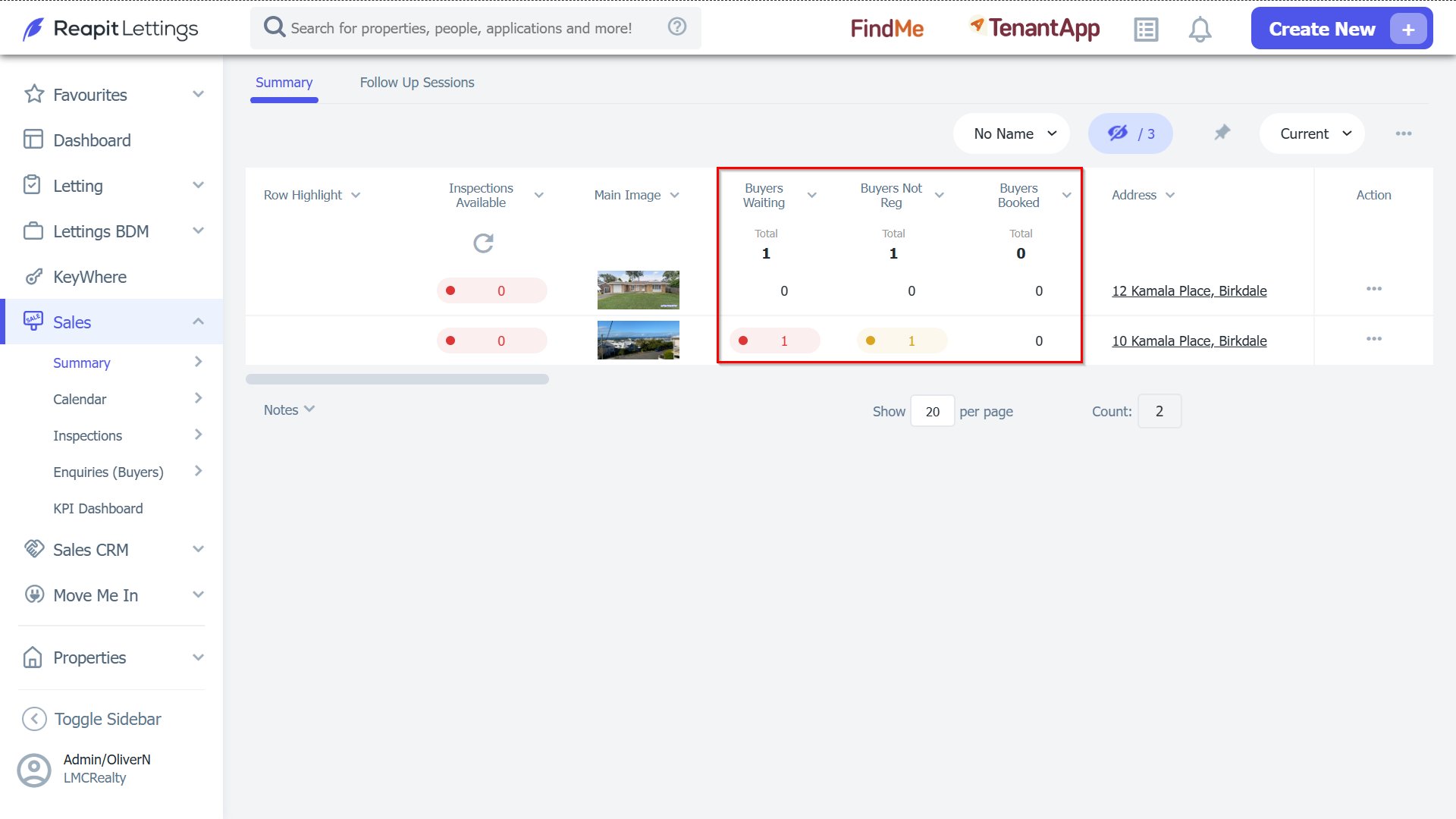
There are three main categories for Buyers Enquiries:
1. Waiting Buyers
These are people who have enquired about a property, and there were no inspection times available.
They are ‘Waiting’ for your office to create an inspection time.
Once you create an inspection time they can be automatically advised.
2. Buyers Not Registered
Once you tell a buyer about an available inspection time, they have the option to book into (or register for) that inspection time.
Buyer Not Registered are prospect buyers we have talked about inspection times but have not yet confirmed whether they will come to that inspection (they have not registered).
You will need to follow up these prospects to see whether you can manually book them into a time.
3. Booked Booked
These are people who have booked, or registered, into an inspection time.
They have confirmed that they will attend at that time.
They have the option to change or cancel their registration at any time (you will be notified if they do), and they will also receive automatic updates should anything change about their inspection.