'%20d='M0%208a8%208%200%200%201%208-8h24a8%208%200%200%201%208%208v24a8%208%200%200%201-8%208H8a8%208%200%200%201-8-8V8Z'/%3e%3cpath%20fill='%23fff'%20d='M32.576%206C12.293%206%208.776%2025.887%207.424%2034H9.1c.45-2.977%203.493-14.748%2010.899-20.287%200%200-5.633%206.976-6.572%2015.051%203.426-.652%2013.845-3.372%2016.056-12.927l-3.84-.61c1.352-1.351%204.909-5.17%206.931-9.226V6Z'/%3e%3cdefs%3e%3clinearGradient%20id='reapit-lettings__a'%20x1='20.702'%20x2='20.702'%20y1='.351'%20y2='31.228'%20gradientUnits='userSpaceOnUse'%3e%3cstop%20stop-color='%235573FD'/%3e%3cstop%20offset='.575'%20stop-color='%234E56EA'/%3e%3c/linearGradient%3e%3c/defs%3e%3c/svg%3e)
What is the 'REA Hits'?
This article will provide you with an overview of REA hits and how to review them within Reapit Lettings.
What are 'REA Hits'?
This article will provide you with an overview of REA hits and how to review them in Reapit Lettings.
REA views indicate the frequency with which a property listing has been viewed. These metrics are accessible on the 'Property Page' within your IRE account and are also reflected in the Weekly Owner Report graphs.
- Navigate to Properties.
- Click Rentals.
- Select a property from the rentals grid.
- Navigate to Main Data.
- Click Portals.
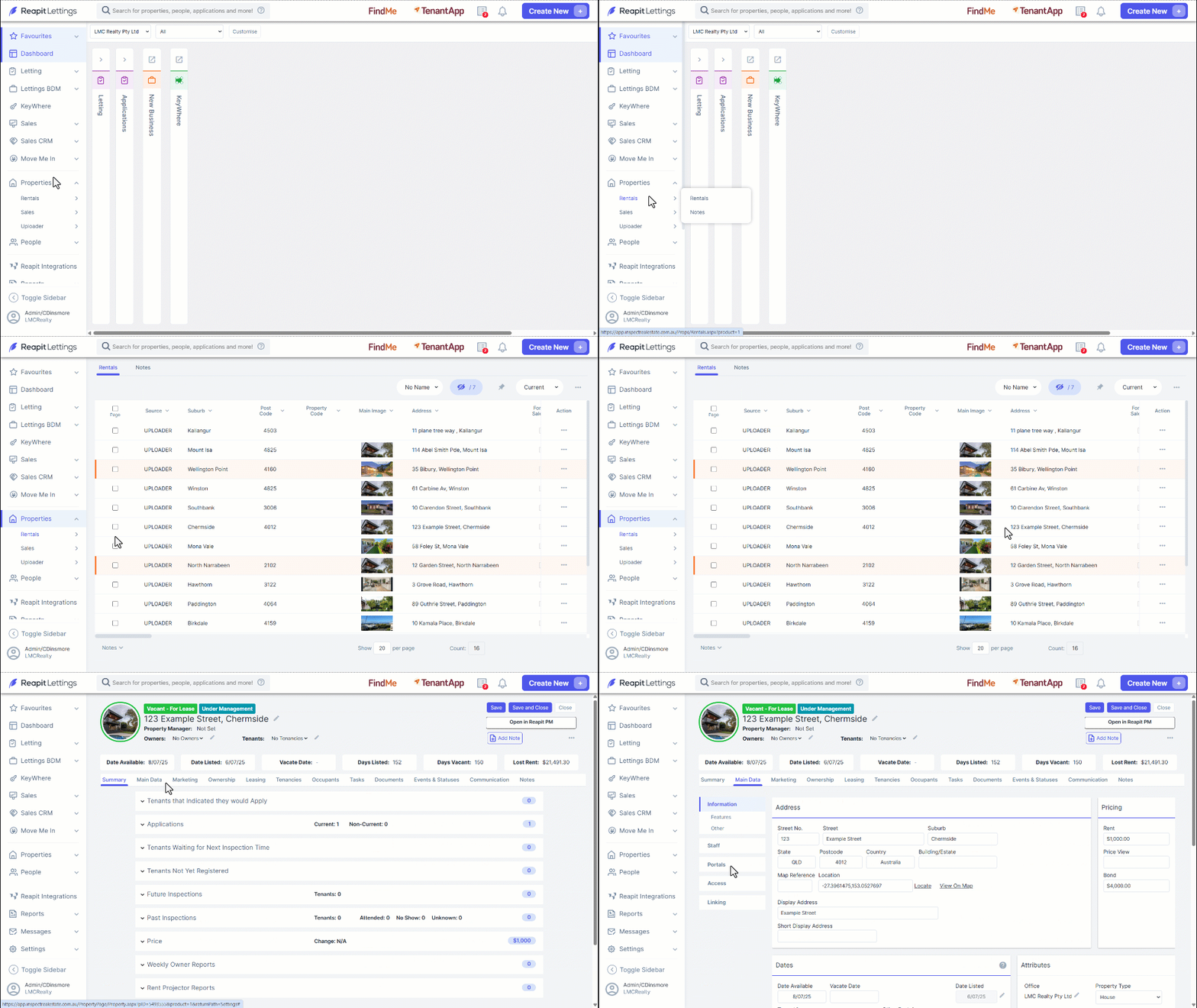
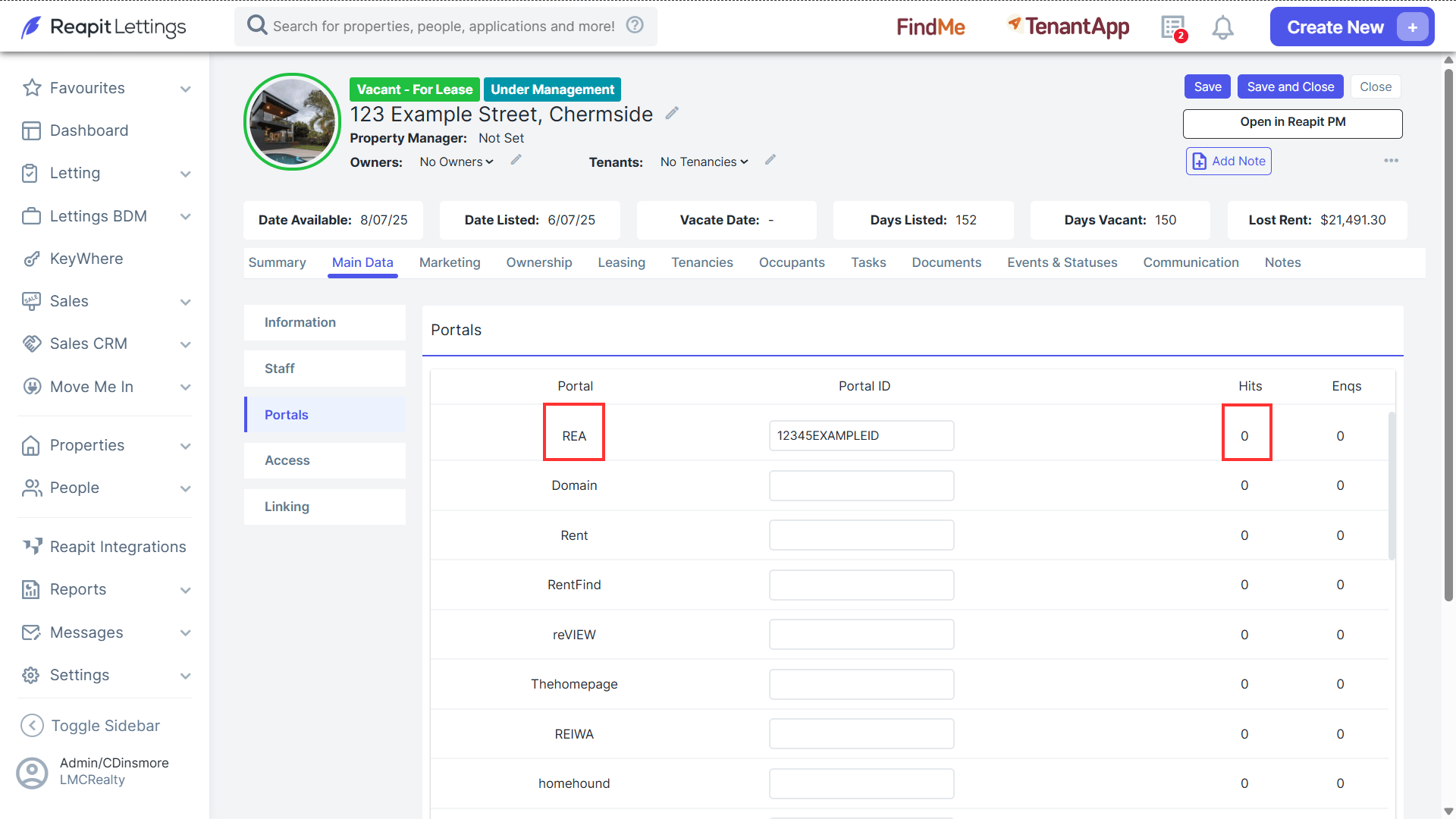
- Portals will display the number of hits corresponding to the REA portal, displayed on the right under the Hits heading.
Note: Tracking of REA Hits is based on the frequency with which the Book Inspection button is loaded on a listing. If you do not have this enabled, please get in touch with the Reapit Lettings Support Team.