'%20d='M0%208a8%208%200%200%201%208-8h24a8%208%200%200%201%208%208v24a8%208%200%200%201-8%208H8a8%208%200%200%201-8-8V8Z'/%3e%3cpath%20fill='%23fff'%20d='M32.576%206C12.293%206%208.776%2025.887%207.424%2034H9.1c.45-2.977%203.493-14.748%2010.899-20.287%200%200-5.633%206.976-6.572%2015.051%203.426-.652%2013.845-3.372%2016.056-12.927l-3.84-.61c1.352-1.351%204.909-5.17%206.931-9.226V6Z'/%3e%3cdefs%3e%3clinearGradient%20id='reapit-lettings__a'%20x1='20.702'%20x2='20.702'%20y1='.351'%20y2='31.228'%20gradientUnits='userSpaceOnUse'%3e%3cstop%20stop-color='%235573FD'/%3e%3cstop%20offset='.575'%20stop-color='%234E56EA'/%3e%3c/linearGradient%3e%3c/defs%3e%3c/svg%3e)
How to Automatically Re-Advise Buyers Not Registered or Cancelled of Inspection Times
This article will run through how to automatically re-advise buyers not registered or cancelled of Inspection times in Reapit Lettings - Sales.
If a buyer enquires on a property and there are inspection times available, but they do not register into an inspection, they will be classed as a Buyers Not Registered and show under the Buyer Not Reg column on the summary screen.
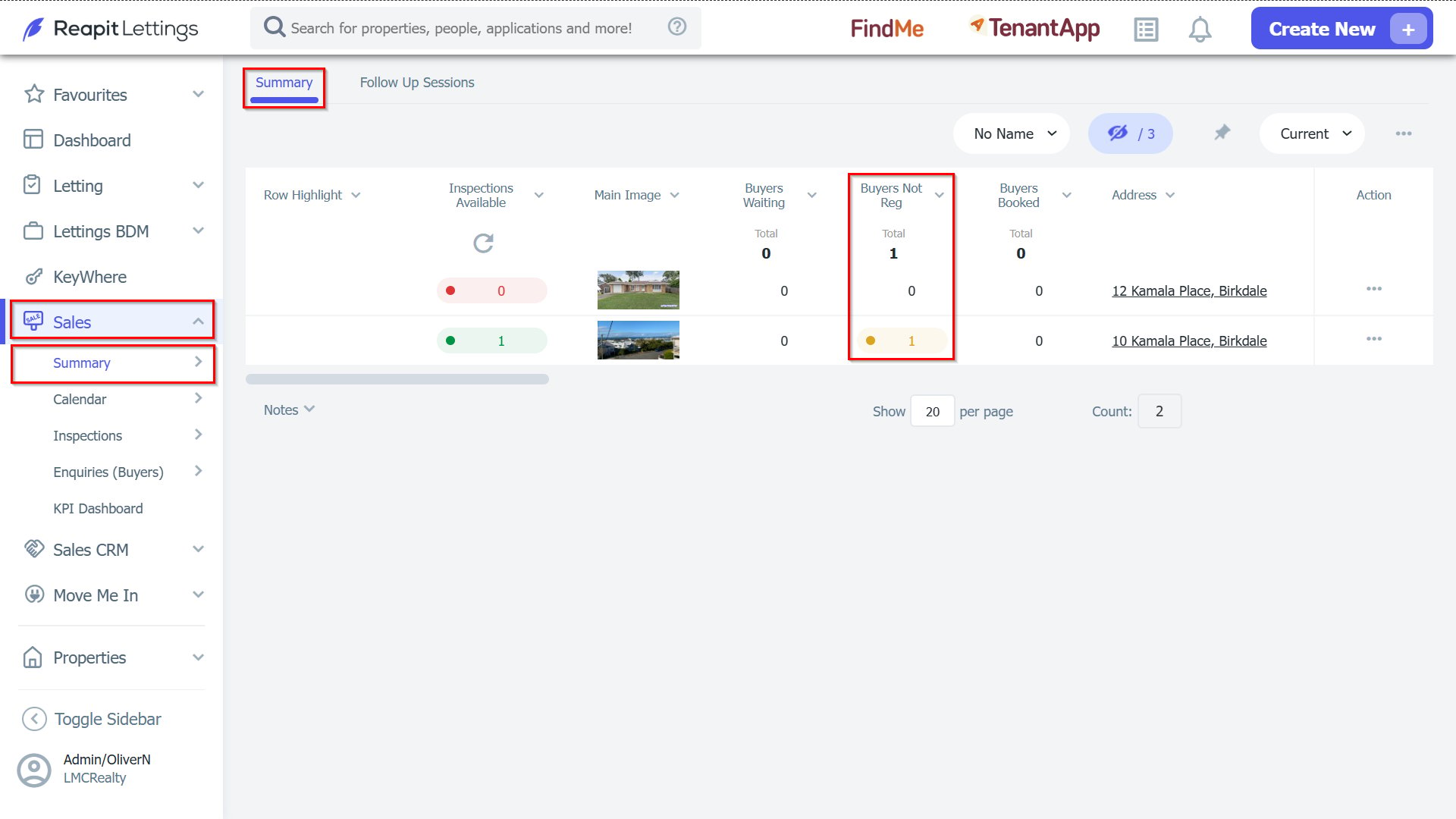
1. These buyers can automatically be re-advised of times by turning on the following settings.
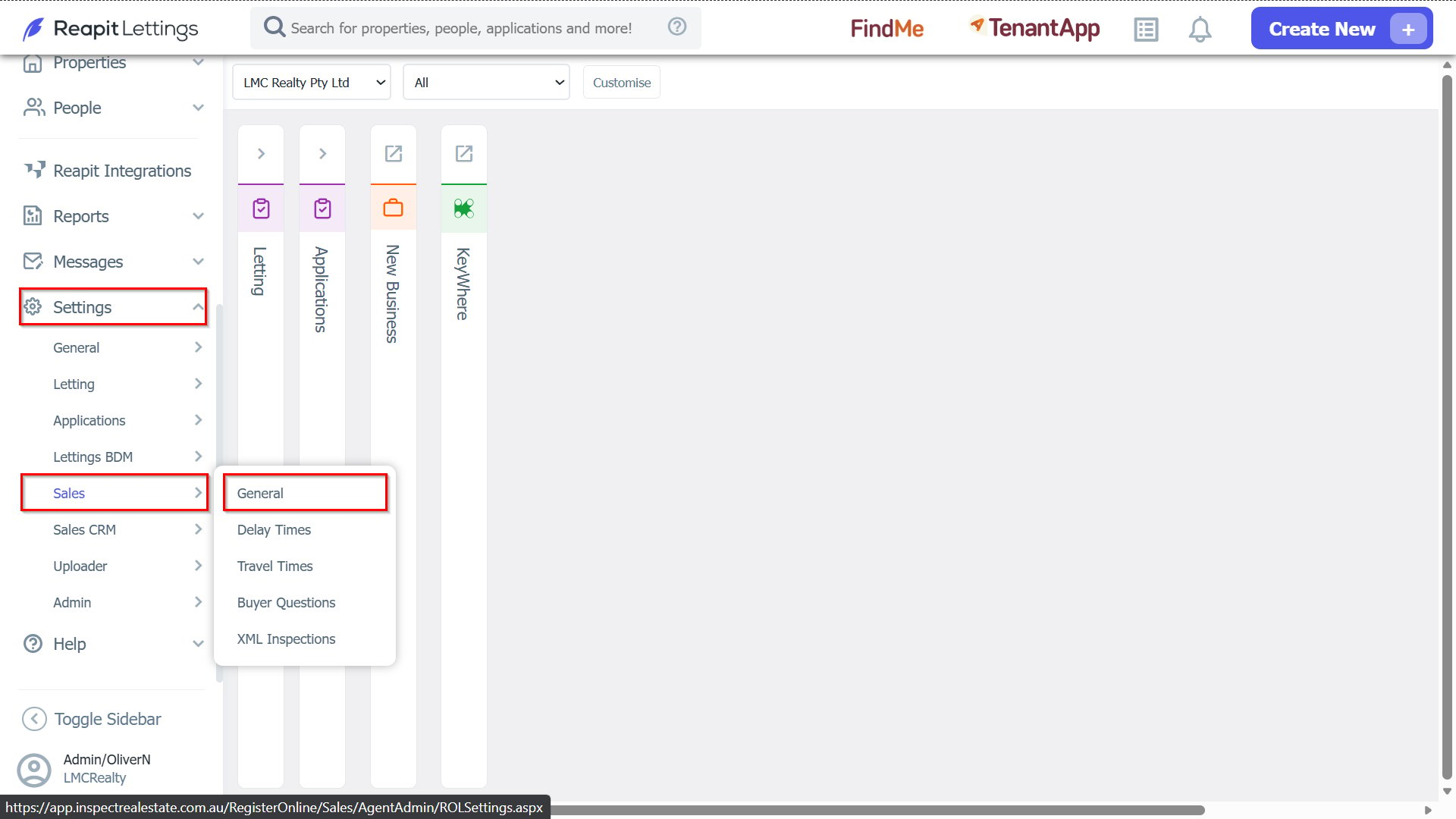
As a Diamond level user in the office, navigate to Settings > Sales > General.
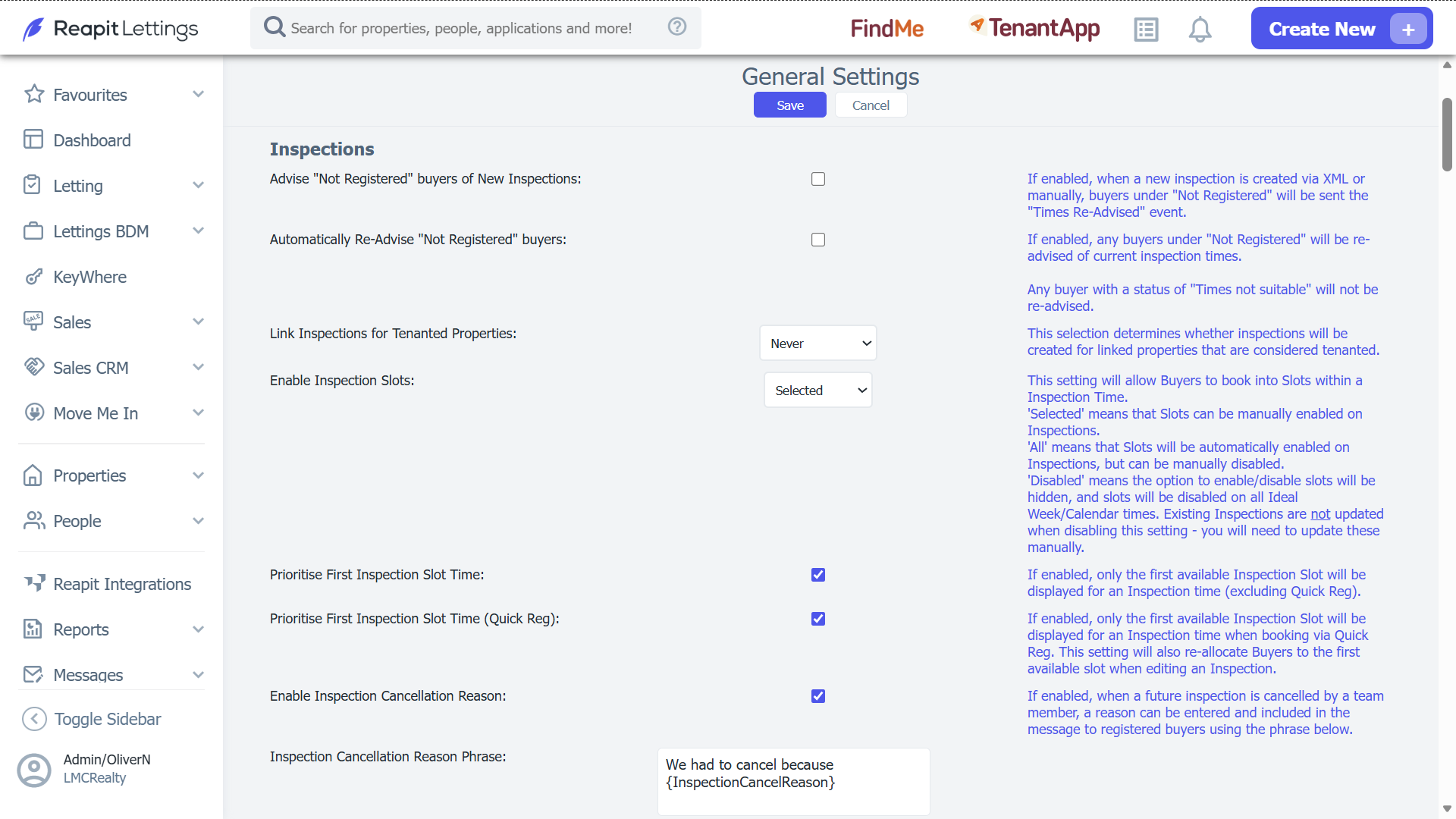
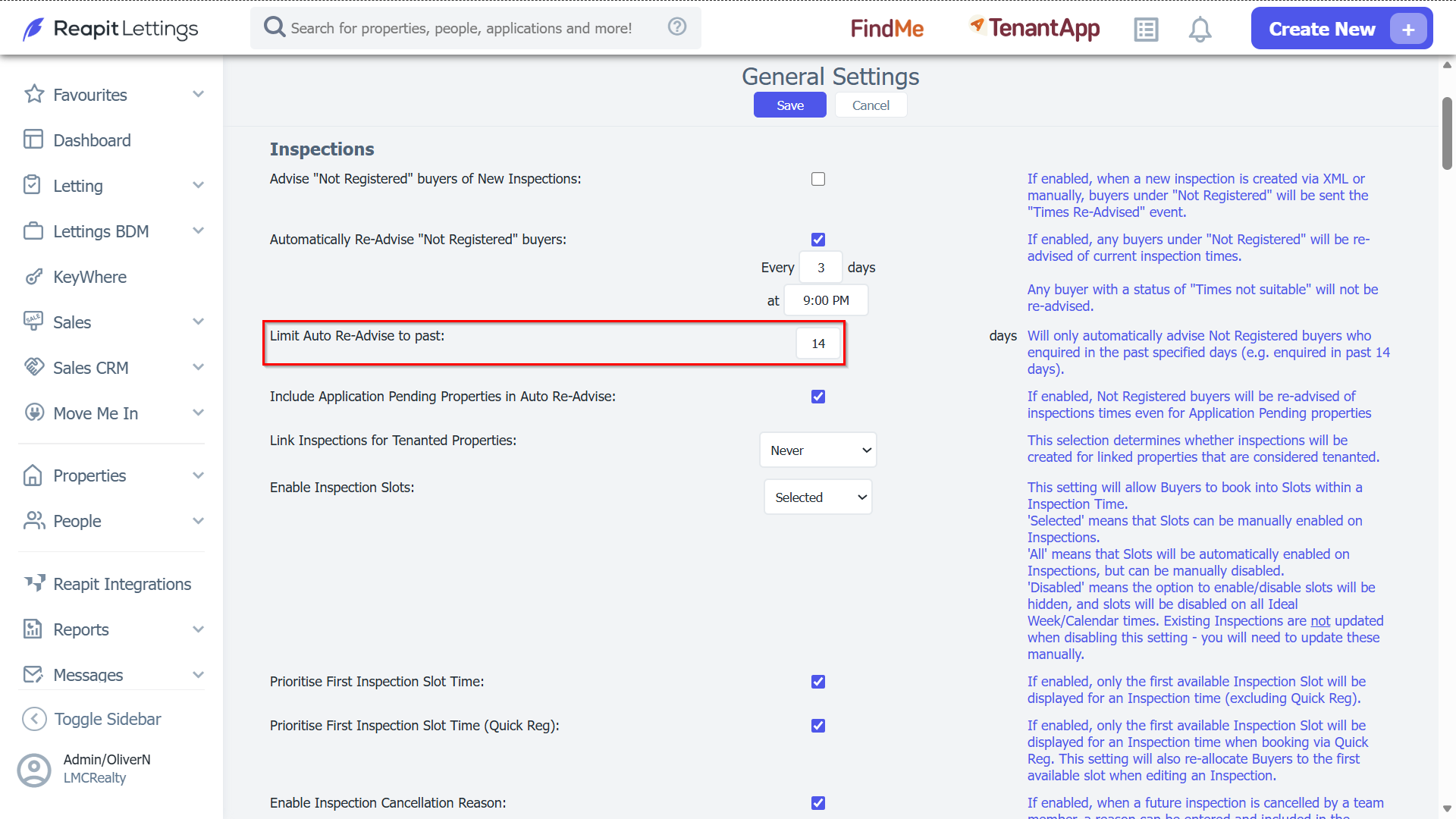
2. Scroll to the Inspections section.
3. To activate the setting, tick the box next to Automatically Re-Advise "Not Registered" buyers. When activated text fields will appear to set how often and at what time you wish to automatically re-advise buyers not registered about your available inspections.
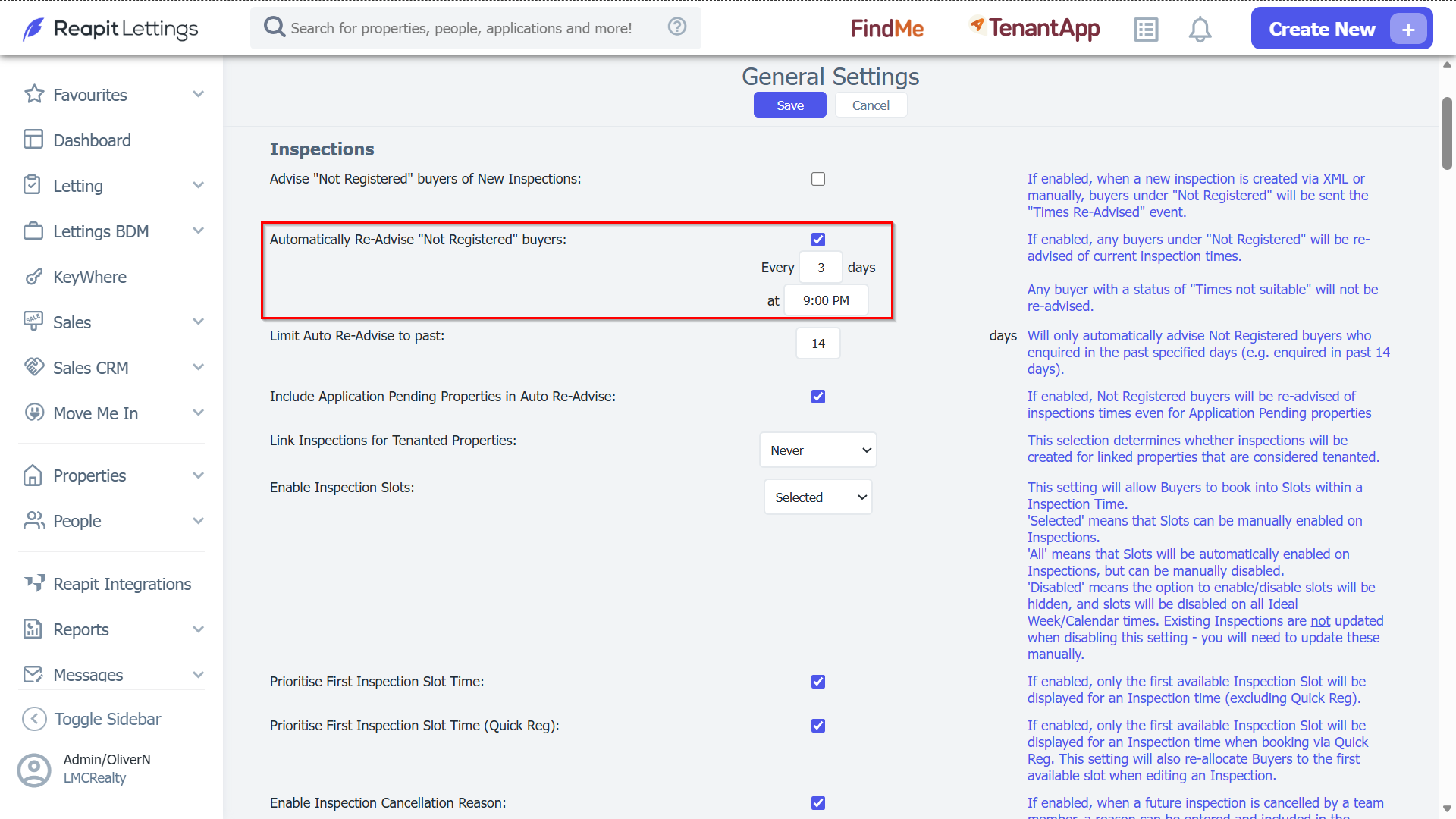
4. Entering a number in the Limit Auto Re-Advise field will determine the age bracket of enquiries to be included in this notification.
It is suggested to keep this as a shorter period of time, as these buyers who have not registered within this timeframe may no longer be interested in the property.
Note:
- Once these settings have been switched on, to process these enquiries, you need to setup a time for that enquiry to book into. (this could be an open inspection time, or private inspection, or a calendar/ideal week time).
- Once the inspection has been created, the system can automatically advise these buyers on the available inspection times.