'%20d='M0%208a8%208%200%200%201%208-8h24a8%208%200%200%201%208%208v24a8%208%200%200%201-8%208H8a8%208%200%200%201-8-8V8Z'/%3e%3cpath%20fill='%23fff'%20d='M32.576%206C12.293%206%208.776%2025.887%207.424%2034H9.1c.45-2.977%203.493-14.748%2010.899-20.287%200%200-5.633%206.976-6.572%2015.051%203.426-.652%2013.845-3.372%2016.056-12.927l-3.84-.61c1.352-1.351%204.909-5.17%206.931-9.226V6Z'/%3e%3cdefs%3e%3clinearGradient%20id='reapit-lettings__a'%20x1='20.702'%20x2='20.702'%20y1='.351'%20y2='31.228'%20gradientUnits='userSpaceOnUse'%3e%3cstop%20stop-color='%235573FD'/%3e%3cstop%20offset='.575'%20stop-color='%234E56EA'/%3e%3c/linearGradient%3e%3c/defs%3e%3c/svg%3e)
Sending Entry Notices for Sales Properties - QLD
This article will guide you through how to manage entry notices within your account in Reapit Lettings.
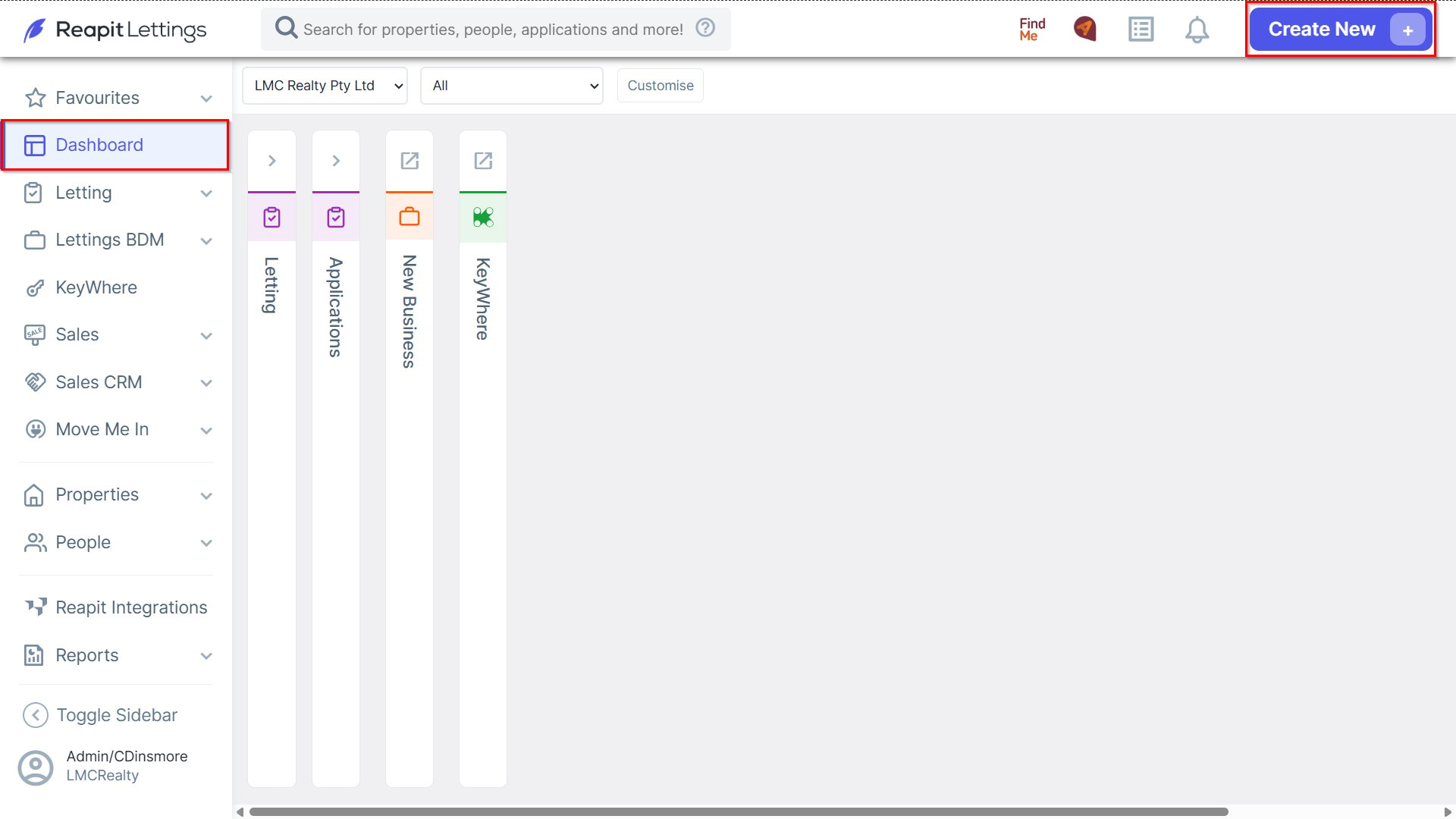
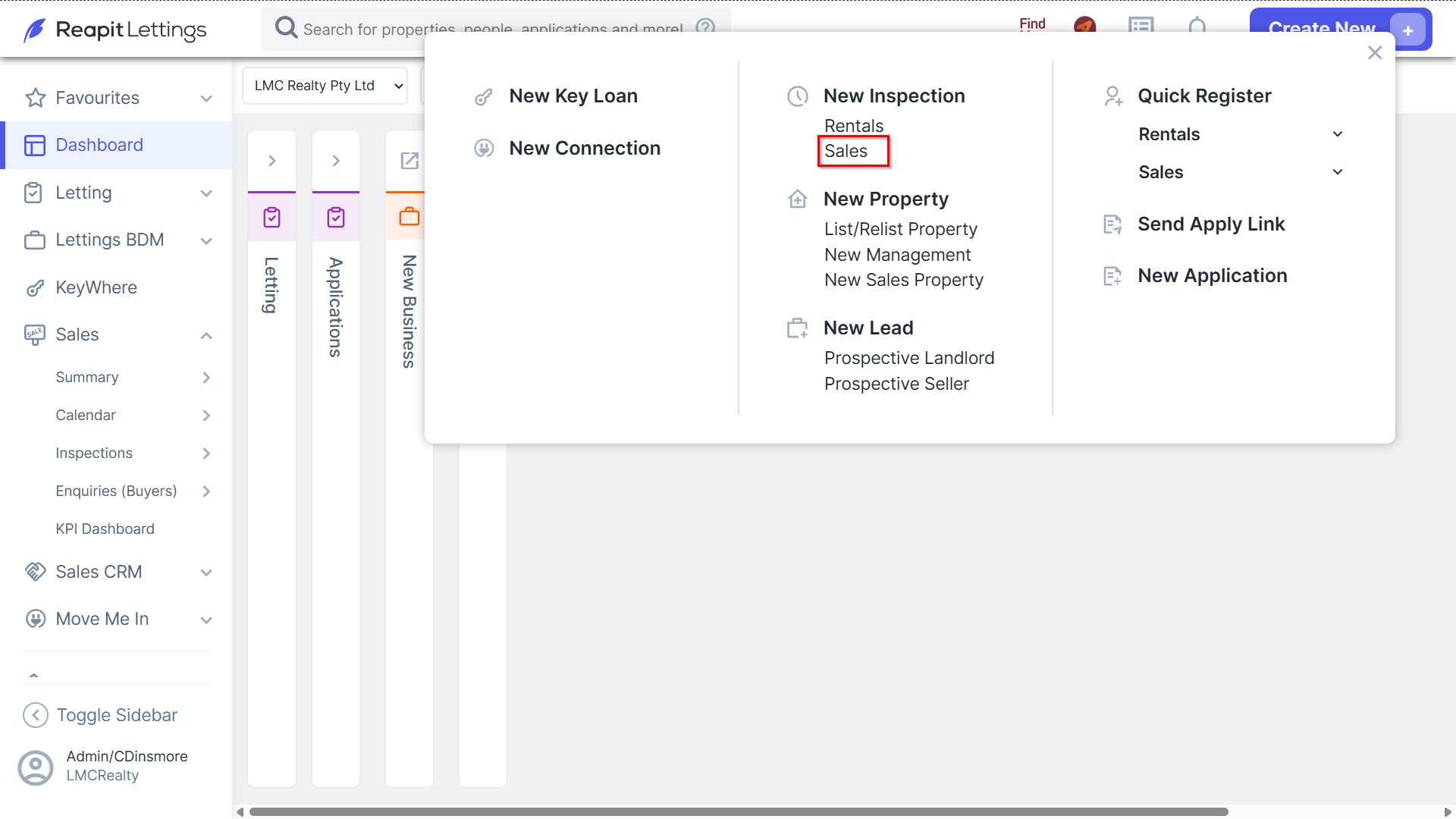
1. Navigate to Create New and select Sales within the 'New Inspection' section.
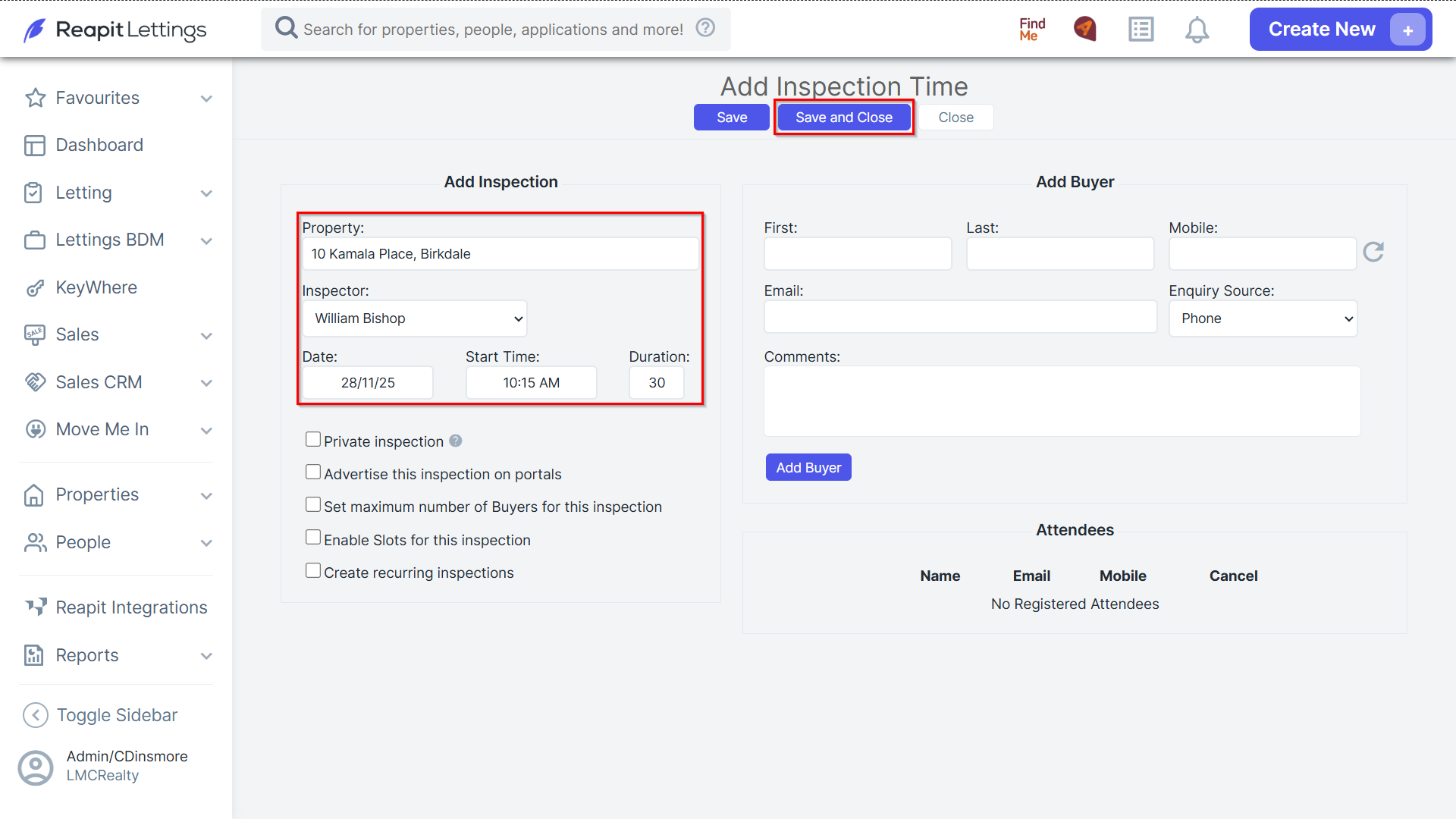
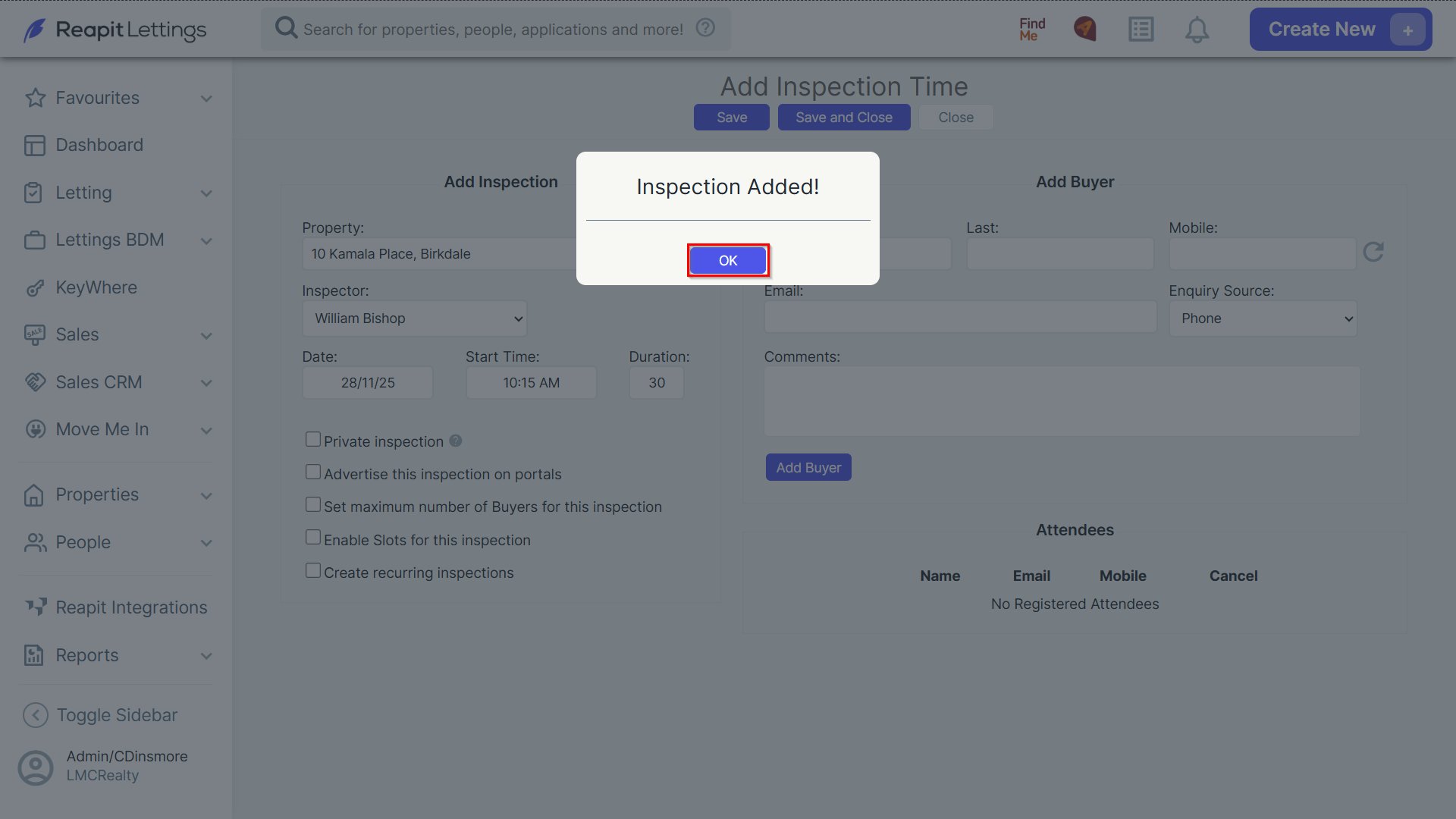
2. Enter the appropriate property address, select an inspector from the Inspector dropdown menu, date and start time and then click Save and Close.
- When prompted, click OK.
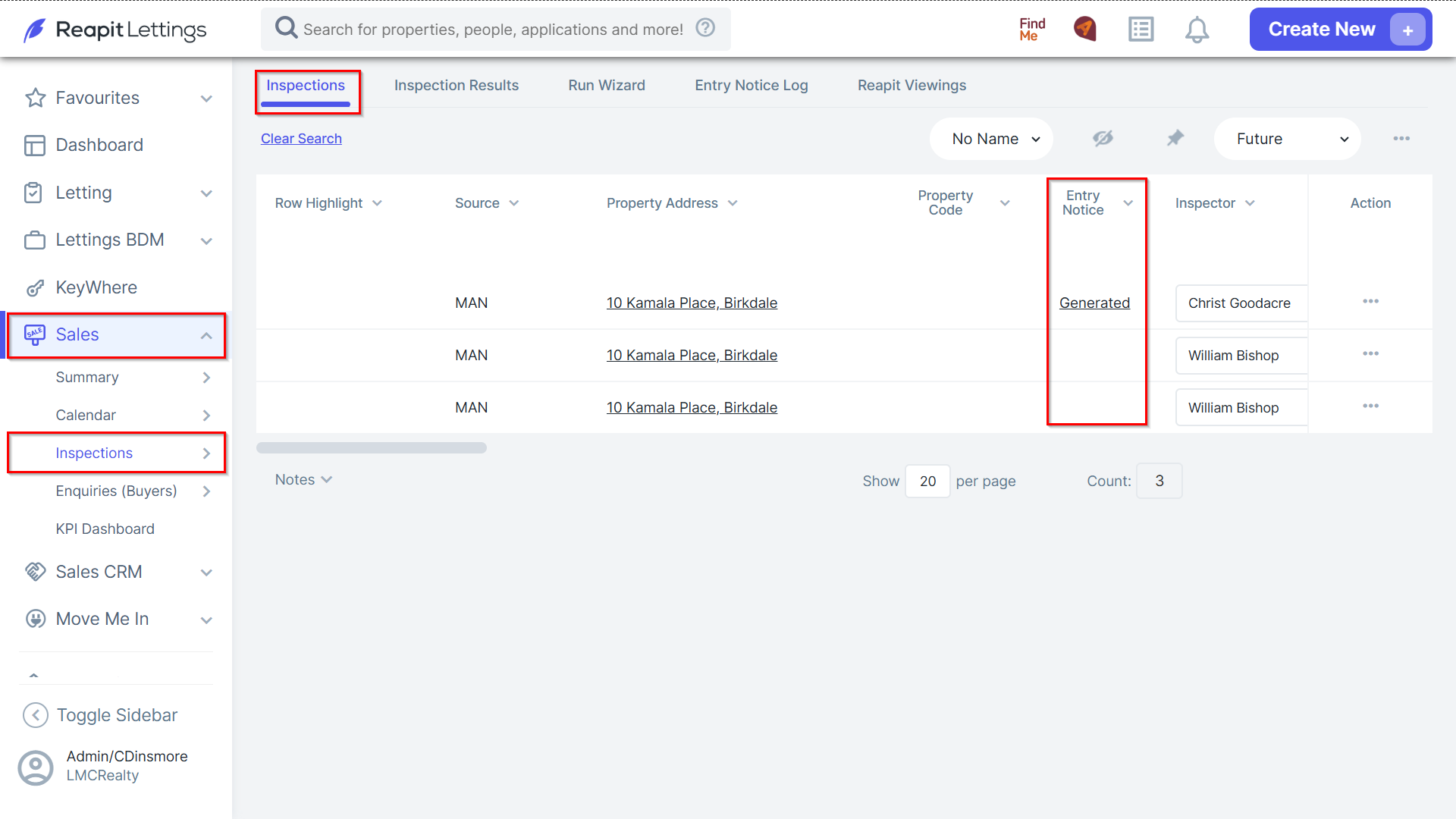
3. Navigate to Sales > Inspections and select Inspections.
- Adjacent to the relevant property address, underneath the 'Entry Notice' column, click Generated.
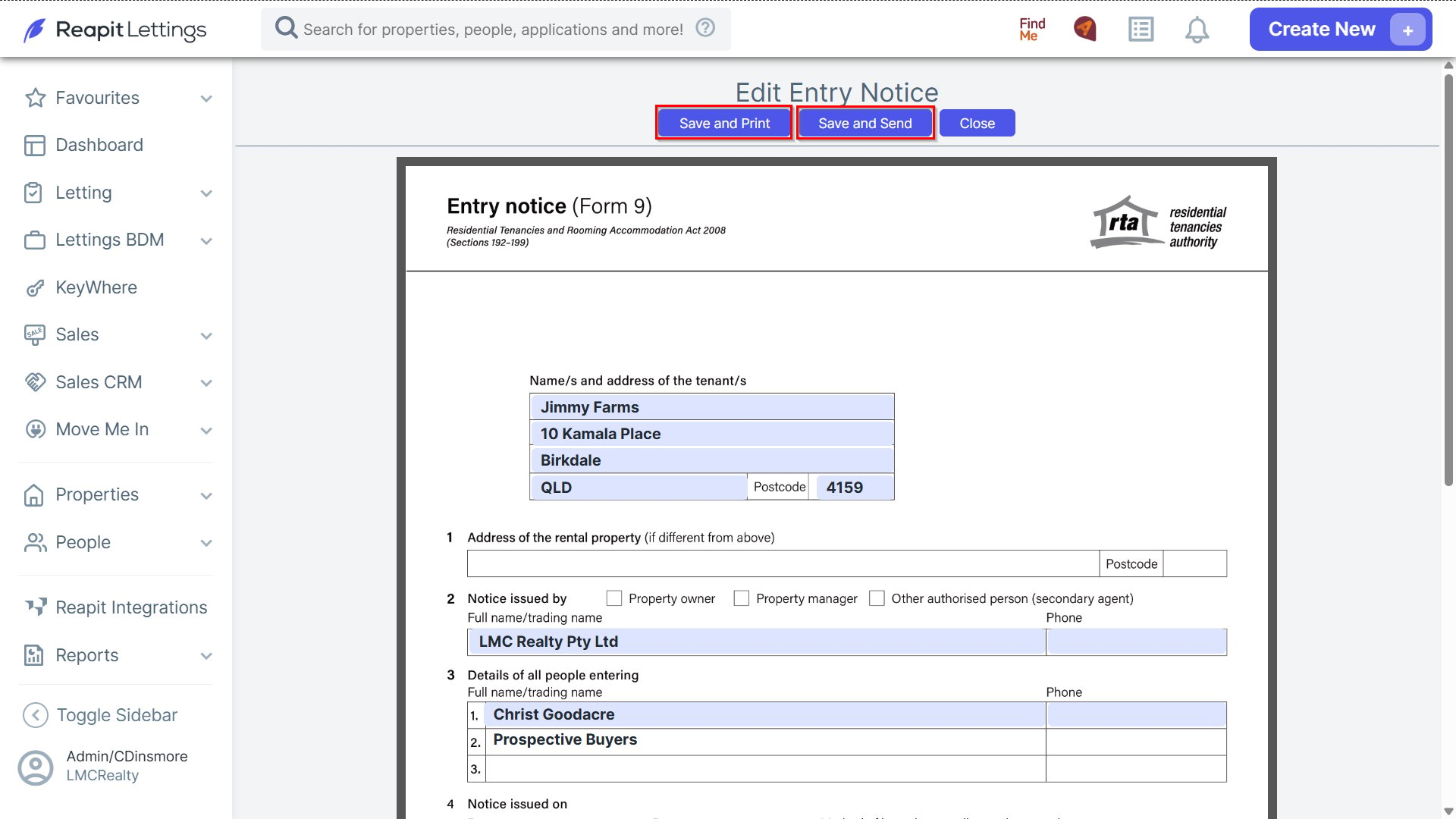
4. You can either click Save and Print or Save and Send.